YouTube Client Onboarding Template: The Questionnaire That Feeds Your Research
Most onboarding questionnaires collect answers nobody reads again. Then week two arrives and your strategist starts the research from zero.
This template fixes that. It has ten sections, and each one feeds a research step. "Name three channels you envy" becomes the seed for a niche map. "Who buys from you" becomes the audience profile. "The questions clients ask you most" becomes a topic bank you check for demand. You get the client questionnaire, a kickoff doc with the call agenda, and an Excel tracker. All free, no signup.
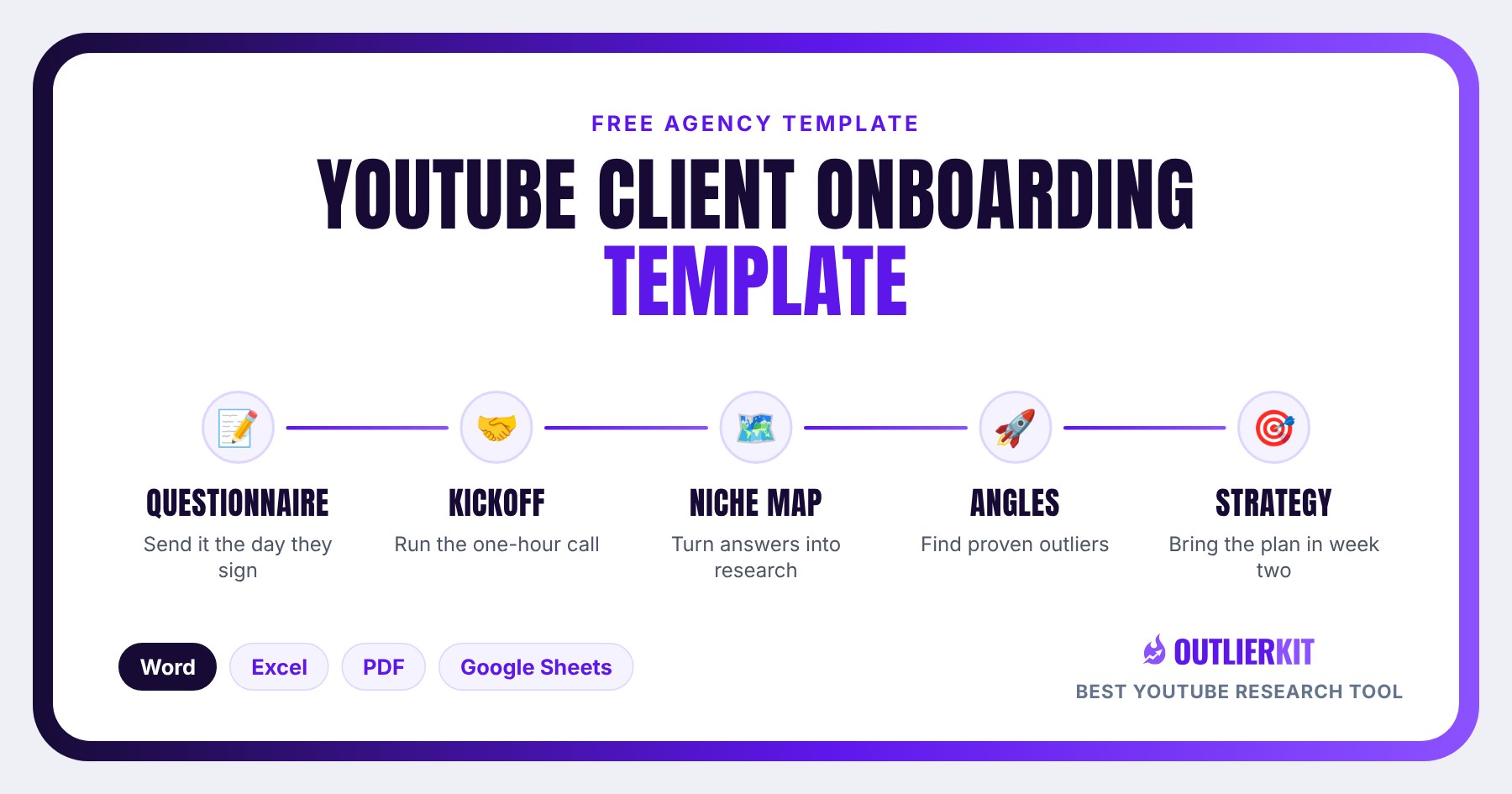
What is a YouTube client onboarding template?
A YouTube client onboarding template is the questionnaire an agency sends a new client, paired with an internal kickoff doc. The questionnaire collects what only the client knows: what they sell, who buys, which channels they admire, what they're allowed to say, and what success means to them. The kickoff doc turns those answers into a research plan for the first two weeks.
This one is built around a single rule: every question must change what you research or what you make. If an answer would sit in a folder, the question isn't on the form.
Download the onboarding template: Word, Excel, PDF or Google Sheets
Direct downloads, no email needed. The files carry no branding except one small credit line you can delete, so add your logo and send.
Part A for the client, Part B for your team
Answers, research map, call notes, access checklist
For clients who'd rather write by hand
Copy link delivered by email · best for teams
| Format | Best for |
|---|---|
| Word (.docx) | Part A is the client questionnaire you send. Part B is your kickoff doc: what each answer feeds, the call agenda, the research map and the access checklist. |
| Excel (.xlsx) | The agency tracker. Paste answers in, plan research week, keep call notes. Four tabs. |
| Printable questionnaire for clients who prefer to write, plus the kickoff doc. | |
| Google Sheets | The tracker for teams. We email you a copy link. |
What's inside: ten sections, each tied to a research step
Every section lists the questions the client sees, the research step the answers feed, and the OutlierKit tool that does that step. The tool column lives only in the kickoff doc. The client never sees it.
The business behind the channel
- What do you sell, and roughly what does it cost?
- What happens after someone watches a video and likes you?
- How many new customers a month would make this worth it?
Feeds: Conversion goal and monetization map. Tool: Competitor Studio: Funnels and Monetization
Fill it in well: Ask for the price, not a range. A $300 course and a $30,000 retainer need different videos. Then check how channels in the niche actually make money before you promise a funnel nobody there uses.
Who buys from you
- Describe your three best customers: job, age range, the problem they had.
- What words did they use for that problem?
- Who do you NOT want to attract?
Feeds: Audience psychographics. Tool: Competitor Studio: Audience Psychographics and Comment Intelligence
Fill it in well: Push for the customer's own words. "Retirees who worry about taxes" is a segment. "I don't want to hand the IRS half my 401(k)" is a title.
Channels you envy
- Name three YouTube channels you envy.
- For each, what exactly do you envy?
- Is there a channel your best customers already watch?
Feeds: Competitor discovery seed and niche map. Tool: Competitor Studio plus Similar Channels
Fill it in well: Clients name giants. Keep the envy list as the seed, but never benchmark against it. The useful peers are channels within about 2x of the client's size.
Channels you refuse to look like
- Name one or two channels you never want to be compared to, and why.
- Any topics, formats or claims that are off limits?
Feeds: Positioning guardrails. Tool: Video Analysis on the named videos
Fill it in well: Write these into the brief. A guardrail you learn at the first script review costs a week. One you learn in week one costs nothing.
What you know that others don't
- List the 10 questions your clients ask you most.
- What do you believe that most of your industry would disagree with?
- One client story you can share, names removed.
Feeds: Topic bank and angle shortlist. Tool: Keyword Research and Outlier Finder
Fill it in well: This is the richest section on the form, so give it the most space. Every question here gets a search-demand number and, where you can find one, an outlier that proves the format works.
Your channel today
- Channel URL and the three videos you're proudest of.
- Which video surprised you, good or bad?
- What have you tried that didn't work?
Feeds: Baseline audit. Tool: Channel Analysis
Fill it in well: Pull the baseline before the kickoff call. Then you can answer "my proudest video" with its multiple, which is the first moment the client sees you work from data.
What success looks like
- Six months from now, what would make this worth it?
- Pick ONE number we report on first.
Feeds: Report scorecard. Tool: Channel Analysis, monthly
Fill it in well: Force one number. A report with six headline metrics always has one going down, and that's the one the client reads.
Time, approvals and compliance
- How many hours a month can you give to filming?
- Who approves scripts and titles, and how fast?
- Is there a compliance or legal review?
Feeds: Production cadence. Tool: None. This sets the calendar.
Fill it in well: Finance, health and law clients often have a compliance review. A two-week review turns a weekly plan into a fortnightly one, so find out now.
Brands and partners
- Brands you'd happily work with, or never promote?
- Partners, affiliates or your own products to feature?
Feeds: Sponsor fit. Tool: Competitor Studio: Sponsor Intelligence
Fill it in well: Match the yes and no lists against sponsors already paying peer channels. It saves an awkward conversation when the first sponsor email arrives.
Access and logistics
- Add us as Manager in YouTube Studio.
- Share brand assets: logo, fonts, colours, headshots.
- Main contact, backup, and preferred channel.
Feeds: Access checklist. Tool: None
Fill it in well: No Studio access means no baseline. Chase it on day one and confirm it live on the kickoff call.
Who this template is for, and who it isn't
Use it if
Agencies signing their fourth to tenth client
Onboarding lives in someone's head until client four. This turns it into a form any strategist can run, with the research steps already mapped.
Freelance strategists on a first retainer
You need to look organised on day one. The client gets a clean questionnaire; you get a kickoff doc that tells you what to research next.
Teams taking over an expert's channel
Coaches, consultants, advisers and other experts know their field and not YouTube. Section five pulls their expertise out as a topic bank.
Skip it if
You want the whole first 14 days, not just the form
Use the YouTube client onboarding playbook instead: the day-by-day plan for the first two weeks with a new client.
You need to grade the client's existing channel
Use the YouTube channel audit template instead: a one-time scorecard for metrics, packaging and audience signals.
They haven't signed yet
Use the YouTube pitch audit template instead: three slides built from outside data, for the pitch meeting.
How do you run client onboarding with this template?
Five steps take you from signed contract to the week-two strategy meeting. Steps one and two are people work. Steps three to five are research, and that's where the questionnaire pays off.
Send the questionnaire the day they sign
Send Part A of the Word file within an hour of the signature, while the client is still excited. Ask for it back in three days. Delete Part B first, because that half is your kickoff doc.
Run the 60-minute kickoff call
Use the agenda in the kickoff doc. Agree the one number in the first ten minutes. Open an envy channel on screen and ask what they'd copy. Book the week-two strategy meeting before you hang up.
Turn the envy list into a niche map
Enter the envy channel closest to the client's topic into Competitor Studio. It maps the niche: competitors, size peers, emerging channels, audience segments, sponsors and how peers monetize. Then run Similar Channels with size matching on the client's own channel for a fair benchmark set.
Competitor Studio in action. Click to explore the tool.
Tool for this step: Competitor Studio →
Check the topic bank against demand and outliers
Take the client's 10 most-asked questions from section five. Run each through Keyword Research for a monthly search number, and Outlier Finder for a video that beat its channel average on the same topic. Keep the topics that have both.
Outlier Finder in action. Click to explore the tool.
Tool for this step: Outlier Finder →
Bring the week-two strategy pack
Pull the baseline with Channel Analysis and put the client next to the median of their size peers. Bring the niche map, three proven angles, the first six ideas with evidence, and the date of the first monthly report.
Channel Analysis in action. Click to explore the tool.
Tool for this step: Channel Analysis →
What does the envy list look like after research?
I pulled a real one on November 20, 2026. Picture a new client who runs a retirement-planning channel as a Certified Financial Planner, with about 11,800 subscribers. I'm leaving the channel's name off; it's somebody's business, not a case study. In section three, a client like this names a channel such as James Conole, CFP, which has 217,000 subscribers. That's 18 times the client's size.
Conole is a fine channel to study. He's a useless benchmark. So I ran OutlierKit's Similar Channels on the client's channel with size matching on, and kept only US retirement-planning channels. Eight size peers came back:
| Peer channel | Subscribers | Avg views per video |
|---|---|---|
| Jeremy Finger, CFP®, CIMA®, CEPA | 22,500 | 30,113 |
| Sean At The PeakFP | 13,100 | 22,560 |
| Nathan Lee, CFP® | 10,600 | 18,032 |
| Josh Rendler, CFP® | 20,200 | 17,412 |
| David Caviness, CFP® | 10,800 | 9,978 |
| Curtis Crossland, MBA, CFA, CFP®, EA | 5,920 | 8,816 |
| Kyle Kuyat CFP® | 8,510 | 6,855 |
| Sensible Money, LLC | 6,480 | 5,199 |
The peers range from 5,920 to 22,500 subscribers. Their median is 13,695 average views per video. The client's channel averages 7,732, which is 56% of that median. That one comparison is the opening slide of the week-two meeting, and it's a gap the client can close. A gap against a 217,000-subscriber channel isn't.
The envy answer still did its job. It told you what the client admires: an adviser talking straight to camera about retiring with $2M or more. That's the format brief. The size peers give you the scoreboard. Keep the two apart and the first monthly report starts from a fair baseline. The monthly client report template carries the same peer median forward.
How do you turn kickoff answers into a niche map before week two?
Enter one envy channel into Competitor Studio. It scans the niche and returns eight modules: niche map, competitor discovery, benchmarking, audience psychographics, outlier videos, Sponsor Intelligence, monetization and funnels, and comment intelligence. Sections two, three, five and nine of the questionnaire all land in that one report. Your strategist checks the client's answers against it instead of researching from a blank page.
Competitor Studio is on Pro ($99 a month, 500 credits, 10 full runs) and Max ($399 a month, 2,000 credits, 40 runs). Pro fits an agency with one to three clients. If you onboard a new client most months and run four or more niches, Max is the plan that keeps refreshes and new runs in the same budget. Extra credits are $19 per 100.
OutlierKit is a YouTube research and planning tool built for experts, consultants and coaches who use YouTube to share what they know, and for the agencies that run those channels. Once a video is planned, its packaging and script tools write ranked titles, the description and chapters, and review the script before the client records. The MCP connector lets Claude run the same research for each client.
How long does research week take by hand?
By hand, the five research jobs in the kickoff doc take most of a working week. The times below are my own estimates for one niche done carefully, not a survey.
| Research job | By hand (my estimate) | In OutlierKit |
|---|---|---|
| Find 10 to 15 competitors by hand | 2 to 3 hours of searching and suggested videos | One Competitor Studio run |
| Pick size peers for the benchmark | 1 hour, mostly guessing | Similar Channels with size matching |
| Profile who watches the niche | An afternoon reading comments | Audience Psychographics and Comment Intelligence |
| Check 10 topics for demand | 1 to 2 hours across tools | Keyword Research, about 5 lookups |
| Find proof each format works | 2 hours sorting channels by views | Outlier Finder, a few searches |
The manual way still works, and the template supports it: every row in the research map has room for a source link. But the slow part of onboarding is rarely the client. It's research week. Cut that to a day and the strategy meeting can move from week three to week two, while the client is still paying attention. The client onboarding playbook covers the full 14 days, and how to learn a YouTube niche fast covers the case where you've never worked in the client's field.
What do you say when the answers come back thin?
Thin answers are normal. Four come up again and again, and each has a line your strategist can use on the kickoff call.
The envy list is three channels with 2 million subscribers
"Great picks, and we'll study what they do. For your monthly numbers, we'll compare you with channels your size in the same niche. That way the report shows real progress instead of a gap nobody can close in a quarter."
"Who buys from you" says "everyone"
"Think about the last client who paid you and was easy to work with. What was their job, and what were they worried about the week they called you?"
They want to track six numbers
"We'll track all six in the workbook. On page one of the report, we lead with one. Which one would you show your business partner?"
Section five is empty
"Forward me the last ten emails a client sent you with a question in them. That's the topic list, and it's better than anything we'd brainstorm."
One more: if the client can't name an envy channel at all, skip to section five. Run their top three client questions through Outlier Finder and show them who's winning on those topics. They'll name an envy channel within a minute.
Get the Google Sheets tracker by email
The Sheets edition mirrors the Excel tracker and suits teams that onboard together. Enter your email and we'll send the copy link.
Frequently asked questions
What should a YouTube client onboarding questionnaire include?
It should cover the business and offer, who buys, three channels the client envies, channels they refuse to look like, the questions their customers ask most, their current channel, one success metric, time and approvals, brand partners, and access. Each answer should feed a research step. If an answer doesn't change what you research or make, cut the question.
How long should the onboarding questionnaire be?
Ten sections and about 25 questions, which most clients finish in 30 to 45 minutes. Longer forms come back half empty. Anything you didn't ask, you cover on the 60-minute kickoff call, which is in the template's agenda.
Should the client fill it in before or during the kickoff call?
Before. Send it the day they sign and ask for it within three days. The kickoff call then digs into the answers instead of collecting them, and you can pull the client's baseline numbers before you talk.
Why ask for channels the client envies?
Because it's the fastest seed for a niche map. Enter the closest envy channel into Competitor Studio and it finds competitors, size peers, sponsors and audience segments across the niche. Just don't benchmark against the envy channels themselves. They're usually 10 to 20 times bigger than the client.
Can I put my agency's branding on this template?
Yes, and you should. The files are unbranded apart from one small credit line you can delete. OutlierKit has no white-label export, so agencies paste the research findings into their own branded documents. This template is where your brand goes.
How many credits does onboarding a client use in OutlierKit?
In my own worked estimate, about 80 credits: one Competitor Studio run (50), one Similar Channels lookup (5), five outlier searches (2 each), five keyword lookups (2 each) and one channel lookup (5). Competitor Studio is on the Pro plan ($99 a month, 500 credits) and the Max plan ($399 a month, 2,000 credits).
Related reading
- YouTube client onboarding playbook: the first 14 days, day by day
- YouTube pitch audit template: the three-slide deck you use before they sign
- Monthly YouTube client report template: where the onboarding baseline goes next
- YouTube channel audit template: grade the client's existing channel
- Managing client YouTube channels: agency operations after onboarding
- How agencies use YouTube research: the pitch, report and plan loop
- OutlierKit for agencies: plans and workflow for multi-client teams
Get the niche map before the strategy meeting
See how agencies turn a kickoff questionnaire into a Competitor Studio niche map, size-matched benchmarks and demand-checked ideas. Book a 30-minute walkthrough with the founder, or start free with 30 credits.
Book a Demo