For investment and M&A teams
See how much of a YouTube channel’s reach depends on a few hits
Compare recent uploads with the channel baseline before reviewing a media asset. OutlierKit gives your team public performance data to bring into diligence.
30 minutes with the founder · Or start a free trial, no credit card
Try it yourself with 30 free credits




Check Daddy Got Coffee's last 30 uploads. Is the audience steady, or is it a few viral hits?
Daddy Got Coffee's last 30 uploads, 5 days to 6 months old:
- 1.Subscribers76.3K
- 2.Views from the top 3 videos46%
- 3.Median upload31.5K views
- 4.Median, latest 10 vs previous 2027K vs 39.5K
Highlighted figure: value.
Real audience, lumpy growth. Three videos drove 46% of views. Median views equal about 41% of the subscriber count; this is not a subscriber viewing rate. The latest ten are younger, so check again in 30 days.
Media assets, broken down
Full breakdowns of channels investors study, from kids' brands to finance explainers:
 Dude Perfect
Sports entertainment
- Subscribers
- 62.3M
- Avg views
- 35.4M
 Cocomelon
Kids nursery rhymes
- Subscribers
- 201.0M
- Avg views
- 109.4M
Est. $147K to $814K/mo
Read the analysis → Blippi
Kids edutainment
- Subscribers
- 27.3M
- Avg views
- 12.7M
Est. $20K to $64K/mo
Read the analysis → Donut
DonutCar culture
- Subscribers
- 9.3M
- Avg views
- 1.6M
 How Money Works
Macro & consumer finance (faceless)
- Subscribers
- 1.7M
- Avg views
- 903.1K
 Wall Street Millennial
Stock & company analysis (faceless)
- Subscribers
- 366.0K
- Avg views
- 96.1K
Est. $10K to $32K/mo
Read the analysis → MagnatesMedia
Business documentaries (faceless)
- Subscribers
- 1.9M
- Avg views
- 756.7K
Est. $5K to $15K/mo
Read the analysis → Money & Macro
Macro economics (faceless)
- Subscribers
- 665.0K
- Avg views
- 350.0K
Est. $2K to $8K/mo
Read the analysis →Figures reflect the saved channel snapshots. Open an analysis to review the full context.
How it works
Put the public channel data beside the pitch
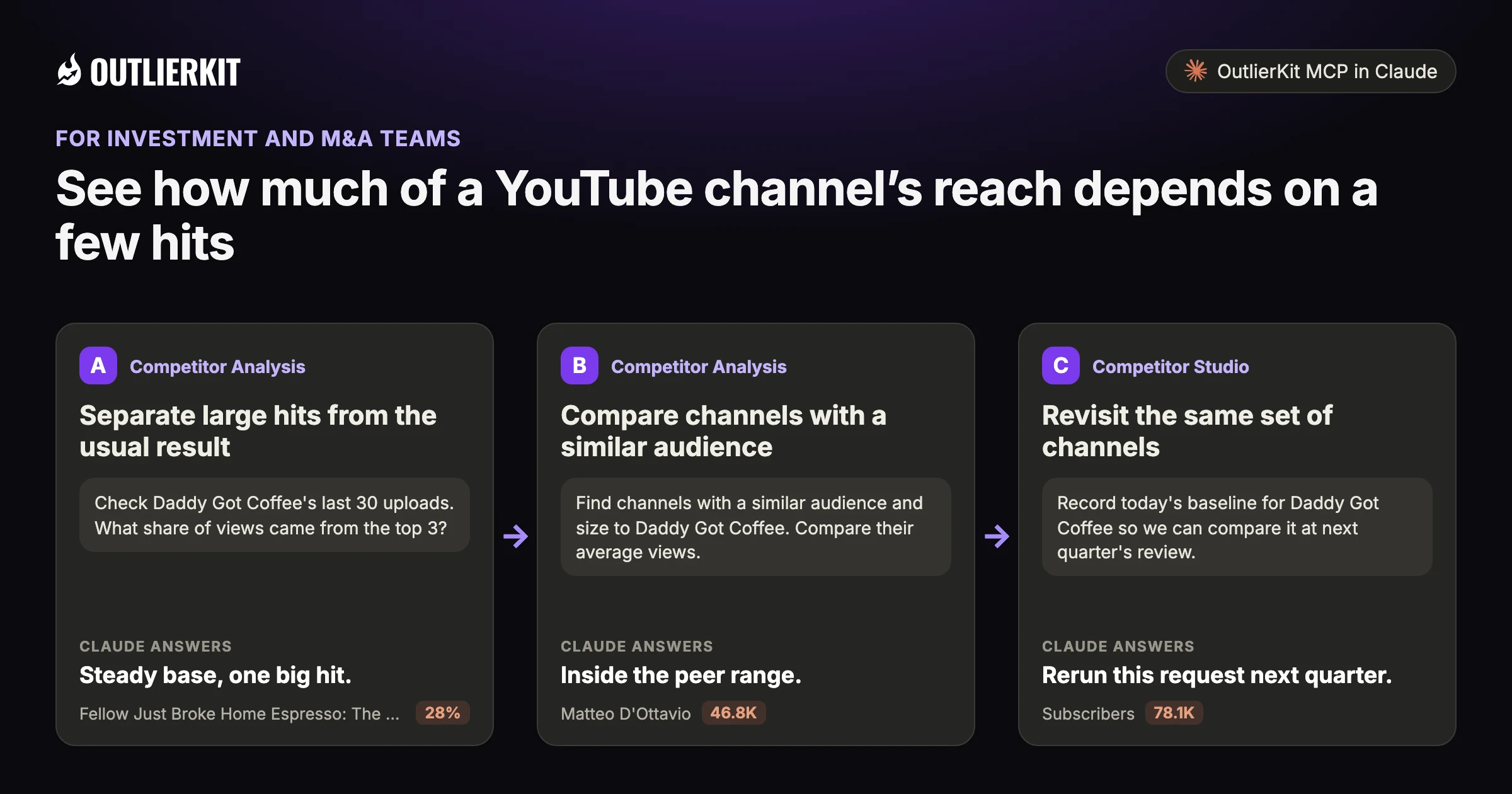
- Separate large hits from the usual resultSteady base, one big hit.
- Compare channels with a similar audienceInside the peer range.
- Revisit the same set of channelsRerun this request next quarter.
Step 1 · Competitor Analysis
Separate large hits from the usual result
Review recent uploads and the share of views held by the top videos. Use the median as another reference when a few hits lift the average.
- Claude calls
- channels_search, channels_videos
- In this example
- Steady base, one big hit.
Check Daddy Got Coffee's last 30 uploads. What share of views came from the top 3?
The top 3 of Daddy Got Coffee's last 30 uploads hold 42% of the views:
- 1.Fellow Just Broke Home Espresso: The Espresso Series 128%557K views · published 5 months ago
- 2.AeroPress Literally Published a Takedown. So I Tested Both.7%135K views · published 6 months ago
- 3.Nespresso Should Have Made This7%128K views · published 1 month ago
- 4.Median upload37K views across 30 uploads, 4 days to 6 months old
Highlighted figure: share of views.
Steady base, one big hit. One video holds 28% of the 1.97M views. The median upload still draws 37K views against 78.1K subscribers. Judge the channel on the median.
Step 2 · Competitor Analysis
Compare channels with a similar audience
Find peers and inspect their recent performance. Check upload age and format before drawing a conclusion from differences in views.
- Claude calls
- channels_similar
- In this example
- Inside the peer range.
Find channels with a similar audience and size to Daddy Got Coffee. Compare their average views.
Four coffee channels close to Daddy Got Coffee's 78.1K subscribers, with average views per video:
- 1.Matteo D'Ottavio46.8K90K subscribers · champion barista teaching home brewing
- 2.Home Cafe by Charlie41.2K51.4K subscribers · home espresso technique and gear reviews
- 3.ARAMSE32.9K61.1K subscribers · coffee equipment reviews and tutorials
- 4.Clive Coffee26.8K84.6K subscribers · brand channel on home espresso
Highlighted figure: average views per video.
Inside the peer range. Daddy Got Coffee averages 28.9K views per video. The four peers run from 26.8K to 46.8K. Check upload age and format before reading the gap.
Step 3 · Competitor Studio
Revisit the same set of channels
Use a repeatable research set for later reviews. A dated snapshot gives your team a baseline for questions to ask the owner.
- Claude calls
- channels_videos
- In this example
- Rerun this request next quarter.
Record today's baseline for Daddy Got Coffee so we can compare it at next quarter's review.
Daddy Got Coffee's baseline on 8 Oct 2026, from its channel record and last 30 uploads:
- 1.Subscribers78.1KPublic subscriber count
- 2.Total uploads479Videos on the channel
- 3.Median upload37KMedian views across the last 30 uploads
- 4.Latest 10 vs previous 2036K vs 38KMedian views per upload in each group
Highlighted figure: on 8 Oct 2026.
Rerun this request next quarter. The latest 10 uploads have a 36K median and the 20 before them 38K. The newest videos are days old, so their counts will still move.
A worked example
Three uploads accounted for 46% of views in this sample
Daddy Got Coffee's top upload in this window, a review of Fellow's Espresso Series 1, drew 540K views. The median upload drew 31.5K.
Separating hits from the baseline gives a buyer a clearer question to investigate.
The example shows a dated research result in Claude. Use the prompts below to explore your own topic.
Try a research question →Check Daddy Got Coffee's last 30 uploads. Is the audience steady, or is it a few viral hits?
channels_videosDaddy Got Coffee's last 30 uploads, 5 days to 6 months old:
| Measure | Value |
|---|---|
| Subscribers | 76.3K |
| Views from the top 3 videos | 46% |
| Median upload | 31.5K views |
| Median, latest 10 vs previous 20 | 27K vs 39.5K |
Real audience, lumpy growth. Three videos drove 46% of views. Median views equal about 41% of the subscriber count; this is not a subscriber viewing rate. The latest ten are younger, so check again in 30 days.
See the research tools in action
Watch the product walkthrough for a tour of channel research and Competitor Studio. The feature sections above show how those tools fit your work.

“Great addition to my stack and simple to use. Hit an issue and the team worked hard to fix it. Great product, hardworking team.”
“I use Outlier Kit for supplemental channel audits and to help clients brainstorm video ideas and/or explore pivot strategies. It's a fantastic competitive intelligence tool to have in your arsenal.”
“I was consistent with uploading videos, but at a certain point, I wasn't able to understand how things were working. With OutlierKit, I was really able to understand the competitor landscape and identify the kinds of opportunities I could bet on.”
“It's really simple and gives really useful data and insights for choosing WHAT to make and how to structure it better. Will recommend to anyone seriously committing to YouTube.”
“After implementing the recommendations from the first report last week, my latest video has nearly tripled in views (2000) compared to my previous best one (700), so the recommendations do work.”
One creator on a small channel. Not a typical or promised result.
“I really liked how clean the analysis results were, especially the importance score. It actually helps you see which parts of a video are doing the heavy lifting. The analysis was quick too.”
More reviews people have posted on Product Hunt, X and LinkedIn, unedited.
Choose where to do the research
Use OutlierKit for public research. Your own YouTube analytics supply the private performance data. Claude is an optional way to query OutlierKit.
| Task | OutlierKit app | OutlierKit in Claude | YouTube Studio |
|---|---|---|---|
| Research other channels | Outlier searches and channel analysis. Pro and Max add niche-wide Competitor Studio. | Request channel data and outlier results with the OutlierKit connector. | Use your channel analytics to understand your own audience and uploads. |
| Read video context | Review video analysis and research results in the app. | Request public transcripts and comments, then ask follow-up questions. | Check your own retention and traffic sources to assess a published video. |
| Package the video | Title, Description & hashtags, Chapters and Script review. Titles are ranked against breakout videos near your topic. | Ask Claude to draft packaging from the research data. The ranked Title tool and Script review run in the app. | Edit the title, description, tags and chapters after upload. No comparison with other channels. |
| Choose a plan | Hobby starts at $49/month. Competitor Studio requires Pro or Max. | Included with Pro, Max and the active free trial. Calls use your OutlierKit credits. | Included with your YouTube channel. |
Read the connector guide or YouTube’s analytics guide for the available reports.
Choose a research plan
Pro includes channel research, Competitor Studio and API access. Max adds on-demand data updates for a larger monitoring workload.
Hobby
Best for experts and coaches running one channel
billed monthly
- ✓100 credits per month
- ✓Outlier Research
- ✓Keyword Research
- ✓Single-channel analysis
- ✓Single-video idea research
- Competitor Studionot included
- MCP & API accessnot included
Pro
Best for experts, consultants and brands publishing every week
billed monthly
- ✓500 credits per month
- ✓Everything in Hobby
- ✓Deep Research
- ✓AI script and hook analysis
- ✓Competitor Studio: niche-wide intel
- ✓MCP & API access
- ✓50 credits per connected channel
Max
Best for agencies running client channels, API pipelines
billed monthly
- ✓2,000 credits per month
- ✓Everything in Pro
- ✓50+ channel connections
- ✓Niche-wide sponsor & comment intelligence
- ✓On-demand data updates
- ✓Priority API access
Start with a research question
Use the 30 trial credits for three single-channel analyses.
No credit card required. Competitor Studio needs a paid Pro or Max plan and 50 credits per run. You choose whether to upgrade.
Start free trial →A note from Aditi
A public channel snapshot is a starting point for diligence. It gives you specific questions to check against the owner’s private data.
I built OutlierKit to make this research easier to use. If you don’t find an insight worth pursuing during your trial, email me at hello@outlierkit.com. I’ll walk you through your YouTube strategy. If I still can’t help you find something useful, you get a full refund.
 Aditi, founder of OutlierKit
Updated
Optional: research inside Claude
Ask a follow-up question about the data
The OutlierKit connector lets Claude request research and shape it into a brief. Pro, Max and active trials include access. A prompt may require several paid tool calls.
For [channel], list the last 50 videos. What share of views came from the top 3? Is the baseline rising?
- You get
- Hits versus baseline
- Tools called
- channels_videos
- Cost
- 2 to 10 credits per tool call
Find 5 similar channels. Compare their average views and consistency.
- You get
- A peer table
- Tools called
- channels_similar, channels_get
- Cost
- 2 to 10 credits per tool call
What do commenters on the last 10 videos say about the product?
- You get
- An audience read
- Tools called
- videos_comments
- Cost
- 2 to 10 credits per tool call
Connect OutlierKit to Claude. For custom workflows, explore the API.
Before you get started
Is this investment advice?
No. It is public performance data. Treat it as a signal, not a conclusion.
Can it compare a channel with its peers?
Yes. Claude pulls similar channels and puts their averages and consistency side by side.
What is YouTube intelligence for investment teams?
It means using public YouTube data in diligence on media assets. It shows how views vary across uploads and gives your team questions to investigate.
Which paid plans include the tools on this page?
Hobby starts at $49 a month with 100 credits. Pro is $99 with 500 credits and adds Competitor Studio, MCP and API access. Max is $399 with 2,000 credits and adds niche-wide sponsor research and on-demand updates. Annual billing is available.
Do I need Claude to use OutlierKit?
No. You can research in the OutlierKit app. The optional MCP connector lets Claude request public channel data, outliers, transcripts and comments. It is included with Pro, Max and an active free trial. Niche mapping and sponsor intelligence stay in Competitor Studio in the app.
What can I try before choosing a plan?
The free trial includes 30 credits with no credit card. Outlier and keyword searches cost 2 credits each; single-channel analysis costs 10. Competitor Studio costs 50 credits per run. Connecting the MCP connector adds 20 credits, so a trial can cover one run. On paid plans it is on Pro and Max. The Title tool costs 2 credits per run. Description & hashtags, Chapters and Script review are also included in the trial.
Can I change or cancel my plan?
Yes. Use your account settings to change or cancel your plan. The change takes effect at the end of the current billing cycle. Email hello@outlierkit.com if you need help.
Review a channel from your pipeline
30 minutes with the founder · Or start a free trial, no credit card
Book a demo →