YouTube intelligence: public data, turned into decisions
One public dataset covers every video, channel, and comment in a category, and it serves seven very different teams. This page explains what YouTube intelligence is and routes you to the workflow built for your job.
Updated September 10, 2026
What is YouTube intelligence?
YouTube intelligence is the practice of turning public YouTube data into insight you can act on. That data includes how videos perform against their channel's normal numbers, how channels grow, how niches compare, who the audiences are, who sponsors whom, and what viewers say in comments. Where YouTube Analytics describes the channels you own, YouTube intelligence describes the entire public landscape of a category: what its audience watches, which framings win, who is gaining attention, and how that attention turns into revenue.
The foundation is context. Raw YouTube numbers can't be compared: 400K views is a breakout for one channel and a flop for another. Scoring every video against its own channel's average (the outlier score), and every channel against its niche's average, turns a feed of vanity metrics into data you can reason about.
Before and after YouTube intelligence
The same public data, with and without the intelligence layer on top.
Raw view counts with no way to compare channels
Outlier scores that make every number comparable
“Good performance” is whatever the loudest voice in the room says
Niche benchmarks give “good” a reference point
Audience insight from surveys, panels, and guesswork
Audience profiles built from real watching behavior
Weeks of manual channel-by-channel spreadsheet work
A whole category mapped from one input
What's in the intelligence layer
Six kinds of signal, all from public data.
Performance vs. baseline
Every video scored against its channel's own average: the outlier score that makes numbers comparable across channels of any size.
Niche benchmarks
Channels measured against their market's average, so 'good' has a reference point: view rate, growth speed, and conversion vs. the niche.
Audience psychographics
Who watches a niche and why: what drives them, what frustrates them, and what they like to watch, based on behavior rather than surveys.
Sponsor & monetization footprints
Which channels run paid promotions and from whom, and how niches turn attention into revenue: products, lead magnets, sponsorships.
Comment intelligence
The repeated questions, objections, and requests a niche's viewers leave in comments. Customer research at category scale.
Format & narrative patterns
Which framings, formats, and packaging beat their channel's normal numbers: the difference between what gets published and what gets watched.
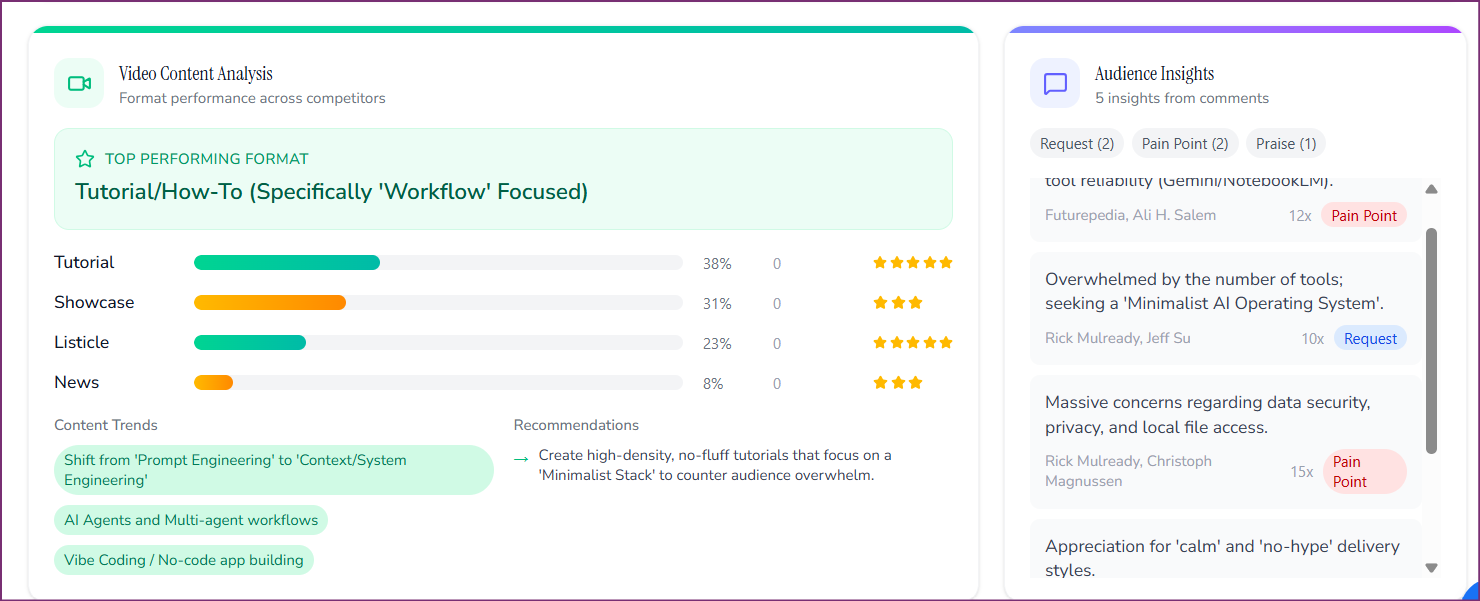
OutlierKit's Competitor Studio: one niche input, mapped into channels, outliers, audiences, and monetization patterns.
YouTube intelligence, by team
Same dataset, different questions. Find the page built for the question your team is paid to answer.
“Did the coverage actually land, and who shapes our narrative?”
Coverage benchmarking, creator press lists, narrative intelligence.
See the workflow →“Where do competitors spend, and are this creator's numbers real?”
Sponsor intelligence, creator vetting, category share of attention.
See the workflow →“Which angles win our category's attention, and what does the audience want?”
Hook mining, audience research from comments, campaign validation.
See the workflow →“Is this channel's growth a repeatable engine or a viral fluke?”
Acquisition diligence, market mapping, portfolio monitoring.
See the workflow →“How do we deliver research-backed YouTube strategy for every client?”
Multi-client niche research, reporting, and strategy workflows.
See the workflow →“Can YouTube be a real acquisition channel for us?”
Industry landscape mapping, benchmarking, funnel intelligence.
See the workflow →“Which angle on today's story is breaking out on rival channels?”
Competitor watchlists, angle detection, same-day production shortlists.
See the workflow →“Which channel in our portfolio deserves the next production budget?”
Portfolio benchmarking by reach ratio, format scouting, analyst access.
See the workflow →“Which track on the roster is breaking out before the streams show it?”
Roster benchmarking, format scan by genre, competitor-label watchlist.
See the workflow →“Which comparison videos already send our competitors signups?”
Competitor-mention tracking, creator ranking by reach, comparison title patterns.
See the workflow →“What does my audience already watch, and what should I film next?”
Breakout topics in your expertise, the right-size benchmark, titles from patterns.
See the workflow →“Which lesson are people searching for this month?”
Concept ranking by outlier score, first-minute structure, next lessons from comments.
See the workflow →“What is my city asking on YouTube, and how do I answer it?”
City-modifier keywords, formats copied from your trade elsewhere, eight titles a month.
See the workflow →“Which aesthetic is breaking out before it reaches the rack?”
Trend scan by keyword, creator vetting by reach ratio, comment mining for fit and sizing.
See the workflow →“Which guest will pull views on my show, and on what topic?”
Guests beating averages on other shows, the angle that carried them, prep from comments.
See the workflow →“What should I make next, and why do some videos break out?”
Outlier research, title and thumbnail patterns, niche discovery.
See the workflow →Three ways to work with the data
In the app
Interactive niche scans, channel monitoring, and brief-ready reports. The default for most teams.
Via the API →
Structured channel, video, and outlier data for your own dashboards, models, and products.
Via MCP →
Let AI assistants query the intelligence layer directly inside your team's workflows.
Building a product on top of the data? Start with the build-on-OutlierKit guide. Comparing this against a trend platform your team already pays for? See Glimpse pricing for where search demand data stops and video evidence starts.
Frequently asked questions
How is YouTube intelligence different from YouTube analytics?
What is an outlier score?
Do I need to run a YouTube channel to use YouTube intelligence?
Is YouTube intelligence based on private or scraped account data?
Which OutlierKit plan do I need?
See the intelligence layer on your own category
Start a free trial and run one niche scan, or book a 30-minute demo and we'll run it live on the category your team cares about.
Book a demo