For YouTube creators
Find your next YouTube idea in the videos your niche watches
OutlierKit finds videos that beat their channel’s average and shows you the topics behind them. Pick a reference worth studying before you commit to the next upload.





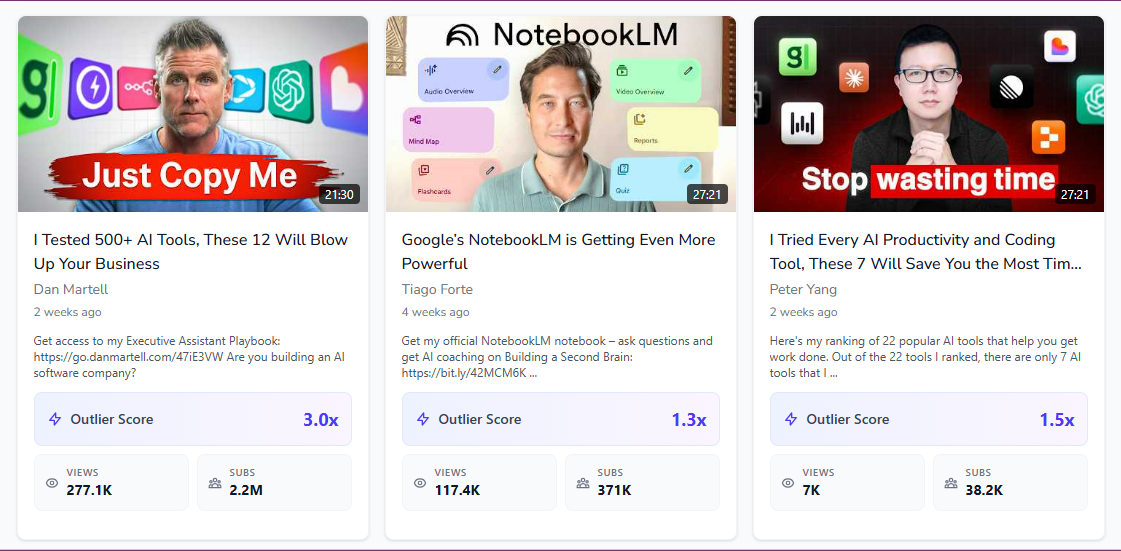
Research the idea before you film
Outlier Finder
Find examples beyond the biggest channels
Search your niche for videos with high outlier scores. A small channel can surface a topic you would miss by sorting on total views.
Explore Outlier Finder →Keyword Research
Check whether people search for the topic
Use keyword research to compare demand and competition. Choose a specific question that your video can answer well.
Explore Keyword Research →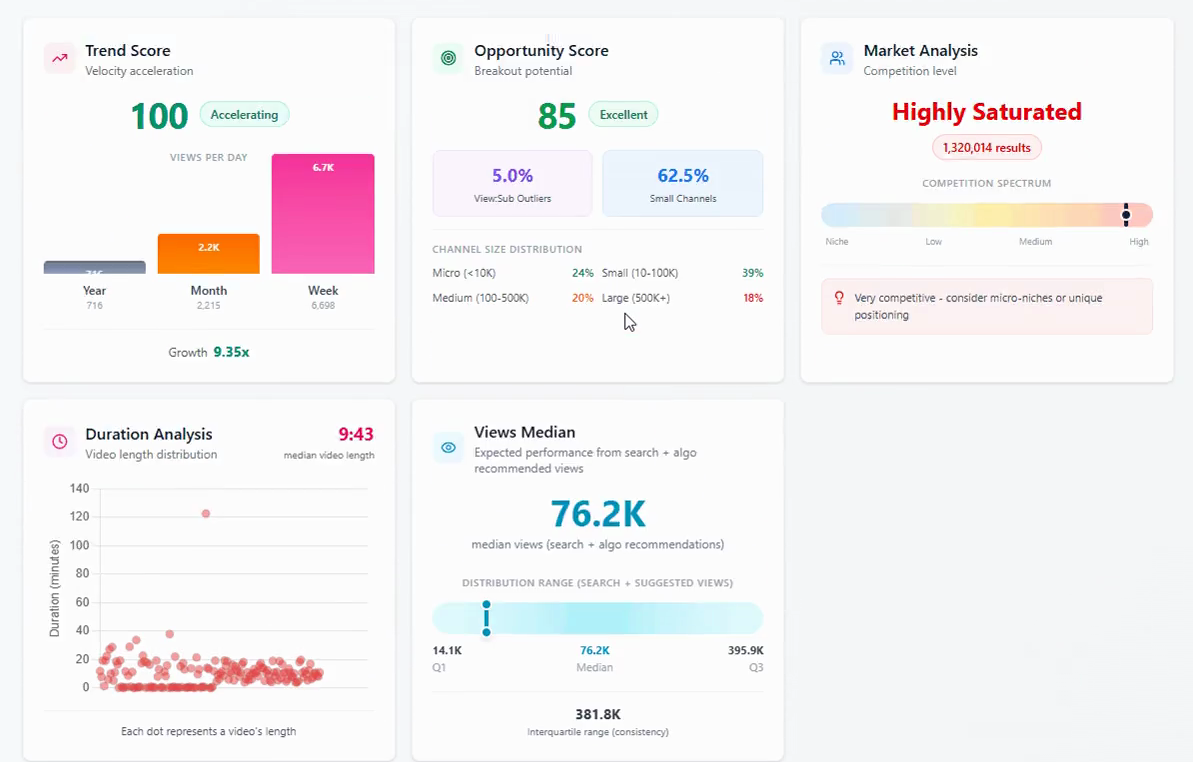
Video Analyzer
Study the video behind the result
Review the transcript and viewer response. Bring the useful details into your outline, then judge performance in your own YouTube Studio.
Explore Video Analyzer →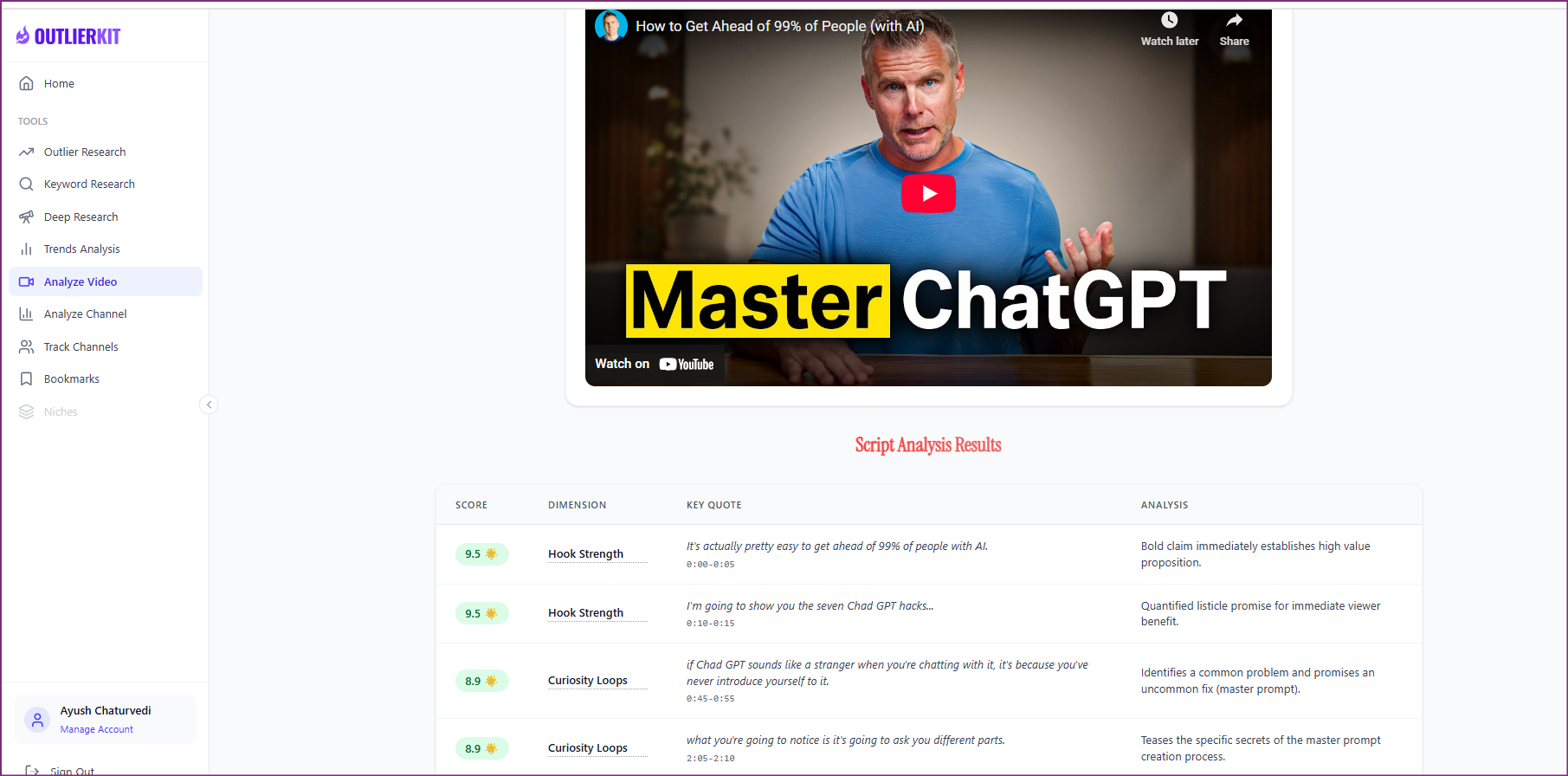
A worked example
A start-over title appeared on several successful coding videos
Dylan Cole's channel has 28.7K subscribers. Its "How I'd learn web development (if I could start over)" video drew 1.16M views, 26 times the channel's average.
The same title shape won on a 345K channel and a 27.5K channel. The pattern appeared across channel sizes in this sample.
The example shows a dated research result in Claude. Use the prompts below to explore your own topic.
Try a research question →I make coding tutorials. Which video ideas are beating channel averages in my niche?
outliers_searchvideos_getOne title pattern keeps winning for coding channels, big and small:
| Video | Channel | Subscribers | vs channel average |
|---|---|---|---|
| How I would learn to code (if I could start over) | Jason Goodison | 215K | 37.9× |
| How I'd learn web development (if I could start over) | Dylan Cole | 28.7K | 25.9× |
| How I would learn to code (if I could start over) | Sajjaad Khader | 345K | 5.3× |
| How I would learn Python fast (if I could start over) | Data Logic With Shivam | 27.5K | 5.2× |
Use the "if I could start over" title. It beat channel averages 5 to 38 times on four coding channels. Your first idea: "How I'd learn [your skill] if I could start over."
See the research tools in action
Watch the product walkthrough for a tour of channel research and Competitor Studio. The feature sections above show how those tools fit your work.

Choose where to do the research
Use OutlierKit for public research. Your own YouTube analytics supply the private performance data. Claude is an optional way to query OutlierKit.
| Research task | OutlierKit app | OutlierKit in Claude | YouTube Studio |
|---|---|---|---|
| Research other channels | Outlier searches and channel analysis. Pro and Max add niche-wide Competitor Studio. | Request channel data and outlier results with the OutlierKit connector. | Use your channel analytics to understand your own audience and uploads. |
| Read video context | Review video analysis and research results in the app. | Request public transcripts and comments, then ask follow-up questions. | Check your own retention and traffic sources to assess a published video. |
| Choose a plan | Hobby starts at $29/month. Competitor Studio requires Pro or Max. | Included with Pro, Max and the active free trial. Calls use your OutlierKit credits. | Included with your YouTube channel. |
Read the connector guide or YouTube’s analytics guide for the available reports.
Choose a research plan
Hobby covers outlier searches and keyword research with 100 credits a month. Move to Pro for Competitor Studio or to research inside Claude.
Hobby
Best for solo creators researching one channel
billed monthly
- ✓100 credits per month
- ✓Outlier Research
- ✓Keyword Research
- ✓Single-channel analysis
- ✓Single-video idea research
- Competitor Studionot included
- MCP & API accessnot included
Pro
Best for creators & brands growing on YouTube
billed monthly
- ✓500 credits per month
- ✓Everything in Hobby
- ✓Deep Research
- ✓AI script and hook analysis
- ✓Competitor Studio: niche-wide intel
- ✓MCP & API access
- ✓50 credits per connected channel
Max
Best for agencies, API pipelines & developers
billed monthly
- ✓2,000 credits per month
- ✓Everything in Pro
- ✓50+ channel connections
- ✓Niche-wide sponsor & comment intelligence
- ✓On-demand data updates
- ✓Priority API access
Start with a research question
Run up to 15 outlier searches with your 30 trial credits, or mix them with keyword searches at the same 2-credit cost.
No credit card required. Competitor Studio needs a paid Pro or Max plan and 50 credits per run. You choose whether to upgrade.
Start free trial →Creator channels, broken down
Full breakdowns of creator channels at different sizes, with their outlier videos and upload patterns:
 MrBeast
Extreme Real-Life Challenges & Philanthropy
- Subscribers
- 514.0M
- Avg views
- 138.0M
Est. $298K - $971K/mo
Read the analysis → Ali Abdaal
Productivity & education
- Subscribers
- 6.6M
- Avg views
- 381.3K
Est. $8K-$43K/mo
Read the analysis → Mark Rober
Creative Engineering & Pop Science
- Subscribers
- 79.3M
- Avg views
- 68.1M
Est. $104K - $576K/mo
Read the analysis → Marques Brownlee
Consumer Technology & Hardware Reviews
- Subscribers
- 21.1M
- Avg views
- 3.0M
Est. $124K - $405K/mo
Read the analysis →Figures reflect the saved channel snapshots. Open an analysis to review the full context.
A note from Aditi
Your next video is a production decision. A few relevant examples give you a firmer place to start than a list of generic ideas.
I built OutlierKit to make this research easier to use. If you don’t find an insight worth pursuing during your trial, email me at hello@outlierkit.com. I’ll walk you through your YouTube strategy. If I still can’t help you find something useful, you get a full refund.
 Aditi, founder of OutlierKit
What OutlierKit customers say
Reviews from customers using OutlierKit for their own work.
“Great addition to my stack and simple to use. Hit an issue and the team worked hard to fix it. Great product, hardworking team.”
“Been creating for years, running multiple YouTube channels. OutlierKit is the first tool that actually improved our view counts almost instantly. The competition analysis revealed gaps we never knew existed.”
Optional: research inside Claude
Ask a follow-up question about the data
The OutlierKit connector lets Claude request research and shape it into a brief. Pro, Max and active trials include access. A prompt may require several paid tool calls.
My channel is [channel]. Find outlier videos in my niche from the last 30 days. Turn the top patterns into 10 video ideas with titles.
- You get
- 10 titled ideas
- Tools called
- channels_get, outliers_search
- Cost
- 2 to 10 credits per tool call
Check search volume for these 10 ideas. Rank them by demand.
- You get
- A ranked shortlist
- Tools called
- keywords_research
- Cost
- 2 to 10 credits per tool call
Compare my video [link] with my 3 best videos. What changed in the title, length and hook?
- You get
- What to change next time
- Tools called
- videos_get, channels_videos, videos_transcript
- Cost
- 2 to 10 credits per tool call
Connect OutlierKit to Claude. For custom workflows, explore the API.
Before you get started
What does an outlier score tell me?
It compares a video with a channel baseline. A high score identifies a result worth studying; it does not predict how your own version will perform.
Will it work for a small channel?
Yes. Every video is measured against its own channel, so small channels show up next to big ones.
What is YouTube intelligence for creators?
It means studying past video performance before choosing a topic. OutlierKit finds videos that beat their own channel's average, so you can study a pattern in context.
Which paid plans include the tools on this page?
Hobby starts at $29 a month with 100 credits. Pro is $49 with 500 credits and adds Competitor Studio, MCP and API access. Max is $199 with 2,000 credits and adds niche-wide sponsor research and on-demand updates. Annual billing is available.
Do I need Claude to use OutlierKit?
No. You can research in the OutlierKit app. The optional MCP connector lets Claude request public channel data, outliers, transcripts and comments. It is included with Pro, Max and an active free trial. Niche mapping and sponsor intelligence stay in Competitor Studio in the app.
What can I try before choosing a plan?
The free trial includes 30 credits with no credit card. Outlier and keyword searches cost 2 credits each; single-channel analysis costs 10. Competitor Studio costs 50 credits per run and requires Pro or Max, so the trial allowance does not cover it.
Can I change or cancel my plan?
Yes. Use your account settings to change or cancel your plan. The change takes effect at the end of the current billing cycle. Email hello@outlierkit.com if you need help.
Research your next upload
Free trial · 30 credits · No credit card
Find my next video ideas →