For SaaS marketing and growth teams
Find YouTube comparison videos covering your competitors
OutlierKit finds software reviews and comparison videos that outperform their channel’s average. Study the coverage before you make your own video or contact a creator.
30 minutes with the founder · Or start a free trial, no credit card
Try it yourself with 30 free credits




We sell project management software. Which comparison and review videos in our category beat their channel's average?
The top comparison and review videos, ranked by how far each beat its channel's average:
- 1.Motion vs Asana vs ClickUp vs Monday vs Notion28.7×Channel: Efficient App · Subscribers: 30K · Views: 375K
- 2.Top 5 project management apps: my honest review20.3×Channel: Nicholas Scalice · Subscribers: 2.1K · Views: 23K
- 3.ClickUp app review (2026)2.3×Channel: Simplifi Digitals · Subscribers: 259K · Views: 33K
Highlighted figure: vs channel average.
Start with Efficient App. Its comparison beat the channel's average 29 times, and the description links Motion first. If you sell Asana or ClickUp, that video points buyers to a rival.
Software and tool channels, broken down
Full breakdowns of channels that review and teach software, with the reach ratio and sponsorship patterns a SaaS team studies before choosing partners:
 Kevin Stratvert
Software tutorials
- Subscribers
- 4.3M
- Avg views
- 519.6K
Est. $14K to $45K/mo
Read the analysis → Leila Gharani
Office software & Excel
- Subscribers
- 3.0M
- Avg views
- 490.4K
 Jeff Su
Career & workplace productivity
- Subscribers
- 1.8M
- Avg views
- 322.4K
 Matthew Berman
AI news & tutorials
- Subscribers
- 621.0K
- Avg views
- 81.4K
Est. $6K to $20K/mo
Read the analysis →Figures reflect the saved channel snapshots. Open an analysis to review the full context.
How it works
Study the videos buyers see while comparing software
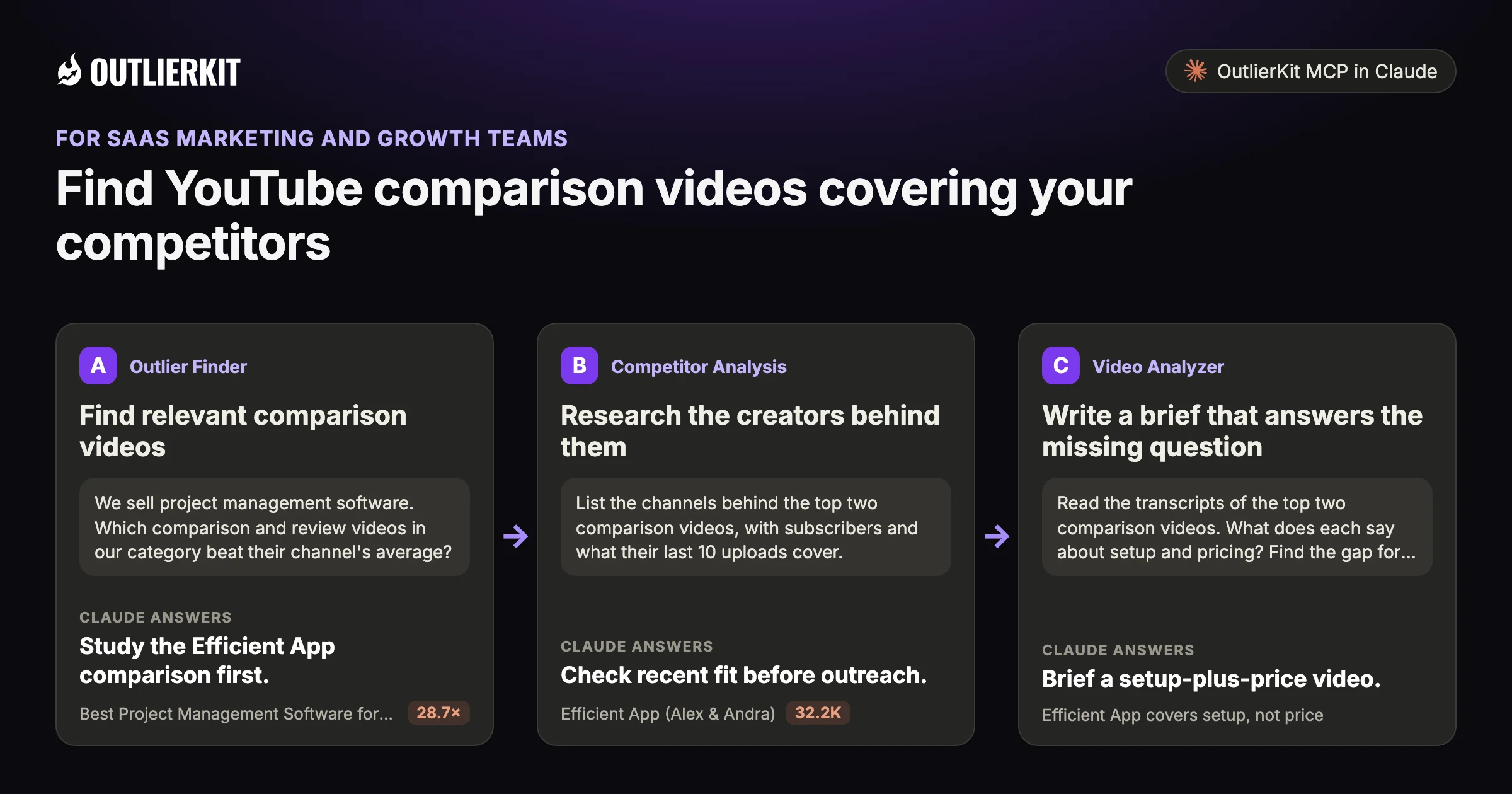
- Find relevant comparison videosStudy the Efficient App comparison first.
- Research the creators behind themCheck recent fit before outreach.
- Write a brief that answers the missing questionBrief a setup-plus-price video.
Step 1 · Outlier Finder
Find relevant comparison videos
Search competitor names and product categories. Rank the results by outlier score, then check which products each video covers.
- Claude calls
- outliers_search
- In this example
- Study the Efficient App comparison first.
We sell project management software. Which comparison and review videos in our category beat their channel's average?
Three comparison videos beat their channel's average, each from a small channel:
- 1.Best Project Management Software for 2025? Motion vs Asana vs ClickUp vs Monday vs Notion28.7×Efficient App (Alex & Andra) · 30K subscribers · 345.2K views
- 2.Top 5 Project Management Apps in 2025: My HONEST Review20.3×Nicholas Scalice · 2.1K subscribers · 19.9K views. Covers Trello, Asana, Basecamp, Monday and ClickUp.
- 3.Airtable vs Clickup, Trello, Monday, Asana: What's Right for You?2.0×Toni Debelic | OpsKings · 2.3K subscribers · 5.7K views
Highlighted figure: vs channel average.
Study the Efficient App comparison first. It has 345.2K views, 28.7 times the channel's average, and its description lists Motion first. Check where your product sits in each video.
Step 2 · Competitor Analysis
Research the creators behind them
Compare recent uploads and channel averages before reaching out. Ask creators for placement rates and audience data when building the shortlist.
- Claude calls
- channels_videos
- In this example
- Check recent fit before outreach.
List the channels behind the top two comparison videos, with subscribers and what their last 10 uploads cover.
Both channels are small, and their recent uploads have moved to other topics:
- 1.Efficient App (Alex & Andra)32.2K319 videos. Last 10 uploads drew 905 to 20K views. Recent topics are AI tool reviews such as Granola, Viktor and Superhuman, several titled "not sponsored".
- 2.Nicholas Scalice2.3K302 videos. Last 10 uploads drew 53 to 28K views, and seven sit under 400. Recent topics are AI how-tos and HighLevel.
Highlighted figure: subscribers.
Check recent fit before outreach. Efficient App still publishes software reviews, at 905 to 20K views each. Nicholas Scalice now covers AI and HighLevel. Neither posted a project management video in its last 10.
Step 3 · Video Analyzer
Write a brief that answers the missing question
Read the leading videos’ transcripts. Identify what your product team can explain better, then build the brief around that question.
- Claude calls
- videos_transcript
- In this example
- Brief a setup-plus-price video.
Read the transcripts of the top two comparison videos. What does each say about setup and pricing? Find the gap for our brief.
Each video covers one half of the question and skips the other:
- 1.Efficient App covers setup, not priceIt warns buyers to expect "up to 50 hours or even more" of setup and says many teams drop the tool within a year. It names no prices.
- 2.Nicholas Scalice covers price, not setupHe quotes plan prices for Basecamp, Monday and ClickUp, and calls ClickUp's pricing "super affordable". He gives no setup time for any of the five tools.
- 3.Both judge tools on daily frictionEfficient App says Monday's many fields became work to update. Scalice says recurring tasks in Monday had to be set at the board level.
Brief a setup-plus-price video. One video gives setup hours and the other gives plan prices. Show both for your product: the time to a working project and the price per seat.
Before you record: packaging and script tools
Once you pick the idea, OutlierKit writes the packaging and checks your script. You still film and edit the video yourself. The Title tool ranks its titles against real breakout videos near your topic. All four are on every plan and the 30-credit trial. On Pro and Max, the MCP connector also lets Claude run OutlierKit research for you.
Title
Writes 16 titles and ranks them against real breakout videos near your topic, with a score and a one-line reason for each.
Open in the app →How it worksDescription & hashtags
Writes the 150 characters people see and the rest of the description separately, then picks your hashtags.
Open in the app →How it worksChapters
Writes chapter titles that help viewers scan the video and jump to the part they came for.
Open in the app →Script review
Scores the script you wrote and shows what to fix before you record, so you reshoot and re-edit less.
Open in the app →How it works
A worked example
A project-management comparison linked to Motion
Efficient App has 30K subscribers. Its project management comparison drew 375K views, and its description links Motion first.
Nicholas Scalice's channel has 2.1K subscribers. Its honest review of five project management apps drew 23K views, 20 times the channel's average. The result makes it a candidate to research. Ask the creator for rates before comparing sponsorship costs.
The example shows a dated research result in Claude. Use the prompts below to explore your own topic.
Try a research question →We sell project management software. Which comparison and review videos in our category beat their channel's average?
outliers_searchoutliers_searchvideos_getThe top comparison and review videos, ranked by how far each beat its channel's average:
| Video | Channel | Subscribers | Views | vs channel average |
|---|---|---|---|---|
| Motion vs Asana vs ClickUp vs Monday vs Notion | Efficient App | 30K | 375K | 28.7× |
| Top 5 project management apps: my honest review | Nicholas Scalice | 2.1K | 23K | 20.3× |
| ClickUp app review (2026) | Simplifi Digitals | 259K | 33K | 2.3× |
Start with Efficient App. Its comparison beat the channel's average 29 times, and the description links Motion first. If you sell Asana or ClickUp, that video points buyers to a rival.
See the research tools in action
Watch the product walkthrough for a tour of channel research and Competitor Studio. The feature sections above show how those tools fit your work.

“Great addition to my stack and simple to use. Hit an issue and the team worked hard to fix it. Great product, hardworking team.”
“OutlierKit has drastically reduced my time to plan content for my SaaS YouTube channel. The deep research feature revealed insights I'd overlooked earlier. A must-have if you're serious about YouTube as an acquisition channel.”
“I use Outlier Kit for supplemental channel audits and to help clients brainstorm video ideas and/or explore pivot strategies. It's a fantastic competitive intelligence tool to have in your arsenal.”
“I was consistent with uploading videos, but at a certain point, I wasn't able to understand how things were working. With OutlierKit, I was really able to understand the competitor landscape and identify the kinds of opportunities I could bet on.”
“It's really simple and gives really useful data and insights for choosing WHAT to make and how to structure it better. Will recommend to anyone seriously committing to YouTube.”
“After implementing the recommendations from the first report last week, my latest video has nearly tripled in views (2000) compared to my previous best one (700), so the recommendations do work.”
One creator on a small channel. Not a typical or promised result.
More reviews people have posted on Product Hunt, X and LinkedIn, unedited.
Choose where to do the research
Use OutlierKit for public research. Your own YouTube analytics supply the private performance data. Claude is an optional way to query OutlierKit.
| Task | OutlierKit app | OutlierKit in Claude | YouTube Studio |
|---|---|---|---|
| Research other channels | Outlier searches and channel analysis. Pro and Max add niche-wide Competitor Studio. | Request channel data and outlier results with the OutlierKit connector. | Use your channel analytics to understand your own audience and uploads. |
| Read video context | Review video analysis and research results in the app. | Request public transcripts and comments, then ask follow-up questions. | Check your own retention and traffic sources to assess a published video. |
| Package the video | Title, Description & hashtags, Chapters and Script review. Titles are ranked against breakout videos near your topic. | Ask Claude to draft packaging from the research data. The ranked Title tool and Script review run in the app. | Edit the title, description, tags and chapters after upload. No comparison with other channels. |
| Choose a plan | Hobby starts at $49/month. Competitor Studio requires Pro or Max. | Included with Pro, Max and the active free trial. Calls use your OutlierKit credits. | Included with your YouTube channel. |
Read the connector guide or YouTube’s analytics guide for the available reports.
Choose a research plan
Pro includes MCP access for transcript research and 500 monthly credits. Max adds sponsor intelligence across a full niche.
Hobby
Best for experts and coaches running one channel
billed monthly
- ✓100 credits per month
- ✓Outlier Research
- ✓Keyword Research
- ✓Single-channel analysis
- ✓Single-video idea research
- Competitor Studionot included
- MCP & API accessnot included
Pro
Best for experts, consultants and brands publishing every week
billed monthly
- ✓500 credits per month
- ✓Everything in Hobby
- ✓Deep Research
- ✓AI script and hook analysis
- ✓Competitor Studio: niche-wide intel
- ✓MCP & API access
- ✓50 credits per connected channel
Max
Best for agencies running client channels, API pipelines
billed monthly
- ✓2,000 credits per month
- ✓Everything in Pro
- ✓50+ channel connections
- ✓Niche-wide sponsor & comment intelligence
- ✓On-demand data updates
- ✓Priority API access
Start with a research question
Use 15 outlier searches in the 30-credit trial, or spend part of the allowance reviewing transcripts through MCP.
No credit card required. Competitor Studio needs a paid Pro or Max plan and 50 credits per run. You choose whether to upgrade.
Start free trial →A note from Aditi
A comparison video can put a product in front of a buyer. Public views and links show the opportunity; your own tracking measures signups.
I built OutlierKit to make this research easier to use. If you don’t find an insight worth pursuing during your trial, email me at hello@outlierkit.com. I’ll walk you through your YouTube strategy. If I still can’t help you find something useful, you get a full refund.
 Aditi, founder of OutlierKit
Updated
Optional: research inside Claude
Ask a follow-up question about the data
The OutlierKit connector lets Claude request research and shape it into a brief. Pro, Max and active trials include access. A prompt may require several paid tool calls.
Find relevant "[competitor] vs", "[competitor] alternative" and "[competitor] review" video. Rank them by outlier score.
- You get
- Relevant comparison videos
- Tools called
- outliers_search, keywords_research
- Cost
- 2 to 10 credits per tool call
List the channels behind the top 10, with average views and subscribers for each.
- You get
- A creator shortlist
- Tools called
- channels_get
- Cost
- 2 to 10 credits per tool call
Read the top 3 transcripts. What did they miss about [our product]? Write a brief.
- You get
- A video brief
- Tools called
- videos_transcript
- Cost
- 2 to 10 credits per tool call
Connect OutlierKit to Claude. For custom workflows, explore the API.
Free sample report
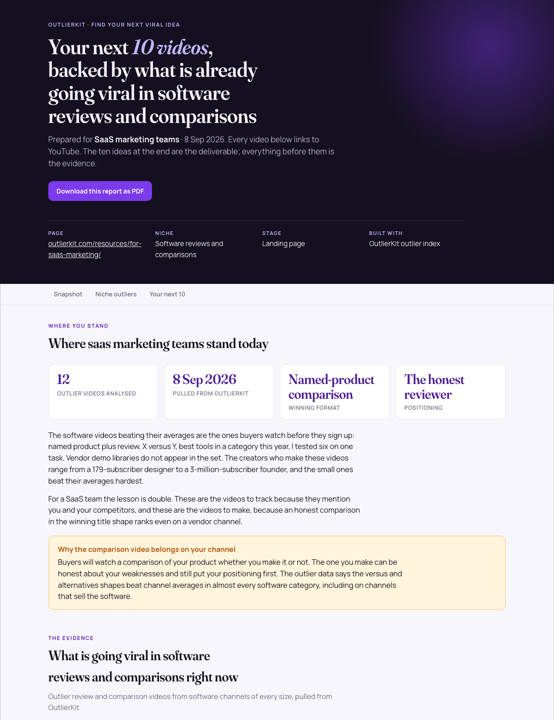
Video ideas for SaaS marketing teams
Read the dated research and the source videos behind each idea. The report is available online or as a PDF, with no signup.
 Preview, opens the full report
Before you get started
We don't run a YouTube channel. Is this still useful?
Yes. You can sponsor the creators who already win your category's comparison videos. You don't need your own channel for that.
Does it show which videos drive signups?
It shows which videos beat their channel's average and which links sit in their descriptions. Your own attribution confirms the signups.
What is YouTube intelligence for SaaS marketing?
It means researching videos that cover rival products before making your own video or contacting a creator.
Which paid plans include the tools on this page?
Hobby starts at $49 a month with 100 credits. Pro is $99 with 500 credits and adds Competitor Studio, MCP and API access. Max is $399 with 2,000 credits and adds niche-wide sponsor research and on-demand updates. Annual billing is available.
Do I need Claude to use OutlierKit?
No. You can research in the OutlierKit app. The optional MCP connector lets Claude request public channel data, outliers, transcripts and comments. It is included with Pro, Max and an active free trial. Niche mapping and sponsor intelligence stay in Competitor Studio in the app.
What can I try before choosing a plan?
The free trial includes 30 credits with no credit card. Outlier and keyword searches cost 2 credits each; single-channel analysis costs 10. Competitor Studio costs 50 credits per run. Connecting the MCP connector adds 20 credits, so a trial can cover one run. On paid plans it is on Pro and Max. The Title tool costs 2 credits per run. Description & hashtags, Chapters and Script review are also included in the trial.
Can I change or cancel my plan?
Yes. Use your account settings to change or cancel your plan. The change takes effect at the end of the current billing cycle. Email hello@outlierkit.com if you need help.
Research your category’s comparison videos
30 minutes with the founder · Or start a free trial, no credit card
Book a demo →