OutlierKit vs TubeBuddy: Complete Comparison (2026)
OutlierKit is the better choice for content strategy and competitor analysis. TubeBuddy wins for A/B testing and video SEO optimization.
OutlierKit and TubeBuddy are both YouTube tools, but they solve different problems. OutlierKit is built for experts, consultants and coaches who use YouTube to share what they know. It helps you decide what content to create. TubeBuddy helps you optimize content you've made. The sections below cover features, pricing and use cases for solo creators and teams. Outlier rates differ by niche: our trending niches report found videos beating their own channel by 10x or more 3.1 percent of the time in faceless automation and 16.7 percent in personal finance.
Who is each tool best for?
- •Best for experts, consultants and coaches who plan content before filming: OutlierKit. It offers outlier detection and psychographic audience analysis. These reveal what to make. It then writes the title, description, hashtags and chapters and reviews your script before you record.
- •Best for creators optimizing published videos: TubeBuddy. It handles A/B testing thumbnails and titles on live videos. It also adds dedicated SEO tools.
- •Best for creators researching competitors: OutlierKit. It offers deep competitor analysis. This reveals the patterns behind why channels succeed.
- •Best for budget-conscious beginners: TubeBuddy, thanks to its free tier and entry Pro plan at $12/mo billed annually.
- •Best for agencies and in-house channel teams: Split the work. TubeBuddy handles day-to-day client channel ops (bulk updates, SEO checklists), with licences priced per channel. OutlierKit handles the research brief: outlier patterns and low-competition keywords across a client's niche before your team scripts anything.
Transparency & accuracy notice
This comparison is published on OutlierKit's resource site. Feature descriptions are based on publicly available information from each product's website as of September 13, 2026. Features, pricing, and capabilities may change. We encourage readers to verify current information directly with each product.
Last verified: September 13, 2026. If you notice any inaccuracies, please visit the official product websites to verify.
Different tools for different jobs
OutlierKit is a content strategy tool. It helps you find what videos to make. It uses outlier detection and competitor analysis. TubeBuddy is an optimization tool. It helps you get more from videos you've already created. It uses A/B testing and SEO tools. Many creators use both.

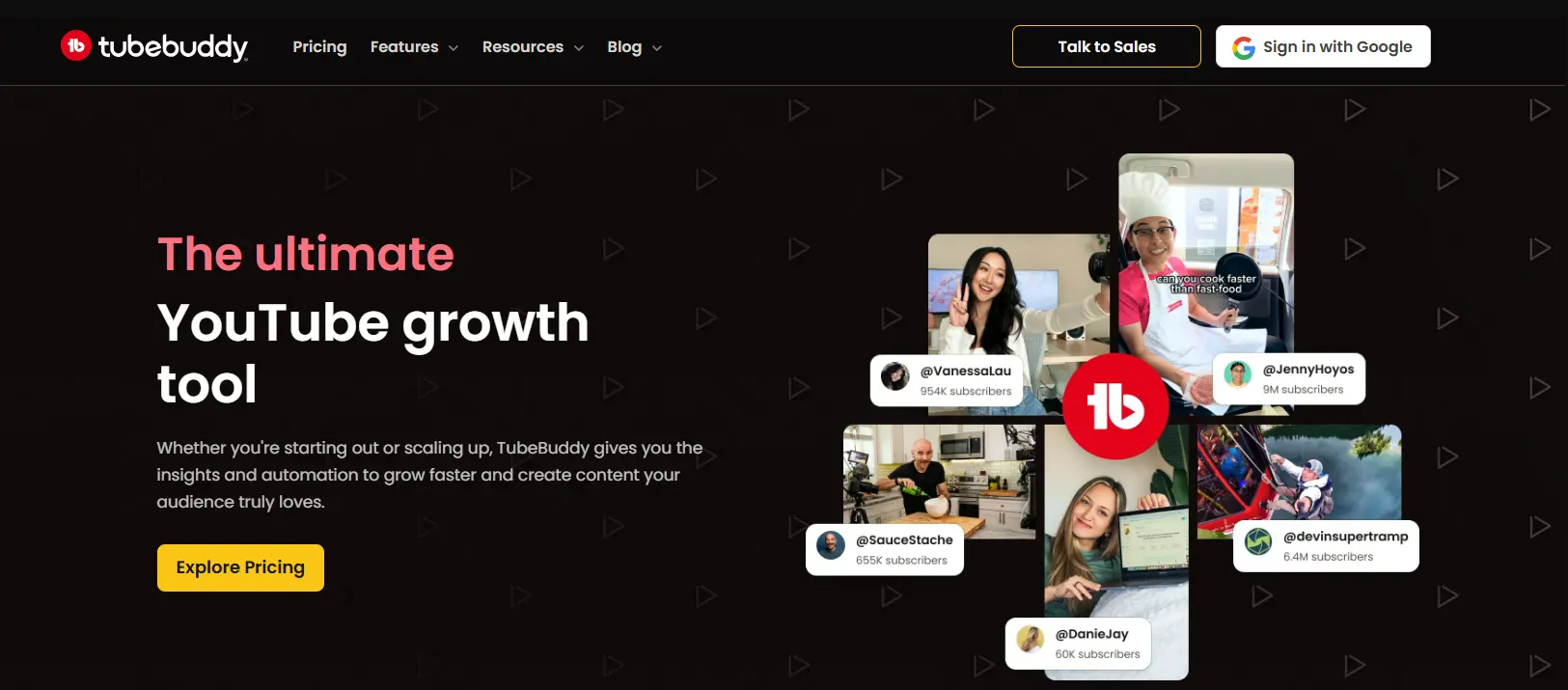
How do OutlierKit and TubeBuddy compare at a glance?
| Feature | OutlierKit | TubeBuddy |
|---|---|---|
| Best For | Experts, consultants and coaches who plan videos from proven topics | Video SEO optimization & workflow |
| Starting Price | From $49/mo | From $12/mo billed annually (TubeBuddy's own figure) |
| Unique Feature | Outlier detection + psychographic analysis | A/B testing & browser extension |
| Learning Curve | Easy | Moderate |
| User Rating (via Product Hunt & Uneed) | 5.0/5 | 4.3/5 |
Which tool fits which job?
| Tool | Best For | Key Strength |
|---|---|---|
| OutlierKit | Content strategy & competitor research | Outlier video detection + psychographic analysis (unique to OutlierKit) |
| TubeBuddy | A/B testing & video SEO optimization | Best-in-class thumbnail/title A/B testing on live videos |
| Both | Full-stack YouTube growth | Complementary tools. Many serious creators use both |
Which jobs does each tool cover?
OutlierKit excels at strategy and research. TubeBuddy excels at optimization and workflow. The tools have different strengths for different needs.
What do OutlierKit and TubeBuddy each do?
OutlierKit Dashboard
TubeBuddy Dashboard
What is each tool strongest at?
How do OutlierKit and TubeBuddy compare feature by feature?
Outlier Video Detection
OutlierKit winsOutlierKit's core strength. It automatically identifies videos performing 3-10x above channel averages. The algorithm reveals patterns you'd never find manually. It shows which topics, formats, and styles consistently outperform.
TubeBuddy's Content Standouts feature now offers basic outlier metrics. It identifies videos that over-perform relative to channel averages. However, it lacks the contextual depth (psychographic analysis, sponsor intelligence, and monetization data) that makes outlier detection strategically actionable.
Verdict: OutlierKit wins on depth. TubeBuddy's Content Standouts identifies outliers. But OutlierKit adds the strategic context (psychographics, monetization data, and pattern analysis) that turns outlier data into actionable content decisions.
Competitor Analysis
OutlierKit winsDeep competitor analysis reveals what makes content succeed. Analyze any channel to find their outliers, understand content patterns, and discover gaps. Track up to 50+ channels with real-time insights.
TubeBuddy's Competitor Scorecard compares basic metrics between channels. Useful for high-level comparison but lacks the depth to understand why competitors succeed.
Verdict: OutlierKit wins for strategic competitor analysis. TubeBuddy tracks competitors; OutlierKit reveals patterns behind their success.
Keyword Research
TieComprehensive keyword research with search volume, competition scores, and keyword-to-outlier correlation. See which keywords are associated with over-performing content in your niche.
TubeBuddy's Keyword Explorer shows search volume, competition, and related keywords. Solid SEO research tool with helpful optimization suggestions.
Verdict: Tie. Both offer capable keyword research. TubeBuddy is more SEO-focused. OutlierKit connects keywords to content performance patterns.
Audience Insights
OutlierKit winsUnique psychographic audience analysis reveals viewer motivations, interests, and pain points. Understand why viewers watch certain content to create more resonant videos.
TubeBuddy provides basic analytics through YouTube integration. You see demographics but no psychographic depth or motivation analysis.
Verdict: OutlierKit wins with exclusive psychographic analysis. No other tool offers this level of audience understanding.
A/B Testing
TubeBuddy winsOutlierKit doesn't offer built-in A/B testing. The focus is on content research and strategy rather than optimization of existing videos.
TubeBuddy's A/B testing lets you test different thumbnails, titles, and descriptions on live videos. Data-driven optimization for maximizing CTR on existing content.
Verdict: TubeBuddy wins for A/B testing. If optimizing existing videos is your priority, TubeBuddy's testing tools are valuable.
Titles, Descriptions & Tags
TieOutlierKit writes 16 candidate titles and ranks them against real breakout videos near your topic. Each title gets a pattern label, a score and a one-line reason. It then writes the description, hashtags and chapters from the same brief, before you publish.
TubeBuddy gives tag suggestions and an in-Studio SEO checklist that grades each upload. Once the video is live, it A/B tests titles, thumbnails and descriptions to find the winner.
Verdict: Tie, at different stages. OutlierKit wins for writing the packaging before you publish, grounded in what already broke out. TubeBuddy wins for grading it inside YouTube Studio and testing it on live videos.
Browser Extension
TieOutlierKit now offers a free Chrome extension that overlays color-coded outlier scores (e.g., 2.5x, 0.7x) directly on YouTube video thumbnails. See which videos are outperforming at a glance while browsing any channel. No separate dashboard is needed. It stays lightweight with no browser slowdown.
TubeBuddy's browser extension adds data overlays directly on YouTube. See metrics, suggestions, and tools without leaving the platform. Deeply integrated workflow.
Verdict: Both tools now have Chrome extensions. TubeBuddy's is more deeply integrated with YouTube Studio workflows. OutlierKit's extension is focused specifically on outlier scoring. It shows performance multipliers on every thumbnail so you can spot viral content instantly.
Content Strategy
OutlierKit winsOutlierKit is built for content strategy. Outlier detection, trend discovery, and psychographic analysis help you decide what to create before you create it. Strategy-first approach.
TubeBuddy helps with video topic suggestions and keyword research but lacks the strategic depth of outlier analysis. Better for optimization than ideation.
Verdict: OutlierKit wins for content planning. TubeBuddy optimizes what you create; OutlierKit helps you decide what's worth creating.
Pricing and What You Get
OutlierKit winsOutlierKit's Hobby plan at $49/month includes outlier detection, keyword research, trend discovery, and psychographic analysis. Competitor Studio, the API and the MCP connector are on Pro and Max.
TubeBuddy Pro costs $12/month billed annually ($144/year). Legend costs $27/month billed annually ($324/year) and adds A/B testing and bulk processing. The free tier is limited, and essential tools are gated.
Verdict: For creators who need the research layer, the case for OutlierKit is what's in the box: outlier detection, trend discovery, and psychographic analysis that TubeBuddy doesn't sell at any tier. TubeBuddy Pro is the cheaper subscription and the right one if you only need SEO. A/B testing needs Legend, which costs more per year than OutlierKit Hobby on annual billing.
How much does OutlierKit cost compared with TubeBuddy?
OutlierKit Pricing
- ✓100 credits/month
- ✓Outlier video detection
- ✓Keyword research
- ✓Video script analysis
- ✓Title, description, hashtags & chapters
- ✓Script review before you record
- ✓Deep Research
- ✓Trend discovery
- ✓Psychographic analysis
- ✓500 credits/month
- ✓Everything in Hobby
- ✓50 credits per connected channel
- ✓Competitor Studio, API & MCP access
- ✓Advanced competitor analysis
- ✓Priority support
- ✓2,000 credits/month
- ✓50+ YouTube channels
- ✓AI script & hook analysis
- ✓API Access (live)
- ✓MCP Access (live)
- ✓Update Data on Demand
TubeBuddy Pricing
- ✓Basic video analytics
- ✓Limited keyword research
- ✓Browser extension (limited)
- ✓Video SEO tools
- ✓Keyword research
- ✓Best time to publish
- ✓All Pro features
- ✓A/B testing
- ✓Bulk processing
- ✓Retention analysis
Pricing accurate as of September 2026. TubeBuddy prices come from TubeBuddy's own TubeBuddy vs vidIQ article (checked 28 Sep 2026, billed annually). For OutlierKit, visit outlierkit.com/app/pricing.
Pricing note: TubeBuddy Pro is cheaper at entry level. But OutlierKit's Hobby plan ($49/mo) includes outlier detection and psychographic analysis. These are features TubeBuddy doesn't offer at any price.
Savings breakdown (billed annually): OutlierKit Hobby costs $299/yr. TubeBuddy Pro costs $144/yr, so Pro is $155/yr cheaper. TubeBuddy Legend costs $324/yr, so Hobby is $25/yr cheaper than Legend. OutlierKit includes outlier detection, psychographic analysis, and deep competitor insights. TubeBuddy offers none of these at any tier.
What Users Say on Review Platforms
OutlierKit
⭐ 5.0/5 on Product Hunt. Reviewers praise its outlier detection accuracy and actionable competitor insights.
Also rated: 5.0/5 on Uneed · 5.0/5 on Chrome Web Store
TubeBuddy
⭐ 4.5/5 on Chrome Web Store. Users love the A/B testing. Some note the learning curve for bulk features.
Also rated: 4.6/5 on Capterra (113 reviews) · Listed on G2
Comparing TubeBuddy to other tools? See our detailed VidIQ vs TubeBuddy comparison.
What Users Say
OutlierKit
“Great addition to my stack and simple to use. Hit an issue and the team worked hard to fix it. Great product, hardworking team.”
“Been creating for years, running multiple YouTube channels. OutlierKit is the first tool that actually improved our view counts almost instantly. The competition analysis revealed gaps we never knew existed.”
“OutlierKit has drastically reduced my time to plan content for my SaaS YouTube channel. The deep research feature revealed insights I'd overlooked earlier. A must-have if you're serious about YouTube as an acquisition channel.”
TubeBuddy
“Keyword Explorer and the bulk tools save serious time, and the extension sits right inside YouTube Studio. Recurring praise in recent reviews centers on the tag suggestions and search-volume scores.”
“The free tier is heavily paywalled, the interface can overwhelm beginners, and reviewers report recurring extension bugs and loading problems.”
Which Tool Should You Choose?
The best tool depends on your goal. Do you need help with content strategy (what to create)? Or do you need content optimization (how to improve what you've created)?
How to choose in 60 seconds
Do you need help deciding what to create, or improving what you've made? If it's deciding what to create, choose OutlierKit for outlier detection and trend discovery. If it's improving existing videos, choose TubeBuddy for A/B testing and SEO.
Is A/B testing thumbnails and titles a priority? If yes, choose TubeBuddy. OutlierKit doesn't include built-in A/B testing. If no, OutlierKit's strategy tools are the better fit.
Do you want to understand why competitors succeed? If yes, choose OutlierKit for deep competitor analysis and psychographic insights. If you only need high-level competitor metrics, TubeBuddy's Competitor Scorecard is enough.
Are you on a tight budget or just starting out? If yes, start with TubeBuddy's free tier or Pro plan at $12/mo billed annually. If budget allows and strategy matters most, OutlierKit's Hobby plan is $49/mo.
Still torn? Many serious creators use both (OutlierKit for content strategy and TubeBuddy for optimization) since the tools solve different problems.
Finding viral content patterns
OutlierKitOutlierKit's outlier detection reveals which content patterns work in your niche. It does this with deep contextual analysis. TubeBuddy's Content Standouts identifies outliers too. But OutlierKit adds psychographic and monetization context. That context makes the data strategically actionable.
Understanding why competitors succeed
OutlierKitOutlierKit's deep competitor analysis explains the patterns behind success. TubeBuddy shows you competitor metrics but doesn't reveal strategic insights.
Optimizing existing video performance
TubeBuddyTubeBuddy's A/B testing and SEO tools work well. They help you get more from published videos. If optimization is your focus, TubeBuddy excels here.
Writing the title, description and chapters
OutlierKitOutlierKit writes 16 titles and ranks them against real breakout videos near your topic. It then writes the description, picks hashtags, writes chapters to match, and reviews your script before you record. TubeBuddy is the tool for testing those choices once the video is live.
Workflow and bulk operations
TubeBuddyTubeBuddy's bulk processing tools save time on repetitive tasks. Examples include updating cards, end screens, or descriptions across many videos.
Content planning and ideation
OutlierKitOutlierKit helps you decide what to create. It uses outlier analysis and trend discovery. TubeBuddy helps optimize after you've decided what to make.
Understanding your audience
OutlierKitOutlierKit's psychographic analysis reveals viewer motivations. TubeBuddy only shows basic demographics without deeper insights.
Running client channels at an agency or brand
TubeBuddyTubeBuddy's bulk processing and SEO workflows fit day-to-day management of multiple client channels, though licences are priced per channel. For the research side (which formats and keywords are breaking out in a client's niche), agencies get more from OutlierKit's outlier and competitor analysis before pitching a content plan.
Frequently Asked Questions
Basics
Does OutlierKit have A/B testing?
No, OutlierKit doesn't include A/B testing. It's focused on pre-creation strategy. It helps you decide what content will perform before you make it. TubeBuddy's A/B testing is better for post-creation optimization.
Does TubeBuddy have outlier detection?
Yes, TubeBuddy's Content Standouts feature now offers basic outlier metrics. However, OutlierKit's outlier detection adds the context TubeBuddy leaves out: psychographic analysis, sponsor intelligence, and monetization data. These explain why videos outperform and how to replicate their success.
Comparisons
Which is better for SEO: OutlierKit or TubeBuddy?
TubeBuddy has more dedicated SEO features. Examples include SEO scorecards and A/B tests on live videos. OutlierKit writes the packaging for a new video: 16 titles ranked against real breakout videos near your topic, plus the description, hashtags and chapters. Its keyword research connects to content performance patterns. For scoring and testing live videos, TubeBuddy has more tools. For writing titles grounded in what already broke out, OutlierKit is stronger.
Can I use both OutlierKit and TubeBuddy together?
Yes, and many serious creators do. OutlierKit handles content strategy. It finds what to create through outlier analysis. TubeBuddy handles optimization. It maximizes performance of videos you've made. They're complementary rather than competitive.
Is TubeBuddy better for beginners?
TubeBuddy's free tier suits beginners on a tight budget, though its many features can overwhelm new users. OutlierKit is built for experts, consultants and coaches. It has a 30-credit free trial with no card for anyone who wants to test it.
Pricing & Value
How does OutlierKit's price compare with TubeBuddy's?
On annual billing, OutlierKit Hobby ($299/yr) costs more than TubeBuddy Pro ($12/mo, $144/yr) and less than TubeBuddy Legend ($27/mo, $324/yr). It also includes features TubeBuddy doesn't offer at any price. These include outlier detection, psychographic analysis, and deep competitor insights. The tools complement each other well. TubeBuddy handles optimization, and OutlierKit handles research and strategy.
Which is better, OutlierKit or TubeBuddy?
Choose OutlierKit if:
- ✓You are an expert, consultant or coach, or the agency running the channel, and want to know what to create before making it
- ✓Competitor analysis and understanding success patterns matters
- ✓You want psychographic audience insights
- ✓You need outlier detection to find viral content patterns
- ✓You want titles ranked against real breakout videos before you publish (see the AI title generator)
Choose TubeBuddy if:
- ✓You want to A/B test thumbnails and titles on existing videos
- ✓You need bulk processing tools for channel management
- ✓You want a deeply integrated YouTube Studio workflow with A/B testing and tag overlays
- ✓You're on a tight budget and need a free tier
Best strategy: Use both tools
Many successful creators use OutlierKit for content strategy (finding what videos to make through outlier analysis) and TubeBuddy for optimization (A/B testing and SEO on published videos). The tools solve different problems and work well together.
See OutlierKit in Action
Watch how OutlierKit finds winning video ideas and helps you plan, title and review your next video.
Sources and method
Features and prices come from each vendor's own site and from public review platforms, checked as of September 13, 2026. The verdicts weigh documented features, pricing terms and public reviews, not a paid test.
Plans change often, so confirm the current price on each vendor's pricing page before you buy. OutlierKit publishes this page and sells a competing research tool, so weigh the verdict with that in mind.
Sources
- OutlierKit pricing: plans and prices
- TubeBuddy vs vidIQ (TubeBuddy blog): Pro and Legend annual prices, checked 28 Sep 2026
- TubeBuddy on the Chrome Web Store
- OutlierKit reviews on Product Hunt
- OutlierKit on the Chrome Web Store
- TubeBuddy reviews on Capterra
- TubeBuddy reviews on G2
- OutlierKit's TubeBuddy review: features, limits and ratings
- TubeBuddy pricing breakdown: tier-by-tier prices and limits

Ready to find viral content patterns?
OutlierKit shows you what content succeeds and why. Stop guessing what to create. Start with data-driven content strategy.
Start Free TrialRelated Comparisons
TubeBuddy Review 2026: Honest Verdict
Our take on TubeBuddy's A/B testing, SEO tools and UX.
Best TubeBuddy Alternatives (2026)
Seven tools to use instead of TubeBuddy, ranked and compared.
TubeBuddy Pricing 2026: Every Plan Explained
A full breakdown of TubeBuddy's tiers, annual vs monthly cost, A/B testing and whether it's worth it.
OutlierKit vs VidIQ: 2026 Comparison
Compare OutlierKit and VidIQ features, pricing, and real user reviews.
VidIQ vs TubeBuddy: 2026 Comparison
Compare VidIQ and TubeBuddy features, pricing, and real user reviews.