For teachers and explainer channels
Find the YouTube lessons learners are looking for
Compare search demand for subjects you teach, then study the explainers people watch. OutlierKit helps you choose the next lesson and spot questions it should answer.





I teach economics on YouTube. Which lessons are people searching for, and is anyone winning them?
Estimated monthly searches for four economics lessons:
- 1.Stagflation44.2K
- 2.What is inflation16.2K
- 3.What are interest rates13.2K
- 4.How credit card interest works7.2K
Highlighted figure: monthly searches.
Teach stagflation first. It draws 44K searches a month. A 3.9K-subscriber channel's stagflation video drew 16K views, 21 times its average, which makes it a useful example to study.
Explainer channels, broken down
Full breakdowns of educational channels at different sizes, with the format mix and reach ratio you can measure your own channel against:
 Kurzgesagt
Animated science
- Subscribers
- 25.3M
- Avg views
- 10.1M
 Cleo Abram
Optimistic tech explainers
- Subscribers
- 8.3M
- Avg views
- 5.0M
Est. $96K to $533K/mo
Read the analysis → Economics Explained
Economics (faceless)
- Subscribers
- 2.9M
- Avg views
- 837.1K
Est. $16K to $91K/mo
Read the analysis → The School of Life
Philosophy & psychology
- Subscribers
- 9.7M
- Avg views
- 820.6K
Est. $3K to $17K/mo
Read the analysis →Figures reflect the saved channel snapshots. Open an analysis to review the full context.
How it works
Choose a lesson and see where learners get stuck
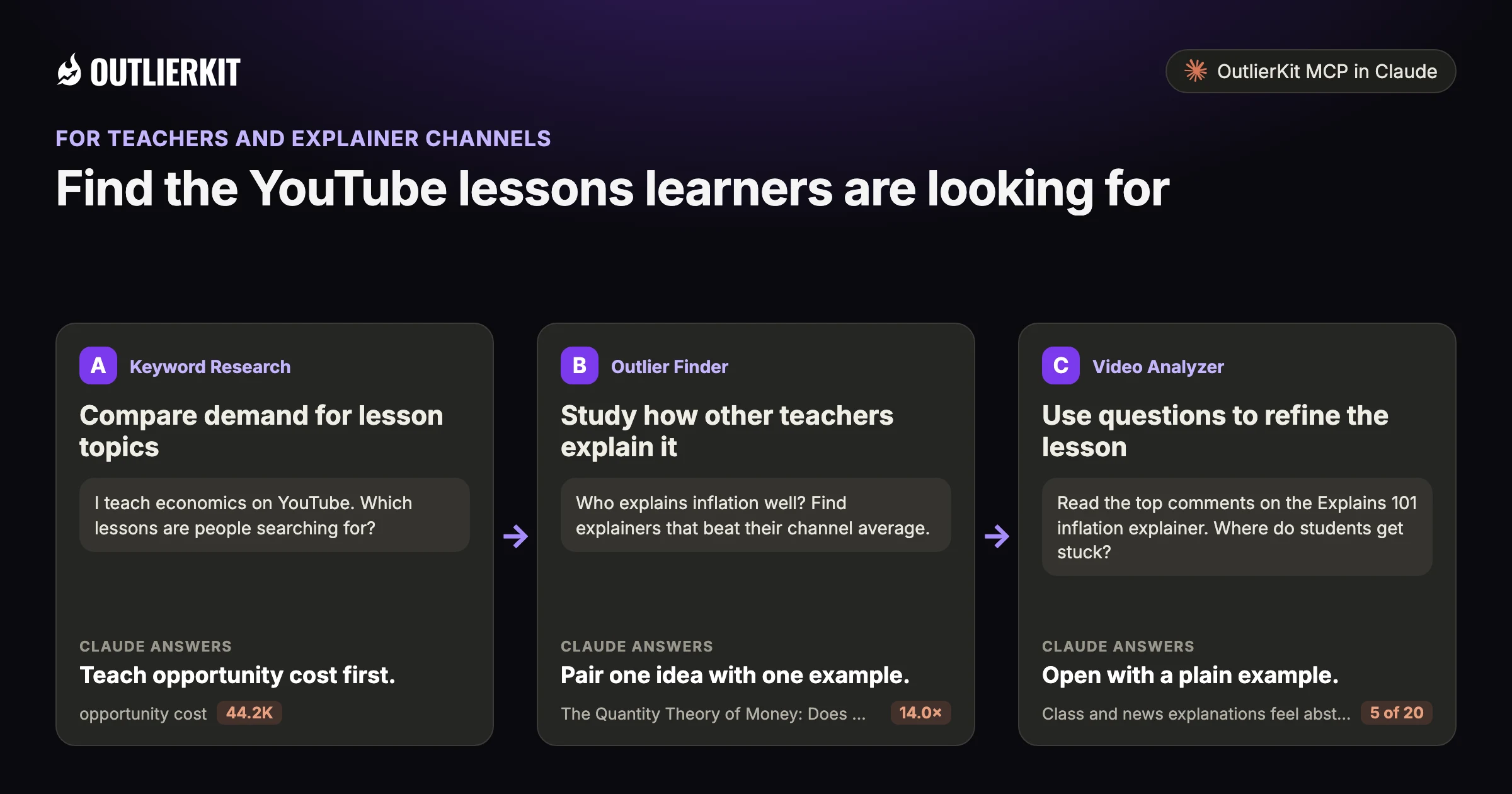
- Compare demand for lesson topicsTeach opportunity cost first.
- Study how other teachers explain itPair one idea with one example.
- Use questions to refine the lessonOpen with a plain example.
Step 1 · Keyword Research
Compare demand for lesson topics
Enter your subject and review related searches. Use estimated volume to compare questions, alongside what your learners need to understand next.
- Claude calls
- keywords_research
- In this example
- Teach opportunity cost first.
I teach economics on YouTube. Which lessons are people searching for?
Four intro economics lessons, ranked by estimated monthly searches:
- 1.opportunity cost44.2KCore concept lesson
- 2.what is gdp36.1KDefinition lesson. The broader term "gdp" gets 80.3K, mostly country lookups.
- 3.what is inflation19.8KDefinition lesson. "Inflation rate" gets 54K, a data lookup.
- 4.supply and demand19.8KCore concept lesson
Highlighted figure: monthly searches.
Teach opportunity cost first. It draws an estimated 44.2K searches a month, ahead of what is GDP at 36.1K. What is inflation and supply and demand tie at 19.8K.
Step 2 · Outlier Finder
Study how other teachers explain it
Find explainers that beat their channel average. Review their approach before deciding how to teach the subject yourself.
- Claude calls
- outliers_search, videos_comments
- In this example
- Pair one idea with one example.
Who explains inflation well? Find explainers that beat their channel average.
Three inflation explainers beat their channel average:
- 1.The Quantity Theory of Money: Does More Money = More Inflation?14.0×All About Economics with Michael · 1.8M subscribers · 127.1K views. Six minutes built on the Fisher equation.
- 2.Why Prices Won't Stop Rising? Inflation Explained2.0×Explains 101 · 351K subscribers · 479K views. A viewer says its popcorn seller example "really clicked for me".
- 3.Inflation - Professor Ryan1.4×Prof Ryan · 34.2K subscribers · 14.5K views. A lecture-style lesson.
Highlighted figure: vs channel average.
Pair one idea with one example. The quantity theory video scored 14.0× with a single equation in six minutes. An Explains 101 viewer credits its popcorn seller example for making cost-push inflation clear.
Step 3 · Video Analyzer
Use questions to refine the lesson
Read the comments on relevant videos. A question that comes up often is worth addressing in your next explanation.
- Claude calls
- videos_comments
- In this example
- Open with a plain example.
Read the top comments on the Explains 101 inflation explainer. Where do students get stuck?
Four sticking points show up in the 20 top comments:
- 1.Class and news explanations feel abstract5 of 20"This finally made inflation make sense instead of sounding abstract."
- 2.Wages do not keep up with prices2 of 20"Price of things goes up, wages stay the same"
- 3.Whether money printing is the main cause2 of 20"The primary reason for inflation is the printing of money by governments"
- 4.What deflation is1 of 20"Next video: what is deflation?"
Highlighted figure: comments read.
Open with a plain example. 5 of 20 top comments praise the jargon-free explanation. Cover wages versus prices and the money-printing debate. The most-liked comment asks for deflation next.
Before you record: packaging and script tools
Once you pick the idea, OutlierKit writes the packaging and checks your script. You still film and edit the video yourself. The Title tool ranks its titles against real breakout videos near your topic. All four are on every plan and the 30-credit trial. On Pro and Max, the MCP connector also lets Claude run OutlierKit research for you.
Title
Writes 16 titles and ranks them against real breakout videos near your topic, with a score and a one-line reason for each.
Open in the app →How it worksDescription & hashtags
Writes the 150 characters people see and the rest of the description separately, then picks your hashtags.
Open in the app →How it worksChapters
Writes chapter titles that help viewers scan the video and jump to the part they came for.
Open in the app →Script review
Scores the script you wrote and shows what to fix before you record, so you reshoot and re-edit less.
Open in the app →How it works
A worked example
Stagflation drew search demand and a small-channel outlier
"Stagflation" gets an estimated 44K searches a month, nearly three times "what is inflation". NZ Everyday Investor, a 3.9K-subscriber channel, drew 16K views on a stagflation video, 21 times its average.
Compare the existing explainers before choosing your own approach to the lesson.
The example shows a dated research result in Claude. Use the prompts below to explore your own topic.
Try a research question →I teach economics on YouTube. Which lessons are people searching for, and is anyone winning them?
keywords_researchoutliers_searchvideos_getEstimated monthly searches for four economics lessons:
| Lesson | Monthly searches |
|---|---|
| Stagflation | 44.2K |
| What is inflation | 16.2K |
| What are interest rates | 13.2K |
| How credit card interest works | 7.2K |
Teach stagflation first. It draws 44K searches a month. A 3.9K-subscriber channel's stagflation video drew 16K views, 21 times its average, which makes it a useful example to study.
See the research tools in action
Watch the product walkthrough for a tour of channel research and Competitor Studio. The feature sections above show how those tools fit your work.

“Great addition to my stack and simple to use. Hit an issue and the team worked hard to fix it. Great product, hardworking team.”
“I find it very helpful for identifying trends in DevOps and Cloud topics, comparing video performance, and understanding what worked and what didn't. Highly recommend it.”
“I use Outlier Kit for supplemental channel audits and to help clients brainstorm video ideas and/or explore pivot strategies. It's a fantastic competitive intelligence tool to have in your arsenal.”
“I was consistent with uploading videos, but at a certain point, I wasn't able to understand how things were working. With OutlierKit, I was really able to understand the competitor landscape and identify the kinds of opportunities I could bet on.”
“It's really simple and gives really useful data and insights for choosing WHAT to make and how to structure it better. Will recommend to anyone seriously committing to YouTube.”
“After implementing the recommendations from the first report last week, my latest video has nearly tripled in views (2000) compared to my previous best one (700), so the recommendations do work.”
One creator on a small channel. Not a typical or promised result.
More reviews people have posted on Product Hunt, X and LinkedIn, unedited.
Choose where to do the research
Use OutlierKit for public research. Your own YouTube analytics supply the private performance data. Claude is an optional way to query OutlierKit.
| Task | OutlierKit app | OutlierKit in Claude | YouTube Studio |
|---|---|---|---|
| Research other channels | Outlier searches and channel analysis. Pro and Max add niche-wide Competitor Studio. | Request channel data and outlier results with the OutlierKit connector. | Use your channel analytics to understand your own audience and uploads. |
| Read video context | Review video analysis and research results in the app. | Request public transcripts and comments, then ask follow-up questions. | Check your own retention and traffic sources to assess a published video. |
| Package the video | Title, Description & hashtags, Chapters and Script review. Titles are ranked against breakout videos near your topic. | Ask Claude to draft packaging from the research data. The ranked Title tool and Script review run in the app. | Edit the title, description, tags and chapters after upload. No comparison with other channels. |
| Choose a plan | Hobby starts at $49/month. Competitor Studio requires Pro or Max. | Included with Pro, Max and the active free trial. Calls use your OutlierKit credits. | Included with your YouTube channel. |
Read the connector guide or YouTube’s analytics guide for the available reports.
Choose a research plan
Hobby includes keyword and outlier research. Pro adds Competitor Studio for broader research across education channels.
Hobby
Best for experts and coaches running one channel
billed monthly
- ✓100 credits per month
- ✓Outlier Research
- ✓Keyword Research
- ✓Single-channel analysis
- ✓Single-video idea research
- Competitor Studionot included
- MCP & API accessnot included
Pro
Best for experts, consultants and brands publishing every week
billed monthly
- ✓500 credits per month
- ✓Everything in Hobby
- ✓Deep Research
- ✓AI script and hook analysis
- ✓Competitor Studio: niche-wide intel
- ✓MCP & API access
- ✓50 credits per connected channel
Max
Best for agencies running client channels, API pipelines
billed monthly
- ✓2,000 credits per month
- ✓Everything in Pro
- ✓50+ channel connections
- ✓Niche-wide sponsor & comment intelligence
- ✓On-demand data updates
- ✓Priority API access
Start with a research question
Compare ten lesson searches and five outlier searches for 30 credits total.
No credit card required. Competitor Studio needs a paid Pro or Max plan and 50 credits per run. You choose whether to upgrade.
Start free trial →A note from Aditi
Search demand is one input to a lesson plan. Your teaching judgment decides which questions need a better explanation.
I built OutlierKit to make this research easier to use. If you don’t find an insight worth pursuing during your trial, email me at hello@outlierkit.com. I’ll walk you through your YouTube strategy. If I still can’t help you find something useful, you get a full refund.
 Aditi, founder of OutlierKit
Updated
Optional: research inside Claude
Ask a follow-up question about the data
The OutlierKit connector lets Claude request research and shape it into a brief. Pro, Max and active trials include access. A prompt may require several paid tool calls.
I teach [subject]. Find 10 lesson topics people search for on YouTube, ranked by monthly volume.
- You get
- 10 lesson topics
- Tools called
- keywords_research
- Cost
- 2 to 10 credits per tool call
For each topic, find the explainer that beat its channel's average. What format did it use?
- You get
- The format to copy
- Tools called
- outliers_search
- Cost
- 2 to 10 credits per tool call
Read the comments on the top 3 explainers. Where did students get stuck?
- You get
- Your next lesson
- Tools called
- videos_comments
- Cost
- 2 to 10 credits per tool call
Connect OutlierKit to Claude. For custom workflows, explore the API.
Free sample report
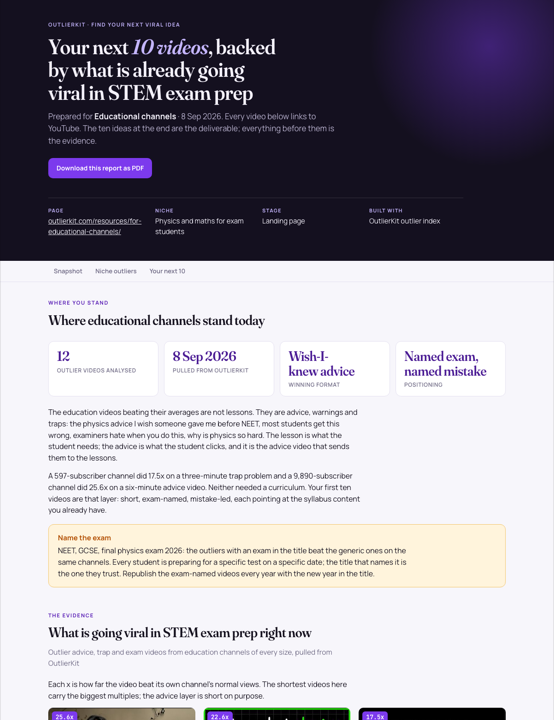
Video ideas for educational channels
Read the dated research and the source videos behind each idea. The report is available online or as a PDF, with no signup.
 Preview, opens the full report
Before you get started
Does it work for niche subjects?
Yes. Smaller subjects have less search volume, but the outlier signal still shows which explainers beat their channel.
Where do the search volumes come from?
From OutlierKit's keyword research data. Treat them as estimates and use them to compare lessons against each other.
What is YouTube intelligence for educational channels?
It means choosing lessons by what learners search for and which explainers already work. OutlierKit shows both.
Which paid plans include the tools on this page?
Hobby starts at $49 a month with 100 credits. Pro is $99 with 500 credits and adds Competitor Studio, MCP and API access. Max is $399 with 2,000 credits and adds niche-wide sponsor research and on-demand updates. Annual billing is available.
Do I need Claude to use OutlierKit?
No. You can research in the OutlierKit app. The optional MCP connector lets Claude request public channel data, outliers, transcripts and comments. It is included with Pro, Max and an active free trial. Niche mapping and sponsor intelligence stay in Competitor Studio in the app.
What can I try before choosing a plan?
The free trial includes 30 credits with no credit card. Outlier and keyword searches cost 2 credits each; single-channel analysis costs 10. Competitor Studio costs 50 credits per run. Connecting the MCP connector adds 20 credits, so a trial can cover one run. On paid plans it is on Pro and Max. The Title tool costs 2 credits per run. Description & hashtags, Chapters and Script review are also included in the trial.
Can I change or cancel my plan?
Yes. Use your account settings to change or cancel your plan. The change takes effect at the end of the current billing cycle. Email hello@outlierkit.com if you need help.
Choose your next lesson topic
Free trial · 30 credits · No credit card
Find my next lessons →