For experts building a personal brand
Choose YouTube topics where your expertise adds something
Study the topics that outperform on channels your audience follows. OutlierKit gives you references and search demand to weigh against your own experience.





I'm a leadership coach. Which career topics are beating averages on channels my clients watch?
Three career videos from small channels, each well above its channel's average:
- 1.Why every future leader needs a career path14.3×Channel: The Forward Motion Business Show · Subscribers: 1.2K
- 2.Take control of your career and leadership growth7.9×Channel: Ambition, Aligned · Subscribers: 23.5K
- 3.Hard truths from a career coach3.2×Channel: NTUC Singapore · Subscribers: 3.5K
Highlighted figure: vs channel average.
Film a career-direction video first. Career-direction topics beat averages on all three channels, and none has more than 24K subscribers. A small expert channel can win this topic.
Expert-led channels, broken down
Full breakdowns of channels built on one expert's name, with the format mix and reach ratio you can measure your own channel against:
 Ali Abdaal
Productivity & education
- Subscribers
- 6.6M
- Avg views
- 381.3K
Est. $8K to $43K/mo
Read the analysis → Nischa
Personal finance
- Subscribers
- 2.2M
- Avg views
- 550.5K
Est. $27K to $88K/mo
Read the analysis → The Diary Of A CEO
High-Performance Lifestyle & Ideas
- Subscribers
- 17.8M
- Avg views
- 1.9M
Est. $58K - $322K/mo
Read the analysis → Alex Hormozi
Business & scaling
- Subscribers
- 4.3M
- Avg views
- 199.1K
Figures reflect the saved channel snapshots. Open an analysis to review the full context.
How it works
Make your experience useful to the next viewer
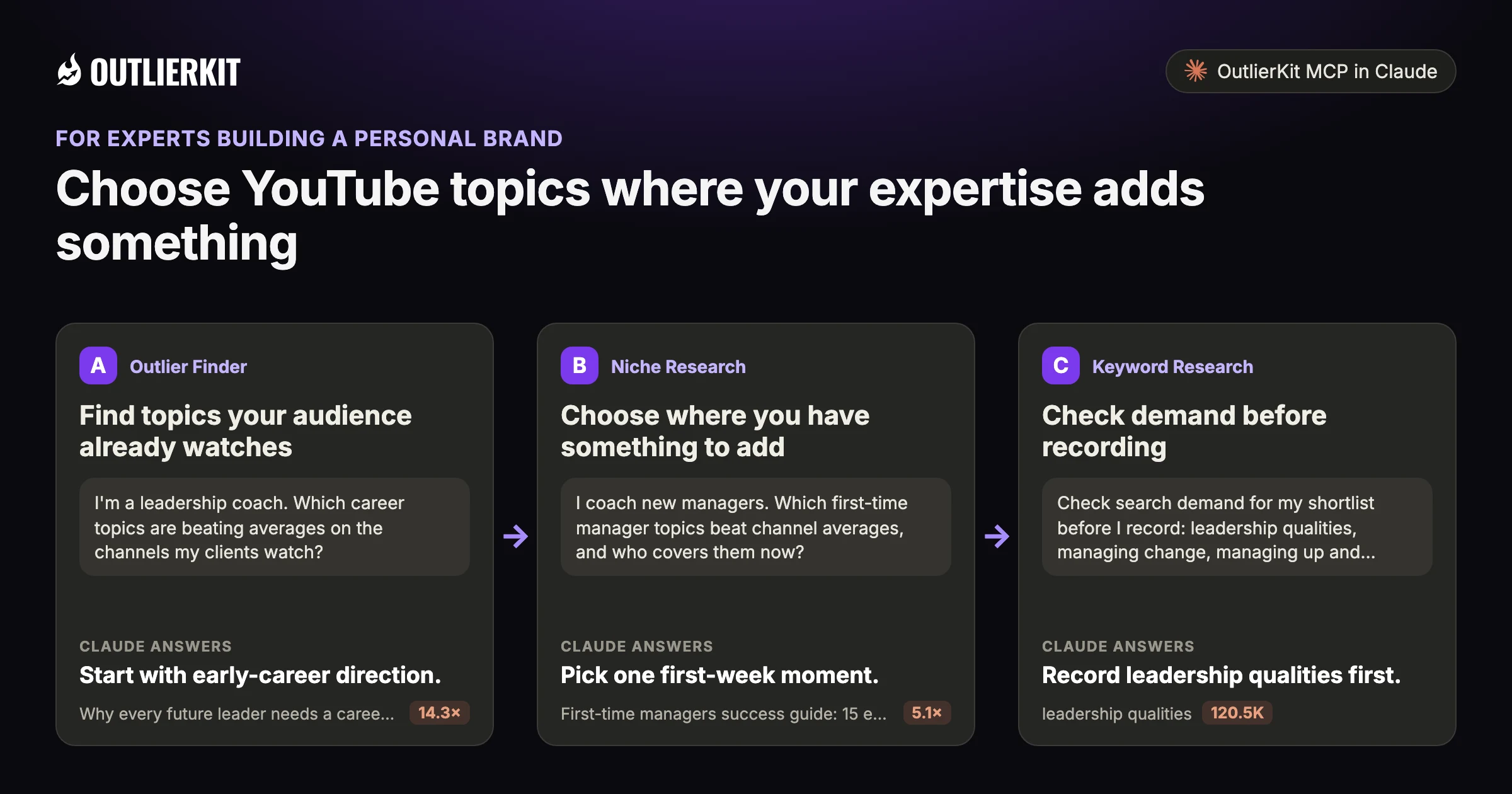
- Find topics your audience already watchesStart with early-career direction.
- Choose where you have something to addPick one first-week moment.
- Check demand before recordingRecord leadership qualities first.
Step 1 · Outlier Finder
Find topics your audience already watches
Start with channels your clients or followers mention. Review their outliers to see which questions earn attention.
- Claude calls
- outliers_search
- In this example
- Start with early-career direction.
I'm a leadership coach. Which career topics are beating averages on the channels my clients watch?
Three career videos beat their channel average, each on a different topic:
- 1.Why every future leader needs a career path14.3×The Forward Motion Business Show · 1.2K subscribers · 1.4K views
- 2.Stop chasing salary: real career advice for your 20s6.6×Compassionate Minds By Amita Devnani · 54.3K subscribers · 35K views
- 3.How to build a personal brand at any stage of your career5.0×Auto Care Association · 25.5K subscribers · 29K views
Highlighted figure: vs channel average.
Start with early-career direction. The two strongest results cover choosing a career path and advice for your 20s. Both channels have under 55K subscribers.
Step 2 · Niche Research
Choose where you have something to add
Compare the examples with your own expertise. Look for a question you can answer with experience or a specific case.
- Claude calls
- outliers_search, channels_search
- In this example
- Pick one first-week moment.
I coach new managers. Which first-time manager topics beat channel averages, and who covers them now?
Three first-time manager videos beat their channel average, from two channels:
- 1.First-time managers success guide: 15 essential tips5.1×RISR Careers · 32.8K subscribers · 340.6K views
- 2.6 tips to master your first team meeting as the new manager4.9×Bernd Geropp · 49.9K subscribers · 74.9K views
- 3.First week as a new manager: 7 things you should do2.9×Bernd Geropp · 49.9K subscribers · 44.4K views
Highlighted figure: vs channel average.
Pick one first-week moment. First week and first team meeting videos beat their channel averages. The five new-manager coaching channels found all have under 64K subscribers.
Step 3 · Keyword Research
Check demand before recording
Use keyword research to compare the shortlist. Choose a topic that fits both your audience and the work you want to be known for.
- Claude calls
- keywords_research
- In this example
- Record leadership qualities first.
Check search demand for my shortlist before I record: leadership qualities, managing change, managing up and career advice for your 20s.
Leadership qualities has the most search demand on your shortlist by a wide margin:
- 1.leadership qualities120.5KBroadest topic on the list.
- 2.managing change19.8KA specific problem managers search for.
- 3.managing up3.9KSmaller, and close to coaching work with new managers.
- 4.career advice for your 20s2.8KEarly-career audience.
Highlighted figure: monthly searches.
Record leadership qualities first. It draws about 120.5K monthly searches, six times managing change at 19.8K. Managing up is smaller at 3.9K. Volumes are estimates.
Before you record: packaging and script tools
Once you pick the idea, OutlierKit writes the packaging and checks your script. You still film and edit the video yourself. The Title tool ranks its titles against real breakout videos near your topic. All four are on every plan and the 30-credit trial. On Pro and Max, the MCP connector also lets Claude run OutlierKit research for you.
Title
Writes 16 titles and ranks them against real breakout videos near your topic, with a score and a one-line reason for each.
Open in the app →How it worksDescription & hashtags
Writes the 150 characters people see and the rest of the description separately, then picks your hashtags.
Open in the app →How it worksChapters
Writes chapter titles that help viewers scan the video and jump to the part they came for.
Open in the app →Script review
Scores the script you wrote and shows what to fix before you record, so you reshoot and re-edit less.
Open in the app →How it works
A worked example
A small leadership channel found an audience for career advice
The Forward Motion Business Show has 1.2K subscribers. Its video on why every future leader needs a career path beat the channel's average 14 times.
This is one example of a small channel reaching viewers with a specific topic.
The example shows a dated research result in Claude. Use the prompts below to explore your own topic.
Try a research question →I'm a leadership coach. Which career topics are beating averages on channels my clients watch?
outliers_searchvideos_getThree career videos from small channels, each well above its channel's average:
| Video | Channel | Subscribers | vs channel average |
|---|---|---|---|
| Why every future leader needs a career path | The Forward Motion Business Show | 1.2K | 14.3× |
| Take control of your career and leadership growth | Ambition, Aligned | 23.5K | 7.9× |
| Hard truths from a career coach | NTUC Singapore | 3.5K | 3.2× |
Film a career-direction video first. Career-direction topics beat averages on all three channels, and none has more than 24K subscribers. A small expert channel can win this topic.
See the research tools in action
Watch the product walkthrough for a tour of channel research and Competitor Studio. The feature sections above show how those tools fit your work.

“Great addition to my stack and simple to use. Hit an issue and the team worked hard to fix it. Great product, hardworking team.”
“I find it very helpful for identifying trends in DevOps and Cloud topics, comparing video performance, and understanding what worked and what didn't. Highly recommend it.”
“I use Outlier Kit for supplemental channel audits and to help clients brainstorm video ideas and/or explore pivot strategies. It's a fantastic competitive intelligence tool to have in your arsenal.”
“I was consistent with uploading videos, but at a certain point, I wasn't able to understand how things were working. With OutlierKit, I was really able to understand the competitor landscape and identify the kinds of opportunities I could bet on.”
“It's really simple and gives really useful data and insights for choosing WHAT to make and how to structure it better. Will recommend to anyone seriously committing to YouTube.”
“After implementing the recommendations from the first report last week, my latest video has nearly tripled in views (2000) compared to my previous best one (700), so the recommendations do work.”
One creator on a small channel. Not a typical or promised result.
More reviews people have posted on Product Hunt, X and LinkedIn, unedited.
Choose where to do the research
Use OutlierKit for public research. Your own YouTube analytics supply the private performance data. Claude is an optional way to query OutlierKit.
| Task | OutlierKit app | OutlierKit in Claude | YouTube Studio |
|---|---|---|---|
| Research other channels | Outlier searches and channel analysis. Pro and Max add niche-wide Competitor Studio. | Request channel data and outlier results with the OutlierKit connector. | Use your channel analytics to understand your own audience and uploads. |
| Read video context | Review video analysis and research results in the app. | Request public transcripts and comments, then ask follow-up questions. | Check your own retention and traffic sources to assess a published video. |
| Package the video | Title, Description & hashtags, Chapters and Script review. Titles are ranked against breakout videos near your topic. | Ask Claude to draft packaging from the research data. The ranked Title tool and Script review run in the app. | Edit the title, description, tags and chapters after upload. No comparison with other channels. |
| Choose a plan | Hobby starts at $49/month. Competitor Studio requires Pro or Max. | Included with Pro, Max and the active free trial. Calls use your OutlierKit credits. | Included with your YouTube channel. |
Read the connector guide or YouTube’s analytics guide for the available reports.
Choose a research plan
Hobby includes outlier and keyword research. Pro adds Competitor Studio and MCP access for a broader research workflow.
Hobby
Best for experts and coaches running one channel
billed monthly
- ✓100 credits per month
- ✓Outlier Research
- ✓Keyword Research
- ✓Single-channel analysis
- ✓Single-video idea research
- Competitor Studionot included
- MCP & API accessnot included
Pro
Best for experts, consultants and brands publishing every week
billed monthly
- ✓500 credits per month
- ✓Everything in Hobby
- ✓Deep Research
- ✓AI script and hook analysis
- ✓Competitor Studio: niche-wide intel
- ✓MCP & API access
- ✓50 credits per connected channel
Max
Best for agencies running client channels, API pipelines
billed monthly
- ✓2,000 credits per month
- ✓Everything in Pro
- ✓50+ channel connections
- ✓Niche-wide sponsor & comment intelligence
- ✓On-demand data updates
- ✓Priority API access
Start with a research question
Try ten keyword searches and five outlier searches with the 30-credit trial.
No credit card required. Competitor Studio needs a paid Pro or Max plan and 50 credits per run. You choose whether to upgrade.
Start free trial →A note from Aditi
The goal is to make your expertise easier to find. A topic is useful when it fits the audience you want to reach and what you can teach.
I built OutlierKit to make this research easier to use. If you don’t find an insight worth pursuing during your trial, email me at hello@outlierkit.com. I’ll walk you through your YouTube strategy. If I still can’t help you find something useful, you get a full refund.
 Aditi, founder of OutlierKit
Updated
Optional: research inside Claude
Ask a follow-up question about the data
The OutlierKit connector lets Claude request research and shape it into a brief. Pro, Max and active trials include access. A prompt may require several paid tool calls.
My audience also watches [3 channels]. Which of their topics beat averages this month?
- You get
- Topics to review
- Tools called
- channels_videos, outliers_search
- Cost
- 2 to 10 credits per tool call
I'm an expert in [field]. Which of those topics can I answer better?
- You get
- Your shortlist
- Tools called
- outliers_search
- Cost
- 2 to 10 credits per tool call
Check search volume for those topics. Rank them.
- You get
- A ranked list
- Tools called
- keywords_research
- Cost
- 2 to 10 credits per tool call
Connect OutlierKit to Claude. For custom workflows, explore the API.
Free sample report
Video ideas for personal brands
Read the dated research and the source videos behind each idea. The report is available online or as a PDF, with no signup.
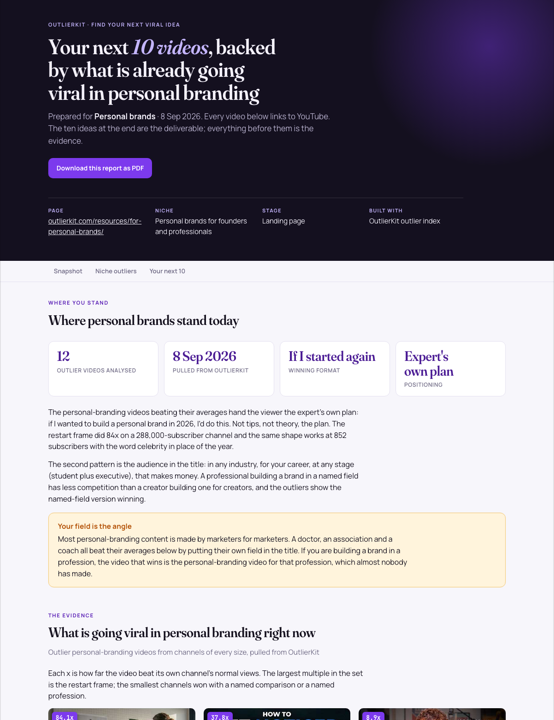 Preview, opens the full report
Before you get started
I only post a few times a month. Is it worth it?
Yes. You can research a small number of topics before recording. Try the workflow on your next planned upload.
Do I need a big channel for this to work?
No. OutlierKit compares every video with its own channel's average, so small channels show up next to big ones.
What is YouTube intelligence for personal brands?
It means using data from the channels your audience watches to choose your topics. OutlierKit shows which topics beat their channel's normal.
Which paid plans include the tools on this page?
Hobby starts at $49 a month with 100 credits. Pro is $99 with 500 credits and adds Competitor Studio, MCP and API access. Max is $399 with 2,000 credits and adds niche-wide sponsor research and on-demand updates. Annual billing is available.
Do I need Claude to use OutlierKit?
No. You can research in the OutlierKit app. The optional MCP connector lets Claude request public channel data, outliers, transcripts and comments. It is included with Pro, Max and an active free trial. Niche mapping and sponsor intelligence stay in Competitor Studio in the app.
What can I try before choosing a plan?
The free trial includes 30 credits with no credit card. Outlier and keyword searches cost 2 credits each; single-channel analysis costs 10. Competitor Studio costs 50 credits per run. Connecting the MCP connector adds 20 credits, so a trial can cover one run. On paid plans it is on Pro and Max. The Title tool costs 2 credits per run. Description & hashtags, Chapters and Script review are also included in the trial.
Can I change or cancel my plan?
Yes. Use your account settings to change or cancel your plan. The change takes effect at the end of the current billing cycle. Email hello@outlierkit.com if you need help.
Find a topic you can speak to
Free trial · 30 credits · No credit card
Find my next topics →