



One real run, start to finish
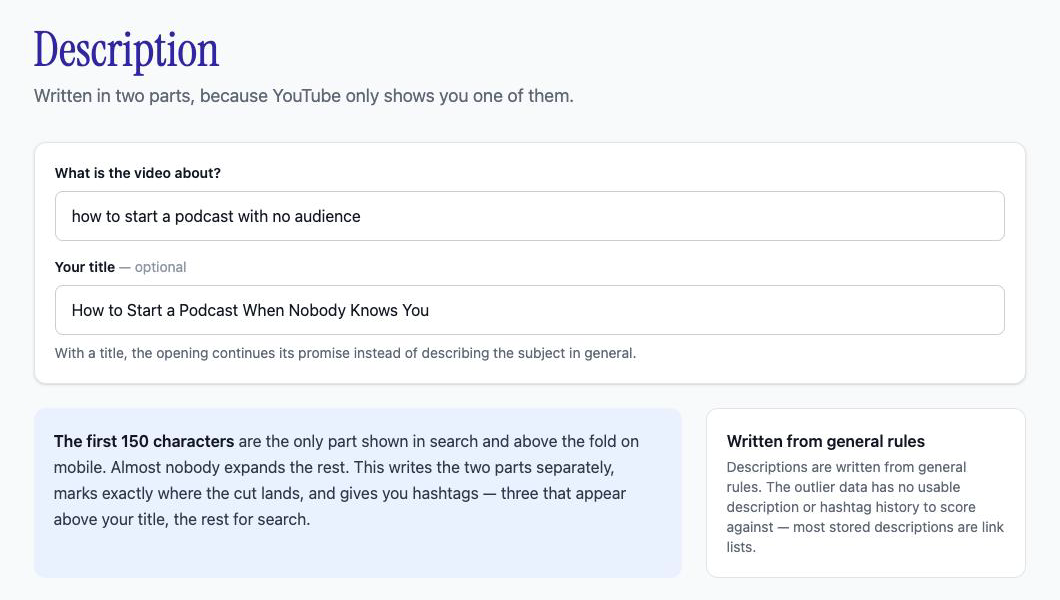
I ran this on 6 October 2026. The topic was "how to start a podcast with no audience". The title came from the AI YouTube title generator, which ranked it first for the same topic. The diagram below uses the exact text and numbers the app returned.
1You type two lines
Topic
how to start a podcast with no audience
Title, optional
How to Start a Podcast When Nobody Knows You
2The tool writes two parts
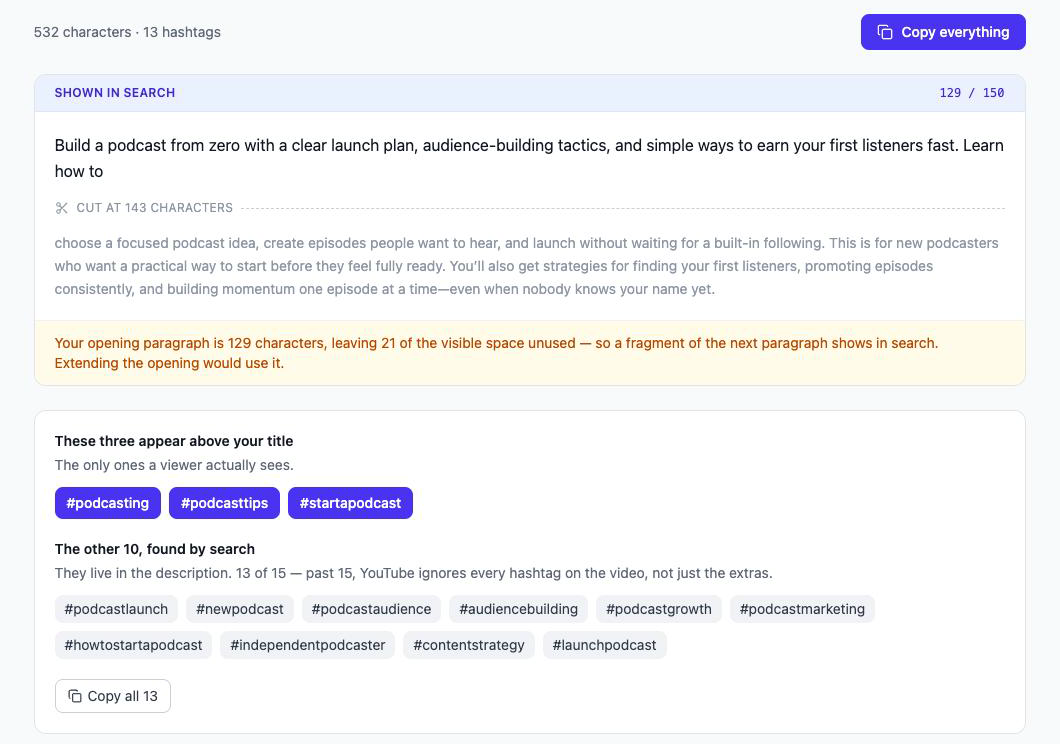
Build a podcast from zero with a clear launch plan, audience-building tactics, and simple ways to earn your first listeners fast. Learn how to
choose a focused podcast idea, create episodes people want to hear, and launch without waiting for a built-in following. This is for new podcasters who want a practical way to start before they feel fully ready.
Warning from the tool: the opening leaves 21 characters of visible space unused.
3And sorts 13 hashtags
3 shown above your title
10 in the description, for search
The description came back at 532 characters. The opening was 129 characters, and the app drew the cut at 143. It then warned me that 21 characters of visible space were unused, so a fragment of the next paragraph would show in search. That is a one-line fix, and I would not have seen it in a plain block of text.
The run also gave 13 hashtags. The app put #podcasting, #podcasttips and #startapodcast first, because the first three are the ones that appear above the title. The other ten sit in the description.
Why do the first 150 characters matter?
They are the only part most people read. YouTube shows the start of the description in search results and above the fold on mobile, then hides the rest behind a tap. A description that opens with links or a greeting spends that space on nothing.
So write the opening as a second line of the title. Say what the viewer gets, in words they would search. The YouTube description templates show the same structure if you would rather write it by hand, and the YouTube SEO guide ranks each field by how much it moves a video.
Does the description generator write YouTube tags?
No. It writes hashtags, which are a different field. People search for a tag generator when they mean either one, so this table shows what the tool covers.
| Field | Where it goes | Viewers see it | The tool writes it |
|---|---|---|---|
| Hashtags | The description, typed with a # | Yes. Three show above your title | Yes |
| Description | The description box | The first 150 characters, then Show more | Yes |
| Tags | The Tags field in YouTube Studio, under Show more | No | No |
| Keywords | Not a field. They are the phrases people search | Inside your title and description | Put the phrase in your topic line |
The hidden Tags field matters least. YouTube's help page says that "tags play a minimal role in your video's discovery", and that they help most when people often misspell your topic. You can read it on YouTube Help. If you still want to fill it, the field holds 500 characters in total and the description holds 5,000 bytes. Both limits are in the YouTube Data API reference.
Keywords come before any of this. Find the phrase people search with Keyword Research, or start with the free YouTube keyword tools. Then put that phrase in the topic line so the opening carries it.
What does the description generator not do?
- It does not score against outlier videos. The Title tool does. The Description tool writes from general rules, and the app says so on the page.
- It does not write the hidden Tags field. It writes hashtags.
- It does not add your links, sponsors or timestamps. Paste those in below the generated text. The Chapters tool in the same app writes the chapter titles.
- It does not work without an account. The free trial covers it, with 30 credits for 3 days and no card.
- It does not write the script. Script review checks a script you wrote, and the YouTube script checker page shows a full run.
