YouTube Description Template
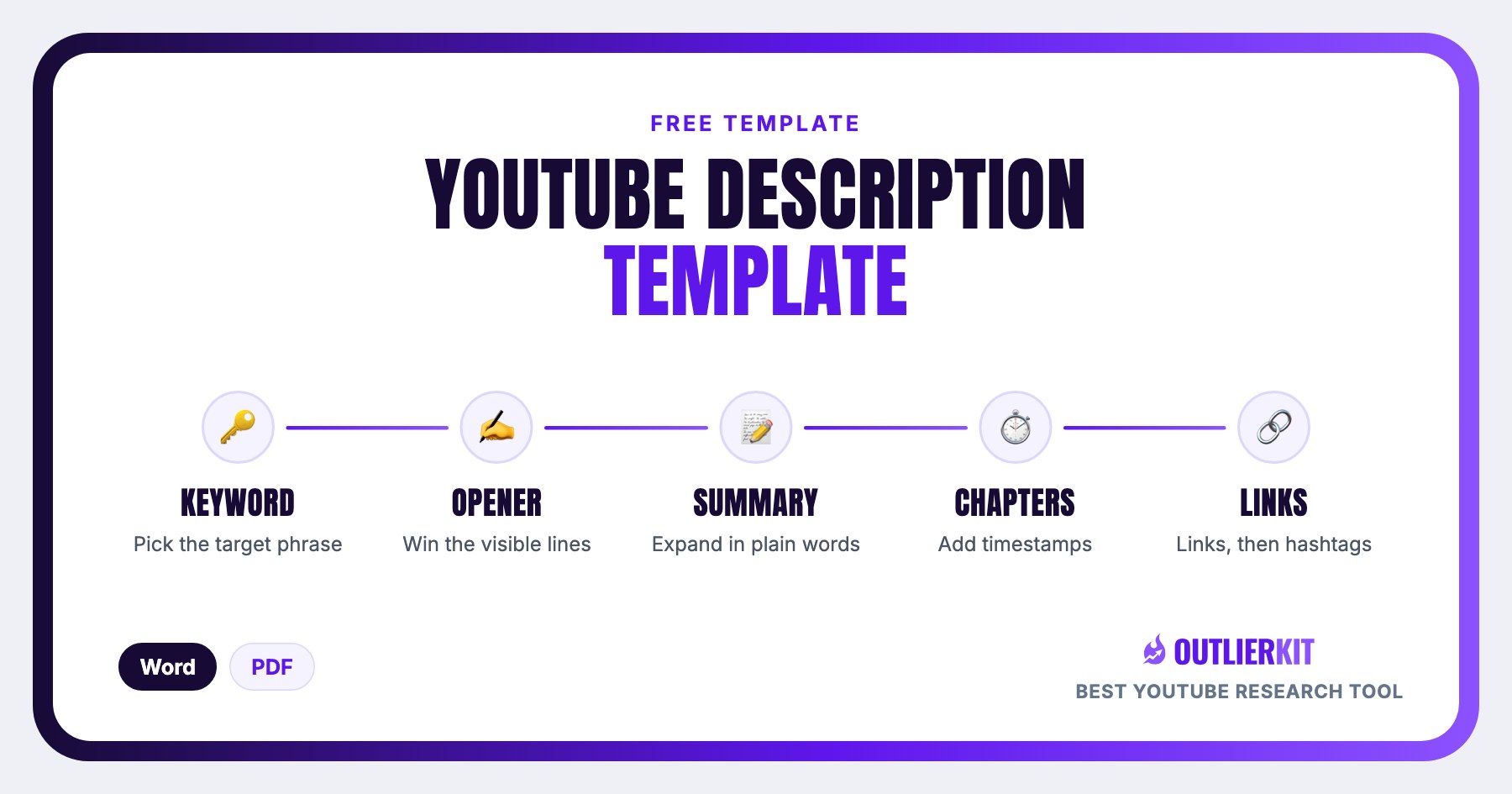
The 5-block description structure that's SEO-optimized for 2026: the visible 125 characters, an expanded summary, chapters, a links block, and hashtags. Three copy-paste variants below (standard, tutorial, and gaming channel) plus Word and PDF downloads.
- 1Line 1-2: The visible 125 characters
- 2Paragraph 2: The expanded summary (2-4 sentences)
- 3Chapters / timestamps
- 4Resources & links block
- 5About + socials + hashtags
What is a YouTube description template?
A YouTube description template is a pre-structured description you fill in for every upload instead of writing from a blank box. This one uses five blocks (the visible 125 characters, an expanded summary, chapters, a links block, and hashtags) and comes as three copy-paste variants: standard, tutorial, and gaming channel.
The description is the only metadata field long enough to give YouTube and Google real context about what the video covers, and its first 125 characters double as the meta description viewers see in search results, which is why the template front-loads them.
The structure
The 5-block YouTube description structure
Every block below has one job. The one that carries the most weight: only about 125 characters show before the "more" link, and in search results that same line acts as your meta description. Get block 1 right and the rest is support.
Line 1-2: The visible 125 characters
Only ~125 characters show before 'more'. In search results, this is your meta description.
[Target keyword + the video's promise in plain language. e.g. 'YouTube competitor analysis, step by step: find the exact videos growing rival channels and copy the pattern.']
Fill it in well: Write it like a search result you'd click, not a greeting. 'In this video I...' wastes half the budget on words that sell nothing. Lead with the keyword and the payoff instead.
Paragraph 2: The expanded summary (2-4 sentences)
Natural-language summary using the keyword once more plus 2-3 related phrases. Write for a human skimming, not a crawler.
[What the video covers, who it's for, what they'll walk away with.]
Fill it in well: Related phrases beat repeating the exact keyword three times. If the video targets 'youtube description template', the summary should mention things like 'chapters' and 'timestamps', not the keyword again and again.
Chapters / timestamps
Chapters earn key-moments treatment in Google search and reduce drop-off from viewers hunting for one section.
0:00 [Hook / intro]
1:24 [First section: use keyword-rich chapter names]
4:05 [Second section]
8:30 [Payoff]
Fill it in well: Name chapters what a searcher would type, not 'Part 1'. 'Setting up the tracking spreadsheet' can surface as a key moment in Google; 'Part 2' never will.
Resources & links block
Links you mention in the video, your lead magnet, and 1-2 related videos. Use full https:// URLs.
🔗 [Resource mentioned]: https://…
📈 [Free template/lead magnet]: https://…
▶️ Watch next: https://…
Fill it in well: Order is priority: put YOUR lead magnet before social links. Most creators list Instagram first and their email list last, which is exactly backwards for what actually grows the channel.
About + socials + hashtags
One-line channel pitch, socials, then up to 3 hashtags (only the first 3 show above the title).
[One-line channel value prop]
[Social links]
#[keyword] #[niche] #[format]
Fill it in well: Three hashtags max, and specific beats broad. #minecraftspeedrun puts you in a findable pool; #gaming buries you in one of the largest tag pools on YouTube.
Copy-paste templates
Three ready-to-use description templates
Each variant is the full 5-block structure pre-arranged for a different kind of video. Copy one, replace every [BRACKETED] placeholder, and paste it into YouTube Studio.
01. Standard video description
The default 5-block skeleton: works for any niche and any video format.
[TARGET KEYWORD]: [the video's promise in plain language, keep this whole opening line under 125 characters].

In this video, I cover [WHAT THE VIDEO COVERS] so you can [OUTCOME THE VIEWER WALKS AWAY WITH]. It's made for [WHO IT'S FOR], and we go through [RELATED PHRASE 1] and [RELATED PHRASE 2] step by step.

⏱️ CHAPTERS
0:00 [Hook / intro]
1:24 [First section: keyword-rich chapter name]
4:05 [Second section]
8:30 [Payoff / result]

🔗 LINKS & RESOURCES
🔗 [Resource mentioned in the video]: https://[link]
📈 [Free template / lead magnet]: https://[link]
▶️ Watch next: https://[related video link]

ABOUT THE CHANNEL
[One-line channel value prop: what you make and who it helps]
[Social link 1] | [Social link 2]

#[keyword] #[niche] #[format]
02. Tutorial / SEO-focused description
Keyword-forward with heavier timestamps: built for how-to videos chasing search and key moments.
[TARGET KEYWORD] tutorial: [what viewers will be able to do by the end, whole line under 125 characters].

This step-by-step [TARGET KEYWORD] guide walks you through [THE PROCESS] from scratch. You'll learn [RELATED PHRASE 1], [RELATED PHRASE 2], and how to [SPECIFIC OUTCOME], no [COMMON PREREQUISITE PEOPLE FEAR] required.

⏱️ TIMESTAMPS: skip to any step
0:00 What we're building (the end result)
0:45 [Step 1: name it with a searchable phrase]
3:10 [Step 2: searchable phrase]
6:40 [Step 3: searchable phrase]
9:55 [The mistake most people make]
12:20 [Final result + what to do next]

🔗 EVERYTHING MENTIONED
🔗 [Tool / resource]: https://[link]
📄 [Written version / template for this tutorial]: https://[link]
▶️ Next tutorial in the series: https://[link]

[One-line channel value prop: e.g. weekly [TOPIC] tutorials for [AUDIENCE]]
[Social link 1] | [Social link 2]

#[keyword] #tutorial #[niche]
03. Gaming channel description
Game name up front, playlist and community links, stream schedule, and a setup block: the structure gaming viewers expect.
[GAME NAME]: [what happens in this video: the hook, game name first, whole line under 125 characters].

In today's [GAME NAME] video we [WHAT YOU DO: challenge / walkthrough / update breakdown], including [THE MOMENT OR STRATEGY VIEWERS SEARCH FOR]. New here? I upload [UPLOAD SCHEDULE] and stream [STREAM DAYS]. Subscribe so you don't miss the next one.

⏱️ CHAPTERS
0:00 [Cold open: best moment]
1:05 [Setup: loadout / build / settings]
4:30 [Main gameplay: name the level, boss, or mode]
9:45 [Clutch moment / result]
11:30 [What's coming next]

🎮 MORE [GAME NAME]
▶️ Full [GAME NAME] playlist: https://[playlist link]
▶️ Watch next: https://[related video link]

🔴 LIVE + COMMUNITY
Streaming [DAYS + TIME + TIMEZONE] on [PLATFORM]: https://[stream link]
Discord: https://[invite link]
[Social link 1] | [Social link 2]

MY SETUP
[GPU / console]: [MODEL]
[Mic / headset]: [MODEL]

#[gamename] #[genre] #gaming
Before you hit save
Keyword placement checklist
Run every description through these five checks. They cover the placement rules the template is built around.
- Target keyword appears in the first 125 characters
- Keyword (or close variant) appears once more in paragraph 2, no stuffing
- Chapter names use searchable phrases, not 'part 1 / part 2'
- Max 3 hashtags, more dilutes them
- No link before the summary: don't spend your visible characters on a URL
Free download
Download the template: Word or PDF
Direct downloads, no email required. Both files contain the same 5-block structure and the keyword placement checklist.
Is this the right template?
Who this template is for, and who it isn't
Use it if
Creators whose descriptions are one line + social links
If you paste a greeting and your Instagram handle under every video and wonder why search traffic is flat, the 5-block structure gives every field a job, starting with the 125 characters that show in results.
Tutorial and how-to channels
Descriptions and chapters are where how-to content earns Google key-moments placement. The tutorial variant is built around searchable step names and a heavier timestamp block.
Gaming channels
The gaming variant covers game names up front, playlist and community links, and stream schedules: the exact things gaming viewers scan a description for.
Skip it if
You don't know which keyword to target yet
Use the YouTube Keyword Research guide instead: find the phrase worth putting in your first 125 characters before you fill in a template.
Your click-through problem is the title and thumbnail, not the description
Use the YouTube Title Generator instead: fix the packaging viewers actually see first. No description rescues a title nobody clicks.
You want the full SEO system, not one field
Use the YouTube SEO Guide instead: titles, tags, descriptions, and ranking factors in one guide.
How to use it
Write an SEO-optimized description in 5 steps
Pick the target keyword
Choose one phrase your viewer would actually type into YouTube or Google. One keyword per video. The description reinforces it, it doesn't collect them.
Write the 125-character opener
Lead with the keyword and the video's promise in plain language. This line doubles as your meta description in search results, so make it earn the click.
Expand the summary
Add 2-4 sentences using the keyword once more plus 2-3 related phrases. Write for a human skimming: say who it's for and what they'll walk away with.
Add keyword-rich chapters
Timestamp each section with a searchable phrase, never 'part 1 / part 2'. Chapters earn key-moments treatment in Google and cut drop-off.
Links, then max 3 hashtags
Close with your resources block, a one-line channel pitch, socials, and up to 3 hashtags. Only the first 3 show above your title.
Not sure which keyword to target? Start with the YouTube keyword research guide, it covers how to find phrases with real search demand before you write a single description.
Frequently Asked Questions
Where should links go in a YouTube description?
After the opening line and summary, never before them. A URL in your first 125 characters spends your most visible real estate on something unclickable in search results. Inside the links block, order by priority: the resources you mention in the video and your own lead magnet first, related videos next, social links last. Always use full https:// URLs so YouTube renders them as clickable links.
How long should a YouTube description be?
Roughly 150-300 words covers all five blocks without padding. The limit is 5,000 characters, but length itself doesn't rank you. The first 125 characters matter most because they're all that shows before the 'more' link and they act as your meta description in search results. Write the opener carefully, keep the rest scannable, and stop when every block has done its job.
Do YouTube descriptions still affect SEO in 2026?
Yes. Descriptions help YouTube and Google understand the video for search results, key-moments treatment (via chapters), and suggested-video matching. But keep it in proportion: packaging (your title and thumbnail driving click-through) moves views far more than description text. Treat the description as the layer that makes a clickable video findable, not as a substitute for a strong title and thumbnail.
How many hashtags should I use in a YouTube description?
Use a maximum of three. Only the first three hashtags in your description display above the video title, and adding more dilutes their relevance rather than adding reach. Pick one for your target keyword, one for your niche, and one for the format. For a gaming channel that's typically the game name, the genre, and #gaming.
Can I use the same description on every video?
Reuse the structure, not the words. The bottom blocks (channel pitch, socials, community links, stream schedule) can stay identical across uploads, which is why keeping one template per video series works well. But the first 125 characters and the summary must be video-specific, because that opener is what appears in search results for that particular video.
Can a tool write the description and tags for me?
Yes. OutlierKit's Description & hashtags tool writes both from the same brief as your title, so the description delivers what the title promises. The Chapters tool writes the timestamp block, and the AI title generator ranks 16 titles against those same breakout videos. All three are included on every plan and the 30-credit trial. Check the output against this template before you publish.
How do I find keywords for my YouTube descriptions?
Start from what viewers type: YouTube's search autocomplete, the phrasing in top-ranking titles for your topic, and recurring words in competitor comments. Pick one primary phrase per video and two or three related phrases for the summary paragraph. Our free YouTube keyword research guide walks through the full process, including how to judge whether a keyword has real search demand.
Related Resources
YouTube SEO Guide
The full YouTube SEO guide: where descriptions fit next to titles, tags, chapters, and packaging.
YouTube Keyword Research
Find the keywords for your first 125 characters before you write the description.
YouTube Description Generator
Writes the 150 characters people see and the rest separately, and picks your hashtags.
YouTube Title Generator
Pair the description with a stronger title. Packaging still drives more views than metadata.
AI YouTube Title Generator
Sixteen titles ranked against real breakout videos near your topic, with a score and a reason on each.
All Free YouTube Templates
Script, strategy, audit, and competitor analysis templates, all free, all downloadable.
Real channel breakdowns
See these strategies in the wild: full data-backed analyses of channels in this niche, including outlier videos, upload cadence, and growth patterns.
OutlierKit Channel Analysis

xQc
Gaming & live streaming
- Subscribers
- 2.5M
- Avg views
- 262.9K
- Total views
- 1.9B
OutlierKit Channel Analysis

Leila Gharani
Office software & Excel
- Subscribers
- 3.0M
- Avg views
- 490.4K
- Total views
- 313.4M
OutlierKit Channel Analysis

Jeff Su
Career & workplace productivity
- Subscribers
- 1.8M
- Avg views
- 322.4K
- Total views
- 99.6M
Stats are from our most recent snapshot of each channel. For live numbers, outlier videos, and up-to-date revenue estimates, run a fresh analysis on OutlierKit →

Know what to make before you describe it
OutlierKit finds the outlier videos and proven topics in your niche, then writes the title, description, tags and chapters from them, so your first 125 characters match what viewers already click.
Try OutlierKit Free