
TL;DR: Pick TubeBuddy for thumbnail and title A/B tests, bulk edits and the lowest entry price ($4.50/mo). Pick vidIQ for real-time analytics, trend alerts and competitor tracking, from $19/mo on Boost (about $16.58/mo billed yearly). Both run as browser extensions inside YouTube and report data rather than tell you what to film. If your real problem is choosing the next video, add a research tool such as OutlierKit. It is built for experts, consultants and coaches who share what they know on YouTube, and it finds outlier videos and open niches from $49/mo with a 30-credit free trial and no card.
Last updated: October 13, 2026
Which tool for which case
Tool | Best for | Choose it if |
vidIQ | Real-time analytics, trend alerts, competitor tracking and keyword scores | You want stats on your channel and rival channels inside YouTube, and $19/mo (Boost) fits your budget |
TubeBuddy | Thumbnail and title A/B tests, bulk tag and description edits | You manage a large video library or want to test thumbnails, at the lowest starting price ($4.50/mo) |
OutlierKit | Outlier video and niche research before you film | You need to decide what to make next. It is a research layer, not an SEO toolbar, so pair it with one of the two extensions |
vidIQ and TubeBuddy are the two YouTube extensions most creators try first, and they solve different jobs. This post compares their prices, strengths, weak spots and user ratings. For where both sit next to outlier and niche finders, see our roundup of the best YouTube research tools. For a plan-by-plan table, see our vidIQ vs TubeBuddy feature and pricing breakdown.
Watch: vidIQ vs TubeBuddy vs OutlierKit, an honest breakdown.
Which is better, TubeBuddy or vidIQ?
TubeBuddy is better if you want the cheapest entry point, thumbnail A/B testing and bulk editing. vidIQ is better if you want deeper analytics, trend data and competitor tracking. Both are browser extensions that report data, which is why many creators pair one of them with a web-based research tool.
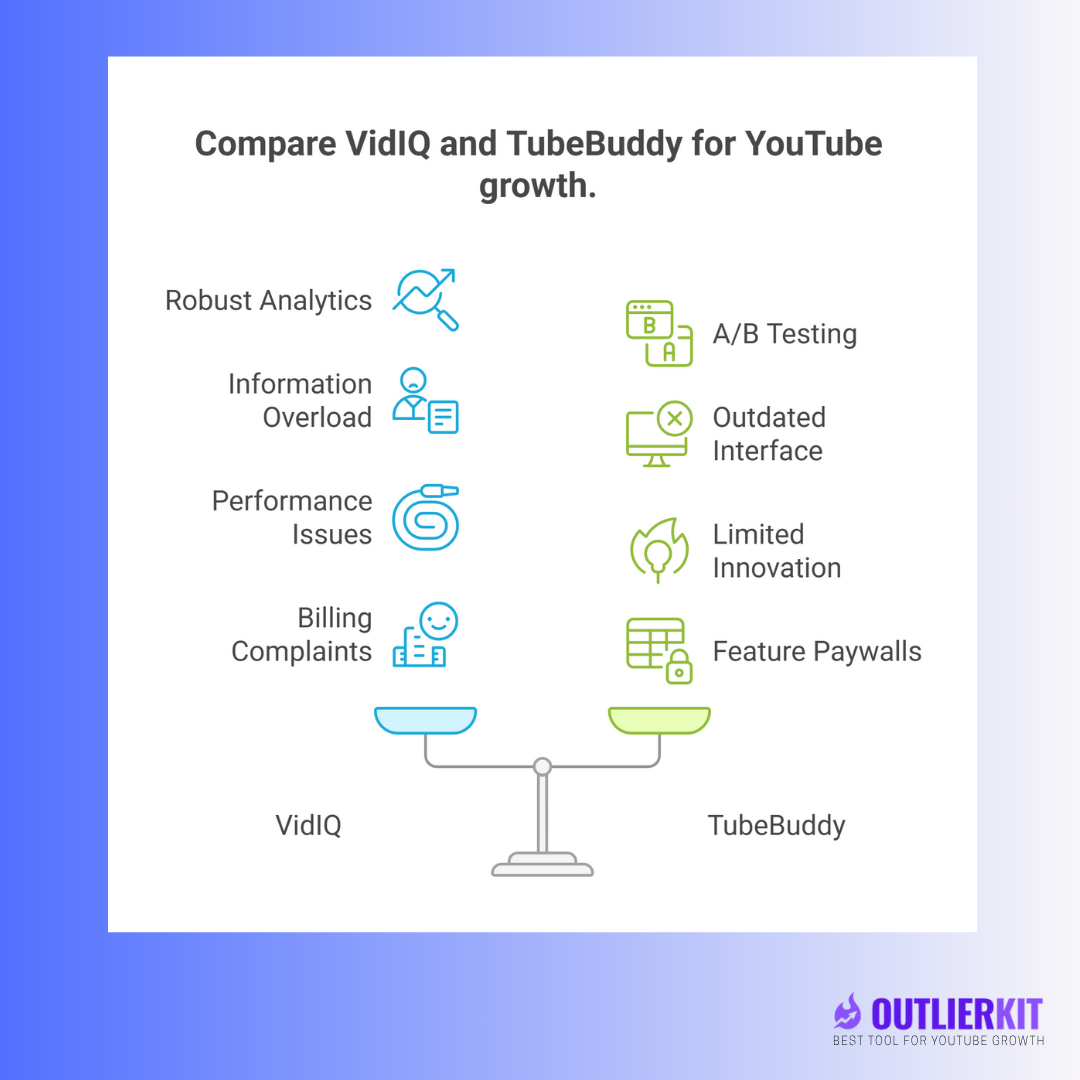
Price: TubeBuddy starts at $4.50/mo. vidIQ starts at $19/mo, or about $16.58/mo billed yearly. Both have free plans with limited features.
TubeBuddy wins on: A/B thumbnail tests and bulk tag and description edits.
vidIQ wins on: real-time analytics, trend alerts, competitor tracking and keyword scores.
Both lose on: browser slowdown, and neither tells you what to make next.
Plan details change often, so check our vidIQ pricing guide and TubeBuddy pricing guide before you buy. If you mainly want the extension, the TubeBuddy Chrome extension guide covers setup and limits.
Why are creators looking past browser extensions?
Creators want to know what to publish, and extensions mostly show what already happened. More than 500 hours of video reach YouTube every minute, so a new upload competes with a huge pool of videos on the same topic.
vidIQ and TubeBuddy started when YouTube ranking leaned heavily on tags and keywords. Creators now face these pressures:
More channels compete for the same viewers in every niche.
Ranking depends on many signals beyond basic keyword optimization.
Viewers expect value in the first 15 seconds.
Creators need data tied to revenue, such as views that come from searches with ad demand, more than vanity metrics.
So the useful question is which tool fits your job, and whether an extension alone covers it.
What does vidIQ offer?
vidIQ offers analytics, competitor tracking, keyword scores and trend alerts inside YouTube, with a free plan and paid plans from $19/mo.

How much does vidIQ cost?
Free Plan: limited features, basic keyword research
Boost Plan: $19/month or $199/year
Max Plan: $49/month or $468/year
How do users rate vidIQ?
vidIQ holds 3.8/5 on Trustpilot from 1,369 reviews and 4.5/5 on the Chrome Web Store from 11.3K ratings (checked 28 Sep 2026).
What does vidIQ do well?
Performance tracking with historical data for your own channel.
Competitor tracking, so you can see what works for similar channels.
A large library of tutorials and best practices.
A big keyword database you can search.
If you mostly want public channel stats rather than an extension, our vidIQ vs Social Blade comparison covers that matchup.
Where does vidIQ fall short?
The extension slows the YouTube interface.
It has many features and no clear order of what to use first.
It shows what happened, not what to do next.
Some users report trouble cancelling their subscription.
What does TubeBuddy offer?
TubeBuddy offers A/B testing for thumbnails and titles, bulk editing and playlist analytics inside YouTube, with a free plan and paid plans from $4.50/mo.
How much does TubeBuddy cost?
Free Plan: basic optimization for up to 3 tags per video
Pro Plan: $4.50/month
Star Plan: $19/month
Legend Plan: $49/month
How do users rate TubeBuddy?
TubeBuddy holds 4.5/5 on the Chrome Web Store from 8.5K ratings but 2.8/5 on Trustpilot from 25 reviews (checked 28 Sep 2026). Reviewers credit it most for A/B testing and bulk editing. Our TubeBuddy review covers the rest.
What does TubeBuddy do well?
Thumbnail and title A/B tests, its best-known feature.
Bulk edits across a large video library.
Playlist analytics that show how your content is organized.
A free tier with basic optimization.
Where does TubeBuddy fall short?
The interface is cluttered and can overwhelm new users.
Many core tools sit behind paid plans.
The extension slows YouTube down.
It has had few major updates in recent years.
How do vidIQ and TubeBuddy compare feature by feature?
vidIQ wins on analytics and trends, TubeBuddy wins on price, A/B tests and bulk edits, and they tie on keyword research.
Feature | vidIQ | TubeBuddy | Winner |
|---|---|---|---|
Starting Price | $19/month (about $16.58 billed yearly) | $4.50/month | TubeBuddy |
Free Options | Free plan available | Basic free features | vidIQ |
Keyword Research | Basic research | Basic research | Tie |
A/B Testing | Limited | Core feature | TubeBuddy |
User Interface | Overwhelming | Cluttered | Neither |
Performance Impact | Slows browser | Slows browser | Neither |
Data Quality | Raw data only | Raw data only | Neither |
Beginner-Friendly | Overwhelming for new users | Complex for beginners | Neither |
Trend Analysis | Limited | Basic | vidIQ |
Real-Time Analytics | Strong | Basic | vidIQ |
Bulk Operations | Limited | Strong | TubeBuddy |
Should you choose vidIQ or TubeBuddy for your channel?
Choose vidIQ for analytics and competitor tracking, TubeBuddy for testing and bulk edits, and neither if you mainly need to know what video to make next.
Choose vidIQ if:
You run an established channel (10K+ subscribers) and can handle a busy interface.
Real-time analytics and competitor tracking are your priorities.
You can turn raw data into your own next steps.
Your budget covers a paid plan, since most useful features sit there.
Choose TubeBuddy if:
You manage a large video library that needs bulk updates.
Testing thumbnails and titles is your main goal.
An older interface and limited support do not bother you.
Free basic optimization covers what you need today.
When should you pick neither?
You are a new creator (under 1K subscribers) who needs clear direction.
A slower browser would get in your way.
You want next steps, not raw data.
You care more about growth than vanity metrics.
What do vidIQ and TubeBuddy both miss?
Both tools report on what already happened and leave the next video up to you. Five gaps stand out.
1. Browser extension slowdown
Both tools run inside YouTube and slow it down, which costs you time on every session.
2. Data without direction
They show what happened but not what to do next. You still have to turn the numbers into a video plan.
3. Too much complexity
New creators get lost in interfaces built for power users.
4. No benchmarked outlier detection
Neither tool is built around finding outlier videos (videos pulling far more views than their channel's usual) or scoring a script before you record.
5. Built for solo creators
Both tools target individual creators growing views and subscribers, not businesses that use YouTube to bring in leads.
Where does OutlierKit fit next to vidIQ and TubeBuddy?
OutlierKit is a research and planning layer for experts, consultants and coaches, whether you run the channel yourself or an agency runs it for you. It tells you which video ideas already break out in your niche, before you film. It does not replace an SEO extension. It has no thumbnail A/B tests, no bulk editor and no in-YouTube toolbar, so keep vidIQ or TubeBuddy for those jobs.

What does OutlierKit do that the extensions do not?
Finds outlier videos in your niche, so you model topics and formats that already beat their channel's normal views.
Maps niches and trends, and finds low-competition keywords.
Runs in the browser as a web app, so YouTube itself stays fast.
Writes titles (16 candidates ranked against real breakout videos), descriptions with hashtags, and chapters.
Scores the script you wrote with Script review before you record.
OutlierKit costs $49/mo (Hobby), $99/mo (Pro) or $399/mo (Max), and the free trial gives you 30 credits with no card. Pro and Max include an MCP connector that lets Claude use OutlierKit's research tools, plus an API. For another outlier tool matched against vidIQ, see our 1of10 vs vidIQ comparison.
How do OutlierKit, vidIQ and TubeBuddy compare?
OutlierKit leads on outlier, niche and script research. vidIQ and TubeBuddy lead on work inside YouTube, such as A/B tests, bulk edits and live analytics.
Feature | vidIQ | TubeBuddy | |
|---|---|---|---|
Starting Price | $49/month | $19/month (about $16.58 billed yearly) | $4.50/month |
Free Option | ✅ 30-credit trial, no card | ✅ Free plan | ✅ Free plan |
Outlier Video Detection | ✅ Core feature | ❌ No benchmarked outlier finder | ❌ Not available |
Script Analysis | ✅ Script review scores your draft | ❌ Not available | ❌ Not available |
Hook strength (in Video Script Analysis) | ✅ Yes | ❌ Not available | ❌ Not available |
Low-Competition Keywords | ✅ Yes | ✅ Basic research | ✅ Basic research |
Trend Analysis | ✅ Yes | ✅ Limited | Basic |
Niche Explorer | ✅ Yes | ❌ Not available | ❌ Not available |
AI Video Ideas | ✅ From outlier data | ✅ Basic ideas | ❌ Not available |
Thumbnail and Title A/B Tests | ❌ Not offered | Limited | ✅ Core feature |
Bulk Video Edits | ❌ Not offered | Limited | ✅ Strong |
Works Inside YouTube | ❌ Web app | ✅ Extension | ✅ Extension |
Performance Impact | ✅ No browser slowdown | ❌ Slows browser | ❌ Slows browser |
Which should you pick in 2026?
Pick TubeBuddy if price and A/B tests matter most, and vidIQ if analytics and trends matter most. Both still slow the browser and leave the next video idea to you.
vidIQ vs TubeBuddy winner
TubeBuddy wins on price: $4.50 vs $19 a month ($16.58 billed yearly).
vidIQ wins on features: better analytics and trend detection.
Both lose on user experience: browser slowdown and crowded interfaces.
Where OutlierKit fits in your stack
Use OutlierKit to choose the topic and angle, then use vidIQ or TubeBuddy to optimize and test the upload. OutlierKit is web-based, finds outlier videos, scores your script and its hook, and costs $49/mo to start. It suits people who teach their expertise on YouTube and the agencies that manage those channels.
Frequently Asked Questions
Neither is built for beginners, since both have busy interfaces. vidIQ has more tutorials, while TubeBuddy costs less to start. If you are new and stuck on what to make, a research tool such as OutlierKit shows which videos already break out in your niche.
They tie: both offer basic keyword research with similar features. Neither focuses on low-competition keywords, which OutlierKit's keyword research targets.
Yes. Both run as browser extensions inside YouTube, and users report slower page loads. OutlierKit runs as a separate web app, so it does not touch YouTube's page speed.
TubeBuddy is better for A/B testing, especially thumbnails and titles, while vidIQ's testing is limited. OutlierKit does not A/B test; its Script review scores your script before you record instead.
They are fine for a first look. vidIQ's free plan includes basic keyword research, and TubeBuddy's free tier covers up to 3 tags per video. OutlierKit has no free plan, but its free trial gives you 30 credits with no card.
Neither vidIQ nor TubeBuddy targets business use; both are built for creators chasing views and subscribers. Businesses that use YouTube for leads can use OutlierKit to find the topics that already pull viewers in their market.
TubeBuddy starts at $4.50/month but keeps many tools on higher tiers. vidIQ starts at $19/month, or about $16.58/month billed yearly. OutlierKit starts at $49/month and covers research work the extensions do not, such as outlier and script analysis.
Both offer some trend data, and vidIQ goes further than TubeBuddy. OutlierKit tracks trends and outlier videos in your niche, so you can spot a topic while it is still rising.
No tool can guarantee growth. vidIQ and TubeBuddy give you data and leave the strategy to you. OutlierKit narrows the guesswork by showing which topics and formats already outperform in your niche.
Want to know what to film next? Try OutlierKit free with 30 credits and see which videos are breaking out in your niche before you make your next one.
Related reading
Sources
User ratings, checked 28 Sep 2026: vidIQ on Trustpilot (3.8/5, 1,369 reviews), vidIQ on the Chrome Web Store (4.5/5, 11.3K ratings), TubeBuddy on Trustpilot (2.8/5, 25 reviews), TubeBuddy on the Chrome Web Store (4.5/5, 8.5K ratings).
vidIQ pricing: Boost "$19/month", Max "$49/month".
TubeBuddy: "Improve thumbnails and titles using A/B testing and performance insights."
Global Media Insight, YouTube statistics: "More than 500 hours of video are uploaded every minute."
Share this post