YouTube Client Report Template: Monthly Numbers Next to the Niche Median
"Views up 12%" invites one question from the client: is that good? Without the niche next to it, nobody knows. Not them, and not you.
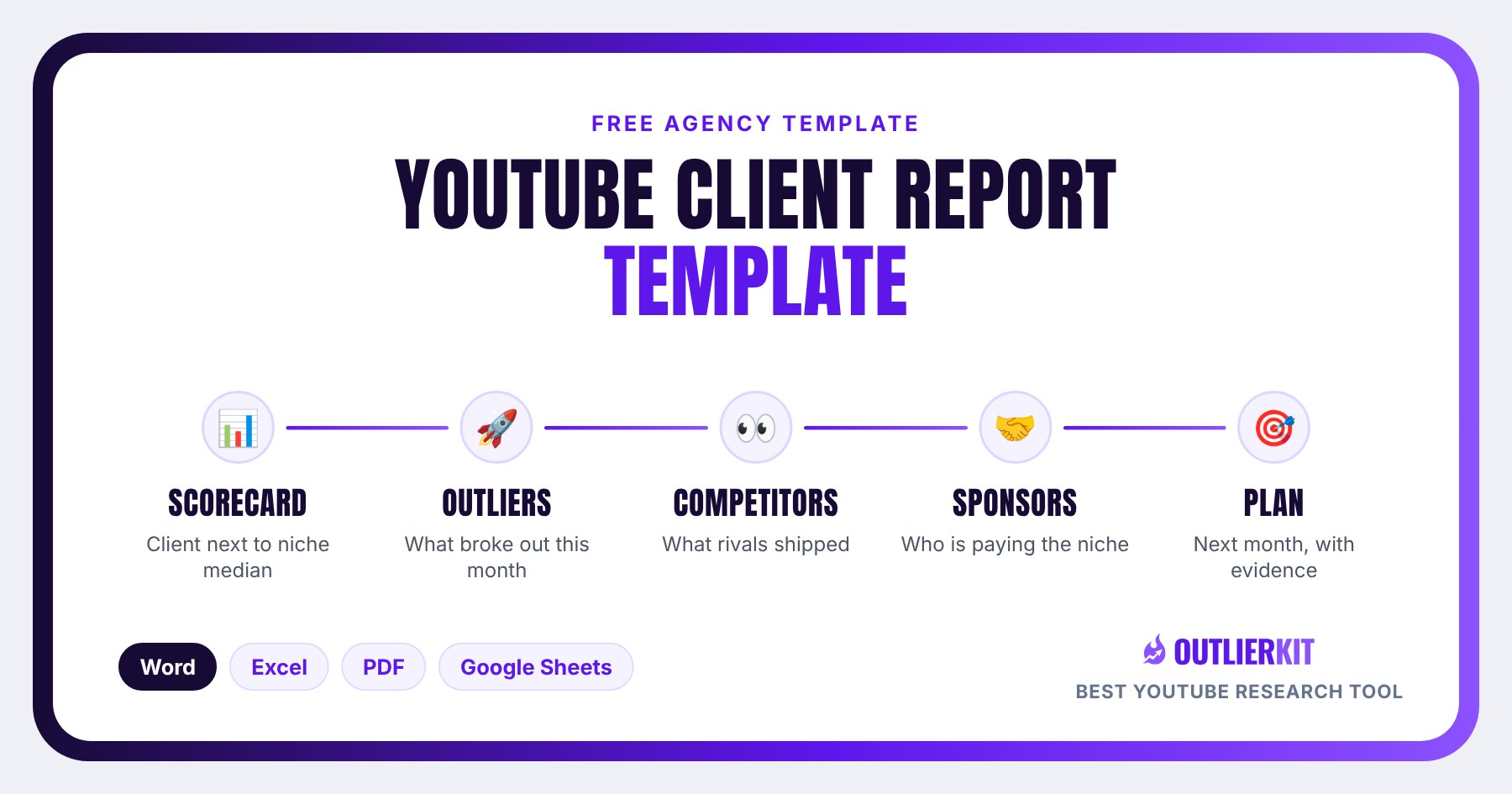
This monthly YouTube client report template answers that question on page one. It puts your client's numbers next to the median of 8 to 12 channels their size in the same niche. Then it shows this month's outliers in the niche, what competitors shipped that worked, sponsor moves, and next month's plan with evidence behind every video. Word, Excel and PDF, free, no signup.
What is a YouTube client report template?
A YouTube client report template is the fixed structure an agency uses to report a client's channel every month. This one is built on niche benchmarks. Every number sits next to the median of a fixed set of peer channels, so the client sees whether they're gaining on their niche. A raw month-on-month change can't tell them that.
It's a retainer document. It's not a one-off niche study and it's not an audit, and the difference matters when you pick a template:
| Template | When you use it | The question it answers | Cadence |
|---|---|---|---|
| Monthly client report (this page) | Every month of a retainer | Are we gaining on the niche, and what do we make next? | Monthly |
| Competitive intelligence report | Pitch, onboarding or a strategy reset | What does this whole niche look like? | One-off study |
| Channel audit | Start of an engagement or a slump | What's broken on this channel? | One time |
Download the client report template: Word, Excel, PDF or Google Sheets
Direct downloads, no email needed. OutlierKit has no white-label export, and you don't need one: the files are unbranded apart from a small credit line you can delete. Paste the findings in under your own logo. That's the point of the template.
Eight sections plus the benchmark appendix
Median and gap formulas built in, six tabs
Review the report with the client on a call
Copy link delivered by email · best for teams
| Format | Best for |
|---|---|
| Word (.docx) | The report itself: eight sections plus the benchmark appendix. Paste your logo in and send. |
| Excel (.xlsx) | The benchmark workbook. Peer set, scorecard with median and gap formulas, outlier log, competitor and sponsor moves, next month's plan. |
| Printable version for reviewing a report with the client on a call. | |
| Google Sheets | The benchmark workbook for teams. We email you a copy link. |
What's inside the monthly report?
Eight sections in the order the client reads them, plus an appendix that lists the peer set. Each one has a specific way to fill it in well.
The headline
One sentence the client can repeat to their boss: one number, one comparison, one next step.
Fill it in well: Write it last. "Your videos averaged 56% of the niche median for channels your size, up from 48%. Next month we test the format that beat its channel average 15 times." If you can't write that sentence, the rest of the report isn't finished.
Scorecard: client vs niche median
Seven metrics, the same every month: average views, median of the last 10 uploads, uploads, views as a share of subscribers, outlier rate, best video multiple, and the one goal metric agreed at kickoff.
Fill it in well: Keep the peer set fixed for a quarter. If you swap channels every month, the median moves for reasons that have nothing to do with your client. The Excel version works out the median and the gap for you.
This month's outliers in the niche
Videos in the niche that beat their own channel's average by 3x or more this month.
Fill it in well: Judge by the multiple, not raw views. And fill in the last column every time. An outlier list with no "use it for us?" answer is trivia, not strategy.
The client's winners and misses
The best and worst upload this month, each with a one-line reason.
Fill it in well: Give the miss a reason you can act on: the title promised one thing and the video did another, the topic had no search demand, the upload went out the day after a bigger channel covered the same news. "The algorithm" is not a reason.
What competitors shipped that worked
Three named competitors and the uploads that beat their own average.
Fill it in well: This is the section clients read twice. Name the channel, link the video, and say what you'd borrow. Borrow the pattern, never the video.
Sponsor moves in the niche
New and repeat sponsors on peer channels, flagged for fit.
Fill it in well: Repeat sponsors matter more than one-offs. A brand that comes back to a channel is telling you the niche converts for it.
Next month's plan, with demand evidence
Every planned video carries evidence: an outlier link, a monthly search volume, or a comment request.
Fill it in well: No evidence, no slot. The point of this section is the moment the client asks "why are we making this?" and the answer is already on the page.
Decisions we need from you
Approvals, filming dates, access. Three asks at most.
Fill it in well: Put a date on every ask. A report that ends with decisions gets a reply. One that ends with "let us know your thoughts" gets read and closed.
Who this template is for, and who it isn't
Use it if
Agencies on monthly retainers
You send a report every month and want it to defend the retainer. The niche median shows progress even in a month when raw views dip.
Freelance YouTube strategists
One client, one report, and no analyst. The Excel workbook does the median and gap maths so the report takes an afternoon, not a week.
In-house teams reporting to a founder
Your boss asks "is this working?" every month. Answer with the client next to channels the same size, not next to last month alone.
Skip it if
You need a one-off study of a whole niche
Use the Competitive intelligence report template instead: a seven-section report for pitches and strategy resets.
You need to find what's broken on the channel
Use the YouTube channel audit template instead: a one-time scorecard for metrics, packaging and audience.
You want to know what to SAY in the report
Use the YouTube client reporting guide instead: how to frame the numbers so clients stay.
How do you fill in the monthly report?
Five steps. The first happens once a quarter; the other four happen every month. Each one names the manual way and the OutlierKit tool that does the same job faster.
Set the peer set once a quarter
Pick 8 to 12 channels in the client's niche within about 2x of their subscriber count. Run Similar Channels with size matching on the client's channel, or take the peers from their Competitor Studio niche map. Paste them into the Peer Set tab and leave them alone for three months.
Competitor Studio in action. Click to explore the tool.
Tool for this step: Competitor Studio →
Pull the client's numbers and the peers' numbers
Use Channel Analysis for the client and each peer: average views per video, uploads, and the best video's multiple. Add the median of the last 10 uploads and the goal metric from YouTube Studio. The scorecard tab works out the median and the gap.
Channel Analysis in action. Click to explore the tool.
Tool for this step: Channel Analysis →
Log this month's niche outliers
Search the client's main topics in Outlier Finder, sorted by relevance, with a minimum outlier score of 3. Keep five that came out this month. Fill the pattern and "use it for us?" columns before you move on.
Outlier Finder in action. Click to explore the tool.
Tool for this step: Outlier Finder →
Refresh Competitor Studio for competitor and sponsor moves
Refresh the client's existing Competitor Studio analysis. A refresh costs 10 credits instead of 50 for a new run. Read the outlier videos and Sponsor Intelligence modules for sections five and six.
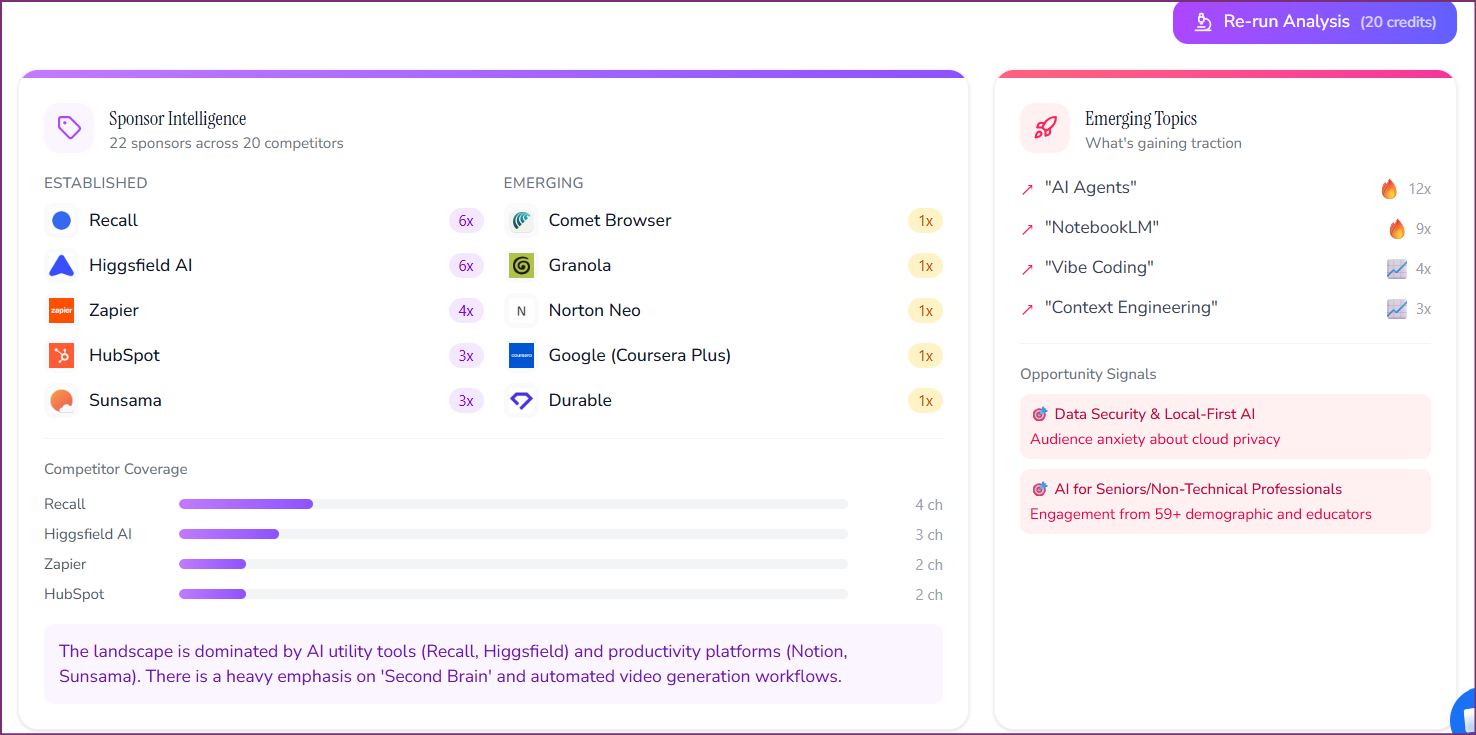
Competitor Studio in action. Click to explore the tool.
Tool for this step: Competitor Studio →
Write next month's plan with demand evidence
For every idea, add one piece of evidence: an outlier link, a monthly search volume from Keyword Research, or a comment request. Then write the headline sentence and the three asks. Paste the finished report into your agency's branded file and send it.
Keyword Research in action. Click to explore the tool.
Tool for this step: Keyword Research →
The manual version of steps one to four is searching YouTube, opening each peer channel, sorting their videos by date and dividing views by their average. It works. For one client it's most of a day. For six clients it's a week a month, which is why reports slip at agencies that grow past a handful of accounts.
What does a filled-in report look like?
I filled the key sections for a real retirement-planning channel run by a Certified Financial Planner, with about 11,800 subscribers. Every number below came from the OutlierKit API on November 20, 2026. I've left the channel unnamed because it's a working business, not a case study.
Scorecard (section two)
| Metric | Client | Niche median | Gap |
|---|---|---|---|
| Average views per video | 7,732 | 13,695 | 56% |
| Median of last 10 uploads | 5,300 | Not pulled | |
| Best of last 30 uploads | 285,000 views | About 37x the channel average |
The median comes from eight US retirement-planning channels with 5,920 to 22,500 subscribers, found with Similar Channels and size matching. Their average views per video run from 5,199 to 30,113, and the median is 13,695. The client averages 7,732, which is 56% of the median. The last 10 uploads have a median of 5,300 views, yet the best of the last 30 hit 285,000. That spread is the story of the month: the channel can produce breakout videos, it just doesn't do it on purpose yet.
Niche outliers (section three)
| Video | Channel | Subs | Views | Multiple |
|---|---|---|---|---|
| 15 Years of Advising $2M+ Retirees in 18 Minutes | James Conole, CFP® | 217,000 | 48,265 | 18.1x recent average |
| The Best Retirement Advice From Retirees | Streamline Financial | 221,000 | 165,000 | 14.9x recent average |
| Financial Advisor: The 5 Decisions That Determine Whether You Retire At 50 Or 67 | Savvy Wallet | 58,300 | 54,000 | 5.5x channel average |
For the example I used recent outliers rather than strictly this month's, because the point is the shape of the section. Two of the three use formats the client hasn't touched in their last 30 uploads: years of advising compressed into one video, and retirees giving the advice. Both go in the "use it for us?" column as a yes.
Demand evidence (section seven)
| Keyword | Monthly searches |
|---|---|
| roth conversion | 4,801 |
| retire with 2 million | 3,443 |
| social security at 62 | 3,443 |
| max social security at 62 | 2,907 |
So one line of next month's plan reads: "Retirees who did a Roth conversion: what they'd do differently." The evidence column holds two things. The Streamline Financial video that ran 14.9x its recent average with retiree voices, and 4,801 monthly searches for "roth conversion". When the client asks why you're making it, the answer is already in the row.
How much do monthly niche benchmarks cost in OutlierKit?
In my own worked estimate, one client's monthly report uses about 40 credits. That's a Competitor Studio refresh (10), three outlier searches (2 each), three keyword lookups (2 each), and four channel lookups for the client and three competitors (5 each). Add 50 credits once when you first map a new client's niche.
Competitor Studio is on Pro ($99 a month, 500 credits) and Max ($399 a month, 2,000 credits). Pro covers reports for one to three clients with room for new runs and ad hoc research. At four or more client niches, plus pitches and onboarding, Max is the comfortable fit: 40 full Competitor Studio runs a month. Extra credits are $19 per 100.
OutlierKit is a YouTube research and planning tool built for experts, consultants and coaches who use YouTube to share what they know, and for the agencies that run those channels. Once a video is planned, its packaging and script tools write ranked titles, the description and chapters, and review the script before the client records. The MCP connector lets Claude run the same research for each client.
How do you read the gap to the niche median?
Use one decision rule, written in the Excel scorecard, so every strategist reads the gap the same way:
- Under 50% of the median: a topic or packaging problem. Lead next month's plan with proven angles from the outlier section.
- 50% to 100%: normal for a channel in its first two quarters with you. Report the direction of travel and the next test.
- Over 100%: stop leading with averages. Lead with the client's outliers and what made them work.
The framing on the call matters as much as the number. A client at 56% of the median hears "you're behind" unless you say "this is the gap we're closing, and last month it was 48%." The YouTube client reporting guide has the full scripts, and how to prove value to YouTube clients covers the account that's already wobbling. If the whole niche is down, not just your client, use the channel-or-niche check before the report goes out.
Get the Google Sheets workbook by email
The Sheets edition mirrors the Excel benchmark workbook, formulas included. Enter your email and we'll send the copy link.
Frequently asked questions
What should a monthly YouTube client report include?
A headline sentence, a scorecard with the client next to the niche median, this month's outliers in the niche, the client's best and worst video, what three competitors shipped that worked, sponsor moves, next month's plan with evidence for every video, and the decisions you need from the client. Raw YouTube Studio exports belong in an appendix, if anywhere.
What is a niche median and how do I calculate it?
The niche median is the middle value of a metric across 8 to 12 channels in the client's niche that are within about 2x of the client's size. Sort the peers' average views per video and take the middle one, or the average of the middle two. The Excel template does it with a MEDIAN formula. Use the median, not the average, so one viral peer doesn't distort the benchmark.
How is this different from the competitive intelligence report template?
The competitive intelligence report is a one-off study of a whole niche, used for a pitch or a strategy reset. This template is a monthly report on one client against a fixed peer set. Run the intelligence report once, then use this one every month.
Can I white-label this report?
Yes. The files are unbranded apart from one credit line you can delete. OutlierKit doesn't have a white-label export, so agencies paste the findings from Channel Analysis, Outlier Finder and Competitor Studio into this template under their own brand. The client sees your analysis.
How long does the monthly report take to fill in?
By hand, most of a day per client once you include finding outliers and checking competitors. With the peer set fixed and a Competitor Studio refresh, the research becomes a handful of lookups instead of manual sorting, and most of the time goes into writing. The headline sentence always takes longer than you think.
What if my client is below the niche median?
Say so, then show the trend and the plan. A new client is usually below the median, and that is the reason they hired you. Report the gap every month and the direction it moves. The guide on YouTube client reporting has scripts for that conversation.
Related reading
- YouTube client reporting: what to say in the report so clients stay
- Competitive intelligence report template: the one-off niche study
- YouTube channel audit template: the one-time grade of a channel
- YouTube client onboarding template: where the peer set and the one number get agreed
- Coaching channel views benchmark: views per video for 165 expert channels
- Video ideas for agency clients: the monthly idea routine and its credit cost
- OutlierKit for agencies: plans and workflow for multi-client teams
Benchmark every client against their niche, every month
See how agencies fill this report with Channel Analysis, Outlier Finder and a 10-credit Competitor Studio refresh per client. Book a 30-minute walkthrough with the founder, or start free with 30 credits.
Book a Demo