YouTube strategy for financial advisors who want clients near retirement
Financial advisors get clients from YouTube by answering the questions people ask before they hire an advisor. Three small advisor channels got more than 13 times their normal views when they made a video that asks whether a 60-year-old with a stated amount saved can retire.
This playbook shows you how to find more ideas like that in OutlierKit, write the title with your client's age and numbers and plan 30 days of videos. The download has every worksheet and prompt.
Published October 8, 2026. By Aditi.
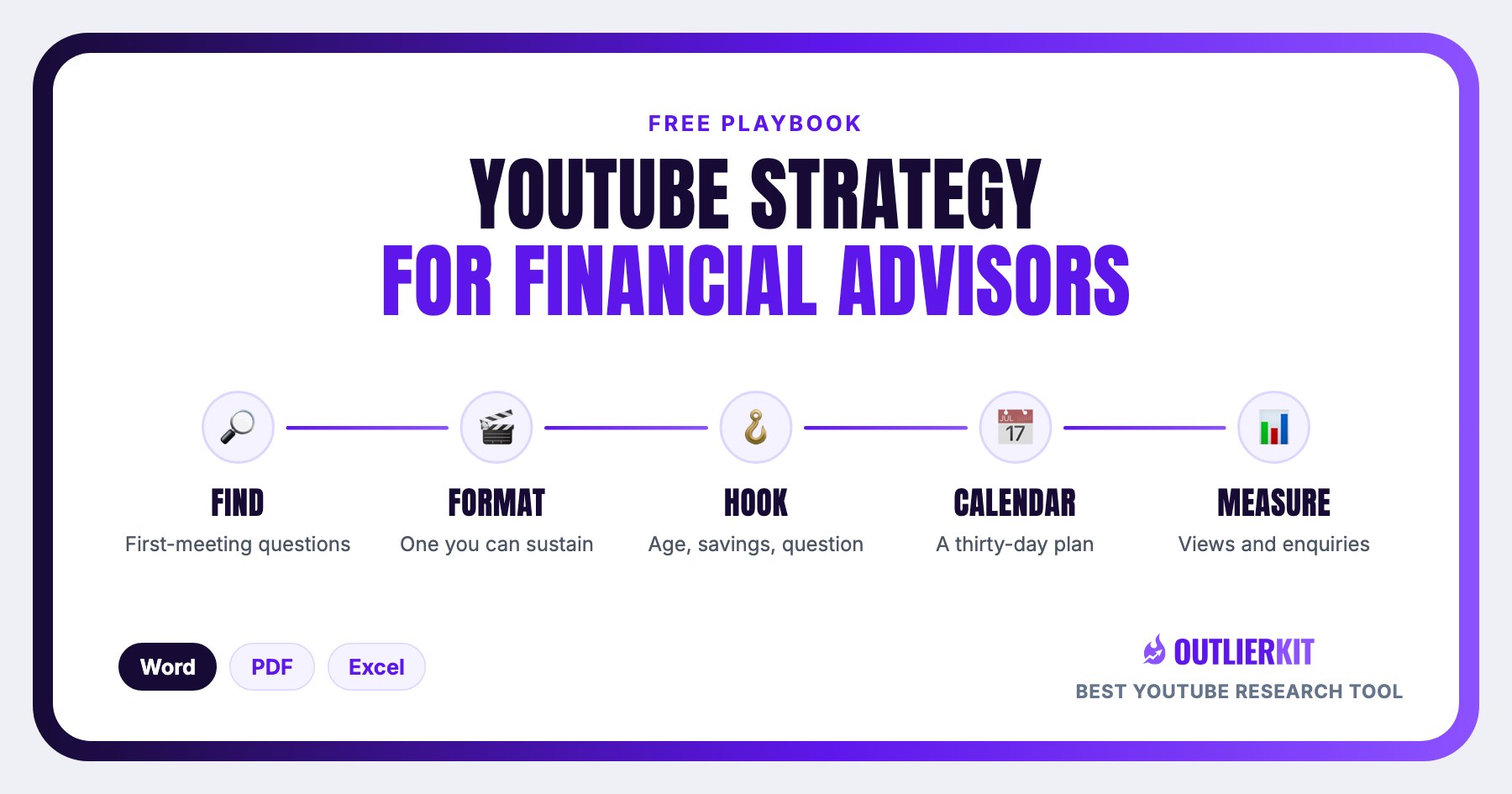
What is a YouTube strategy for financial advisors?
A YouTube strategy for financial advisors is a plan for turning the questions clients ask in a first meeting into videos that people search for before they hire an advisor. It picks topics by decision (when to retire, when to claim Social Security, what to do with a 401(k)), puts an age or a savings figure in the title, and links one way to book a call in the description.
A finance education channel teaches beginners and reaches viewers of every age. An advisor's channel plans around the clients the firm takes on, so the plan favours case studies and decisions that people with savings face in the years around retirement.
Free download
Download the financial advisors playbook
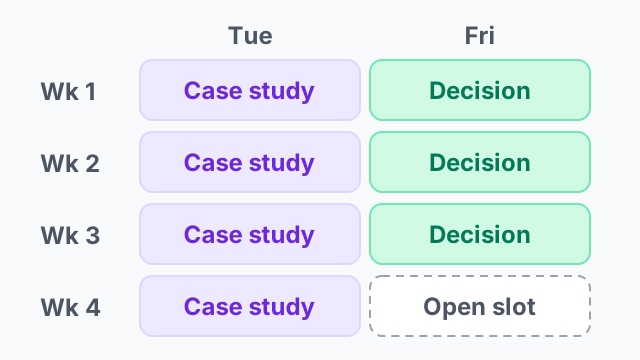
Direct downloads, no email required. The Word and PDF editions hold the full playbook with fill-in fields and a five-prompt pack. The Excel calendar plans 30 days: one case study and one decision video a week, and one slot for the question you heard that week.
Why financial advisors stop growing on YouTube
Advisor channels stop growing for three reasons.
Market commentary
A weekly market update is out of date in a week, and large channels and news sites already cover it. A person choosing an advisor searches for their own decision.
What it looks like: None of the 17 outlier videos in the paired ideas list is a market update. Every one is about a personal decision near retirement.
Titles with no age and no number
Retirement planning tips could be for anyone. Viewers click when the title matches their own situation: their age and roughly what they have saved.
What it looks like: Can You Retire at 60 with $1.2 Million? got 62 times normal views on a channel with 396 subscribers.
Repeating the standard advice
Wait until 70 to claim Social Security is in every article. A video that shows who the standard advice does not fit gives the viewer a reason to watch.
What it looks like: Why Smart Retirees Claim Social Security at 62 (Not 70) got 255 times its channel's normal views.
The five-step playbook for financial advisors
The same five steps every OutlierKit strategy uses, adapted to an advisory practice: find the questions, pick a format, copy the hook, fill 30 days, and measure views next to enquiries.
Find the questions clients ask in a first meeting
List the questions new clients ask you most. Search each one in Outliers with an age or a number: can I retire at 60 with $1 million, when to claim Social Security, what to do with my 401(k) when I retire. Keep the videos that beat their channel average by 5 times or more and check that an advisor or a firm runs the channel. Write down the words in every winning title.
Tool for this step: Outliers →
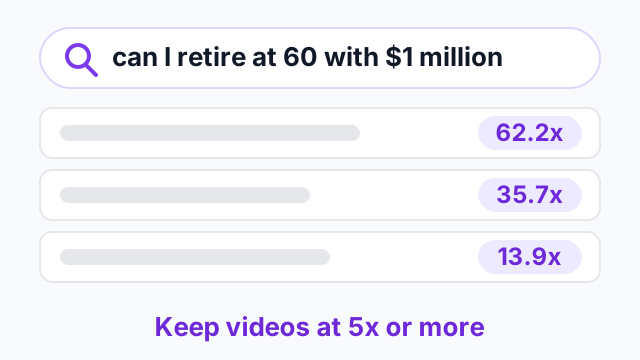
Step 1 in one picture. Click to explore Outliers.
Pick the format you can film between client meetings
Three formats repeat on advisor channels: the can I retire case study (an age, a savings figure, a spending goal), the savings by age comparison, and the when-not-to video on one strategy. Filter the outliers to channels near your size. The format that repeats three times at your size becomes your weekly video.
Tool for this step: Outlier formats →
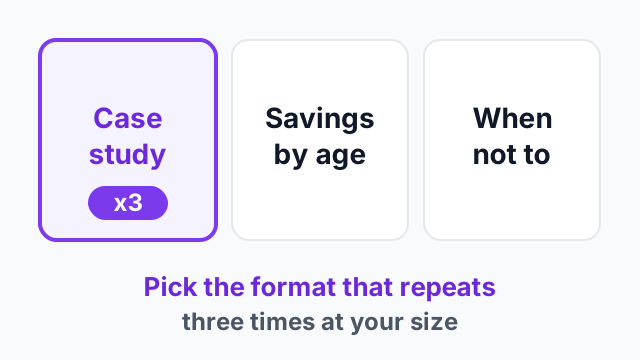
Step 2 in one picture. Click to explore Outlier formats.
Copy the hook: an age, a savings figure, can I retire
The winning titles state an age and a savings figure and ask the question the viewer is asking: can I retire? Use the age and the savings of your typical client. Read the comments on the top three videos and note the situations viewers describe. Each one can be the next case study.
Tool for this step: Video Analysis →
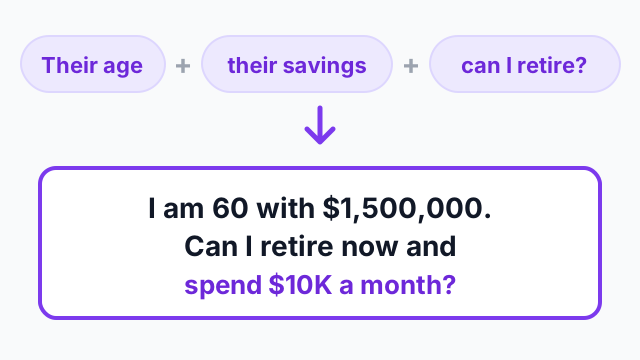
Step 3 in one picture. Click to explore Video Analysis.
Fill 30 days: one case study and one decision video a week
Tuesday carries a case study at a different age or savings level. Friday carries one decision: Social Security timing, a Roth conversion, the 401(k). One slot stays open for the question you heard most that week. Deep Research drafts the titles from your outlier list and your client profile. Send each script through compliance before you film.
Tool for this step: Deep Research →
Step 4 in one picture. Click to explore Deep Research.
Measure views against your average, and ask every enquiry what they watched
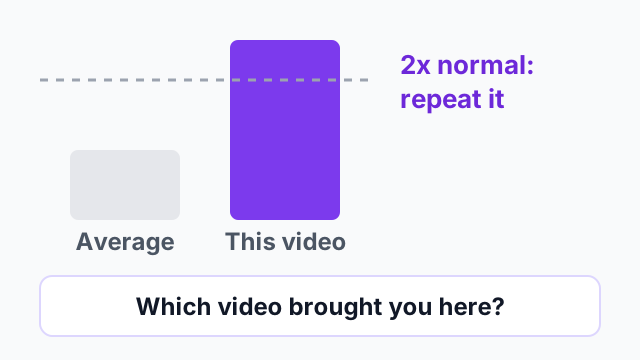
After seven days, compare each video to your channel average. Repeat any format above 2 times normal. OutlierKit measures the view side. For the client side, add one question to your booking form: which video brought you here? Log the answer in the calendar next to the views.
Tool for this step: Video Analysis →
Step 5 in one picture. Click to explore Video Analysis.
What the pattern looks like in financial advisors' videos
Three advisor channels with under 3,000 subscribers, pulled from OutlierKit on 8 October 2026 and checked on YouTube the same day. Two of the three open the description with a link to book a call.
The pattern: [Age] with $[savings]: can I retire? Some titles add a monthly spending figure. The viewer with similar numbers sees their own situation in the title.
Can You Retire at 60 with $1.2 Million? Here's the Truth
Nathan Sealey - Brass Ring Wealth Management, 396 subscribers. 13,720 views, which is 62.2x the channel's typical video.
What matters here: An advisor with 396 subscribers puts an age and a savings figure in the title. The video runs five minutes and the description opens with a link to book a call.
Pulled from OutlierKit on 8 October 2026; figures drift as views accrue. Published on YouTube 2025-07-30.
I am 60 with $1,500,000. Can I Retire Now AND Spend $10K A Month?
Chris McClure, 2,660 subscribers. 40,288 views, which is 35.7x the channel's typical video.
What matters here: The title adds a monthly spending figure to the age and the savings. A viewer with similar numbers knows the video is about them.
Pulled from OutlierKit on 8 October 2026; figures drift as views accrue. Published on YouTube 2026-06-11.
I'm 60 with $1M How Much Can I Spend in Retirement
Cary | Green Era Financial, 723 subscribers. 7,858 views, which is 13.9x the channel's typical video.
What matters here: The same age and a round savings figure, with the question changed from can I retire to how much can I spend.
Pulled from OutlierKit on 8 October 2026; figures drift as views accrue. Published on YouTube 2025-07-09.
All three videos got more than 13 times their channel's normal views. Your version uses the age and the savings of the clients you want.
How do you grow a financial advisor YouTube channel?
Pick the type of client you want and answer their questions, one video per question, with their age and numbers in the title. Publish ten of those videos before you post market commentary or anything about the firm.
If you are starting an advisor channel from zero, make your first video a can I retire case study for your typical client. A firm introduction can wait.
- 1
Put an age and a number in the title
All three videos in the worked example name the age 60 and a savings figure between $1 million and $1.5 million.
- 2
Publish ten case studies and decisions first
Ten videos for one type of client give YouTube search more to rank and give a new viewer a second video to watch.
- 3
Repeat the format that worked
Chris McClure used a savings by age title in April 2026 and a can I retire case study in June 2026. Both got more than 35 times his channel's normal views.
- 4
Put one booking link at the top of every description
Two of the three advisors in the worked example open the description with a link to book a call.
How to run this in OutlierKit
The whole playbook runs in four screens. A free trial covers the first pass on one question.
- 1
Open Outliers and search a client question
Type what a client would type: can I retire at 60 with $1 million, or when should I claim Social Security. A broad topic such as investing returns large education channels. Sort by outlier score and keep everything above 5 times.
- 2
Filter to channels near your size
A 400,000 subscriber channel's outlier says little about what a 500 subscriber advisor can copy. Filter to your range and note which of the three formats repeats.
- 3
Read the comments on the top three
Viewers post their own age and savings in the comments and ask if the answer changes. Video Analysis lists the situations that repeat. Each one can be a case study.
- 4
Draft eight titles with Deep Research, then schedule
Give Deep Research your outlier list and your client profile. Drop the titles into the calendar download and film the first case study this week.
Then make the video in OutlierKit
Once you pick the idea, the same app writes the packaging and checks your script. Each tool works from real breakout videos near your topic, not generic AI output. All four are on every plan and the 30-credit trial.
Title
Writes 16 titles and ranks them against real breakout videos near your topic, with a score and a one-line reason for each.
Open in the app →How it worksDescription & tags
Writes the 150 characters people see and the rest of the description separately, then picks your hashtags.
Open in the app →How it worksChapters
Writes chapter titles that help viewers scan the video and jump to the part they came for.
Open in the app →Script review
Scores the script you wrote and shows what to fix before you record, so you reshoot and re-edit less.
Open in the app →How it works
Do this yourself in Claude
Paste this prompt into Claude with the OutlierKit connector switched on. Replace everything in square brackets with your own niche, channel, or topic. Claude calls OutlierKit for you and writes back the answer.
I am a financial advisor and my clients are [who, e.g. couples aged 55 to 65 with $1 million to $3 million saved]. Use OutlierKit to find videos by advisors that beat their channel average by 5x or more, on channels under 100,000 subscribers: can I retire case studies, savings by age and when-not-to videos. Pull the comments on the top 3 and list the 10 situations viewers describe. Then write 8 titles for my clients using the same formats and those situations.
- Tools Claude calls
- outliers_search, videos_comments
- What it costs
- about 8 credits. Most calls cost 2 credits and a few cost up to 10, with no daily limits.
Plan requirement: the OutlierKit MCP connector is available on the Pro plan ($49 a month, 500 credits) and the Max plan ($199 a month, 2,000 credits) only. It is not included in Hobby ($29) or the free trial (30 credits). To connect it, open Claude, go to Settings, then Connectors, and add https://outlierkit.com/mcp. The full setup and all ten tools are on the OutlierKit MCP server page, and plans are compared on the pricing page.
Frequently asked questions
What should a financial advisor's first YouTube video be?
Do advertising rules apply to an advisor's YouTube videos?
Can I use a real client in a case study video?
How is this different from the finance educators playbook?
How long should an advisor's video be?
Does the download need an OutlierKit account?
Related guides
30 ideas in six formats, each with a real video that beat its channel average.
The playbook for people who teach money and do not manage it.
The same playbook for another regulated profession.
The general business playbook this one narrows down.
The demand-first workflow, with a money coach example.
A production board with one owner per video and a gate between stages.
Finance channels, broken down
Full breakdowns of finance channels at different sizes, with the format mix and reach ratio you can measure your own channel against:
OutlierKit Channel Analysis

The Plain Bagel
Personal finance & markets
- Subscribers
- 1.2M
- Avg views
- 353.3K
- Total views
- 97.2M
OutlierKit Channel Analysis

ClearValue Tax
Tax & personal finance
- Subscribers
- 2.9M
- Avg views
- 566.5K
- Total views
- 98.6M
OutlierKit Channel Analysis

Nischa
Personal finance
- Subscribers
- 2.2M
- Avg views
- 550.5K
- Total views
- 136.0M
OutlierKit Channel Analysis

Patrick Boyle
Market analysis & finance
- Subscribers
- 1.3M
- Avg views
- 376.8K
- Total views
- 177.1M
Stats are from our most recent snapshot of each channel. For live numbers, outlier videos, and up-to-date revenue estimates, run a fresh analysis on OutlierKit →

Find the questions your next client is searching for
Start a free trial, run Outliers on the question clients ask you most, and fill the calendar download before your next filming day. No credit card.
Start free trial