YouTube strategy for digital products that get watched by peers and bought by nobody
Course creators, template sellers and app builders make the same video: how I built it. Their peers watch it. Their buyers never find it, because buyers search for the outcome, not the build. The videos that beat channel averages promise the outcome, a time limit and no expertise required.
This playbook shows you how to find those outcome searches with OutlierKit, copy the title pattern that already works, and run a launch calendar. The download has every worksheet and prompt.
Published September 8, 2026. By Aditi.
- 1Find the demand by outcome, not by tool
- 2Pick the breakout format
- 3Copy the hook: outcome, time, identity
- 4Run the launch calendar: three before, one on, four after
- 5Measure by outlier score and clicks to the product page
What is a YouTube strategy for digital product creators?
A YouTube strategy for digital products is a plan for reaching the people who will buy a course, template, app or tool, rather than the people who make similar things. It chooses topics by the outcome the product delivers, packages each video so it beats the channel's average, and times uploads around a launch.
The audience split is the whole problem. A video titled how I built my app in Bubble attracts builders. A video titled I built a full app in 47 minutes with no code attracts people who want an app and do not want to learn Bubble. Only the second group buys.
Product and tutorial channels, broken down
Full breakdowns of four channels that sell courses and tools to their viewers, with the format mix and reach ratio you can measure your own channel against:
OutlierKit Channel Analysis

Ali Abdaal
Productivity & education
- Subscribers
- 6.6M
- Avg views
- 381.3K
OutlierKit Channel Analysis

Matthew Berman
AI news & tutorials
- Subscribers
- 621.0K
- Avg views
- 81.4K
OutlierKit Channel Analysis

Programming with Mosh
Software Engineering Education
- Subscribers
- 5.1M
- Avg views
- 1.1M
OutlierKit Channel Analysis

Kevin Stratvert
Software tutorials
- Subscribers
- 4.3M
- Avg views
- 519.6K
Stats are from our most recent snapshot of each channel. Scroll sideways for more. For live numbers, outlier videos, and up-to-date revenue estimates, run a fresh analysis on OutlierKit →
Free download
Download the digital product creators playbook
Direct downloads, no email required. The Word and PDF editions hold the full playbook with fill-in fields and a five-prompt pack. The Excel calendar is a launch calendar: three videos before launch, one on launch day, four follow-ups tied to objections.
Why digital product channels stall on YouTube
Three failures repeat across course, template and app channels. All three come from making videos for the wrong viewer.
Making videos for peers
Build logs, tool comparisons and behind-the-scenes attract other makers. Makers are a supportive audience and a terrible customer base for a product they could make themselves.
What it looks like: A no-code designer posts my Webflow workflow and gets 1,200 views from other designers. The same channel posts I built a client portal in an afternoon, no code, and gets 14 times its normal from small business owners.
Naming the tool instead of the outcome
Buyers search for what they want to have. Tool names belong in the description, where the people who care will find them.
What it looks like: Build an app with Lovable and Supabase is a tutorial for people who already chose those tools. I built a real app with just AI, no coding, is a promise anyone can want.
Launching into silence
One launch video on launch day reaches existing subscribers only. The channels that convert publish the outcome videos first, so the launch lands on an audience that already wants the result.
What it looks like: Three outcome videos in the two weeks before launch, then the launch video, then four videos that each answer one objection. Eight uploads, one launch.
The five-step playbook for digital products
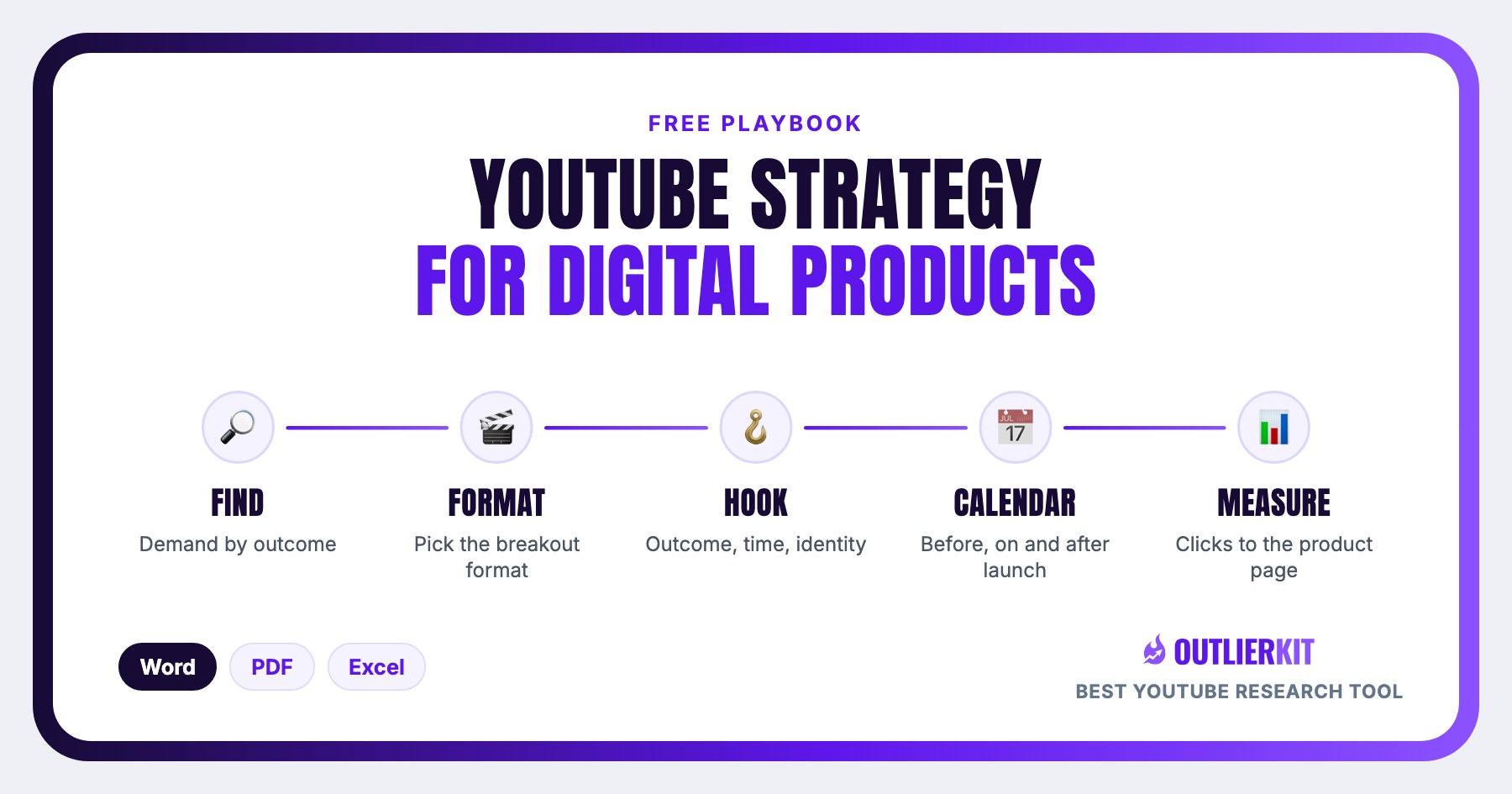
The same five steps every OutlierKit strategy uses, adapted to a product launch: find the outcome searches, pick the breakout format, copy the hook, run the launch calendar, measure by outlier score and clicks to the product page.
Find the demand by outcome, not by tool
Search Outliers for what the product lets someone have: build an app without code, make an ad in ten minutes, plan a month of content in an hour. Keep videos that beat their channel average by 5 times or more. Note the words that describe the outcome and the constraint, because those are your title parts.
Tool for this step: Outliers →
Outliers in action. Click to explore the tool.
Pick the breakout format
Three formats compete: the I-built-it demonstration (outcome plus time limit plus no expertise), the tutorial, and the teardown of someone else's product. The demonstration wins by a wide margin at every channel size in this niche. Filter the outliers to channels near yours and confirm it.
Tool for this step: Outlier formats →
Outlier formats in action. Click to explore the tool.
Copy the hook: outcome, time, identity
The winning titles carry three parts: a finished thing (a full app, a real app), a time limit (47 minutes, 3 hours, an afternoon) and an identity claim (no code, no devs, and I am a designer, not a developer). Take the three best titles and swap in your product's outcome. Check the phrase in Keyword Research.
Tool for this step: Keyword Research →
Keyword Research in action. Click to explore the tool.
Run the launch calendar: three before, one on, four after
Three outcome videos in the two weeks before launch build the audience that wants the result. One launch video shows the product doing it. Four follow-ups each answer one objection you hear in comments and DMs: price, time, skill, trust. Deep Research drafts the objection videos from the comments on your outlier list.
Tool for this step: Deep Research →
Deep Research in action. Click to explore the tool.
Measure by outlier score and clicks to the product page
After seven days, compare each video's views to your channel average, and count clicks on the product link in the description. A video that is 3 times normal and sends 40 clicks beats one that is 10 times normal and sends 4. Video Analysis shows the first number; your product page analytics show the second.
Tool for this step: Video Analysis →
Video Analysis in action. Click to explore the tool.
What the pattern looks like in digital product creators' videos
Three channels at three sizes, pulled from OutlierKit on 8 September 2026 and checked live on YouTube the same day. Two of them have under 2,000 subscribers.
The pattern: I built [a real thing] with AI in [time], no code. The outcome is finished, the time is short, and the viewer is told they need no skill to get the same result.
I Built a Full App in 47 Minutes Using AI (No Code, No Devs)
Tech with Tas, 1,560 subscribers. 40,000 views, which is 25.8x the channel's typical video.
What matters here: Three promises in one title: a finished app, a time limit, and no code. A 1,560-subscriber channel got 25.8 times its normal views from viewers who want the outcome, not a tutorial.
Pulled from OutlierKit on 8 September 2026; figures drift as views accrue. Published on YouTube 2026-01-12.
How Anyone Can Build a Million Dollar App With AI!
Peter Smith - Tech, 901 subscribers. 14,585 views, which is 17.1x the channel's typical video.
What matters here: Anyone is the identity hook: the viewer does not need to be a developer. 17.1 times normal on 901 subscribers, with the money outcome in the title instead of the tool name.
Pulled from OutlierKit on 8 September 2026; figures drift as views accrue. Published on YouTube 2025-10-28.
How I Built a Real App With Just AI - No Coding!
Website Learners, 2,900,000 subscribers. 262,975 views, which is 7.6x the channel's typical video.
What matters here: The same shape still beats the average on a 2.9 million subscriber channel. Real app plus no coding is the promise; the tools used are in the description, not the title.
Pulled from OutlierKit on 8 September 2026; figures drift as views accrue. Published on YouTube 2025-09-18.
A 1,560-subscriber channel, a 901-subscriber channel and a 2.9 million subscriber channel got 25.8, 17.1 and 7.6 times their normal views from the same promise. Your version puts your product's outcome where the app is, and your buyer's identity where no code is.
10 YouTube video ideas for digital product creators, backed by what is going viral in digital products and no-code apps
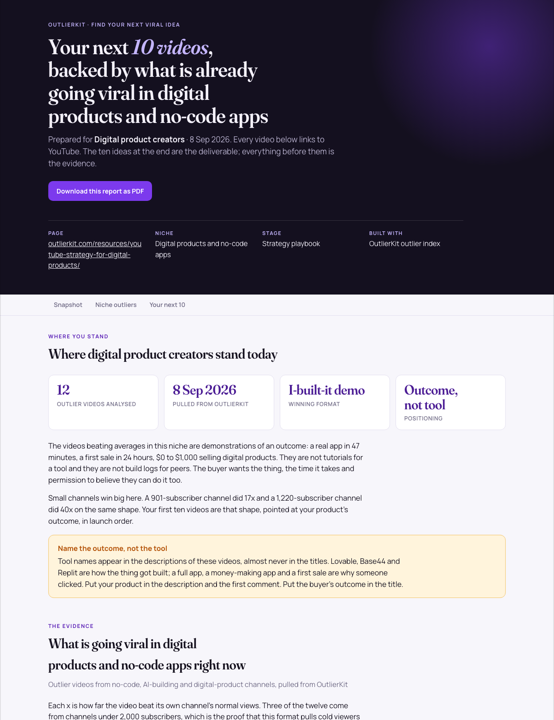
We pulled the 12 videos beating their own channel's average in digital products and no-code apps on 8 September 2026, worked out why each one won, and turned the patterns into ten titles you can film in order. Every video links to YouTube, and every idea names the outlier it is modelled on.
- Outlier videos analysed
- 12
- Biggest multiple in the set
- 53.2xon a 91.6K-subscriber channel
- Idea number one
- I built [your product's outcome] in [time] with no code (and I am not a developer)
The pattern that wins: Outcome plus time plus identity. A full app, 47 minutes, no code and no devs. The three parts appear together in the biggest small-channel wins.
No signup. The same report exists for thirteen other audiences: see all 14 viral ideas reports.
 Preview, opens the full report
How to run this in OutlierKit
The whole playbook runs in four screens. A free trial covers the first pass on one product outcome.
- 1
Open Outliers and search the outcome
Type what the buyer wants to have, not what your product is: build an app without code, launch a course site in a weekend. Sort by outlier score and keep everything above 5 times.
- 2
Filter to channels near your size
Confirm the I-built-it demonstration is the format that repeats. Write down the time limit and identity words each winning title uses.
- 3
Check the outcome phrase in Keyword Research
Paste the phrase without any tool name. You want real demand from non-experts and weak existing answers.
- 4
Draft the eight launch titles with Deep Research, then schedule
Give Deep Research your outlier list, your product and your launch date. Drop the eight titles into the launch calendar download, and film the first outcome video this week.
Before you record: packaging and script tools
Once you pick the idea, OutlierKit writes the packaging and checks your script. You still film and edit the video yourself. The Title tool ranks its titles against real breakout videos near your topic. All four are on every plan and the 30-credit trial. On Pro and Max, the MCP connector also lets Claude run OutlierKit research for you.
Title
Writes 16 titles and ranks them against real breakout videos near your topic, with a score and a one-line reason for each.
Open in the app →How it worksDescription & hashtags
Writes the 150 characters people see and the rest of the description separately, then picks your hashtags.
Open in the app →How it worksChapters
Writes chapter titles that help viewers scan the video and jump to the part they came for.
Open in the app →Script review
Scores the script you wrote and shows what to fix before you record, so you reshoot and re-edit less.
Open in the app →How it works
Do this yourself in Claude
Paste this prompt into Claude with the OutlierKit connector switched on. Replace everything in square brackets with your own niche, channel, or topic. Claude calls OutlierKit for you and writes back the answer.
I sell [digital product, e.g. a no-code client portal template] that helps [buyer, e.g. freelance designers] achieve [outcome, e.g. onboard clients without building a portal]. Use OutlierKit to find videos from the last 60 days about [outcome] with an outlier score above 5. For the top 5, pull the transcript and tell me what the first 30 seconds promise. Then write 6 video ideas for my launch, each with a title in the I-built-it pattern (outcome, time limit, no expertise needed), the hook line for the first 15 seconds, and the format.
- Tools Claude calls
- outliers_search, videos_transcript, videos_get
- What it costs
- about 16 credits. Most calls cost 2 credits and a few cost up to 10, with no daily limits.
Plan requirement: the OutlierKit MCP connector is available on the Pro plan ($99 a month, 500 credits) and the Max plan ($399 a month, 2,000 credits) only. It is not included in Hobby ($49) or the free trial (30 credits). To connect it, open Claude, go to Settings, then Connectors, and add https://outlierkit.com/mcp. The full setup and all ten tools are on the OutlierKit MCP server page, and plans are compared on the pricing page.
Frequently asked questions
What should a digital product creator post on YouTube first?
Should I name my product in the title?
How long before launch should the videos start?
What if my product is a course rather than an app?
Does the download need an OutlierKit account?
Related guides
How solo experts use outliers, channel analysis and trends to grow a brand.
The first-30-days answer from the live session, for a brand new channel.
Breakout topics in your expertise and the title pattern at your size.
The hook and structure worksheet for the first 30 seconds of a demonstration.
The shared traits of breakout videos, with examples from the session.

Find the outcome your buyers already search for
Start a free trial, run Outliers on the result your product delivers, and fill the launch calendar download before you set a date. No credit card.
Start free trial