YouTube Script Template for Long-Form + Shorts
The fill-in script template we use for 8-12 minute videos and sub-35-second Shorts in 2026: an 8-block long-form structure built around open loops, a 4-block Shorts structure, 5 hook formulas, and a pre-publish retention checklist. Download as Word or PDF, or use it straight from this page.
If you want the full methodology, read our script-writing guide. This page is the template itself.
- 1Long-form script structure · 8 blocks with timestamps
- 2Shorts script structure · 4 blocks, under 35 seconds
- 35 hook formulas with copy-ready examples
- 4Pre-publish retention checklist · 6 checks
What is a YouTube script template?
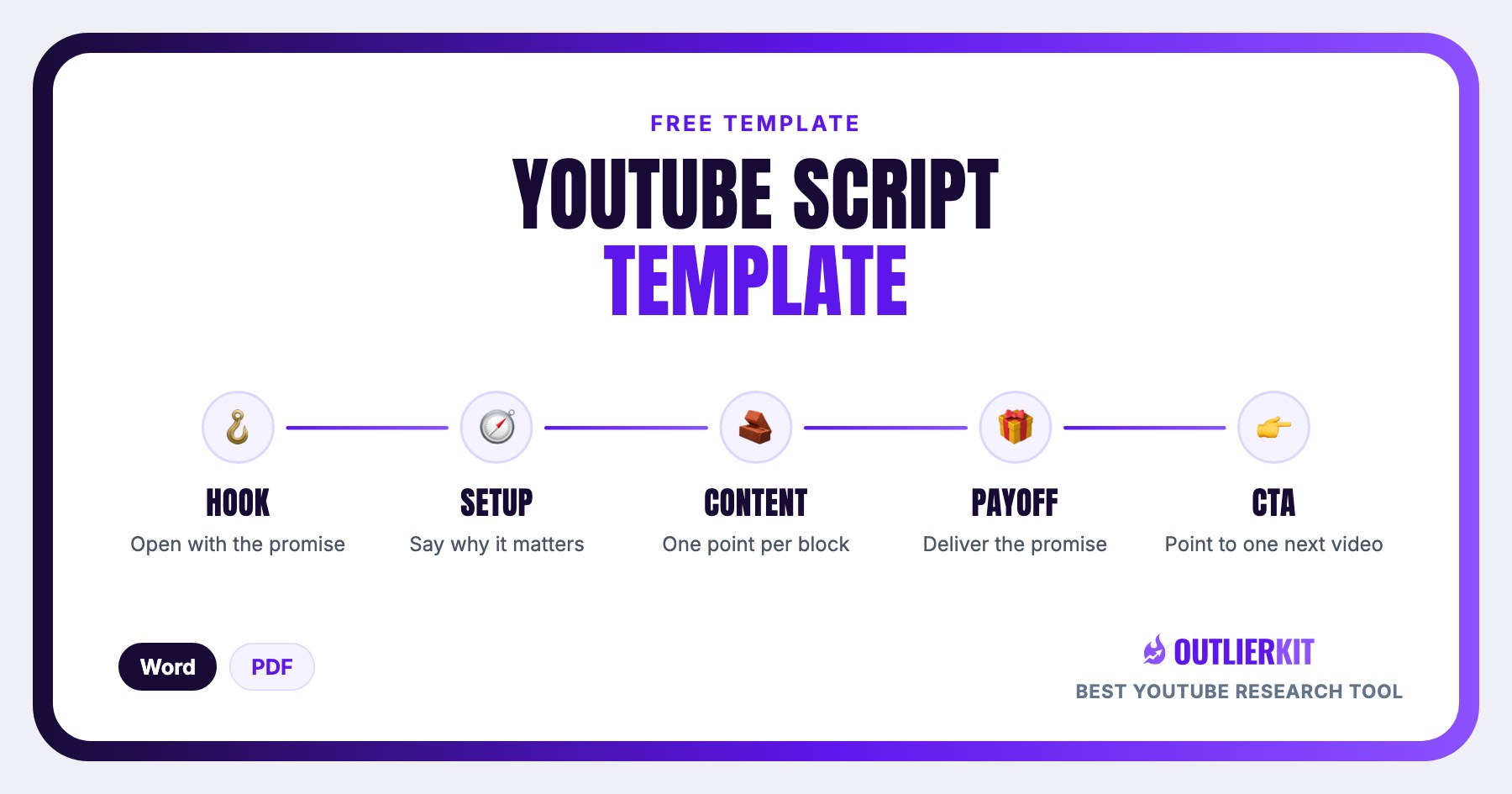
A YouTube script template is a fill-in document that gives your video a proven structure before you write a word. This one has four parts: an 8-block long-form structure with timestamps (hook, setup, three content blocks, a re-hook, payoff, and CTA), a 4-block Shorts structure that runs under 35 seconds, 5 hook formulas with copy-ready examples, and a 6-point pre-publish retention checklist.
It's most useful when your videos ramble, your retention graph dips mid-video, or every script starts from a blank page. You duplicate the template per video and fill in the bracketed prompts. The structure handles pacing and open loops so you only have to supply the ideas.
Free download
Download the script template: Word or PDF
Direct downloads, no email required. Both files contain the identical template: long-form structure, Shorts structure, hook formulas, and the retention checklist.
Part 1 · Long-form
The long-form script template (8-12 minute videos)
Eight blocks, each with a fill-in prompt. Timestamps assume a ~10-minute video. Scale proportionally. The structural rule behind every block: end each section before the viewer expects it to, and always with an open loop into the next.
HOOK 0:00 - 0:15
One or two sentences. State the promise or the stakes. No intro, no logo, no 'hey guys'.
[Write your hook here: pick one of the 5 hook formulas. Say the most interesting true thing about this video first.]
Fill it in well: Say the most interesting TRUE thing about the video first. Don't tease something the video won't deliver. A hook that overpromises buys 15 seconds of retention and costs you the other 9 minutes.
SETUP 0:15 - 0:45
Context the viewer needs to care. Establish credibility in one line, preview the structure in one line.
[Why should the viewer trust you on this? What are the 2-3 things you'll cover? Keep it under 4 sentences.]
Fill it in well: Credibility is one line of proof, not a biography. 'I've scripted 200 videos in this niche' works; two minutes of channel history is where early viewers leave.
CONTENT BLOCK 1 0:45 - ~3:00
Your first main point. Lead with the most valuable insight. Don't save the best for last.
[Point → example → takeaway. End the block with an open loop: 'but that only works if you avoid this next mistake…']
Fill it in well: One idea per block, and end on an open loop. The lazy version crams three points in and closes each one neatly, which gives the viewer a clean exit. Never resolve everything before the next block starts.
RE-HOOK ~3:00
Retention dips around the 3-minute mark. Re-open the loop.
[Tease what's coming: 'The next one is the mistake even big channels make.']
Fill it in well: Tease something specific that genuinely appears later ('the mistake in block 3'), not a vague 'stick around to the end'. Generic stay-tuned lines are the ones viewers have learned to swipe past.
CONTENT BLOCK 2 ~3:00 - 6:00
Second main point. Vary the format: switch from talking-head to screen-share, b-roll, or a story.
[Point → example → takeaway.]
Fill it in well: Write the format change into the script: '(switch to screen-share)'. Don't leave it for the edit. If block 2 reads exactly like block 1, viewers feel the repetition even when the information is new.
CONTENT BLOCK 3 ~6:00 - 8:30
Third main point or worked example that ties blocks 1-2 together.
[A concrete walkthrough beats an abstract explanation. Show, don't summarize.]
Fill it in well: Use one worked example with real numbers and real names, not three hypothetical ones. 'Here's the exact title I changed and what happened' beats 'imagine you had a video about…' every time.
PAYOFF ~8:30 - 9:30
Deliver the full promise from the hook. This is what the viewer clicked for.
[The answer, the reveal, the final number, the finished result.]
Fill it in well: The payoff must match the thumbnail promise literally. If the title says 'exactly which niche to pick', name a niche. An adjacent answer or a 'well, it depends' reads as a broken promise and shows up in your comments first.
CTA + NEXT VIDEO last 20-30s
One CTA only. Point to ONE next video that continues this topic, not 'check out my channel'.
['If you want the exact checklist I used, watch this next.' End-screen the specific video.]
Fill it in well: Pick the ONE next video that continues this exact topic and name what it delivers. Stacking asks (like, subscribe, comment, join the Discord) means the viewer does none of them.
Part 2 · Shorts
The YouTube Shorts script template (2026)
Four blocks, under 35 seconds total. Shorts scripts run at roughly 2.5 spoken words per second (about 80 words for the whole script), so every word has to be load-bearing.
HOOK 0:00 - 0:01.5
[First frame + first line must stop the scroll. Text on screen mirrors the spoken hook.]
Fill it in well: Start mid-claim, not with a greeting. 'Hey guys, today I want to talk about…' is a full second of nothing. Open with the claim itself and let the on-screen text repeat it word for word.
BUILD 0:01.5 - 0:20
[One idea only. Cut every word that isn't load-bearing. Shorts scripts are ~2.5 words/second.]
Fill it in well: One idea, ruthlessly. The lazy version compresses a long-form outline into 20 seconds; the good version picks the single most surprising point and cuts everything that merely supports it.
PAYOFF 0:20 - 0:28
[Deliver the promise fast. The payoff should land 2-3 seconds before the end.]
Fill it in well: State the payoff plainly: no wind-up, no 'so basically'. If the hook asked a question, the payoff is the literal answer in one sentence, landing before the viewer's thumb reaches the screen.
LOOP final 1-2s
[End on a line that flows back into the opening frame so rewatches feel seamless.]
Fill it in well: Never say 'thanks for watching'. An explicit ending invites the swipe. Write the last line so it reads as a setup for the first line, and cut the video mid-motion rather than on a settled frame.
Part 3 · Hooks
5 hook formulas that retain
Every long-form and Shorts script starts with one of these. Copy the example, then swap in your own numbers and claim.
The stakes hook
“This one decision cost me 40,000 subscribers.”
Open with what's at risk or what was lost or gained. Numbers make it concrete.
The contrarian hook
“Everything you've heard about YouTube SEO is outdated.”
Challenge a belief your viewer already holds.
The curiosity-gap hook
“There's a reason 90% of channels stall at 1,000 subs, and it's not the algorithm.”
Promise a specific answer, then withhold it.
The in-medias-res hook
“So how did we get here?”
Start mid-action with the most dramatic moment of the video, then cut back to the beginning.
The direct-promise hook
“By the end of this video you'll know exactly which niche to pick.”
State the exact payoff and who it's for.
Part 4 · Before you publish
Pre-publish retention checklist
Run every finished script through these six checks. If any one fails, fix it before you record. It's cheaper than fixing it in the edit.
- The hook states the promise or stakes within 15 seconds
- No section runs longer than 3 minutes without a format change or re-hook
- Every content block ends with an open loop into the next
- The payoff fully delivers what the title + thumbnail promised
- Exactly one CTA, pointing at one specific next video
- Read the script aloud once, then cut every sentence that made you speed up
Want a second read before you record? Paste the finished script into OutlierKit's Script review. It scores your script against patterns from breakout videos near your topic and shows what to fix, so you reshoot and re-edit less. The YouTube script checker page shows how it works.
Is this the right template?
Who this template is for, and who it isn't
Use it if
Creators scripting their first long-form videos
You know what you want to say but the videos ramble. The 8 blocks and bracketed prompts force a structure, so you fill in ideas instead of inventing a format every time.
Creators whose retention graphs dip mid-video
The re-hook at the 3-minute mark and the open-loop endings on every content block target exactly that mid-video drop. The template builds the fix into the script itself.
Shorts-first creators
The 4-block Shorts structure is a repeatable sub-35-second format: hook in 1.5 seconds, one idea, fast payoff, seamless loop. The same skeleton for every Short you publish.
Skip it if
You want the methodology, not the fill-in doc
Use the YouTube Script Writing Guide instead: the full script-writing method with examples.
You want AI to draft the script for you
Use the ChatGPT Prompts for YouTube Scripts instead: 20+ tested prompts for hooks, outlines, and full drafts.
You're analyzing why a competitor's scripts work
Use the Best YouTube Script Analysis Tools instead: tools that break down pacing, hooks, and structure of any video.
How to use it
How to write a YouTube script with this template
Download the template
Grab the Word version to duplicate per video, or the PDF to print. Every block below is also on this page.
Write the hook first
Pick one of the 5 hook formulas and write the most interesting true thing about your video in one or two sentences.
Fill the content blocks
Point → example → takeaway per block, and end each block with an open loop into the next so viewers can't leave cleanly.
Write the payoff and one CTA
Deliver the full promise from the hook, then point to exactly one next video, not 'check out my channel'.
Read it aloud and cut
One read-through out loud. Cut every sentence that made you speed up. That's where viewers drop off. Then run the draft through a script review before you record.
Frequently Asked Questions
Should Shorts and long-form use the same script template?
No. They need different structures, which is why this template includes both. Long-form scripts manage retention across 8-12 minutes with re-hooks and open loops between content blocks. A Shorts script has no room for any of that: one idea, a hook inside 1.5 seconds, and a closing line that loops back to the opening frame. Compressing a long-form outline into a Short is the most common way Shorts scripts fail.
How long should a YouTube script be?
Most creators speak at roughly 130-150 words per minute, so a 10-minute video needs a script of about 1,300-1,500 words. An 8-minute video runs around 1,050-1,200 words, and a Short under 35 seconds is only about 80 words. Write to the structure first, then trim to the word count. Scripts almost always shrink in the read-aloud pass.
What's different about a YouTube Shorts script?
Compression and looping. A Shorts script runs under 35 seconds at roughly 2.5 words per second, covers exactly one idea, and the hook must land in the first 1.5 seconds, before the viewer can swipe. The last line should flow back into the opening frame so rewatches feel seamless, because loop rate is a signal long-form scripts never have to worry about.
Is this YouTube script template free?
Yes. Both the Word and PDF versions download directly from this page with no signup, no email, and no watermark. The complete template (all eight long-form blocks, the Shorts structure, the five hook formulas, and the retention checklist) is also published in full on this page, so you can use it without downloading anything.
Should I download the Word or PDF version?
Use the Word (.docx) version if you script on a computer. Duplicate the file for each video and type straight into the bracketed prompts. Use the PDF if you prefer to print and outline by hand, or want a reference open on a second screen while you write in your usual editor. Both contain the identical template.
How do I write YouTube scripts faster with AI?
Start from a script that already worked instead of a blank page. OutlierKit's Video Analyzer breaks down the hook, structure, and pacing of outlier videos in your niche, so you can fill this template with patterns that have proven demand behind them. Pair that with our ChatGPT prompts for YouTube scripts to draft each block faster: AI drafts the blocks, you keep the judgment. OutlierKit does not write the script from scratch. Once your draft is done, its Script review scores it and shows what to fix before you record.
Related Resources
YouTube Script Writing Guide
The full script-writing method this template comes from: retention theory, pacing, and worked examples.
ChatGPT Prompts for YouTube Scripts
Copy-paste prompts that draft each block of this template faster: hooks, outlines, and rewrites.
Best YouTube Script Analysis Tools
Tools that break down why a competitor's script retained: compared and ranked.
YouTube Video to Script
Don't want to start from a blank template? Convert an existing video into a script and map it onto these blocks.
All Free YouTube Templates
Competitor analysis, content strategy, audit, and description templates. All free, all downloadable.
Real channel breakdowns
See these strategies in the wild: full data-backed analyses of channels in this niche, including outlier videos, upload cadence, and growth patterns.
OutlierKit Channel Analysis

MrBallen
True Crime & Paranormal Storytelling
- Subscribers
- 11.0M
- Avg views
- 3.5M
- Total views
- 2.9B
OutlierKit Channel Analysis

Johnny Harris
Documentary storytelling
- Subscribers
- 7.8M
- Avg views
- 2.3M
- Total views
- 1.2B
OutlierKit Channel Analysis

LEMMiNO
Mystery documentaries (faceless)
- Subscribers
- 5.9M
- Avg views
- 4.0M
- Total views
- 678.9M
Stats are from our most recent snapshot of each channel. For live numbers, outlier videos, and up-to-date revenue estimates, run a fresh analysis on OutlierKit →

Fill the template with proven patterns
OutlierKit's Video Analyzer breaks down the hooks, structure, and pacing of outlier videos in your niche, so every block of your script borrows from something that already worked. Script review then scores your draft before you record.
Try OutlierKit Free