10 Best YouTube Script Analysis Tools in 2026
YouTube Studio is the best script analysis tool because its free retention graph is the only real data on how a script held viewers. OutlierKit ranks second: it breaks down competitor scripts and scores your unpublished draft before you record (see the YouTube script checker). Subscribr wins for AI script generation.
The 10 tools below cover script analysis, generation, and optimization, from AI script scoring to competitor hook breakdowns, across research, writing, and post-publish analysis. For scripts to study, start with our 14 free viral ideas reports, each listing outlier videos beating their channel average.
TL;DR: our top picks
Best Overall (Free Retention Data)
YouTube Studio
Best for Competitor Scripts & Draft Review
OutlierKit
Best for AI Script Generation
Subscribr
Best for Script-to-Video
Pictory
Why does YouTube script analysis matter?
YouTube's algorithm increasingly rewards watch time and retention over raw views. A well-structured script with a strong hook and smart pacing keeps viewers watching longer. The algorithm notices. Creators who analyze and optimize their scripts consistently outperform those who wing it.
Script analysis tools help at every stage. They show what works in your niche before you write. They generate AI-assisted drafts and score your hooks and pacing. They also analyze retention data after you publish.
Most Creators Script Blindly
They write scripts without studying which structures, hooks, and pacing patterns work in their niche. They rely on gut feel instead of data from top-performing competitor videos.
Hooks Make or Break Retention
Most viewer drop-off happens early. YouTube's retention reporting consistently shows the steepest losses in the opening seconds. A weak opening hook is the single biggest retention killer. Yet most creators never study competitor hooks in a systematic way.
AI-Generated Scripts Sound Generic
Raw AI scripts lack the specific hooks, pacing patterns, and emotional triggers that make top YouTube videos succeed. AI tools need data on what actually performs. Without it, they make average content that blends in with everything else.
How do script analysis tools solve these problems?
How do the top script tools compare?
| Tool | Best For | Key Strength |
|---|---|---|
| YouTube Studio | Post-publish retention analysis | Only source of real retention curves showing where scripts lose viewers |
| OutlierKit | Pre-production script research and draft review | Breaks down scripts behind outlier videos and scores your unpublished draft before you record |
| Subscribr | AI script generation | Generates full YouTube-specific script drafts with hook variations |
| VidIQ | Keyword-driven script topics | AI Daily Ideas + keyword data ensure you script for topics with demand |
| ChatGPT | Free flexible script drafting | Most versatile AI for script generation, critique, and restructuring |
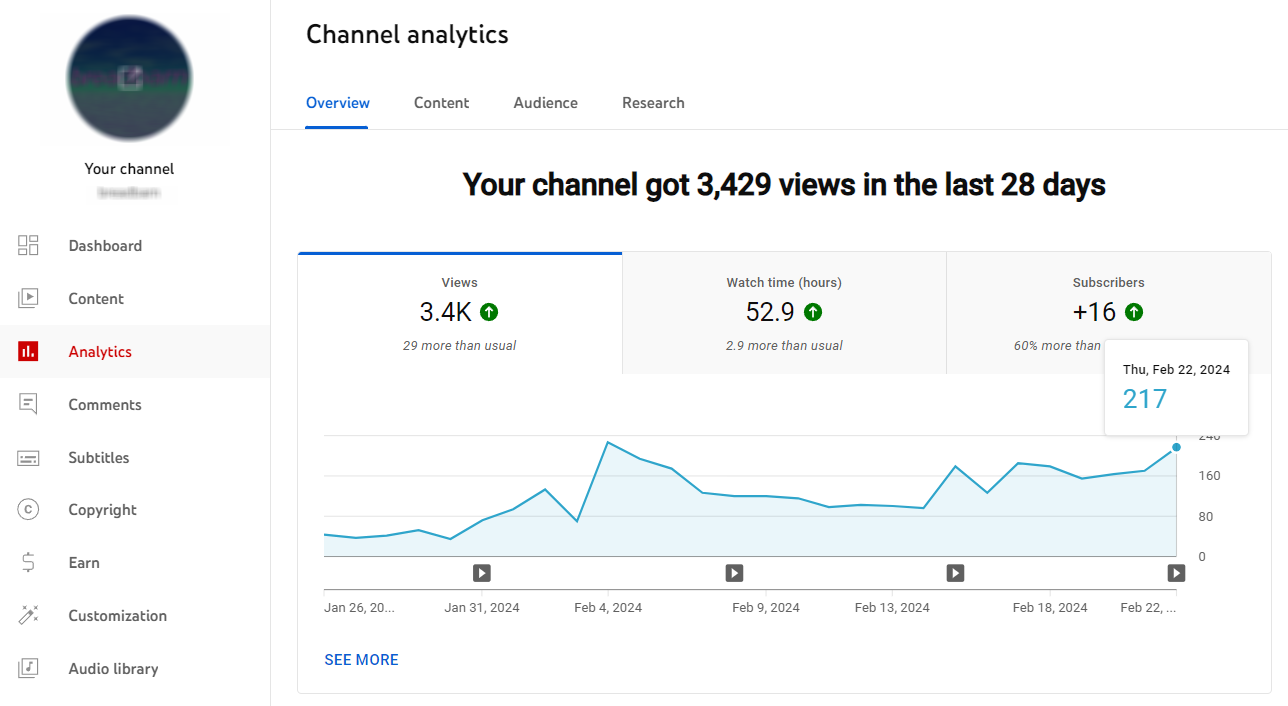
YouTube Studio (Analytics): Best overall for script analysis, with real retention data on your own videos
Free (built into YouTube)
Best for
All creators: the only source of real retention curves for a published script
Key Features
- ✓Audience retention graphs showing exactly where viewers drop off
- ✓Key moments report (intro, top segments, spikes, dips)
- ✓Impressions click-through rate (CTR) data
- ✓Traffic source breakdown
- ✓Real-time performance tracking
- ✓Revenue per video analytics
Pros
- +Only source of real retention data for your scripts
- +Completely free, built into YouTube
- +Most accurate data available (direct from YouTube)
- +Key moments show which script sections resonate
Cons
- −Only shows your own channel data
- −No competitor script analysis
- −No AI script suggestions or scoring
- −Requires publishing before you get feedback
Verdict: YouTube Studio leads this list because it holds the only real data on how a script performed. Its retention graph shows where viewers drop off, which sections spike, and what keeps people watching. Every other tool on this list infers that from the outside. The catch: you only get this data after you publish, and only for your own channel. Pair it with a pre-production tool like OutlierKit to study competitor scripts and check your draft before you record.
OutlierKit: Best for breaking down competitor scripts and reviewing your draft
From $29/mo
Best for
Creators who want to study winning scripts in their niche and check their own draft before recording
Key Features
- ✓Video Script Analysis (10 credits) breaks down a published video's script: hook, structure, pacing, and CTA
- ✓Script review scores your unpublished draft before you record, against patterns from real outlier videos
- ✓Outlier Research (2 credits) finds videos beating their own channel's baseline, so you know which scripts to study
- ✓Single-Channel Competitor Analysis (10 credits) maps what works across a competitor's uploads
- ✓Title tool (2 credits) writes 16 candidates ranked against real breakout videos
- ✓Free Chrome extension with outlier scores on YouTube, no account needed
Pros
- +Connects script breakdowns to videos that beat their channel's own average
- +Covers both sides of the script job: a published competitor script and your own unpublished draft
- +Analyzes competitor scripts at scale, alongside your own
- +Free Chrome extension overlays outlier scores directly on YouTube
- +30-credit free trial, no card needed
Cons
- −No free plan after the trial
- −Does not write scripts from scratch
- −No retention data: that lives only in your own YouTube Studio
Verdict: OutlierKit ranks second because it does the pre-production half of script analysis well. Video Script Analysis breaks down the script of a published outlier video, so you see the hook and structure behind a breakout. Script review then scores your own unpublished draft before you record. It does not write scripts from scratch and it cannot see retention curves, which is why YouTube Studio ranks first.
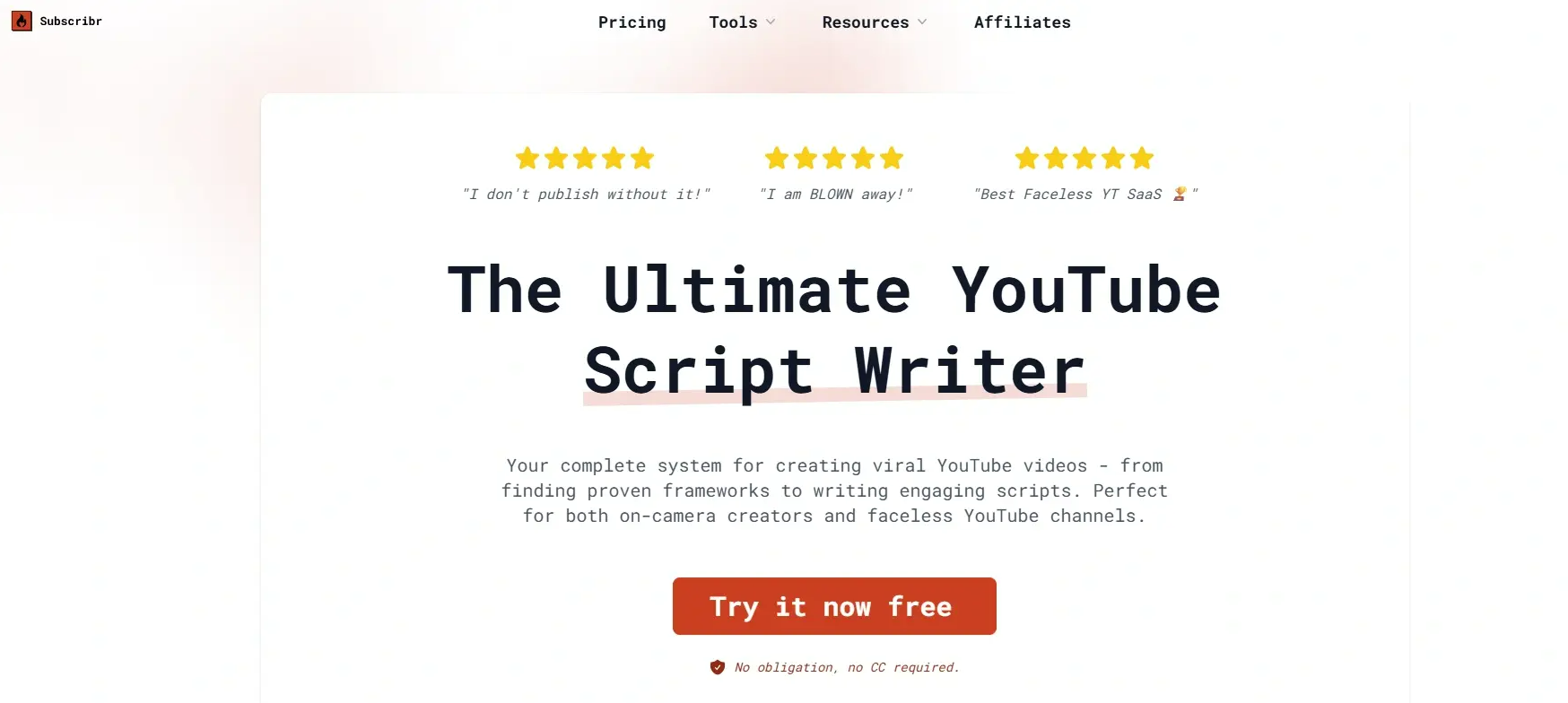
Subscribr: Best for AI-generated first drafts
Free plan; paid from $99/mo
Best for
Creators who want AI to write full script drafts they can edit
Key Features
- ✓AI full-script generation from a title or topic
- ✓AI thumbnails and finished AI video on paid plans
- ✓Hook writing assistant with multiple variations
- ✓Title and description generation
- ✓Content research integration
- ✓Video idea brainstorming
- ✓Script formatting and structuring
Pros
- +Generates complete script drafts quickly
- +Good hook writing with multiple variations
- +Easy-to-use interface for beginners
- +Saves significant time on first drafts
Cons
- −AI scripts often need heavy editing to sound authentic
- −Limited analysis of existing scripts
- −Outlier and competitor channel tracking only on paid plans from $99/mo
Verdict: Subscribr is the best tool for creators who want AI to generate full script drafts. It saves time on first drafts, but scripts usually need editing to match your voice. It lacks the analytical depth of tools like OutlierKit. It helps you write faster, not smarter.
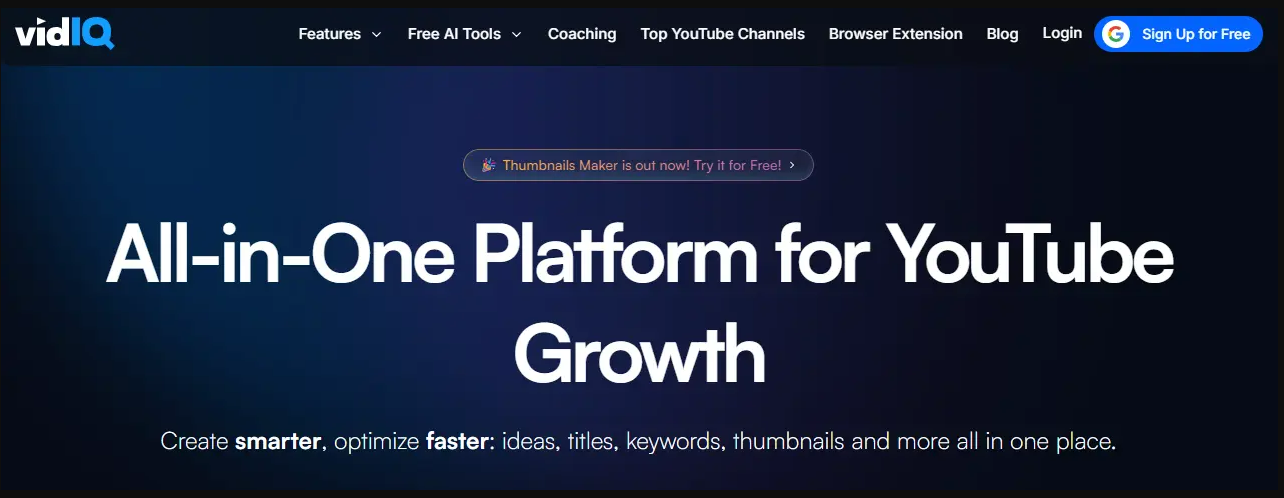
VidIQ: Best for combining keyword research with script ideas
Free, Boost $19/mo
Best for
SEO-focused creators who want keyword-optimized scripts
Key Features
- ✓AI Daily Ideas that suggest video topics with scripts
- ✓Keyword Inspector with search volume data
- ✓Predictive trending keywords for timely script topics
- ✓Competitor video analysis
- ✓Title and description optimizer
- ✓Browser extension with YouTube overlay
Pros
- +Combines keyword data with script topic suggestions
- +AI Daily Ideas generates topics worth scripting
- +Free tier available with basic features
- +Strong trend prediction helps you script timely content
Cons
- −Script suggestions are topic-level, not full script analysis
- −No deep hook or retention analysis
- −Best features require the $19/mo Boost plan
- −More of a keyword tool than a script tool
Verdict: VidIQ excels at helping you pick the right topic before you script. Its keyword data and AI Daily Ideas make sure you write scripts for topics with demand. It is less useful for analyzing script structure or improving retention pacing.
TubeBuddy: Best for optimizing titles and descriptions around your script
Free tier; confirm US price at checkout
Best for
Creators who want to optimize metadata after scripting
Key Features
- ✓SEO Studio for title and description optimization
- ✓A/B testing for thumbnails and titles
- ✓Tag suggestions based on content
- ✓Keyword research with competition scoring
- ✓Bulk processing for metadata updates
- ✓Browser extension integrated into YouTube Studio
Pros
- +A/B testing validates which title framing works best
- +SEO Studio catches keyword gaps in descriptions
- +Free tier covers the basic extension tools
- +Bulk processing saves time for multi-video workflows
Cons
- −No script body analysis or hook scoring
- −Focused on metadata, not script content
- −Best features locked behind Legend plan
- −Does not analyze competitor scripts
Verdict: TubeBuddy is best for the post-script phase. Use it to optimize titles, descriptions, and tags after you write your script. Its A/B testing helps validate your framing. It is not a script analysis tool, but it is a strong companion to one.
Jasper AI: Best general-purpose AI writing tool with YouTube templates
From $49/mo
Best for
Creators who also need AI writing for blogs, ads, and social media
Key Features
- ✓YouTube script templates (intro, body, outro)
- ✓Brand voice training for consistent tone
- ✓Long-form content generation
- ✓Multi-language support
- ✓Team collaboration features
- ✓Integration with Surfer SEO for optimization
Pros
- +Brand voice keeps scripts consistent across videos
- +Versatile: works for scripts, blogs, ads, and social posts
- +Strong long-form generation capabilities
- +Good team collaboration for agencies
Cons
- −Not YouTube-specific, and templates are generic
- −No video performance data or analytics
- −Expensive compared to YouTube-focused tools
- −No competitor script analysis
Verdict: Jasper is a powerful AI writer that happens to have YouTube templates. It is great for creators who also need blog posts, ad copy, and social media content. It is not ideal if you only need YouTube script tools. Dedicated tools offer better value.
ChatGPT (with custom prompts): Best free option for script generation with the right prompts
Free (Plus from $20/mo)
Best for
Budget-conscious creators comfortable with prompt engineering
Key Features
- ✓Full script generation from detailed prompts
- ✓Hook and intro brainstorming
- ✓Script critique and feedback when prompted correctly
- ✓Tone and style customization
- ✓Outline and structure generation
- ✓Multi-format output (listicle, story, tutorial)
Pros
- +The free tier is powerful for scripts
- +Infinitely flexible with the right prompts
- +Can critique and improve existing scripts
- +Supports any niche or style
Cons
- −Requires prompt engineering skill to get good results
- −No YouTube-specific data (views, retention, keywords)
- −No competitor analysis capabilities
- −Quality varies significantly based on prompts
- −No built-in script templates or workflows
Verdict: ChatGPT is the most flexible script tool if you invest time in prompt engineering. It can generate, critique, and restructure scripts. The catch: it has zero YouTube data. It cannot tell you if your script topic has demand or how it compares to competitors.
Pictory: Best for turning scripts into videos automatically
From $19/mo
Best for
Faceless channel creators who want script-to-video automation
Key Features
- ✓Script-to-video conversion with stock footage matching
- ✓AI voiceover generation
- ✓Auto-captioning and subtitle generation
- ✓Scene-by-scene editing
- ✓Brand kit with logos and colors
- ✓Blog-to-video conversion
Pros
- +Converts scripts to videos with minimal effort
- +Good for faceless YouTube channels
- +Auto-captioning saves editing time
- +Affordable entry price
Cons
- −No script quality analysis or scoring
- −Stock footage can feel generic
- −Not a script improvement tool
- −Limited customization for advanced editors
Verdict: Pictory bridges the gap between scripting and production. It takes your finished script and turns it into a video with stock footage, voiceover, and captions. It is great for faceless channels, but it does not help you write better scripts. Use it after your script is final.
Descript: Best for editing scripts and videos simultaneously
Free - $33/mo
Best for
Creators who edit by editing their transcript
Key Features
- ✓Text-based video editing (edit video by editing transcript)
- ✓Filler word removal (um, uh, like)
- ✓AI-powered script rewriting suggestions
- ✓Screen recording with script overlay
- ✓Multi-track editing
- ✓Studio Sound for audio enhancement
Pros
- +Edit video by editing text: a real speedup for script-heavy creators
- +Filler word removal cleans up delivery instantly
- +Free tier available with core features
- +Combines scripting and editing in one workflow
Cons
- −Not a pre-production script tool
- −No competitor analysis or script scoring
- −Best for post-production script refinement
- −Does not help with topic selection or hooks
Verdict: Descript is best for creators who script and edit in one flow. Its text-based editing lets you refine your script even after recording. It is not a pre-production tool. It shines when you tighten a recorded script, not when you plan one.
Castmagic: Best for repurposing long-form scripts into multiple formats
From $23/mo
Best for
Podcasters and long-form creators who repurpose content
Key Features
- ✓Transcript-to-content generation (timestamps, show notes, social posts)
- ✓AI-generated summaries and key takeaways
- ✓Multi-format output (blog, newsletter, social)
- ✓Speaker identification
- ✓Custom prompt workflows
- ✓Batch processing for multiple episodes
Pros
- +Excellent for repurposing one script into 10+ content pieces
- +Custom AI prompts let you tailor outputs
- +Batch processing saves hours
- +Good for podcast-to-YouTube workflows
Cons
- −Not a script writing or analysis tool
- −Focused on post-production content extraction
- −No YouTube performance data
- −Better for podcasters than pure YouTube creators
Verdict: Castmagic turns finished scripts and recordings into multiple content formats: blog posts, social clips, and newsletters. It is ideal for creators who repurpose one YouTube script into 10 content pieces. It is not for script writing or analysis.
Which tool should you choose?
Use YouTube Studio for your own retention data, OutlierKit to study competitor scripts and check your draft, and Subscribr or ChatGPT to write the draft.
| Tool | Best for | Choose it if |
|---|---|---|
| YouTube Studio | Real retention data on your own published scripts | you want to see exactly where viewers left your last video |
| OutlierKit | Breaking down outlier scripts and reviewing your unpublished draft | you want to study the scripts behind breakout videos in your niche and score your draft before you record |
| Subscribr | AI-generated first drafts | you want AI to write a full script you then edit into your voice |
| vidIQ | Keyword demand behind a script topic | you want search data before you commit to a topic |
| TubeBuddy | Titles, tags and A/B tests after the script is done | you want to A/B test the title and thumbnail on a live video |
| ChatGPT | Free, flexible drafting and critique | you are on a $0 budget and are comfortable writing detailed prompts |
| Pictory | Turning a finished script into a video | you run a faceless channel and want stock footage and AI voiceover |
| Descript | Editing a recorded script by editing text | you record talking-head videos and want to cut by transcript |
Which script tool is best in each category?
Pre-Production Script Research
Winner: OutlierKitWant to know which script patterns work before you write? OutlierKit leads here: its outlier detection and competitor script analysis show you the scripts behind top-performing videos.
AI Script Generation
Winner: SubscribrSubscribr leads for YouTube-specific AI script generation. Jasper is best for multi-format content. ChatGPT offers the most flexibility with the right prompts.
Script-to-Video Conversion
Winner: PictoryPictory converts scripts to videos automatically with stock footage. Descript lets you edit videos by editing the transcript text.
Post-Production Script Analysis
Winner: YouTube StudioYouTube Studio is the only source of real retention data. Its key moments report shows which script sections keep viewers watching. It also shows which sections cause drop-offs.
Keyword-Driven Script Topics
Winner: VidIQVidIQ's keyword research and AI Daily Ideas help you script content for topics with search demand. TubeBuddy optimizes metadata after scripting.
Which tool fits each stage of the script workflow?
Top YouTube creators don't use one tool. They stack tools across the scripting lifecycle. Here is the workflow we recommend:
Research: Find winning script patterns
OutlierKitUse OutlierKit to find outlier videos in your niche. Study the scripts behind videos that perform 3-10x above average. Look for hooks, structures, and pacing patterns that connect with your target audience.
Topic Selection: Validate topic demand
VidIQ or OutlierKitCheck keyword search volume and trend data. Confirm your script topic has audience demand before you spend hours writing. VidIQ excels at keyword volume. OutlierKit shows what content formats drive engagement.
Writing: Draft the script
Subscribr or ChatGPTGenerate a first draft using AI, then edit it hard to match your voice. Use the hook patterns and structures you found in step 1 as your template.
Review: Score the draft before you record
OutlierKit Script reviewPaste your finished draft into Script review. It scores the script and shows what to fix, so weak hooks and slow sections get fixed before the camera rolls.
Optimization: Optimize title, description, tags
OutlierKit, TubeBuddy or VidIQOutlierKit writes and ranks titles against breakout videos near your topic, then writes the description, tags, and chapters. Run your title through SEO scoring tools. A/B test thumbnail concepts against your script's hook.
Post-Publish: Analyze retention and iterate
YouTube StudioAfter publishing, study your retention curve. Find drop-off points that point to script pacing issues. Feed these insights back into your next script's structure.
Which script tool should you use for each task?
Match your specific scenario to the right tool:
| Scenario | Best Choice | Why |
|---|---|---|
| I want to study what script patterns work in my niche | OutlierKit | Outlier detection finds top-performing scripts and analyzes their hooks, pacing, and structure |
| I need AI to write a full script draft | Subscribr | YouTube-specific AI script generation with hook variations |
| I wrote a draft and want feedback before I record | OutlierKit Script review | Scores your script and shows what to fix, so you reshoot and re-edit less |
| I'm on a $0 budget | ChatGPT + YouTube Studio | ChatGPT for drafting, YouTube Studio for retention analysis after publishing |
| I want to optimize my title and description after scripting | TubeBuddy | SEO Studio and A/B testing optimize the packaging around your script |
| I run a faceless channel and need script-to-video | Pictory | Converts finished scripts to videos with stock footage and AI voiceover |
| I want to pick the right topic before scripting | VidIQ or OutlierKit | VidIQ for keyword volume; OutlierKit for content format insights |
| I want to understand why my retention drops at 2 minutes | YouTube Studio | Retention graphs pinpoint exact drop-off moments in your script |
| I record talking-head videos and want to edit by transcript | Descript | Text-based video editing lets you refine scripts in post-production |
| My agency scripts videos for multiple client channels | OutlierKit | Competitor Studio maps each client niche so every script starts from proven patterns, and verdicts carry into client decks |
| I write scripts for my company's brand channel | OutlierKit + VidIQ | Validate topic demand with keyword data, then check which script patterns win in your category before production budget is spent |
Frequently Asked Questions
What is the best YouTube script analysis tool in 2026?
YouTube Studio is the best YouTube script analysis tool in 2026. Its free retention graph is the only real data on where a published script lost viewers. OutlierKit is the best pick for pre-production work. Its Video Script Analysis breaks down the script of a published outlier video, and Script review scores your own draft before you record. For AI script generation, Subscribr is the best dedicated tool.
Can AI tools write YouTube scripts that actually perform well?
AI tools like Subscribr and ChatGPT can write solid first drafts. But scripts that perform well on YouTube almost always need human editing. The best YouTube scripts use specific hook patterns, pacing techniques, and emotional triggers that AI often misses. The best approach: use a research tool like OutlierKit to find proven script patterns from outlier videos. Then use AI to speed up drafting while you work in those patterns.
What is the difference between script analysis and script generation?
Script analysis studies existing scripts (yours or competitors') to learn what makes them work. It looks at hook patterns, pacing, and structure. YouTube Studio shows how your own published script held viewers. OutlierKit breaks down competitor scripts and reviews your draft. Script generation uses AI to create new scripts from scratch based on a topic or prompt. Subscribr and Jasper focus on this. The best workflow combines both. Analyze winning patterns first, then generate scripts based on those patterns.
How do I analyze competitor YouTube scripts?
Use OutlierKit Outlier Research to find videos performing well above a competitor's own average (outlier videos). Then run Video Script Analysis (10 credits) on one of them. It breaks down the hook, structure, pacing, and CTA of that published script. You can also read competitor scripts by hand with YouTube's auto-generated transcripts. Transcripts alone do not show which parts of the script did the work.
Is ChatGPT good enough for YouTube script writing?
ChatGPT is a capable free option. It can draft scripts, brainstorm hooks, and restructure outlines. However, it has no access to YouTube performance data. It cannot tell you which script patterns actually drive retention and views. For best results, pair ChatGPT with a data tool like OutlierKit (for what works) and YouTube Studio (for how your scripts performed).
What should I look for in a YouTube script analysis tool?
Look for five key features. First, competitor script breakdowns. Second, hook and pacing analysis. Third, links to real video performance data. Fourth, feedback on your own draft before you record. Fifth, real retention data after you publish. No single tool covers all five. OutlierKit covers the first four, and only YouTube Studio has your retention data.
How do YouTube creators use script analysis to grow faster?
Top YouTube creators use script analysis to reverse-engineer what works before they invest time in content. The workflow has five steps. First, find outlier videos in your niche with OutlierKit. Second, analyze the scripts behind those outliers for hook patterns and pacing techniques. Third, confirm the topic has search demand with VidIQ. Fourth, draft your script with AI help, using the proven patterns, then score it with OutlierKit's Script review before you record. Fifth, publish and study your retention curve in YouTube Studio. This data-driven approach cuts guesswork and speeds up channel growth.
Do I need multiple script tools or just one?
Most serious YouTube creators use 2-3 tools for scripts. A common stack looks like this. OutlierKit handles pre-production research and competitor script analysis. Subscribr or ChatGPT handles AI-assisted drafting. OutlierKit's Script review then gives feedback on that draft. YouTube Studio handles post-publish retention analysis. This covers the full script lifecycle: research, writing, and optimization.
How this list was made
Each tool is placed by the scripting stage it serves: research, writing or post-publish analysis. Features and prices come from each vendor's public site on the update date shown. TubeBuddy shows prices by country, so no US paid price is listed. The picks weigh documented features and public reviews, not a paid test of each tool.
Sources

Related Guides
Ready to grow your YouTube channel?
OutlierKit finds the videos beating their channel average in your niche. Then it writes your title, description and chapters and reviews your script before you record.
Try OutlierKit Free