TL;DR: the verdict
vidIQ is the most complete YouTube SEO toolkit. Its keyword research, SEO scorecard and browser overlay are mature and genuinely useful. The free plan is a real on-ramp. The friction is the metered AI-credit pricing. It also reports competitor stats rather than pinpointing outliers.
Best For
SEO-first creators who want keyword research, an SEO scorecard and an all-in-one optimization dashboard
Skip If
Your priority is benchmarked outlier detection, multi-channel on a budget, or simple fixed pricing
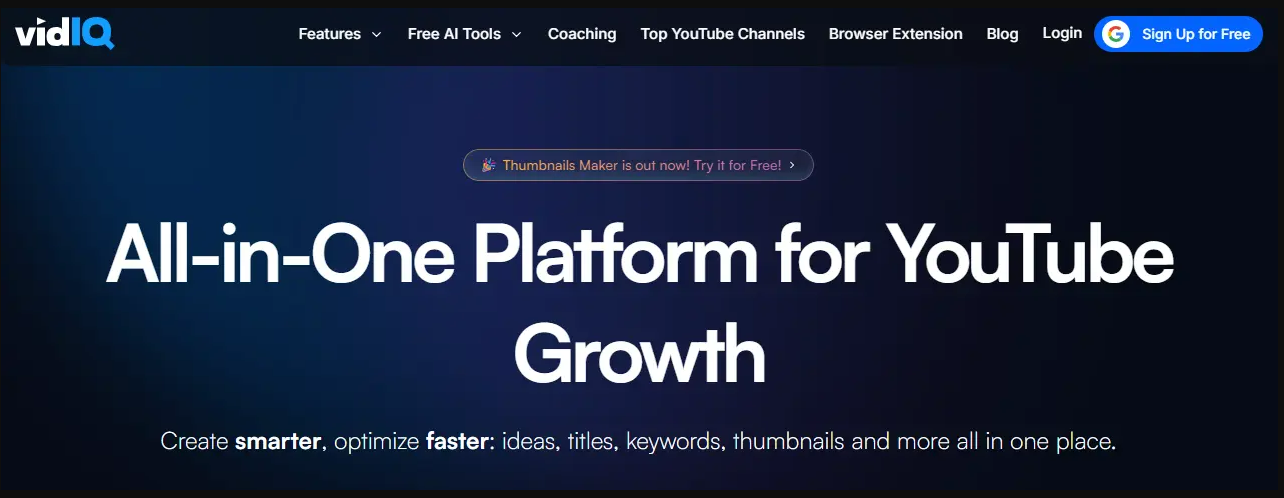
How does vidIQ rate in each area?
| Area | Rating | Key Insight |
|---|---|---|
| Keyword Research & SEO | ⭐⭐⭐⭐⭐ | Its core strength: the most mature keyword and SEO scorecard tooling for YouTube. |
| Browser Extension | ⭐⭐⭐⭐⭐ | Overlays stats directly on YouTube, so you research without leaving the site. |
| AI Tools & Coach | ⭐⭐⭐⭐ | Useful for ideation, but metered by monthly AI credits. |
| Outlier Detection | ⭐⭐ | Reports competitor stats, but isn't built to flag benchmarked breakout videos. |
What is vidIQ?
vidIQ is an all-in-one YouTube growth toolkit built around keyword research and SEO. It ships as a web app, a browser extension and a mobile app. Its defining feature is the overlay that layers keyword scores, tags and channel stats directly onto YouTube as you browse. So research happens where you already work.
Around that core, vidIQ bundles a daily ideas feed, trend alerts, competitor tracking, a channel audit, AI title/thumbnail/description generation and an AI Coach. It has moved to an AI-credit pricing model. So the plan you choose mostly determines how much AI generation you get each month (150 credits on Free, 2,000 on Boost, 6,000 on Max). It's an optimization and SEO platform first. It is deliberately not a dedicated outlier-discovery tool.
How It Works
Research Keywords
Overlay Stats on YouTube
Score & Optimize
Generate with AI
What are vidIQ's key features?
Here's what vidIQ offers and how each part performs in real-world use:
Keyword Research & SEO Scorecard
vidIQ's most mature feature. Search keywords and get a score blending search volume, competition and overall opportunity, plus related terms and tag suggestions. The SEO scorecard grades your video's optimization and tells you what to fix. It is the backbone of most people's vidIQ workflow.
Browser Extension Overlay
Install the Chrome or Firefox extension and vidIQ layers stats directly onto YouTube. Views-per-hour, tags, SEO scores and channel data appear as you browse. Being able to research without leaving YouTube is a big part of why vidIQ became a default tool.
Daily Ideas & Trend Alerts
A daily feed of content ideas and keyword opportunities tailored to your channel, plus alerts when topics in your niche start trending. It's aimed squarely at beating the blank page and keeping a pipeline of things to make.
AI Tools & AI Coach
AI title, description and thumbnail generation plus an "AI Coach" that answers channel questions and suggests next steps. These run on a monthly pool of AI credits (150 on Free, 2,000 on Boost, 6,000 on Max).
Competitor Tracking & Channel Audit
Track competitor channels, compare stats and run an audit of your own channel to surface weak spots. Useful for benchmarking, though it reports stats rather than pinpointing which specific videos are true breakout outliers.
Optimization & Bulk Tools
Best-time-to-publish suggestions, tag and description templates, bulk editing and a checklist that walks you through optimizing each upload. This is the day-to-day "tune every video" layer that established creators lean on.
What are vidIQ's pros and cons?
vidIQ's strengths and weaknesses, drawn from its documentation and public user reviews:
Pros
- ✓Best-in-class keyword research and SEO scorecard: the most mature toolset for YouTube SEO
- ✓The browser extension overlay puts stats right on YouTube, so you research without switching tabs
- ✓Genuinely useful free plan (150 AI credits/month) that works as a real trial
- ✓Huge, established product with a massive library of tutorials and an active community
- ✓Daily Ideas and the AI Coach are good for beating the blank page and staying consistent
- ✓Competitor tracking, channel audit and optimization checklists in one place
Cons
- ✗AI features are metered in credits, so heavy users can exhaust Boost's 2,000/month before the cycle ends
- ✗Advertised prices are the annual-equivalent; the true month-to-month rate is roughly double
- ✗Pricing tiers change often and the credit model can be confusing to compare
- ✗Upsell-heavy UX, with frequent prompts to upgrade that get in the way
- ✗Not built for benchmarked outlier detection (which video is doing 10x its channel's norm)
- ✗Per-seat, not per-channel, so multi-channel operators are pushed toward Enterprise
How much does vidIQ cost?
vidIQ is freemium and metered in AI credits. The one thing to watch: advertised prices are the annual-equivalent. The true month-to-month rate is roughly double.
| Plan | Price | What you get |
|---|---|---|
| Free | $0 | 150 AI credits/month · vidIQ's de-facto trial |
| Boost | ~$16.58/mo annual ($19 monthly) | 2,000 AI credits + full SEO/AI toolkit |
| Max | $39/mo annual ($49 monthly) | 6,000 AI credits + Max Mode AI + clipping |
| Coaching / Enterprise | ~$99/mo · Custom | 1-on-1 coaching, or teams & multi-channel |
Want the full breakdown, including annual vs monthly math, the AI-credit model, and every hidden cost? Read the dedicated vidIQ pricing guide.
Who Should Use vidIQ?
SEO-First Creators
If your bottleneck is keywords, tags and getting videos to rank, vidIQ's keyword scores, SEO scorecard and browser overlay are the most mature tools for the job. This is vidIQ's home turf.
Creators Who Want an All-in-One Optimizer
vidIQ bundles keyword research, competitor tracking, daily ideas, AI generation and an optimization checklist in one product. If you'd rather have one dashboard than stitch tools together, it fits.
Beginners Who Want Guidance
The AI Coach, daily ideas and step-by-step optimization checklist give newer creators a guided path. The generous free plan means you can start learning the platform at $0.
Not Ideal For:
- •Creators whose main need is benchmarked outlier / breakout-video detection
- •Multi-channel operators on a budget (pricing is per seat, not per channel)
- •Minimalists who find the upsell-heavy, feature-dense UX distracting
- •Anyone who wants simple, fixed pricing rather than a metered AI-credit model
What are the best vidIQ alternatives?
vidIQ isn't the only YouTube toolkit. These two are worth comparing. Each links to a full head-to-head:
TubeBuddy
A/B testing + channel management
The classic vidIQ rival: a browser-extension optimizer strong on A/B thumbnail testing, bulk channel management and SEO workflows.
1of10
Outlier discovery specialist
A dedicated outlier-video database and niche explorer. It beats vidIQ specifically for finding breakout formats to model.
Weighing more than these two? See our full ranked list of the best vidIQ alternatives →
Is vidIQ worth it?
vidIQ remains the default YouTube SEO toolkit for good reason. The keyword research, SEO scorecard and browser overlay are the most mature in the category, the free plan is a genuine on-ramp, and the all-in-one dashboard suits creators who'd rather not stitch tools together.
The trade-offs are the metered AI-credit pricing, with the annual-vs-monthly gap that catches people out. It also reports competitor stats rather than surfacing benchmarked outliers. If outlier and breakout discovery is your goal, pair it with a purpose-built research tool.
Bottom line: Best-in-class for keyword SEO; start on the free plan. If you need outlier detection or a cheaper research angle, weigh the vidIQ alternatives first.
Recommended stack: vidIQ for SEO, OutlierKit for outliers
Keep vidIQ for keyword SEO. It won't tell you which videos beat a channel's average by 10x, so add OutlierKit as the research layer: benchmarked outlier detection, keyword research, trend discovery and a live API, from $29/mo with a free trial.
Once you pick the idea, the OutlierKit title tool writes 16 titles and ranks them against real breakout videos near your topic. OutlierKit also writes the description, tags and chapters, and reviews the script you wrote before you record. It does not write scripts from scratch or design thumbnails.
Frequently Asked Questions
Is vidIQ worth it?+
vidIQ is worth it if your main need is keyword research, YouTube SEO and AI-assisted ideation. Those are its strongest, most mature features. The Boost plan's 2,000 monthly AI credits cover regular use. It's less compelling if your focus is benchmarked competitor and outlier analysis. There, purpose-built outlier tools surface breakout videos faster. For weekly publishers who lean on SEO, the annual price of roughly $16.58/month is reasonable value.
Is vidIQ safe and legit?+
Yes. vidIQ is a long-established, widely used YouTube tool with over a million extension installs and official listings on the Chrome and Firefox stores. Its browser extension does request access to YouTube pages to overlay stats. Review the permissions on install. The product itself is legitimate and mainstream.
Does vidIQ have a free plan?+
Yes. vidIQ offers a free $0 plan. It includes 150 AI credits per month, niche trends, daily content ideas and personalized tips from the AI Coach. It functions as vidIQ's trial. There's no separate free trial of the paid tiers. So the Free plan is how you evaluate the product before upgrading to Boost or Max.
How much does vidIQ cost?+
vidIQ's paid plans start at Boost, about $16.58/month billed annually ($199/year) or $19/month month-to-month, with 2,000 AI credits. Max costs $39/month on annual billing ($468/year) or $49/month month-to-month, with 6,000 credits. A Coaching plan adds one-on-one coaching for about $99/month, and Enterprise is custom. There's also a free $0 plan. For the full tier-by-tier breakdown and the annual-vs-monthly math, see our dedicated vidIQ pricing guide.
Is vidIQ good for finding outlier or breakout videos?+
vidIQ shows competitor stats and trending topics. But it isn't built around benchmarked outlier detection. That means spotting the specific videos performing many multiples above a channel's own average. If that's your goal, a purpose-built outlier tool like OutlierKit or 1of10 surfaces those breakouts faster. Meanwhile vidIQ remains stronger for keyword SEO.
What are the best vidIQ alternatives?+
For outlier and competitor research, OutlierKit is the closest research-first alternative; TubeBuddy is the classic like-for-like optimizer with A/B testing; and 1of10 specializes in outlier discovery. See our full breakdown of vidIQ alternatives for the ranked list and where each one wins.
Related reading
TubeMagic vs vidIQ
A script writer against a research suite, and why that split decides it.
vidIQ Pricing 2026
Every plan, the real costs, and whether it's worth it.
Best vidIQ Alternatives
The top tools to use instead of vidIQ, ranked.
vidIQ vs TubeBuddy
The two biggest SEO extensions, head to head.
vidIQ vs 1of10
Keyword SEO against an outlier database.
vidIQ vs ViewStats
SEO toolkit against MrBeast's analytics tool.
vidIQ vs Social Blade
Paid optimizer against the free stats tracker.
vidIQ vs Spotter Studio
SEO toolkit against an ideation engine.
NexLev vs vidIQ
Faceless niche finder against the SEO suite.
TubeGen vs vidIQ
Video production platform against a research toolkit.
OutlierKit vs vidIQ
Where outlier research and keyword SEO overlap.
OutlierKit vs vidIQ vs NexLev
Three research tools in one table.
How this review was made
The review weighs vidIQ's public documentation, pricing page and user reviews as of July 1, 2026, not a paid test. The rating is an OutlierKit editorial assessment, and OutlierKit publishes this page. Features and prices change, so check current details at vidiq.com before you buy.
Sources
- vidIQ: features and plans
- vidIQ pricing, plan by plan: our dated read of the vidIQ pricing page
- vidIQ MCP server review
vidIQ inside Claude and ChatGPT
vidIQ runs one of the widest MCP servers in the category, and it is free on every plan during an undated launch period. Our vidIQ MCP server review covers the server URL, the 5 and 10 credit tool costs, and the shared AI pool that decides when it stops answering.

Keyword SEO is only half the job
OutlierKit adds what vidIQ leaves out: benchmarked outlier detection, trend discovery and a live API, from $29/mo with a free trial.
Try OutlierKit Free