TubeBuddy vs Spotter Studio: Complete Comparison (2026)
TubeBuddy optimizes and manages the channel you run. Spotter Studio ideates and plans for established creators. They do different jobs. Pick by what you actually need.
TubeBuddy and Spotter Studio are both popular YouTube tools. But they sit on opposite sides of the workflow. TubeBuddy is a veteran channel management and SEO suite. It optimizes your videos. Spotter Studio is a premium AI ideation and planning workspace. It is backed by names like Colin and Samir and Dude Perfect. It serves creators who already publish consistently. Before you pay for either, see where your channel stands: our subscriber benchmarks by niche ranked 112,562 active channels, and the median has under 35K subscribers in every niche.

A quick tour of the research tools worth your time in 2026. Useful context before you pick between TubeBuddy and Spotter Studio.
TL;DR
Choose TubeBuddy for keyword research, SEO, A/B testing, and bulk management (free plan, paid from $12/mo billed annually). Choose Spotter Studio for AI ideation, outlier inspiration, and project planning. It has no free tier. The single plan is $49/mo or $299/yr with a 60-day trial. The two work well together: TubeBuddy to optimize, Spotter to ideate. For outlier detection plus keyword and competitor research in one tool, see OutlierKit.
Who is each tool best for?
Best for creators optimizing an existing channel: your videos aren't getting found. You need keyword research, SEO scoring, and A/B testing. Those fix your titles, tags, and thumbnails. Starts free, paid from $12/mo billed annually.
Best for established creators who are out of ideas: you already publish consistently (roughly 30+ videos). You want AI ideation and outlier inspiration from 50M+ videos. You also want a Projects planner for your team. Single plan $49/mo or $299/yr.
Best for small and new channels on a budget: TubeBuddy has a permanent free plan, and Pro costs $12/mo billed annually. That makes it the low-cost entry point. Spotter Studio has no permanent free tier.
Best for content teams planning a pipeline: the Projects planner and 2-seat workspace turn ideas, titles, and thumbnails into a clear production flow. It is built for a team, not just a solo user.
How do you choose between TubeBuddy and Spotter Studio?
Answer these five questions in order. The first one that clearly matches you settles it.
1. Are your videos already good but not getting found?
Is your problem getting found and getting clicks? Pick TubeBuddy. It gives you keyword research, SEO scoring, and A/B testing. If you have plenty of views but keep running dry on ideas, pick Spotter Studio.
2. Do you need to split-test thumbnails and titles on live videos?
If yes and you have ~1,000+ subscribers, pick TubeBuddy. Live A/B testing is its signature feature. Spotter Studio generates concepts but doesn't run live tests.
3. Is your bottleneck ideas, not optimization?
Do you want fresh concepts tuned to your voice, plus breakout outlier formats to adapt? Pick Spotter Studio (Brainstorm + Outliers). Just need better titles and tags on what you already make? Pick TubeBuddy.
4. Are you on a tight budget or just starting out?
If cost is the constraint, pick TubeBuddy. It has a free plan and paid tiers from $12/mo billed annually. Spotter Studio's single plan is $49/mo with no permanent free tier.
5. Do you want optimization and outlier research in one tool?
If running two tools sounds like too much, look at OutlierKit. It combines outlier detection with keyword and competitor research in one platform.
Transparency & accuracy notice
Features and pricing come from public details on each product's website as of July 11, 2026. We also checked trusted third-party sources. TubeBuddy tier pricing shifts with promos and small-channel discounts. Verify current pricing directly before buying.
See also: TubeBuddy and Spotter Studio.
Manage vs ideate
TubeBuddy answers "how do I optimize and manage this channel?" It covers keyword research, SEO, A/B testing, and bulk tools. Spotter Studio answers "what should I make next, and how do I plan it?" It covers AI ideation, outlier inspiration, and project planning. Most creators benefit from one of each.
How do TubeBuddy and Spotter Studio compare at a glance?
| Feature | TubeBuddy | Spotter Studio |
|---|---|---|
| Best For | Channel management & SEO optimization | AI ideation, titles/thumbnails & planning for established creators |
| Pricing | Free; Pro $12/mo and Legend $27/mo, billed annually | Single plan $49/mo or $299/yr (~$24.92/mo); 60-day free trial |
| Unique Feature | A/B testing for thumbnails & titles (needs ~1,000+ subs) | Outliers (50M+ videos) + Brainstorm AI tuned to your voice |
| Learning Curve | Easy | Easy |
| User Rating | 4.5/5 ~8,500 ratings, Chrome Web Store | No meaningful public review baseTrustpilot shows 3.2/5 from a single review |
What do TubeBuddy and Spotter Studio each do?
TubeBuddy
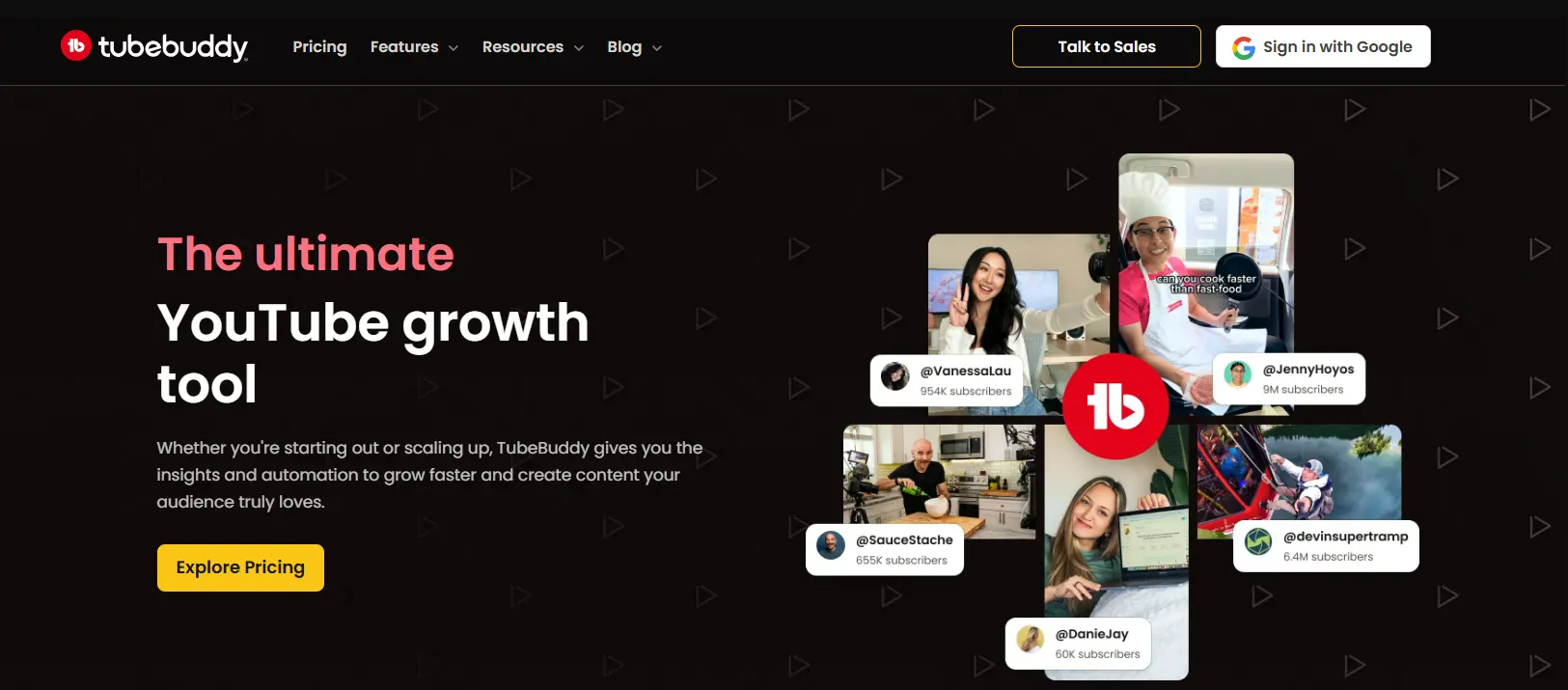
TubeBuddy layers Keyword Explorer, SEO Studio, tag suggestions, A/B testing, and bulk tools onto YouTube. It is built to optimize and manage an existing channel. Visit TubeBuddy →
Spotter Studio
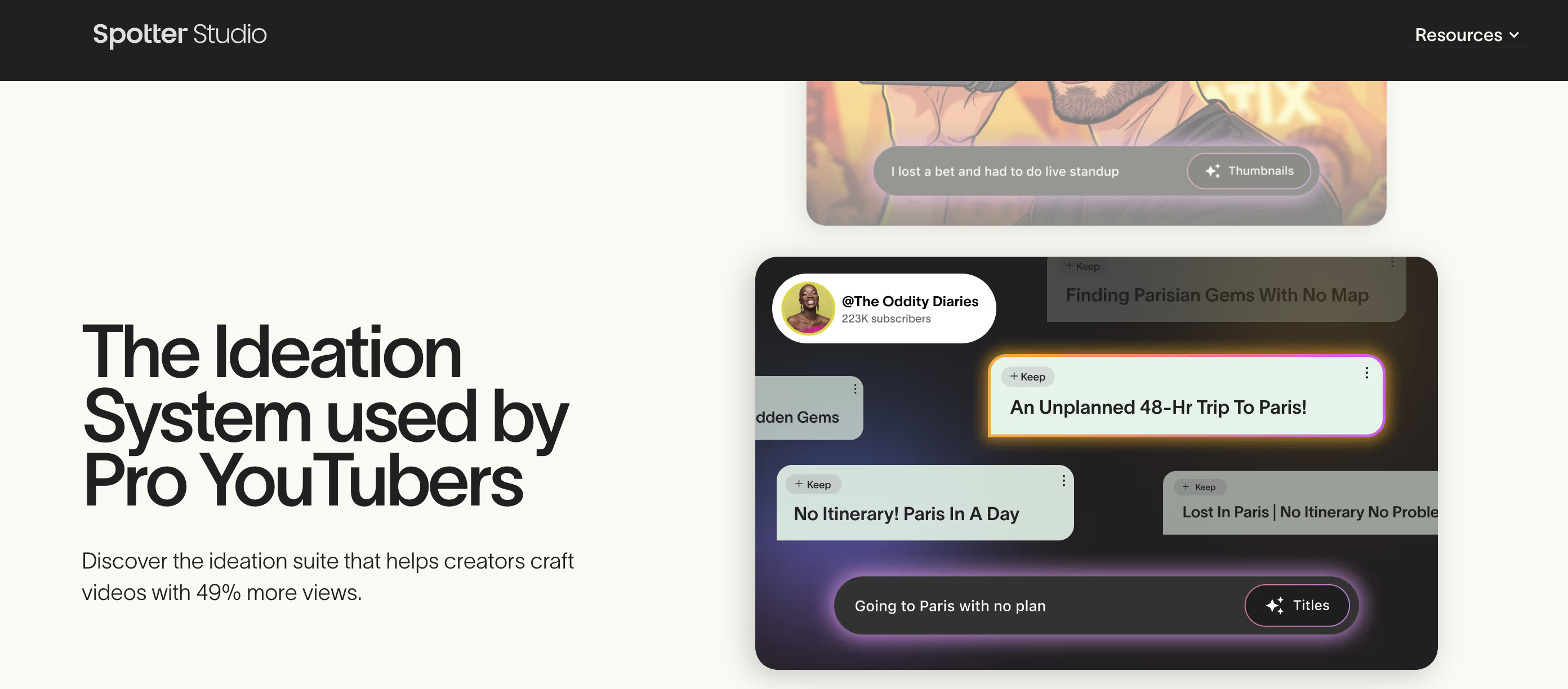
Spotter Studio is backed by Colin and Samir and Dude Perfect. It offers Brainstorm AI ideation, an Outliers library of 50M+ videos, unlimited AI titles/thumbnails, and a Projects planner. It is built to ideate and plan. Visit Spotter Studio →
Which problem are you trying to solve?
Most people comparing TubeBuddy and Spotter Studio are stuck on one of two problems. Naming yours makes the choice obvious.
"My videos aren't optimized or getting found"
Weak titles, missed keywords, untested thumbnails, a messy back catalog. You need SEO, A/B testing, and management. This is a TubeBuddy problem.
"I'm out of ideas and can't plan ahead"
You want fresh concepts tuned to your voice, outlier formats to adapt, and a way to plan a pipeline with your team. This is a Spotter Studio problem.
Which jobs does each tool cover?
TubeBuddy focuses on keyword/SEO, A/B testing, and channel management. Spotter Studio focuses on AI ideation, outlier inspiration, and planning.
How do TubeBuddy and Spotter Studio compare feature by feature?
Keyword Research & SEO
TubeBuddy winsTubeBuddy is a mature SEO suite. It includes Keyword Explorer, SEO Studio, and tag suggestions. It also scores on-video optimization right on YouTube.
Spotter Studio is a workspace for ideas and planning, not an SEO suite. It doesn't do keyword research or on-video SEO scoring.
Verdict: TubeBuddy wins clearly for keyword research and SEO.
A/B Testing
TubeBuddy winsThis is TubeBuddy's signature feature. You can split-test thumbnails and titles to see which one performs. It requires roughly 1,000+ subscribers.
Spotter Studio helps you generate thumbnail and title concepts. It doesn't run live A/B tests on your published videos.
Verdict: TubeBuddy wins for live A/B testing.
AI Idea Generation
Spotter Studio winsTubeBuddy surfaces keyword-driven topic suggestions. But idea generation isn't its core focus.
Spotter Studio's Brainstorm generates unlimited AI concepts and titles tuned to your voice. It is built for ideation.
Verdict: Spotter Studio wins for AI idea generation.
Outlier Inspiration
Spotter Studio winsTubeBuddy focuses on optimizing your own channel. It does not hunt for outliers across other channels.
Spotter Studio's Outliers searches 50M+ videos. It surfaces breakout formats and ideas worth adapting.
Verdict: Spotter Studio wins for outlier inspiration.
Bulk & Channel Management
TubeBuddy winsTubeBuddy offers bulk processing (on Legend), a browser extension, and management tools. They let you maintain a large catalog fast.
Spotter Studio is a planning workspace, not a bulk catalog-management tool.
Verdict: TubeBuddy wins for channel management and bulk operations.
Planning & Workflow
Spotter Studio winsTubeBuddy offers a publishing checklist and some workflow helpers. It has no dedicated project planner.
Spotter Studio's Projects planner organizes ideas, titles, and thumbnails. It builds a clear production pipeline for a team.
Verdict: Spotter Studio wins for planning and project workflow.
Pricing & Value
TubeBuddy winsTubeBuddy has a free plan, and Pro costs $12/mo billed annually ($144/yr). Legend costs $27/mo billed annually.
Spotter Studio has no permanent free tier. Its single plan is $49/mo ($299/yr), aimed at established creators.
Verdict: TubeBuddy wins on entry pricing. Spotter targets a different segment.
How much does TubeBuddy cost compared with Spotter Studio?
TubeBuddy Pricing
- ✓Basic keyword research
- ✓Tag suggestions
- ✓Limited bulk tools
- ✓Browser extension overlay
- ✓Keyword Explorer
- ✓SEO Studio basics
- ✓$144/yr paid up front
- ✓1 channel
- ✓A/B testing (thumbnails & titles)
- ✓Bulk processing
- ✓Retention analysis
- ✓$324/yr paid up front
Free plan available. Prices from TubeBuddy's own TubeBuddy vs vidIQ article, checked 28 Sep 2026.
Spotter Studio Pricing
- ✓Link a YouTube channel + card
- ✓No charge during trial
- ✓Full feature access
- ✓No permanent free tier
- ✓Unlimited AI concepts/titles/thumbnails
- ✓Outliers (50M+ videos)
- ✓Projects planner
- ✓2 seats, 1 channel
- ✓Everything in monthly
- ✓~50% off limited-time
- ✓Brainstorm AI ideation
- ✓Spotter Labs access
No permanent free tier. The 60-day free trial requires a linked channel and card. See live Spotter Studio pricing →
Pre-calculated savings
Spotter Studio's annual plan is $299/yr versus $49/mo paid monthly ($588 per year). Buying yearly saves $289 per year (~49% off). On TubeBuddy, Pro costs $144/yr and Legend $324/yr, both billed annually. TubeBuddy does not publish US monthly-billing prices in a citable form.
What Users Say
TubeBuddy
“Keyword Explorer and the bulk tools save serious time, and the extension sits right inside YouTube Studio. Reviewers repeatedly call the SEO tools game-changers for search rankings.”
“The free tier is heavily paywalled, the interface can overwhelm beginners, and reviewers report recurring extension bugs and loading problems.”
Spotter Studio
“Spotter Studio has almost no third-party review footprint yet. Its only Trustpilot entry is a single review. So there is no meaningful user-review signal to weigh.”
Which Tool Should You Choose?
Optimizing titles, tags, and SEO on your videos
TubeBuddyTubeBuddy's Keyword Explorer and SEO Studio are the category standard. Spotter Studio doesn't do SEO.
Split-testing thumbnails to lift click-through
TubeBuddyA/B testing is TubeBuddy's signature feature (needs ~1,000+ subs). Spotter Studio doesn't run live tests.
Generating fresh video ideas tuned to your voice
Spotter StudioBrainstorm produces unlimited AI concepts and titles built around your channel.
Finding breakout outlier formats to adapt
Spotter StudioOutliers searches 50M+ videos to surface what's overperforming across YouTube.
Managing and bulk-editing a large back catalog
TubeBuddyBulk processing on Legend and the browser extension make catalog maintenance fast.
Planning a content pipeline with a team
Spotter StudioThe Projects planner and team workspace organize ideas into a structured production flow.
Want optimization and outlier research in one tool?
TubeBuddy optimizes. Spotter Studio ideates. Would you rather not run two tools? OutlierKit combines outlier detection, competitor analysis, keyword research, and audience psychographics in one platform:
Dig deeper
Frequently Asked Questions
Basics
What is the difference between TubeBuddy and Spotter Studio?
TubeBuddy is a veteran channel management and SEO suite. It offers Keyword Explorer, SEO Studio, tag suggestions, A/B testing, and bulk tools. These help you optimize and maintain an existing channel. Spotter Studio is a premium AI ideation and planning workspace. It offers Brainstorm idea generation plus unlimited AI titles and thumbnails. It also has an Outliers library of 50M+ videos and a Projects planner for established creators. In short: TubeBuddy optimizes and manages. Spotter Studio ideates and plans.
Which tool is better, TubeBuddy or Spotter Studio?
They solve different jobs. Pick TubeBuddy if you want keyword research, SEO, A/B testing, and bulk management. It suits an existing channel. Pick Spotter Studio if you're an established creator. It gives you AI ideation, outlier inspiration, and project planning. Some creators use both: TubeBuddy to optimize, Spotter to ideate.
Who is Spotter Studio built for?
Spotter Studio is aimed at established creators (roughly 30+ videos). It is backed by figures like Colin and Samir and Dude Perfect. Its Outliers library, Brainstorm AI, and team workspace suit creators who already publish consistently. It helps them scale ideation and planning.
Pricing
How much do TubeBuddy and Spotter Studio cost?
As of July 11, 2026, TubeBuddy has a free plan. Pro costs $12/mo billed annually ($144/yr), and Legend costs $27/mo billed annually ($324/yr), per TubeBuddy's own figures. Enterprise is custom. Spotter Studio has a single plan at $49/mo or $299/yr (~$24.92/mo, a limited-time discount). It comes with a 60-day free trial and no permanent free tier. Verify both on their sites before buying.
Do TubeBuddy and Spotter Studio have free plans?
TubeBuddy has a permanent free plan. It includes basic keyword research, tag suggestions, and the browser extension. Spotter Studio has no permanent free tier. Instead it offers a 60-day free trial. The trial requires linking a YouTube channel and a credit card (no charge during the trial).
Which is better value for money?
For optimization, SEO, and A/B testing, TubeBuddy's paid tiers start far cheaper (Pro from $12/mo billed annually). Spotter Studio's single $49/mo plan costs more. But it bundles unlimited AI ideation, the Outliers library, and team planning for established creators. Match the tool to the job, not the sticker price.
Alternatives
Are there better alternatives to TubeBuddy and Spotter Studio?
TubeBuddy and Spotter Studio each cover part of the job. OutlierKit bridges both sides. It offers outlier detection plus competitor analysis, keyword research, and audience psychographics in one platform. See our OutlierKit vs TubeBuddy and OutlierKit vs Spotter Studio comparisons.
Can I use TubeBuddy and Spotter Studio together?
Yes, and some established creators do. They use Spotter Studio to brainstorm ideas, study outliers, and plan projects. They use TubeBuddy to research keywords, optimize SEO, A/B test, and manage the videos they publish next.
Sources and method
Features and prices come from each vendor's own site and from public review platforms, checked as of July 11, 2026. The verdicts weigh documented features, pricing terms and public reviews, not a paid test.
Plans change often, so confirm the current price on each vendor's pricing page before you buy. OutlierKit publishes this page and sells a research tool in the same space, so weigh the verdict with that in mind.
Sources
- TubeBuddy vs vidIQ (TubeBuddy blog): Pro and Legend annual prices, checked 28 Sep 2026
- Spotter Studio website: product, trial and access rules
- TubeBuddy on the Chrome Web Store
- Spotter Studio reviews on Trustpilot
- OutlierKit's TubeBuddy review: features, limits and ratings
- TubeBuddy pricing breakdown: tier-by-tier prices and limits
- OutlierKit's Spotter Studio review: features, limits and ratings
- Spotter Studio pricing breakdown: tier-by-tier prices and limits

Want more than a point tool?
OutlierKit covers outlier detection, competitor analysis and keyword research. It also writes your titles, descriptions and chapters and reviews your script before you record.
Start Free TrialRelated Comparisons
Spotter Studio Review
Our honest verdict on Spotter Studio: the Outlier Index, pricing and whether it's worth it.
Best Spotter Studio Alternatives
7 tools to use instead of Spotter Studio, ranked and compared.
TubeBuddy Review
Our honest verdict on TubeBuddy: A/B testing, SEO tools, and whether it's worth it.
Best TubeBuddy Alternatives
7 tools to use instead of TubeBuddy, ranked and compared.
OutlierKit vs TubeBuddy
How TubeBuddy compares to a full research platform.
OutlierKit vs Spotter Studio
How Spotter Studio compares to a full research platform.