YouTube strategy for chiropractors who want new patients
Chiropractors get new patients from YouTube by answering what people search for when something hurts. Three chiropractors got more than 8 times their normal views when they made a video of exercises for one named condition, such as an L4-L5 disc bulge.
This playbook shows you how to find more ideas like that in OutlierKit, write the title the way a patient names the problem and plan 30 days of videos. The download has every worksheet and prompt.
Published October 8, 2026. By Aditi.
What is a YouTube strategy for chiropractors?
A YouTube strategy for chiropractors is a plan for turning the conditions patients name into videos that people search for before they book a visit. It picks topics by condition and by habit (a disc bulge, sciatica, how to sleep, how to sit), puts the condition in the title, and links one way to book in the description.
A general health channel plans around wellness topics and reaches viewers everywhere. A clinic's channel plans around the conditions it treats and the city it serves, so the plan favours exercise lists, habit fixes and filmed visits that show what the clinic does.
Free download
Download the chiropractors playbook
Direct downloads, no email required. The Word and PDF editions hold the full playbook with fill-in fields and a five-prompt pack. The Excel calendar plans 30 days: one exercise list and one habit or patient video a week, and one slot for the question you heard that week.
Why chiropractors stop growing on YouTube
Chiropractic channels stop growing for three reasons.
Only adjustment clips
Adjustment clips get views from people who like the sound, in any country. A person in pain searches for their condition and what to do about it.
What it looks like: The channel has sixty adjustment clips and no video on what to do about sciatica.
Titles with no condition
Chiropractic adjustment says what you do. A patient searches for what they have: an L4-L5 disc bulge, sciatica, a pinched nerve.
What it looks like: L4-L5 Disc Bulge: The 5 Exercises I Teach Every Patient got 38 times its channel's normal views. The condition is the first thing in the title.
No patient and no place in the title
A filmed visit works when the viewer can see themselves in it. Name the kind of patient, and name your city when you want local bookings.
What it looks like: Routine Chiropractic Care for Neck and Lower Back Pain From an Office Job got 26 times normal views on a channel with 338 subscribers.
The five-step playbook for chiropractors
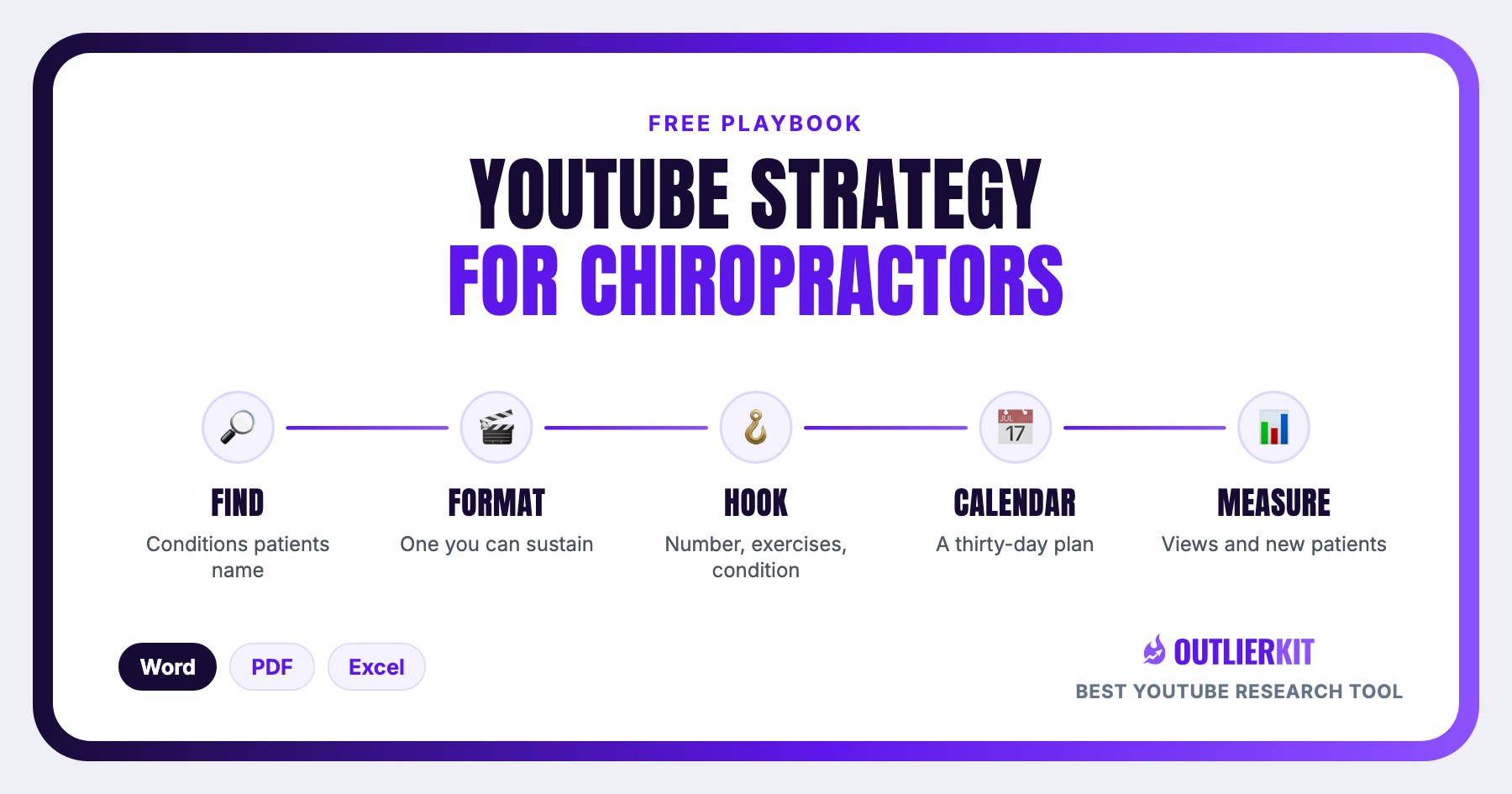
The same five steps every OutlierKit strategy uses, adapted to a clinic: find the conditions, pick a format, copy the hook, fill 30 days, and measure views next to bookings.
Find the conditions patients name
List the conditions new patients name when they call. Search each one in Outliers the way a patient says it or reads it on a report: L4-L5 disc bulge exercises, sciatica leg pain, best sleeping position for back pain. Keep the videos that beat their channel average by 5 times or more and check that a chiropractor or a clinic runs the channel. Write down the words in every winning title.
Tool for this step: Outliers →
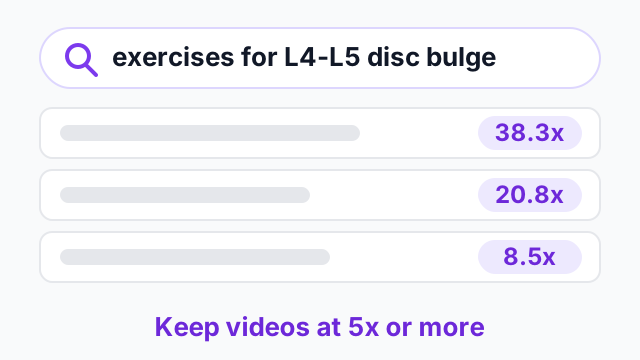
Step 1 in one picture. Click to explore Outliers.
Pick the format you can film between patients
Three formats repeat on chiropractic channels: the exercise list for one condition, the single habit to change (how to sleep, how to sit) and the routine patient visit. Filter the outliers to channels near your size. The format that repeats three times at your size becomes your weekly video.
Tool for this step: Outlier formats →
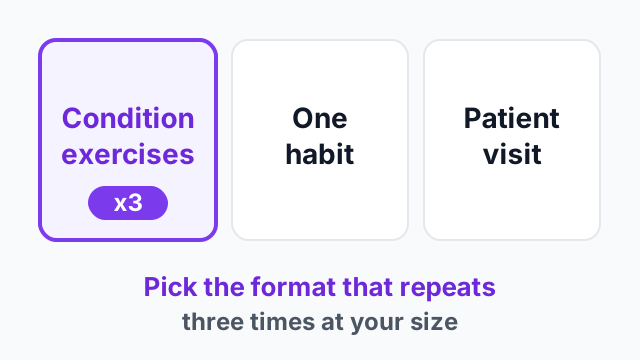
Step 2 in one picture. Click to explore Outlier formats.
Copy the hook: a number, exercises, one condition
The winning titles count the exercises and name one condition: 10 best exercises for an L4-L5 and L5-S1 disc bulge. Use the name a patient reads on a scan report or hears from a doctor. Read the comments on the top three videos and note the symptoms viewers describe. Each one can be the next video.
Tool for this step: Video Analysis →
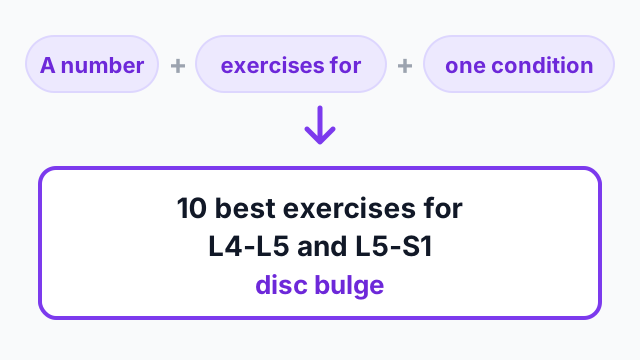
Step 3 in one picture. Click to explore Video Analysis.
Fill 30 days: one exercise list and one habit or patient video a week
Tuesday carries an exercise list for one condition. Friday alternates between a habit video and a filmed patient visit, with written consent from the patient. One slot stays open for the question you heard most that week. Deep Research drafts the titles from your outlier list and the conditions you treat.
Tool for this step: Deep Research →
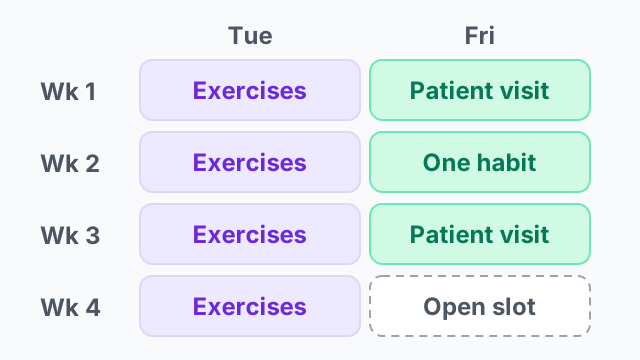
Step 4 in one picture. Click to explore Deep Research.
Measure views against your average, and ask every new patient what they watched
After seven days, compare each video to your channel average. Repeat any format above 2 times normal. OutlierKit measures the view side. For the clinic side, add one question to your new-patient form: which video brought you here? Log the answer in the calendar next to the views.
Tool for this step: Video Analysis →
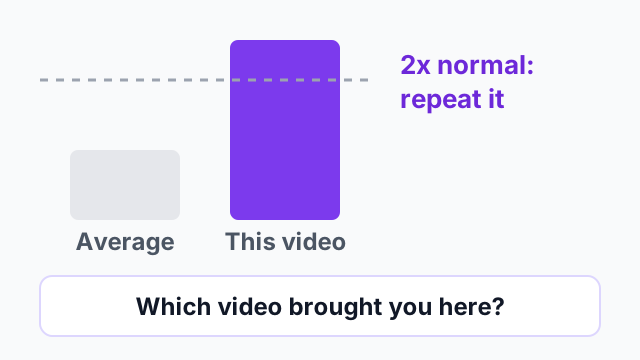
Step 5 in one picture. Click to explore Video Analysis.
What the pattern looks like in chiropractors' videos
Three chiropractic channels of different sizes, pulled from OutlierKit on 8 October 2026 and checked on YouTube the same day. Two name an L4-L5 disc bulge and one names sciatica.
The pattern: [Number] exercises for [one named condition]. The condition is named the way a patient reads it on a report, and the number tells them the list is short.
L4-L5 Disc Bulge: The 5 Exercises I Teach Every Patient for Fast Relief | Dr. Paul Barnwell
Dr. Paul Barnwell, 3,970 subscribers. 132,929 views, which is 38.3x the channel's typical video.
What matters here: A chiropractor in Katy, Texas names the same condition a month later and says these are the exercises he teaches every patient. The video got 38.3 times the channel's normal views.
Pulled from OutlierKit on 8 October 2026; figures drift as views accrue. Published on YouTube 2025-12-18.
10 Best Exercises for L4-L5 and L5-S1 Disc Bulge | Dr. Tam Ly, Chiropractor in San Jose, CA
Dr. Tam Ly, 18,500 subscribers. 391,500 views, which is 20.8x the channel's typical video.
What matters here: A San Jose chiropractor names the exact disc levels a patient reads on a scan report. The title also carries his name, profession and city.
Pulled from OutlierKit on 8 October 2026; figures drift as views accrue. Published on YouTube 2025-11-21.
Sciatica Relief Exercises: 7 Steps To Fix Leg Pain Fast
Fit & Healthy Chiropractic, 626 subscribers. 4,720 views, which is 8.5x the channel's typical video.
What matters here: A clinic with 626 subscribers names the condition and the symptom, leg pain, and counts the steps.
Pulled from OutlierKit on 8 October 2026; figures drift as views accrue. Published on YouTube 2026-01-19.
All three videos got more than 8 times their channel's normal views. Your version uses the condition you treat most often.
How do you grow a chiropractic YouTube channel?
Pick the conditions you treat most and make one video per condition, with the condition in the title. Publish ten of those videos before you post adjustment clips or anything about the clinic.
If you are starting a chiropractic channel from zero, make your first video the exercises you give most patients for your most common condition. A clinic tour can wait.
- 1
Name the condition the way the patient reads it
Two of the three videos in the worked example use L4-L5, the label on a scan report. A patient types what the report says.
- 2
Publish ten condition videos first
Ten videos on ten conditions give YouTube search more to rank and give a new viewer a second video to watch.
- 3
Repeat the condition with a new question
Dr. Tam Ly made an exercise video for an L4-L5 disc bulge, then a sleeping position video for the same condition. Both got more than 17 times his channel's normal views.
- 4
Put your name, profession and city where viewers see them
Dr. Tam Ly's title ends with Chiropractor in San Jose, CA. A viewer nearby knows where to book.
How to run this in OutlierKit
The whole playbook runs in four screens. A free trial covers the first pass on one condition.
- 1
Open Outliers and search a condition
Type what a patient would type: L4-L5 disc bulge exercises, or sciatica leg pain relief. A broad topic such as back pain returns large health channels. Sort by outlier score and keep everything above 5 times.
- 2
Filter to channels near your size
A 900,000 subscriber channel's outlier says little about what a 500 subscriber clinic can copy. Filter to your range and note which of the three formats repeats.
- 3
Read the comments on the top three
Viewers describe their own symptoms in the comments and ask what to do. Video Analysis lists the questions that repeat. Each one can be a video.
- 4
Draft eight titles with Deep Research, then schedule
Give Deep Research your outlier list and the conditions you treat. Drop the titles into the calendar download and film the first exercise list this week.
Then make the video in OutlierKit
Once you pick the idea, the same app writes the packaging and checks your script. Each tool works from real breakout videos near your topic, not generic AI output. All four are on every plan and the 30-credit trial.
Title
Writes 16 titles and ranks them against real breakout videos near your topic, with a score and a one-line reason for each.
Open in the app →How it worksDescription & tags
Writes the 150 characters people see and the rest of the description separately, then picks your hashtags.
Open in the app →How it worksChapters
Writes chapter titles that help viewers scan the video and jump to the part they came for.
Open in the app →Script review
Scores the script you wrote and shows what to fix before you record, so you reshoot and re-edit less.
Open in the app →How it works
Do this yourself in Claude
Paste this prompt into Claude with the OutlierKit connector switched on. Replace everything in square brackets with your own niche, channel, or topic. Claude calls OutlierKit for you and writes back the answer.
I am a chiropractor in [city] and I mostly treat [conditions, e.g. disc problems and sciatica in desk workers]. Use OutlierKit to find videos by chiropractors that beat their channel average by 5x or more, on channels under 50,000 subscribers: exercise lists for one condition, habit videos and routine patient visits. Pull the comments on the top 3 and list the 10 symptoms or questions viewers describe. Then write 8 titles for my clinic using the same formats and those questions.
- Tools Claude calls
- outliers_search, videos_comments
- What it costs
- about 8 credits. Most calls cost 2 credits and a few cost up to 10, with no daily limits.
Plan requirement: the OutlierKit MCP connector is available on the Pro plan ($49 a month, 500 credits) and the Max plan ($199 a month, 2,000 credits) only. It is not included in Hobby ($29) or the free trial (30 credits). To connect it, open Claude, go to Settings, then Connectors, and add https://outlierkit.com/mcp. The full setup and all ten tools are on the OutlierKit MCP server page, and plans are compared on the pricing page.
Frequently asked questions
What should a chiropractor's first YouTube video be?
Do I need a patient's permission to film a visit?
Can I promise results in a video title?
Should a chiropractor post adjustment clips?
How long should a chiropractor's video be?
Does the download need an OutlierKit account?
Related guides
30 ideas in five formats, each with a real video that beat its channel average.
Why a local business should research what its area searches for.
The same playbook for another profession that works with the body.
The general business playbook this one narrows down.
How to confirm a condition name has search demand.
A production board with one owner per video and a gate between stages.
Health channels, broken down
Full breakdowns of health channels at different sizes, with the format mix and reach ratio you can measure your own channel against:
OutlierKit Channel Analysis

ATHLEAN-X™
Fitness & workouts
- Subscribers
- 14.3M
- Avg views
- 1.7M
- Total views
- 2.8B
OutlierKit Channel Analysis

Andrew Huberman
Health-science podcast
- Subscribers
- 7.6M
- Avg views
- 1.0M
- Total views
- 503.6M
OutlierKit Channel Analysis

Therapy in a Nutshell
Mental health education
- Subscribers
- 2.5M
- Avg views
- 268.6K
- Total views
- 184.8M
OutlierKit Channel Analysis

Dr. Una | EntreMD
Physician Entrepreneurship & Private Practice Growth
- Subscribers
- 3.0K
- Avg views
- 99
- Total views
- 112.1K
Stats are from our most recent snapshot of each channel. For live numbers, outlier videos, and up-to-date revenue estimates, run a fresh analysis on OutlierKit →

Find the conditions your next patient is searching for
Start a free trial, run Outliers on the condition you treat most, and fill the calendar download before your next filming day. No credit card.
Start free trial