TubeBuddy vs ViewStats: Complete Comparison (2026)
TubeBuddy optimizes and manages the channel you run. ViewStats analyzes performance and surfaces outliers and thumbnails. Different jobs. Pick by what you actually need.
TubeBuddy and ViewStats are both popular YouTube tools, but they sit on opposite sides of the workflow. TubeBuddy is a channel management and SEO suite for acting on your videos. ViewStats (co-founded by MrBeast) is an analytics tool for understanding performance, outliers, and thumbnails. For scale, our subscriber benchmarks by niche ranked 112,562 active channels and found the median channel has under 35K subscribers in every niche.

A quick look at the performance signals ViewStats-style analytics surface, and what TubeBuddy's optimization tools help you act on.
TL;DR
Choose TubeBuddy for SEO optimization, A/B testing, and bulk channel management (free plan; paid from $12/mo billed annually). Choose ViewStats for channel analytics, outlier tracking, and thumbnail research (free Basic tier; Pro $49.99/mo). They're complementary: TubeBuddy to act, ViewStats to analyze. For outlier detection plus keyword and competitor research in one tool, see OutlierKit.
Who is each tool best for?
SEO-focused creators & channel managers
TubeBuddy. Keyword Explorer, SEO Studio, tag suggestions, and best-time-to-publish make it the pick for optimizing and managing the videos you publish.
Researchers & performance analysts
ViewStats. The Outlier Score, view-trajectory graphs, and searchable thumbnail database make it the pick for understanding what's working across a niche.
Budget-conscious solo creators
TubeBuddy. Paid tiers start at $12/mo billed annually versus ViewStats Pro at $39.99/mo billed annually. Both offer a genuine free tier to start.
Thumbnail-driven & faceless channels
ViewStats. The thumbnail library, A/B database, and AI thumbnail preview are built for studying winners before you design your own.
Transparency & accuracy notice
Features and pricing are based on publicly available information from each product's website and reputable third-party sources as of July 11, 2026. TubeBuddy pricing varies by tier and channel size and changes with promotions. Verify current pricing directly before buying.
See also: TubeBuddy alternatives and ViewStats review.
Optimize vs analyze
TubeBuddy answers "how do I optimize and manage this channel?" with keyword research, SEO, A/B testing, and bulk tools. ViewStats answers "what's working and why?" with analytics, outlier scores, and thumbnail research. Most creators benefit from one of each.
How do TubeBuddy and ViewStats compare at a glance?
| Feature | TubeBuddy | ViewStats |
|---|---|---|
| Best For | Channel management & SEO optimization | YouTube channel analytics & outlier tracking (MrBeast-backed) |
| Pricing | Free; Pro $12/mo and Legend $27/mo, billed annually | Free; Pro $49.99/mo; Business from $249/mo |
| Unique Feature | A/B thumbnail & title testing (needs ~1,000+ subs) | Outlier Score + in-YouTube stats overlay |
| Learning Curve | Easy | Very Easy |
| User Rating | 4.5/5 8.5K ratings, Chrome Web Store | 4.5/5 236 ratings, Chrome Web Store |
What do TubeBuddy and ViewStats each do?
TubeBuddy
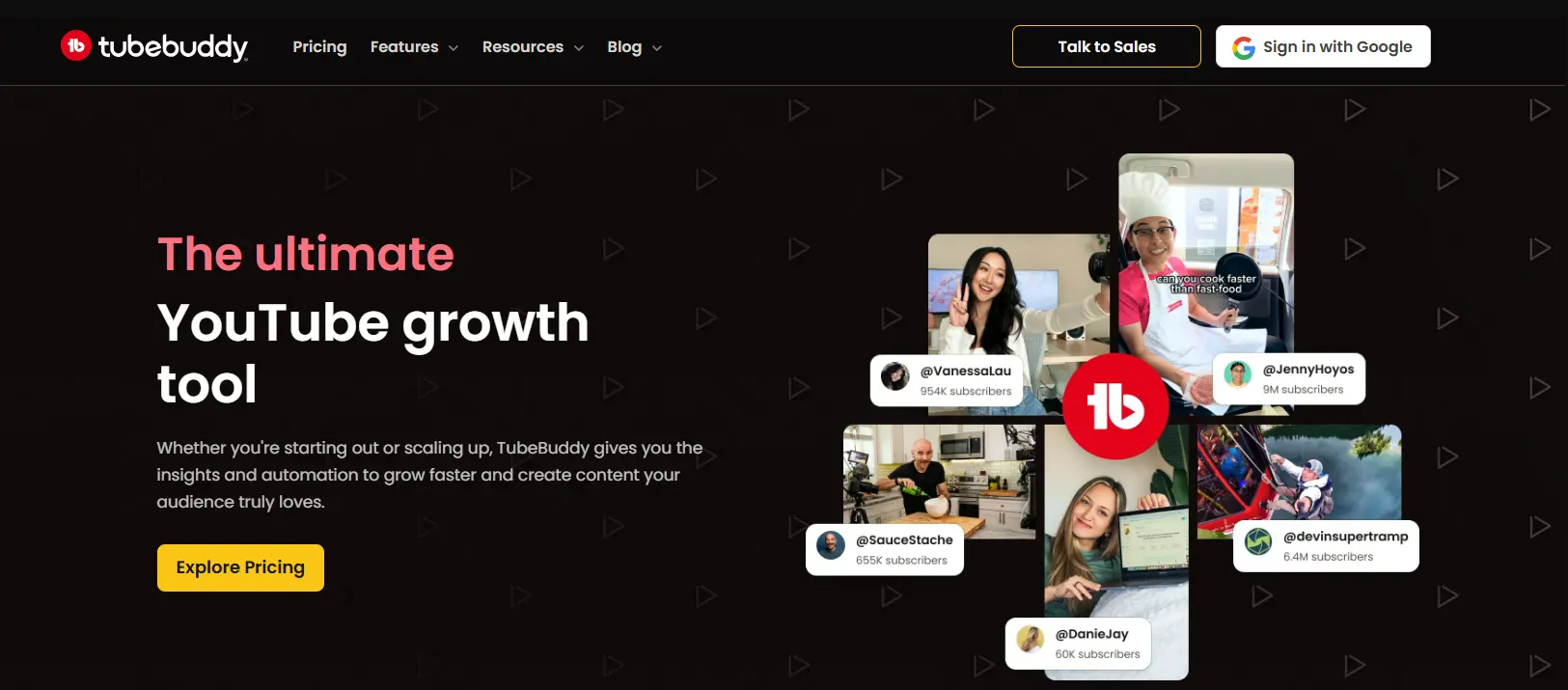
TubeBuddy layers Keyword Explorer, SEO Studio, A/B testing, and bulk processing onto YouTube, built to optimize and manage an existing channel. Visit TubeBuddy →
ViewStats
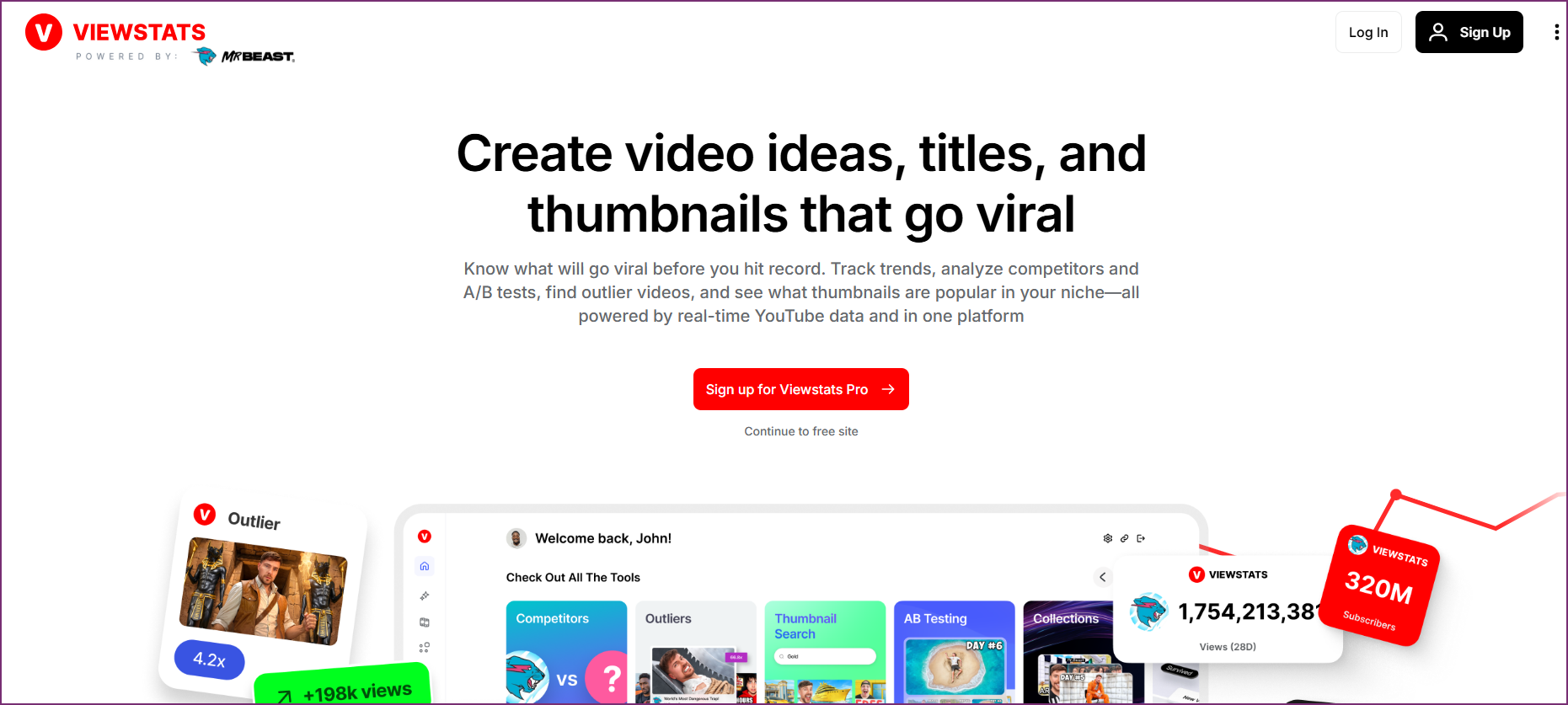
ViewStats (co-founded by MrBeast) surfaces channel stats, an Outlier Score, and a searchable thumbnail database, built to analyze performance. Visit ViewStats →
Which problem are you trying to solve?
Most people comparing TubeBuddy and ViewStats are stuck on one of two different problems. Naming yours makes the choice obvious.
"My videos aren't getting found"
Weak titles, missed keywords, untested thumbnails, a messy back catalog. You need optimization and management. This is a TubeBuddy problem.
"I can't tell what's actually working"
You want to see which videos are outliers, study winning thumbnails, and track performance over time. This is a ViewStats problem.
Which jobs does each tool cover?
TubeBuddy concentrates on keyword/SEO, A/B testing, and bulk workflows. ViewStats concentrates on analytics, outlier tracking, and thumbnail research.
How do TubeBuddy and ViewStats compare feature by feature?
Keyword Research & SEO
TubeBuddy winsTubeBuddy is built for on-video SEO: Keyword Explorer, SEO Studio, tag suggestions, and best-time-to-publish, all overlaid on YouTube Studio.
ViewStats is an analytics tool, not an SEO suite. It doesn't do keyword research or on-video SEO scoring.
Verdict: TubeBuddy wins decisively for keyword research and SEO.
Channel Analytics & Stats
ViewStats winsTubeBuddy surfaces channel stats and competitor data, but analytics aren't its core focus. It's optimization-first.
ViewStats is purpose-built for analytics: subscriber/view tracking, estimated earnings, view-trajectory graphs, and thumbnail/title change history.
Verdict: ViewStats wins for channel analytics depth.
Outlier Detection
ViewStats winsTubeBuddy flags trending tags and competitor activity, but doesn't publish a dedicated per-video outlier score.
ViewStats' signature 'Outlier Score' surfaces videos outperforming a channel's baseline, with cross-niche outlier detection on Pro.
Verdict: ViewStats wins for outlier tracking.
A/B Testing & Optimization
TubeBuddy winsTubeBuddy's A/B thumbnail and title testing (for channels with ~1,000+ subs) is its standout feature for improving CTR on your own videos.
ViewStats has a thumbnail A/B database for research and AI thumbnail preview, but doesn't run live A/B tests on your videos.
Verdict: TubeBuddy wins for running tests on your own content.
Thumbnail Research
ViewStats winsTubeBuddy helps you test thumbnails you already made, but offers little for studying competitors' thumbnails.
ViewStats has a searchable thumbnail library, an A/B testing database, and AI thumbnail preview. Strong for thumbnail research.
Verdict: ViewStats wins for thumbnail research and inspiration.
Bulk & Workflow Tools
TubeBuddy winsTubeBuddy's bulk processing (Legend) covers mass cards, end screens, description templates, and bulk find-and-replace. It saves serious time managing a catalog.
ViewStats is read-only analytics; it doesn't edit or bulk-manage your videos.
Verdict: TubeBuddy wins for channel management workflows.
Pricing & Value
TubeBuddy winsTubeBuddy has a free plan plus Pro at $12/mo and Legend at $27/mo, both billed annually.
ViewStats has a real free tier, but Pro jumps to $49.99/mo, pricier than TubeBuddy's lower tiers.
Verdict: TubeBuddy wins on entry pricing; both have free tiers.
How much does TubeBuddy cost compared with ViewStats?
TubeBuddy Pricing
- ✓Core extension features
- ✓Limited keyword research
- ✓Basic productivity tools
- ✓Browser extension overlay
- ✓Keyword Explorer
- ✓SEO Studio + tag suggestions
- ✓Best-time-to-publish
- ✓$144/yr paid up front
- ✓A/B thumbnail & title testing
- ✓Bulk processing
- ✓Retention analysis
- ✓$324/yr paid up front
Free plan available. Prices from TubeBuddy's own TubeBuddy vs vidIQ article, checked 28 Sep 2026.
ViewStats Pricing
- ✓Channel stats & estimated earnings
- ✓Outlier Score (vs last 9 uploads)
- ✓Thumbnail/title change history
- ✓Chrome extension
- ✓Cross-niche outlier detection
- ✓Thumbnail search + A/B database
- ✓AI thumbnail preview
- ✓~$39.99/mo billed annually
- ✓Team / multi-channel
- ✓Agency-level analytics
- ✓Unlimited credits
- ✓Priority data access
Free Basic tier available. See live ViewStats pricing →
What Users Say
TubeBuddy
“Keyword Explorer and the bulk tools save serious time, and the extension sits right inside YouTube Studio. Reviewers repeatedly call the SEO tools game-changers for search rankings.”
“The free tier is heavily paywalled, the interface can overwhelm beginners, and reviewers report recurring extension bugs and loading problems.”
ViewStats
“The analytics are genuinely useful for seeing where a channel stands and projecting growth, and the interface is clean and simple.”
“Most meaningful tools sit behind the Pro paywall, and reviewers report lag, login failures, and a thumbnail-skewing bug on YouTube.”
How do you choose between TubeBuddy and ViewStats?
Answer these in order. The first "yes" usually points you to your tool.
Do you need to optimize titles, tags, and SEO on your own videos?
If yes → TubeBuddy. Keyword Explorer and SEO Studio are built for on-video optimization; ViewStats doesn't do SEO.
Is your main goal spotting outliers and studying what's working in a niche?
If yes → ViewStats. The Outlier Score and thumbnail database are its signature strengths.
Do you want to run live A/B tests or bulk-manage a back catalog?
If yes → TubeBuddy. A/B thumbnail/title testing (~1,000+ subs) and Legend-tier bulk tools act on your videos; ViewStats is read-only analytics.
Is a low entry price the deciding factor?
If yes → TubeBuddy. Paid tiers start at $12/mo billed annually versus ViewStats Pro at $39.99/mo billed annually, though both have free tiers to test first.
Do you want optimization and outlier research without running two tools?
If yes → neither alone fully covers it. See OutlierKit vs TubeBuddy and OutlierKit vs ViewStats.
Pricing gap: TubeBuddy Pro vs ViewStats Pro
On annual billing, TubeBuddy Pro ($12/mo, $144/yr) runs about $28/mo less than ViewStats Pro ($39.99/mo, about $480/yr). That is roughly 70% cheaper, or about $336/year in difference. They aren't the same job, though: TubeBuddy Pro buys SEO and optimization, while ViewStats Pro buys analytics, outlier detection, and thumbnail research. Match the tool to the job, then compare price.
Which Tool Should You Choose?
Optimizing titles, tags, and SEO on your videos
TubeBuddyTubeBuddy's Keyword Explorer and SEO Studio are built for on-video optimization; ViewStats doesn't do SEO.
Tracking which videos are outliers in a niche
ViewStatsThe Outlier Score is ViewStats' signature feature; TubeBuddy has no dedicated per-video outlier score.
Running A/B tests on thumbnails and titles
TubeBuddyTubeBuddy's A/B testing (for ~1,000+ sub channels) lets you test variations on your own videos.
Researching high-performing thumbnails
ViewStatsViewStats' searchable thumbnail library and A/B database are built for this.
Bulk-managing cards, end screens, and descriptions
TubeBuddyTubeBuddy's Legend-tier bulk tools handle catalog-wide edits in minutes.
Checking a channel's stats and estimated earnings fast
ViewStatsViewStats' clean overlay makes quick stat lookups frictionless.
Want optimization and outlier research in one tool?
TubeBuddy optimizes; ViewStats analyzes. If you'd rather not run two tools, OutlierKit combines outlier detection, competitor analysis, keyword research, and audience psychographics in one platform:
Dig deeper
Frequently Asked Questions
Basics
What is the difference between TubeBuddy and ViewStats?
TubeBuddy is a channel management and SEO optimization tool: Keyword Explorer, SEO Studio, tag suggestions, A/B thumbnail testing, and bulk processing to act on your videos. ViewStats is a YouTube analytics tool (co-founded by MrBeast) focused on channel stats, an Outlier Score, and thumbnail research. TubeBuddy optimizes your videos; ViewStats analyzes performance and what's working.
Which tool is better, TubeBuddy or ViewStats?
They solve different jobs. Pick TubeBuddy if you want SEO optimization, A/B testing, and bulk channel management. Pick ViewStats if you want analytics, outlier tracking, and thumbnail research. Many creators use both: TubeBuddy to act, ViewStats to analyze.
Is ViewStats really made by MrBeast?
Yes. ViewStats was co-founded by Jimmy Donaldson (MrBeast) and is operated by CSTATS, LLC. Its Outlier Score and thumbnail tooling reflect the MrBeast team's data-driven approach.
Pricing
How much do TubeBuddy and ViewStats cost?
As of July 11, 2026, TubeBuddy has a free plan, with Pro at $12/mo ($144/yr) and Legend at $27/mo ($324/yr), both billed annually, per TubeBuddy's own figures. ViewStats has a free Basic tier, Pro at $49.99/mo (about $39.99/mo billed annually), and Business from $249/mo. Verify both on their sites before buying.
Do TubeBuddy and ViewStats have free plans?
Both do. TubeBuddy's free plan includes core extension features and limited keyword research. ViewStats' free Basic tier includes channel stats, the Outlier Score (vs your last 9 uploads), and thumbnail/title change history. No credit card required.
Which is better value for money?
For optimization, A/B testing, and channel management, TubeBuddy's paid tiers (Pro at $12/mo billed annually) undercut ViewStats Pro ($39.99/mo billed annually). For analytics and outlier/thumbnail research, ViewStats Pro is the better fit despite the higher price. Match the tool to the job rather than the sticker price.
Alternatives
Are there better alternatives to TubeBuddy and ViewStats?
If you want outlier detection plus competitor analysis, keyword research, and audience psychographics in one platform (bridging what TubeBuddy and ViewStats each do separately), OutlierKit covers all of it. See our OutlierKit vs TubeBuddy and OutlierKit vs ViewStats comparisons.
Can I use TubeBuddy and ViewStats together?
Yes, and many creators do: ViewStats to spot outliers and study thumbnails, TubeBuddy to research keywords, optimize SEO, run A/B tests, and bulk-manage the videos you make next.
Sources and method
Features and prices come from each vendor's own site and from public review platforms, checked as of July 11, 2026. The verdicts weigh documented features, pricing terms and public reviews, not a paid test.
Plans change often, so confirm the current price on each vendor's pricing page before you buy. OutlierKit publishes this page and sells a research tool in the same space, so weigh the verdict with that in mind.
Sources
- TubeBuddy vs vidIQ (TubeBuddy blog): Pro and Legend annual prices, checked 28 Sep 2026
- ViewStats pricing page: plans and prices
- TubeBuddy on the Chrome Web Store
- ViewStats on the Chrome Web Store
- OutlierKit's TubeBuddy review: features, limits and ratings
- TubeBuddy pricing breakdown: tier-by-tier prices and limits
- ViewStats pricing breakdown: tier-by-tier prices and limits

Want more than a point tool?
OutlierKit covers outlier detection, competitor analysis and keyword research. It also writes your titles, descriptions and chapters and reviews your script before you record.
Start Free TrialRelated Comparisons
ViewStats Pricing
Every ViewStats tier and what it includes
TubeBuddy Review
Our honest verdict on TubeBuddy: A/B testing, SEO tools, and whether it's worth it.
Best TubeBuddy Alternatives
7 tools to use instead of TubeBuddy, ranked and compared.
OutlierKit vs TubeBuddy
How TubeBuddy compares to a full research platform.
OutlierKit vs ViewStats
How ViewStats compares to a full research platform.