Daily YouTube Outlier Alert Bot: Free n8n Template
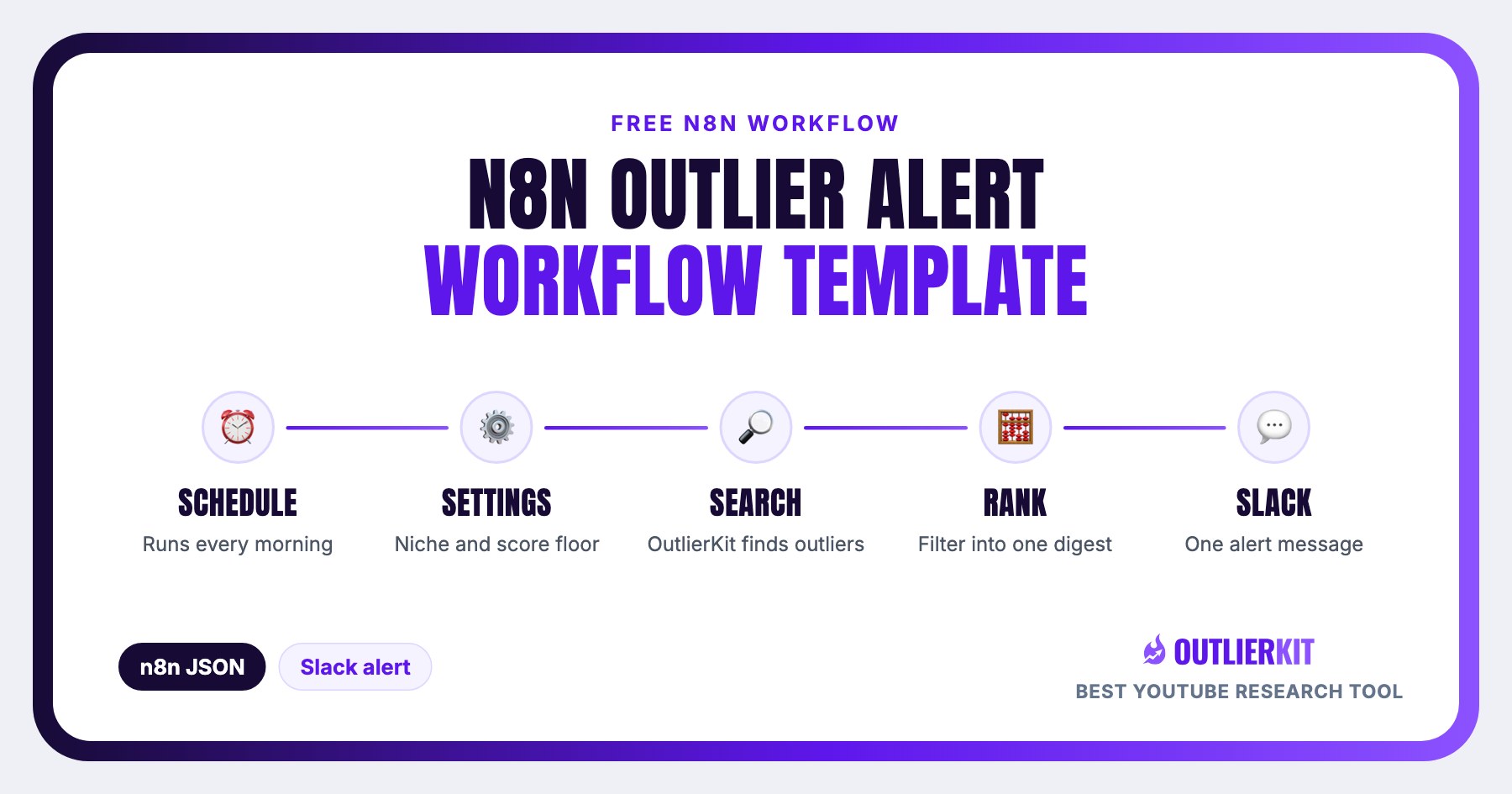
Every morning at 8 AM, OutlierKit scans your niche for videos doing 10x their channel's average, and one ranked digest lands in Slack before your team's first coffee.
Breakout topics have a shelf life. The channels that win are the ones that spot an outlier in days, not weeks. This template turns that monitoring into a two-credit-per-day background job. No dashboards to check, no code to write.
How often will it fire? Our six-niche outlier measurement across 677 live videos found 10x outliers in 3.1 percent of faceless automation videos and 16.7 percent of personal finance videos.
Get the template
In n8n, go to Workflows → Add workflow → Import from URL and paste the template URL, or download the JSON and use Import from File.
https://outlierkit.com/resources/n8n/outlierkit-outlier-alert-bot.json
What does the workflow do?
OutlierKit's /outliers/search endpoint scores every video as a multiple of its channel's average views. A 12x score means proven demand, not a big channel being big. This workflow queries your niche daily, filters by your score and view thresholds, ranks the survivors, and posts them as one Slack digest. On days when nothing clears the bar, it stays silent.
What does it cost to run?
At two credits per scan, a daily alert for one niche uses about 12% of the Pro plan's 500 monthly credits. Monitoring five niches daily costs about 300 credits, which still leaves 200 for research in the app or for chaining alerts into script drafts.
How does each node work?
| Node | What it does | What you configure |
|---|---|---|
| Schedule Trigger / Manual Trigger | Fires the scan every morning at 8 AM, or on demand while you test. | Change the hour or cadence to match your team's rhythm. |
| Alert Settings (Set) | Holds the four values the pipeline reads: niche query, minimum outlier score, minimum views, and max results. | Replace "space facts" with your niche and tune the thresholds. Higher = fewer, hotter alerts. |
| Find Outlier Videos (HTTP Request) | Calls POST /api/v1/outliers/search. Semantic search returning videos with composite outlier scores (multiples of channel average). | Attach a Header Auth credential: name Authorization, value Bearer YOUR_API_KEY. |
| Build Alert Digest (Code) | Unwraps the response, applies your view floor, ranks by outlier score, and formats a single Slack-ready digest. Returns nothing when no video clears the bar, so you never get empty alerts. | Nothing. Tweak the message format if you like. |
| Send Slack Alert | Posts the digest to your chosen channel with video links, scores, and view counts. | Connect Slack and pick a channel, or swap the node for Discord, Telegram, or Email. |
How do you set it up in 4 steps?
Import the template
In n8n: Workflows → Add workflow → Import from URL, and paste the template URL above (or download the JSON and use Import from File).
Create your OutlierKit credential
Open the HTTP Request node → Credential → Create new Header Auth. Name: Authorization. Value: Bearer YOUR_OUTLIERKIT_API_KEY. Generate the key from your OutlierKit dashboard under Settings → API (Pro or Max plan).
Connect Slack and pick a channel
Open Send Slack Alert, attach your Slack credential, and select the channel that should receive the morning digest.
Set your niche and activate
Open Alert Settings, replace "space facts" with your niche, run it once to test, then activate the workflow for daily 8 AM scans.
Where the API key lives
API access is included on OutlierKit Pro ($49/mo, 500 credits) and Max ($199/mo, 2,000 credits). Generate your key from the dashboard under Settings → API, and see the live API reference for current parameters.
Monitoring niches for clients or a channel portfolio?
Book a 30-minute demo with the founder. We'll set up multi-niche alerting live and cover API access and multi-seat pricing.
How can you extend the template?
Swap Slack for anything
Replace the Slack node with Discord, Telegram, or Email. The digest text is built upstream in the Code node, so the destination is a drop-in swap.
Chain it into the Script Factory
Feed detected outliers straight into our Faceless Script Factory template: transcript → AI script draft → Google Sheets. Alert becomes first draft by lunchtime.
Monitor multiple niches
Duplicate the workflow per niche (2 credits each per day), or loop over a list of niches from a Google Sheet.
Log alerts to a sheet
Add a Google Sheets append after the Code node to build a running history of every outlier detected. Useful for spotting recurring topics.
Raise the bar over time
Start at minOutlierScore 10 and adjust: too many alerts means raise it or the view floor; too quiet means lower them or broaden the niche query.
Add an AI content brief
Insert an OpenAI or Claude node before Slack to turn each top outlier into a one-paragraph brief: why it worked and what angle you could take.
Frequently Asked Questions
What does this n8n template do?
It runs a daily automated scan of your YouTube niche using OutlierKit's outlier search API, which scores videos as multiples of their channel's average views. Anything above your thresholds gets compiled into one ranked Slack digest with titles, scores, view counts, and links, so your team sees breakout topics the morning they matter, without anyone doing manual research.
How much does it cost to run?
Two OutlierKit credits per run, about 60 credits per month on the daily schedule. That's 12% of the Pro plan's 500 monthly credits, so you can comfortably monitor several niches at once. Slack, n8n's free tier, and the Code node cost nothing extra.
Do I need to know how to code?
No. The template imports as a finished workflow; setup is credentials-only (OutlierKit API key and Slack). The one Code node inside is pre-written and needs no changes.
Will it spam my Slack channel?
No. The digest node returns nothing when no video clears your outlier-score and view thresholds, so the Slack node simply doesn't fire on quiet days. All hits arrive as one ranked message, never one message per video.
Can I use Discord, Telegram, or email instead of Slack?
Yes. The alert text is composed in the Code node before delivery, so you can replace the Slack node with any n8n destination node and pass the same digest field through.
What OutlierKit plan do I need?
API access requires the Pro plan ($49/month, 500 credits) or Max plan ($199/month, 2,000 credits). Generate an API key from your dashboard under Settings → API.
Sources and method
The workflow calls OutlierKit's documented endpoints through standard n8n nodes. Monthly credit figures multiply the published cost per run by the schedule.
Sources
- OutlierKit API docs: the /outliers/search endpoint and its credit cost
- n8n documentation
- n8n HTTP Request node

Never miss a breakout topic again
OutlierKit scores every video against its channel's average, so you see proven demand the day it appears. Start free, upgrade to Pro when you're ready to automate.
Try OutlierKit Free