Faceless YouTube Script Factory: Free n8n Template
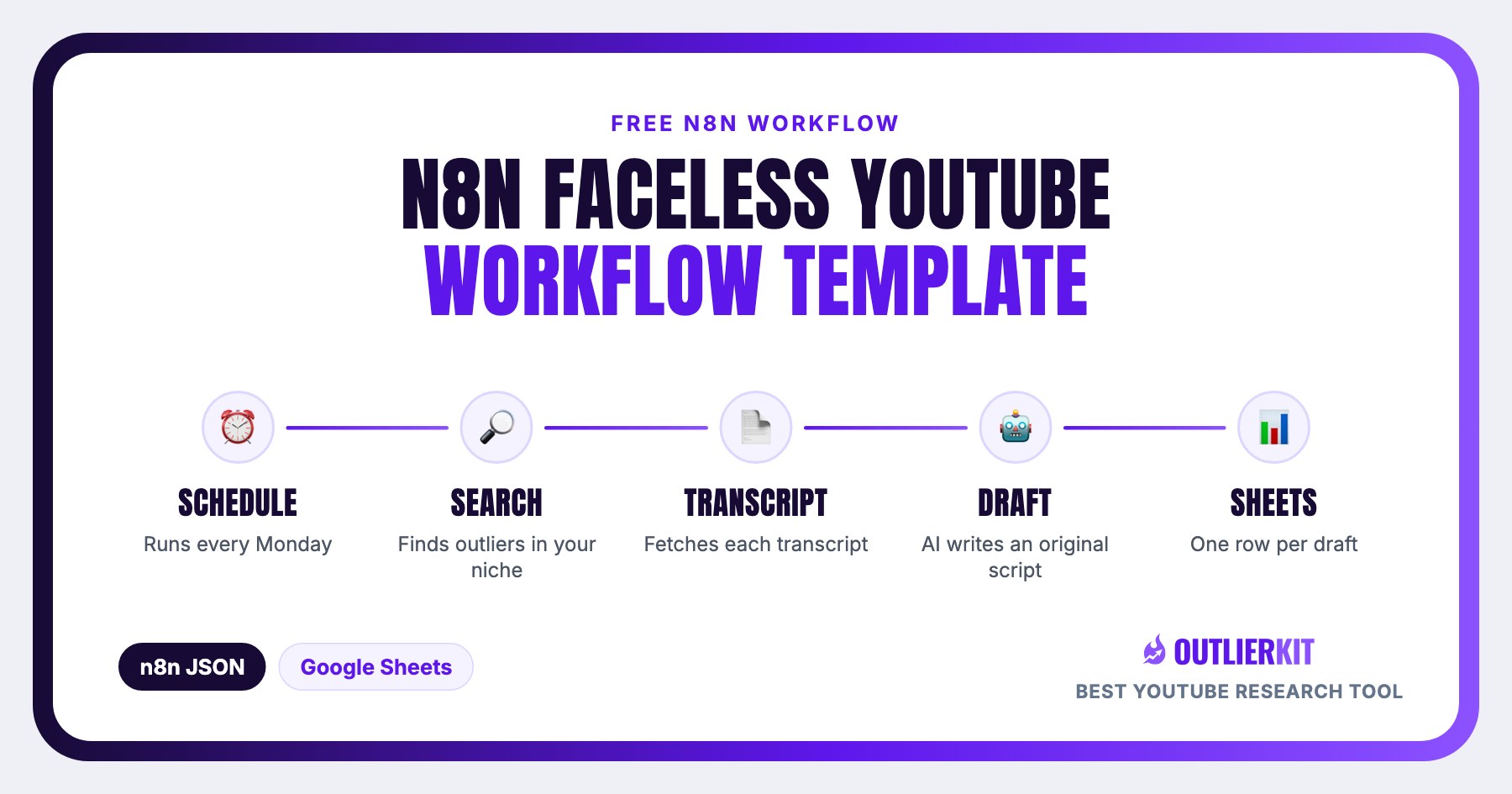
One import gives you a working pipeline: OutlierKit finds videos over-performing in your niche, pulls their transcripts, an AI node drafts fully original scripts, and every draft lands in a Google Sheet.
It is the zero-code version of the outlier-to-script pipeline that developers build with Python. You need an n8n workflow, an OutlierKit API key and about five minutes of setup, with no scraping, no YouTube API quotas and no code to maintain.
Topic choice matters most in faceless niches. Our six-niche outlier measurement across 677 live videos found faceless automation produced 10x outliers only 3.1 percent of the time, so start from the ones that exist.
Get the template
In n8n, go to Workflows → Add workflow → Import from URL and paste the template URL, or download the JSON and use Import from File.
https://outlierkit.com/resources/n8n/outlierkit-faceless-script-factory.json
What does the workflow do?
Faceless channels live or die on topic selection. Instead of guessing what to make next, this workflow starts from proven demand: videos that earned multiples of their channel's average views. OutlierKit's /outliers/search endpoint surfaces those videos semantically for any niche query, and the transcript endpoint hands your AI node the raw material to study (structure, pacing, angle) before writing something original.
Run it manually while you experiment, then activate the built-in Monday-morning schedule and start each week with five researched, drafted, ready-to-edit scripts sitting in a spreadsheet.
What does it cost to run?
On the default weekly schedule that's roughly 52 credits per month, about 10% of the Pro plan's 500 monthly credits. Even running it daily (~360 credits/month) fits inside a Pro plan, with about 140 credits left for research in the app. Your AI provider bills separately per token; with a small model like GPT-4o mini, five ~1,200-word scripts cost a few cents.
How does each node work?
| Node | What it does | What you configure |
|---|---|---|
| Schedule Trigger / Manual Trigger | Fires the pipeline every Monday at 7 AM, or on demand while you test. | Change the cadence, or delete it and keep manual runs only. |
| Niche Settings (Set) | Holds the three values the whole pipeline reads: niche query, minimum outlier score, and videos per run. | Replace "space facts" with your niche, e.g. "reddit stories" or "ai tools". |
| Find Outlier Videos (HTTP Request) | Calls POST /api/v1/outliers/search: semantic search across videos that are over-performing their channel's average. | Attach a Header Auth credential: name Authorization, value Bearer YOUR_API_KEY. |
| Extract Outlier Videos (Code) | Unwraps the response envelope and splits the results array into one item per video. | Nothing. It handles the response shape for you. |
| Fetch Transcript (HTTP Request) | Calls GET /api/v1/videos/:id/transcript for each outlier: cached transcripts with timed segments, no scraping. | Reuses the same OutlierKit Header Auth credential. |
| Prepare Script Brief (Code) | Merges each video's title, views, and outlier score with its full transcript text into one clean item. | Nothing. Adjust the 24,000-character transcript cap if needed. |
| Draft Script with AI (OpenAI) | Writes three titles, a thumbnail concept, and a ~1,200-word original voiceover script with hooks and re-hooks. | Connect your OpenAI credential, or swap the node for Claude / Gemini and reuse the same prompt. |
| Save to Google Sheets | Appends one row per draft: date, niche, source video data, and the full script. | Connect Google Sheets and pick your spreadsheet and tab. |
How do you set it up in 5 steps?
Import the template
In n8n: Workflows → Add workflow → Import from URL, and paste the template URL above (or download the JSON and use Import from File).
Create your OutlierKit credential
Open either HTTP Request node → Credential → Create new Header Auth. Name: Authorization. Value: Bearer YOUR_OUTLIERKIT_API_KEY. Generate the key from your OutlierKit dashboard under Settings → API (Pro or Max plan).
Connect your AI provider
Open Draft Script with AI and attach an OpenAI credential. Prefer Claude or Gemini? Replace the node and paste the same prompt. Everything else keeps working.
Point it at a Google Sheet
Create a sheet with headers: Date | Niche | Video Title | Channel | Views | Outlier Score | Video URL | Script Draft. Select it in the Save to Google Sheets node.
Set your niche and run it
Open Niche Settings, replace "space facts" with your niche, hit Execute workflow, and watch script drafts land in your sheet. Activate the workflow to get a fresh batch every Monday.
Where the API key lives
API access is included on OutlierKit Pro ($49/mo, 500 credits) and Max ($199/mo, 2,000 credits). Generate your key from the dashboard under Settings → API, and see the live API reference for current parameters.
Building a faceless channel portfolio or agency pipeline?
Book a 30-minute demo with the founder. We'll import this template together, map it to your niches, and cover API access and multi-seat pricing.
How can you extend the template?
Swap the AI model
Replace the OpenAI node with Anthropic Claude or Google Gemini. The prompt travels with the workflow, so it's a two-minute swap.
Add a Slack or Discord ping
Drop a Slack node after Google Sheets so your editor gets notified the moment a new batch of scripts is ready.
Chain voiceover and video
Feed the Script Draft column into ElevenLabs for voiceover, then into your video generation tool. The sheet becomes the handoff point for a full faceless pipeline.
Run multiple niches
Duplicate the workflow per niche, or replace Niche Settings with a Google Sheet of niches and loop over the rows.
Filter harder before spending AI tokens
Add an IF node after Extract Outlier Videos to keep only videos above a view floor or from channels smaller than yours.
Mine the comments too
Add a second HTTP Request to GET /api/v1/videos/:id/comments and pass top comments into the prompt so scripts answer what the audience is actually asking.
Frequently Asked Questions
What does this n8n template do?
It automates the research half of faceless YouTube production: it searches OutlierKit for videos massively over-performing in your niche, pulls each video's transcript through the OutlierKit API, has an AI model draft a fully original script targeting the same proven demand, and appends every draft to a Google Sheet: titles, thumbnail concept, and full voiceover script included.
Do I need to know how to code?
No. The template imports into n8n as a finished workflow. Setup is credentials-only: paste your OutlierKit API key into a Header Auth credential, connect OpenAI (or another AI provider), and pick a Google Sheet. The two Code nodes inside are pre-written and need no changes.
What OutlierKit plan do I need?
API access requires the Pro plan ($49/month, 500 credits) or Max plan ($199/month, 2,000 credits). A default run of this template costs 12 credits (1 outlier search + 5 transcripts, 2 credits each). Weekly runs use about 10% of the Pro plan, and even daily runs fit inside it.
Does it work with n8n Cloud and self-hosted n8n?
Yes. The template only uses standard nodes (HTTP Request, Code, Set, Schedule Trigger, the OpenAI node, and Google Sheets), so it imports into n8n Cloud and any self-hosted n8n instance without community nodes.
Will the AI scripts get my channel flagged for reused content?
The prompt is built to prevent that: the AI is explicitly instructed to study the outlier's transcript for demand signals and write a completely original script, never copy or closely paraphrase. You should still review and edit each draft; the sheet is a starting pipeline, not a publish button.
Can I use Make or Zapier instead of n8n?
The JSON template is n8n-specific, but the pipeline translates directly: any platform that can send HTTP requests can call the same two OutlierKit endpoints. See our full OutlierKit + n8n automation guide for the underlying API calls.
Sources and method
The workflow calls OutlierKit's documented endpoints through standard n8n nodes. Monthly credit figures multiply the published cost per run by the schedule. AI token costs depend on your provider and are estimates.
Sources
- OutlierKit API docs: the outlier search and transcript endpoints and their credit costs
- n8n documentation
- n8n HTTP Request node

Turn outliers into your content calendar
OutlierKit finds the videos already winning in your niche. The API turns them into an automated pipeline. Start free, upgrade to Pro when you're ready to automate.
Try OutlierKit Free