Tool RoundupApril 9, 2026·14 min read

Best YouTube Monitoring Tools for Creators, Agencies & Businesses (2026)

YouTube monitoring tools track competitor channels, content performance, keyword rankings, and audience signals over time. The best YouTube monitoring tools in 2026 include OutlierKit (4.9/5 on Product Hunt) for niche-wide competitive intelligence, VidIQ (4.5/5 on G2) for keyword and performance monitoring, TubeBuddy (4.6/5 on Capterra) for content optimization tracking, and Awario for brand mention monitoring.

This guide compares 9 YouTube monitoring tools across two categories: YouTube-native tools built for channel growth, and social media monitoring platforms with YouTube coverage. Most “YouTube monitoring tools” in the current SERP are really social media monitoring tools that bolt on YouTube as an afterthought. If you're a creator, agency, or business actually growing a YouTube channel, you need tools that monitor what matters: competitor strategies, content performance patterns, keyword opportunities, audience signals, and niche-wide trends — not just brand mentions.

For deeper performance analysis, see our guide to YouTube analytics tools. If you need a one-time competitive deep dive rather than ongoing monitoring, see YouTube competitor analysis tools.

Key Takeaways: Best YouTube Monitoring Tools at a Glance

ToolBest ForMonitoring FocusStarting Price
OutlierKitNiche-wide competitive monitoringCompetitor channels, sponsors, audience, content gaps$29/mo
VidIQKeyword & performance monitoringKeyword ranks, video SEO scores, daily ideasFree / $7.50/mo
TubeBuddyContent optimization monitoringSEO checklists, A/B tests, bulk updatesFree / $9/mo
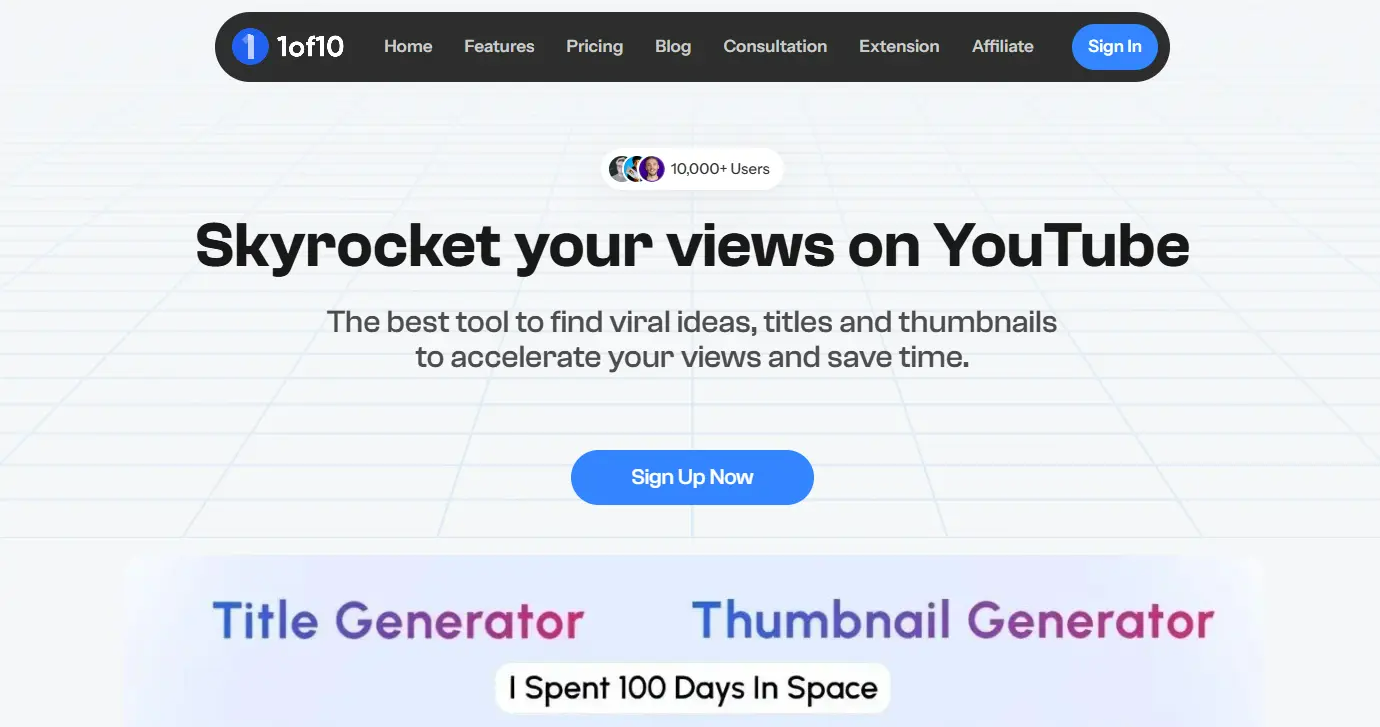
1of10Outlier video monitoringViral outlier detection, niche trends$29/mo
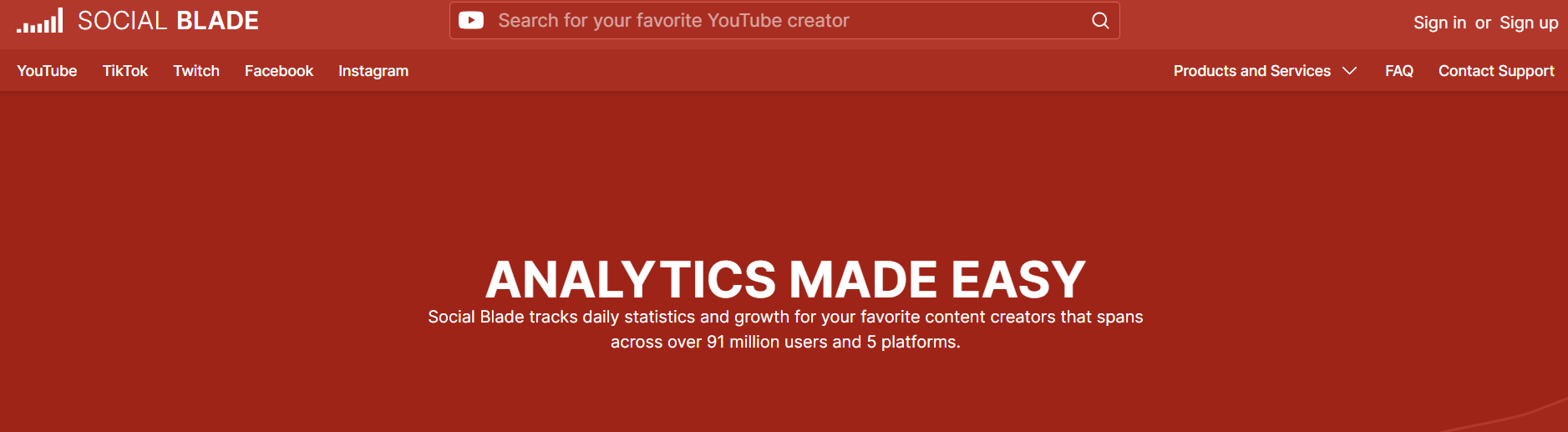
Social BladeFree public stats monitoringSubscriber counts, view trends, estimated earningsFree
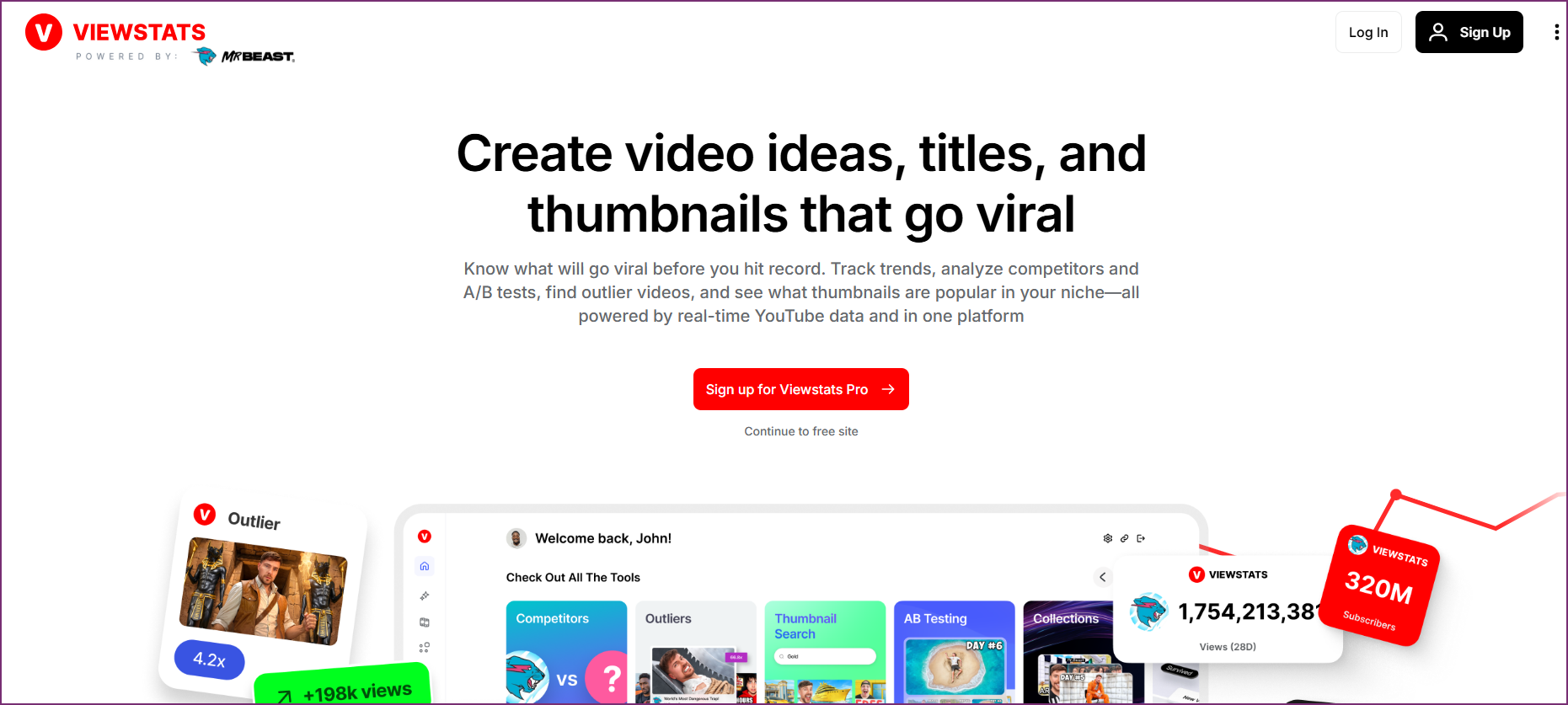
ViewStatsFree modern stats monitoringChannel stats, growth tracking, milestonesFree
AwarioYouTube brand mention monitoringBrand mentions, sentiment, competitor alerts~$49/mo
Brand24Sentiment & mention monitoringMentions, sentiment analysis, influencer scores~$79/mo
Sprout SocialEnterprise social monitoringCross-platform monitoring, reporting, team workflows~$249/mo

What YouTube Monitoring Actually Means

YouTube monitoring is the ongoing process of tracking changes to channels, content, keywords, and audience signals over time. It's distinct from analytics (measuring past performance at a point in time) and analysis (a strategic deep-dive into specific questions). Monitoring is continuous — it watches for changes and surfaces signals so you can act on them before they become obvious to everyone.

Monitoring vs Analytics vs Analysis

Three different approaches to YouTube data — this guide focuses on monitoring

Monitoring

Ongoing surveillance and tracking over time

Tracking competitor uploads weekly, monitoring keyword rank changes, watching brand mention trends

Continuous

Analytics

Point-in-time performance measurement

Checking a video's views, CTR, and watch time after publishing

Snapshot

Analysis

Strategic deep-dive into specific questions

Auditing why a channel's growth stalled, researching competitor content gaps

Project-based

Effective YouTube monitoring covers four pillars. We call this The OutlierKit YouTube Monitoring Framework — a structured approach to tracking everything that matters for YouTube channel growth.

Framework

The OutlierKit YouTube Monitoring Framework

Four pillars of comprehensive YouTube monitoring

Channel Performance Monitoring

Track how your own channel metrics evolve over time — views, subscribers, watch time, CTR, and revenue trends. Identify what's working and what's declining.

Tools: OutlierKit, VidIQ, YouTube Studio

Competitor Strategy Monitoring

Track competitor upload patterns, content themes, sponsorship deals, and growth trajectories. Understand what strategies are working in your niche.

Tools: OutlierKit, 1of10, Social Blade

Keyword Rank Monitoring

Track where your videos rank for target keywords over time. Monitor ranking changes, identify keyword opportunities, and optimize for search visibility.

Tools: VidIQ, TubeBuddy, OutlierKit

Audience Signal Monitoring

Track audience behaviour patterns, viewer requests in comments, sentiment shifts, and engagement signals across your niche. Understand what viewers want.

Tools: OutlierKit, Brand24, Awario

How We Evaluated These YouTube Monitoring Tools

We tested each YouTube monitoring tool against five criteria designed to measure actual monitoring capability — not just general feature sets.

Monitoring Depth

How deeply does the tool track changes over time? Surface-level stats vs. strategic intelligence.

Alert Capabilities

Can the tool notify you of important changes? Real-time alerts, scheduled reports, or manual checks only.

Competitor Coverage

How many competitors can you monitor? One-at-a-time vs. niche-wide discovery.

YouTube-Specificity

Is the tool built for YouTube, or is YouTube one of many platforms? Purpose-built tools score higher.

Pricing Value

What monitoring capabilities do you get per dollar? Free tiers, credit systems, and per-seat pricing evaluated.

YouTube Monitoring Capability Matrix

Deeper colour = stronger capability in that area

CapabilityOutlierKitVidIQTubeBuddy1of10Social BladeViewStatsAwarioBrand24Sprout
Competitor Channel Monitoring
Keyword Rank Tracking
Content Strategy Monitoring
Brand Mention Monitoring
Audience Signal Monitoring
Sponsorship Monitoring
Real-Time Alerts
Free Tier Available
Legend:N/ABasicGoodStrongBest
Category 1

YouTube-Native Monitoring Tools

Built specifically for YouTube creators and growth teams. These tools monitor channel performance, competitor strategies, keyword rankings, and content patterns — the signals that actually drive YouTube growth.

1

OutlierKit

Monitor thousands of competitor channels from a single seed keyword
Best for Niche-Wide Competitive Monitoring
OutlierKit dashboard screenshot

OutlierKit is the most comprehensive YouTube monitoring tool for creators and agencies who need niche-wide competitive intelligence. Its Competitor Studio monitors thousands of channels in any niche — tracking uploads, performance patterns, sponsorship deals, audience psychographics, and content gaps — all from a single seed keyword. Unlike tools that require you to manually add competitors one by one, OutlierKit discovers and monitors your entire competitive landscape automatically.

Key Monitoring Features

Competitor Studio: Monitors thousands of channels from a single seed — tracks upload frequency, performance trends, content strategies, and growth patterns across your entire niche
Sponsor Intelligence: Monitors which brands are spending money in your niche, what sponsorship deals competitors are landing, and where sponsorship gaps exist
Funnels & Monetization Mapping: Monitors how competitors make money — affiliate links, merch, courses, memberships — revealing monetization strategies you can replicate
Comment Intelligence: Monitors audience requests and complaints niche-wide — surfaces what viewers want that nobody is creating
Audience Psychographics: Monitors viewer segment behavior patterns — who watches, why they watch, and what drives engagement in your niche
Outlier Detection: Monitors for videos that dramatically outperform a channel's baseline — identifies viral content patterns before trends peak

Pros

  • Monitors entire niches from a single seed — no manual competitor list management
  • Only tool that monitors sponsorships, monetization funnels, and audience psychographics
  • Deep competitive intelligence that goes beyond surface-level metrics
  • Comment intelligence surfaces content opportunities no other tool captures
  • Credit-based system scales from solopreneurs to enterprise agencies

Cons

  • Newer platform — smaller community compared to VidIQ/TubeBuddy
  • No A/B testing for thumbnails or titles
  • Credit-based system means heavy monitoring requires top-ups on lower plans
  • No real-time push notification alerts (yet)
  • No browser extension — web-based dashboard only

Pricing

Starter $29/mo (150 credits) · Pro $79/mo (500 credits) · Agency $149/mo (1,200 credits)

Best For

Creators, agencies, and businesses who need niche-wide competitive monitoring — not just tracking 5 competitors, but understanding your entire competitive landscape.
2

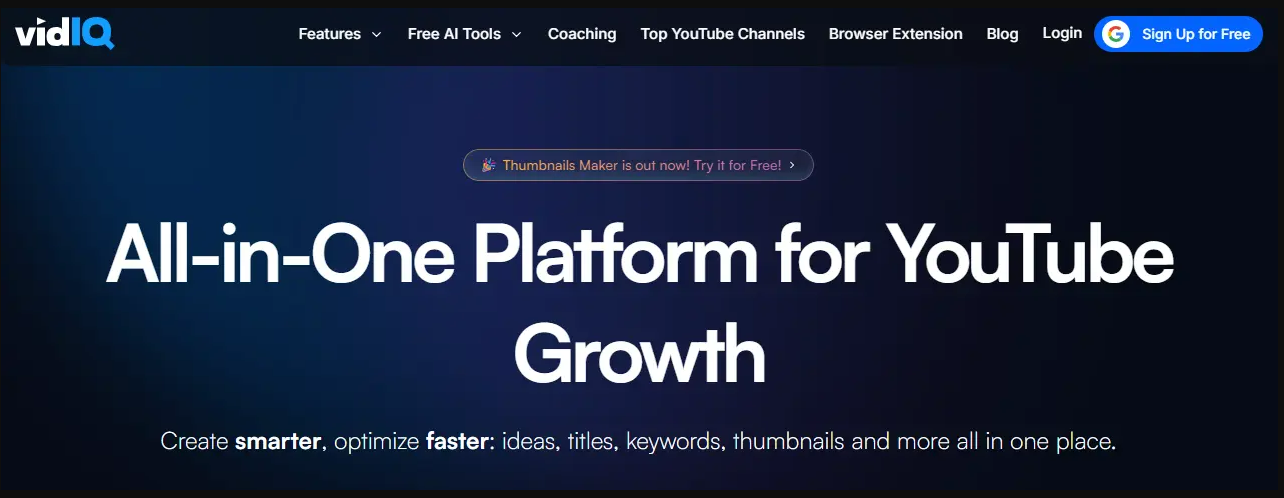
VidIQ

Track keyword rankings, video SEO scores, and daily content ideas

Best for Keyword & Performance Monitoring
VidIQ dashboard screenshot

VidIQ is the most widely used YouTube monitoring tool for individual creators focused on keyword performance and SEO optimization. Its Chrome extension overlays real-time monitoring data on every YouTube page — showing keyword scores, competitor tags, and trending topics. VidIQ excels at monitoring your videos' keyword rankings over time and surfacing daily content ideas based on trending search terms.

Key Monitoring Features

Keyword Rank Tracking: Monitors where your videos rank for target keywords over time — tracks position changes and alerts you to ranking drops
Competitors Tool: Monitors a set of competitor channels — tracks their uploads, views, and subscriber growth with side-by-side comparisons
Daily Ideas: Monitors trending keywords and search terms daily — surfaces content opportunities based on rising search demand
Channel Audit Score: Monitors your channel's overall SEO health with an automated scoring system that updates as you optimize
Real-Time Stats Bar: Monitors your video performance in real-time directly in the YouTube interface — views, subscribers, and estimated revenue

Pros

  • Best keyword rank monitoring for individual videos
  • Chrome extension provides real-time monitoring overlay on YouTube
  • Free tier includes basic keyword tracking and SEO scores
  • Daily Ideas feature surfaces trending topics automatically
  • Large creator community and extensive tutorial library

Cons

  • Competitor monitoring limited to a small set of manually-added channels
  • No niche-wide monitoring — you only see what you specifically track
  • No sponsorship, monetization, or audience psychographic monitoring
  • Advanced monitoring features locked behind higher-tier plans ($39–$99/mo)
  • Daily Ideas can feel generic for niche-specific creators

Pricing

Free (basic) · Boost $7.50/mo · Pro $39/mo · Max $99/mo

Best For

Solo creators who want to monitor keyword rankings, video SEO scores, and trending topics with a lightweight Chrome extension.

3

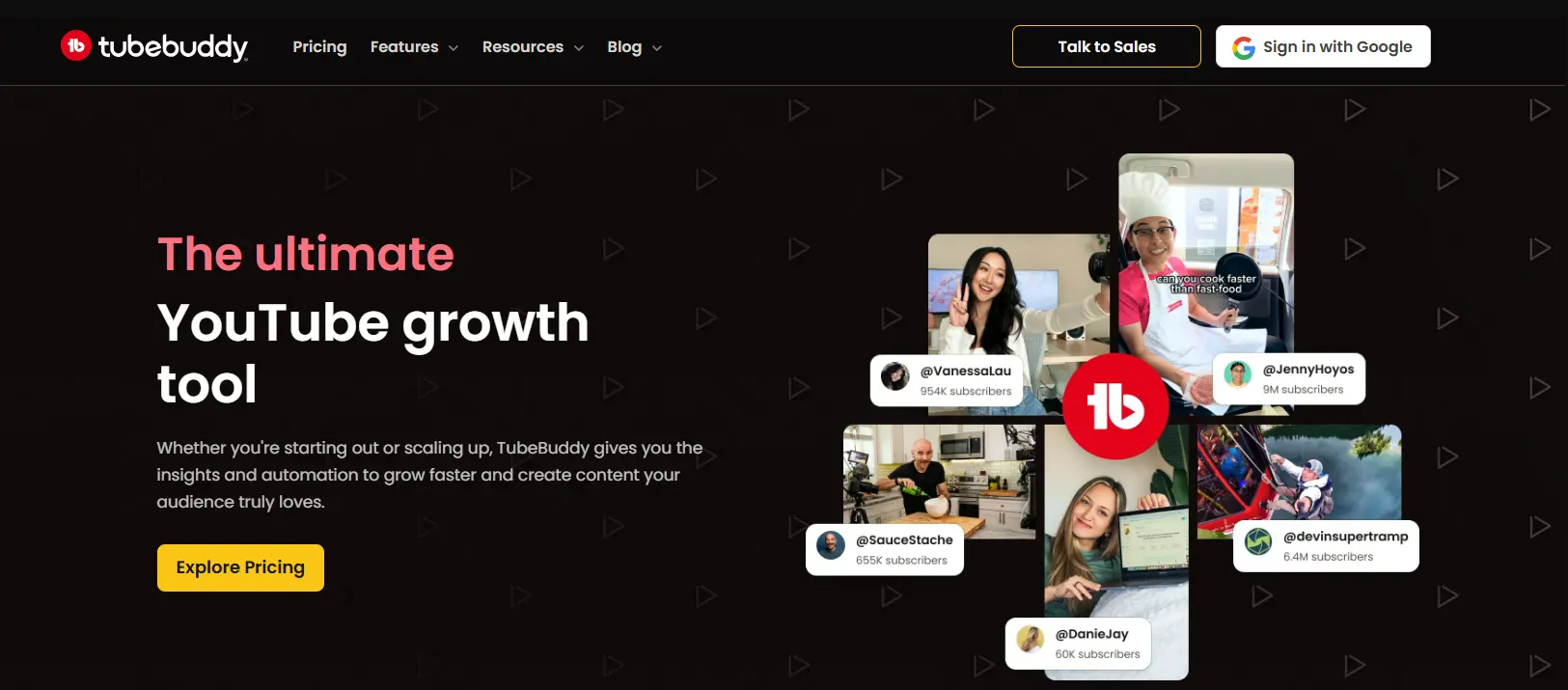
TubeBuddy

Monitor content optimization health across your entire video library

Best for Content Optimization Monitoring
TubeBuddy dashboard screenshot

TubeBuddy is a YouTube-certified browser extension that monitors your content optimization health across your entire video library. Its strength is ongoing optimization monitoring — SEO checklists, tag suggestions, A/B testing for thumbnails and titles, and bulk update tools that help you maintain content quality at scale. TubeBuddy monitors optimization opportunities, not competitive intelligence.

Key Monitoring Features

SEO Studio: Monitors keyword competitiveness and search volume — scores your title, description, and tags against best practices in real-time
A/B Testing: Monitors thumbnail and title performance with split tests — tracks which variants drive more clicks over time
Tag Explorer: Monitors tag performance and suggests optimizations — shows which tags drive discovery for your videos
Bulk Processing: Monitors and updates cards, end screens, descriptions, and tags across your entire library — batch optimization tools
Health Report: Monitors your channel's optimization health with periodic reports — flags videos with missing tags, poor descriptions, or suboptimal thumbnails

Pros

  • Best A/B testing tool for thumbnails and titles on YouTube
  • Bulk update tools save hours when optimizing large video libraries
  • YouTube-certified partner with deep platform integration
  • Free tier includes basic SEO monitoring features
  • Mobile app for monitoring on the go

Cons

  • No competitive intelligence or niche-wide monitoring
  • Limited to optimizing your own channel — cannot monitor competitors deeply
  • No sponsorship, monetization, or audience psychographic monitoring
  • Best features locked behind Legend tier ($39/mo)
  • Interface can feel cluttered with too many overlay elements

Pricing

Free (basic) · Pro $9/mo · Star $19/mo · Legend $39/mo

Best For

Creators with large video libraries who need to monitor and maintain content optimization health at scale.

4

1of10

Monitor for viral outlier videos across any niche or competitor set

Best for Outlier Video Monitoring
1of10 dashboard screenshot

1of10 specializes in monitoring for outlier videos — content that dramatically outperforms a channel's baseline. The name refers to the principle that roughly 1 in 10 YouTube videos becomes an outlier. 1of10 monitors channels across your niche and surfaces these high-performing outliers so you can analyze what made them succeed and replicate the patterns in your own content.

Key Monitoring Features

Outlier Detection: Monitors channels for videos that dramatically outperform their baseline — surfaces viral content patterns in real-time
Niche Monitoring: Monitors entire content categories and niches — tracks emerging trends and content patterns across hundreds of channels
Competitor Tracking: Monitors specific competitor channels for outlier uploads — alerts you when a competitor publishes a breakout video
Trend Signals: Monitors for early trend indicators — identifies topics and formats gaining momentum before they peak

Pros

  • Unique outlier detection approach — no other tool focuses specifically on viral content monitoring
  • Clean, focused interface without feature bloat
  • Good for identifying content patterns and trending formats
  • Useful for both inspiration and competitive research

Cons

  • Narrower monitoring focus — only tracks outlier videos, not comprehensive competitive intelligence
  • No keyword rank tracking or SEO monitoring
  • No sponsorship, monetization, or audience monitoring
  • Newer tool with smaller user base
  • Limited integrations with other platforms

Pricing

Starter $29/mo · Pro $79/mo

Best For

Creators and strategists who want to monitor for viral content patterns and catch trending topics early.

5

Social Blade

Free public subscriber and view tracking for any YouTube channel

Best for Free Public Stats Monitoring
Social Blade dashboard screenshot

Social Blade is the original YouTube channel monitoring tool — providing free public stats tracking for any channel on YouTube. It monitors subscriber counts, daily view changes, estimated earnings, and growth grades over time. While it lacks depth compared to paid tools, Social Blade's free access and comprehensive channel database make it the default starting point for basic YouTube channel monitoring.

Key Monitoring Features

Subscriber Tracking: Monitors daily subscriber gains and losses for any public YouTube channel — tracks growth trajectory over time
View Analytics: Monitors daily and monthly view counts — shows performance trends and seasonal patterns
Estimated Earnings: Monitors estimated ad revenue ranges based on public view data — useful for rough monetization benchmarks
Channel Grades: Assigns letter grades (A++ to D-) based on growth metrics — a quick health check for any channel
Future Projections: Monitors growth trajectories and projects future subscriber and view milestones based on current trends

Pros

  • Completely free for basic channel monitoring
  • Covers any public YouTube channel — no limit on channels you can check
  • Historical data going back years for established channels
  • Simple, no-nonsense interface focused on core metrics
  • Also monitors Twitch, Instagram, and Twitter for cross-platform tracking

Cons

  • Surface-level metrics only — no content strategy or competitive intelligence
  • Estimated earnings are rough approximations, not actual revenue data
  • No keyword monitoring, SEO scoring, or content optimization features
  • Ad-heavy free experience — premium plans available for ad-free access
  • No alerts or notification system for tracked channels

Pricing

Free (ad-supported) · Premium plans from $3.99/mo

Best For

Anyone who needs quick, free monitoring of public YouTube channel stats without signing up for a paid tool.

6

ViewStats

Clean, modern YouTube stats tracking with milestone predictions

Best for Modern Free Stats Monitoring
ViewStats dashboard screenshot

ViewStats (by MrBeast's team) is a modern alternative to Social Blade for free YouTube channel monitoring. It offers a cleaner interface, milestone predictions, and more engaging data visualizations for tracking any public YouTube channel. ViewStats monitors subscriber milestones, view trends, and channel comparisons with a focus on making data accessible and visually appealing.

Key Monitoring Features

Milestone Tracking: Monitors channels approaching subscriber milestones — predicts when channels will hit key numbers (1M, 10M, etc.)
Real-Time Counters: Monitors live subscriber counts and view counts for any YouTube channel in real-time
Channel Comparisons: Monitors multiple channels side-by-side — compares growth rates, view trends, and engagement metrics
Growth Tracking: Monitors subscriber and view growth over custom date ranges — visualizes trends with clean charts

Pros

  • Clean, modern interface — significantly better UX than Social Blade
  • Completely free with no premium paywall for core features
  • Real-time subscriber counters and milestone predictions
  • Side-by-side channel comparison tools
  • Built by creators (MrBeast's team) who understand what creators want to monitor

Cons

  • Less historical data compared to Social Blade's years-long database
  • No keyword monitoring, SEO, or content optimization features
  • No competitive intelligence or niche-wide monitoring
  • Limited to public YouTube stats — no integration with your own channel data
  • No API or export features for agency workflows

Pricing

Free

Best For

Creators who want a clean, free alternative to Social Blade for monitoring public channel stats and subscriber milestones.

Monitor your entire YouTube niche — not just 5 competitors

OutlierKit's Competitor Studio discovers and monitors thousands of channels from a single seed keyword. Track competitor strategies, sponsorships, audience signals, and content gaps at niche-wide scale.

Try OutlierKit Free
Category 2

Social Media Monitoring Tools with YouTube Coverage

These platforms monitor YouTube as one of many social channels. They excel at brand mention monitoring, sentiment analysis, and cross-platform listening — but they're not built for YouTube channel growth or competitive content strategy.

7

Awario

Monitor brand mentions, keywords, and competitor names across YouTube

Best for YouTube Brand Mention Monitoring

Awario is a social media monitoring tool that covers YouTube as part of its multi-platform listening capability. It monitors brand mentions, competitor names, and target keywords across YouTube video titles, descriptions, and comments — along with other platforms like Twitter, Reddit, blogs, and news sites. For businesses and brands that need to monitor what people say about them on YouTube, Awario provides the listening layer that YouTube-native tools lack.

Key Monitoring Features

Mention Monitoring: Monitors YouTube video titles, descriptions, and comments for brand mentions, competitor names, or target keywords
Sentiment Analysis: Monitors the sentiment (positive, negative, neutral) of YouTube mentions — tracks how brand perception changes over time
Competitor Mention Tracking: Monitors when competitors are mentioned on YouTube — useful for tracking share of voice and competitive positioning
Alert System: Real-time alerts when new mentions appear — email and in-app notifications for important keywords
Influencer Discovery: Monitors who's talking about your brand or niche on YouTube — identifies potential collaborators based on mention frequency

Pros

  • Real-time brand mention monitoring across YouTube and other platforms
  • Sentiment analysis provides context beyond simple mention counts
  • Alert system notifies you immediately when important mentions appear
  • Good for reputation management and brand tracking
  • More affordable than enterprise social listening tools

Cons

  • Not a YouTube-specific tool — YouTube is one of many platforms covered
  • No channel analytics, SEO, or content optimization features
  • Cannot monitor competitor content strategies, upload patterns, or performance metrics
  • No keyword rank tracking for YouTube search
  • Mention monitoring can miss context — doesn't analyze video content itself

Pricing

Starter ~$49/mo · Pro ~$149/mo · Enterprise ~$399/mo

Best For

Brands and businesses that need to monitor what people say about them on YouTube — reputation management, not channel growth.

8

Brand24

Advanced social listening with YouTube mention tracking and AI-powered sentiment

Best for Sentiment & Mention Monitoring

Brand24 is a comprehensive social media monitoring platform that tracks mentions, sentiment, and influencer engagement across YouTube and other platforms. It uses AI-powered sentiment analysis to categorize mentions and provides an Influencer Score to identify the most impactful voices mentioning your brand. Brand24 offers more advanced analytics than Awario but at a higher price point.

Key Monitoring Features

AI Sentiment Analysis: Monitors mention sentiment with AI-powered categorization — goes beyond basic positive/negative with nuanced analysis
Influencer Score: Monitors who mentions your brand and scores their influence — identifies high-impact YouTube creators talking about you
Mention Analytics: Monitors mention volume, reach, and engagement over time — tracks trends in brand awareness
Hashtag Tracking: Monitors YouTube hashtag performance — tracks how branded and industry hashtags perform over time
Custom Reports: Automated monitoring reports — scheduled email digests with mention summaries and sentiment trends

Pros

  • AI-powered sentiment analysis is more accurate than rule-based alternatives
  • Influencer Score helps identify high-impact YouTube mentions quickly
  • Automated reporting saves time for agencies managing multiple brands
  • Covers a wider range of sources than most social listening tools
  • Storm Alerts notify you of unusual mention spikes in real-time

Cons

  • Higher price point than Awario ($79/mo starting)
  • Not designed for YouTube channel growth — purely social listening
  • No competitive intelligence for content strategy or upload monitoring
  • No keyword rank tracking, SEO scoring, or content optimization
  • Can be complex to set up advanced monitoring queries for YouTube-specific tracking

Pricing

Individual ~$79/mo · Team ~$149/mo · Pro ~$199/mo · Enterprise ~$399/mo

Best For

Marketing teams and agencies that need advanced sentiment analysis and influencer identification across YouTube and other platforms.

9

Sprout Social

Enterprise-grade social media monitoring with YouTube integration

Best for Enterprise Social Monitoring

Sprout Social is an enterprise social media management platform that includes YouTube monitoring as part of its comprehensive social suite. It's designed for larger teams and agencies that manage YouTube alongside other social platforms — providing unified dashboards, team workflows, and cross-platform reporting. Sprout Social is the most expensive option on this list but offers the deepest multi-platform integration for enterprise social teams.

Key Monitoring Features

Unified Smart Inbox: Monitors YouTube comments alongside messages from all other social platforms in a single inbox — team assignment and response tracking
Social Listening: Monitors YouTube conversations, brand mentions, and industry topics — part of a broader social listening suite
Cross-Platform Reporting: Monitors YouTube performance alongside other social channels — unified reporting dashboards for stakeholder presentations
Competitor Reports: Monitors competitor social profiles including YouTube — tracks posting frequency, engagement rates, and audience growth
Team Workflows: Monitors team response times, assignment routing, and approval workflows — built for multi-person social teams

Pros

  • Most comprehensive cross-platform monitoring for enterprise teams
  • Unified inbox simplifies YouTube comment monitoring alongside other channels
  • Best-in-class reporting and dashboards for stakeholder presentations
  • Team workflows and approval processes for larger organizations
  • Deep integration with CRM tools (Salesforce, HubSpot)

Cons

  • Extremely expensive — starting at ~$249/seat/mo
  • YouTube monitoring is a small part of a massive platform — overkill for YouTube-only needs
  • No YouTube-specific features (keyword rank tracking, SEO, content optimization)
  • Not designed for creators — built for social media managers at large organizations
  • Steep learning curve due to platform complexity

Pricing

Standard ~$249/seat/mo · Professional ~$399/seat/mo · Advanced ~$499/seat/mo

Best For

Enterprise social media teams that manage YouTube as one channel among many and need unified monitoring, reporting, and team workflows.

YouTube Monitoring Tools: Full Feature Comparison

ToolCategoryCompetitor MonitoringKeyword TrackingBrand MentionsFree TierStarting Price
OutlierKitYouTube-nativeNiche-wide$29/mo
VidIQYouTube-nativeLimitedFree / $7.50/mo
TubeBuddyYouTube-nativeMinimalFree / $9/mo
1of10YouTube-nativeLimited$29/mo
Social BladeYouTube-nativePublic statsFree
ViewStatsYouTube-nativePublic statsFree
AwarioSocial monitoringMentions only~$49/mo
Brand24Social monitoringMentions only~$79/mo
Sprout SocialSocial monitoringLimited~$249/mo

How to Choose the Right YouTube Monitoring Tool

The right YouTube monitoring tool depends on what you need to monitor and why. Use this decision tree to find the best fit for your use case.

Which YouTube Monitoring Tool Is Right for You?

Match your primary monitoring need to the right tool

Want niche-wide competitor intelligence?

Want keyword rank tracking + SEO optimization?

VidIQ + TubeBuddy

Want to monitor viral outlier videos?

Want brand mention alerts on YouTube?

Awario or Brand24

Want free basic stats monitoring?

Social Blade or ViewStats

Need enterprise cross-platform monitoring?

Sprout Social

The Recommended Stack for Serious YouTube Growth

Most successful creators and agencies combine multiple monitoring tools. Here's the stack we recommend:

  • Strategic monitoring: OutlierKit for niche-wide competitive intelligence, sponsor tracking, and audience signals
  • Alerts & brand mentions: Awario or Brand24 for real-time brand mention alerts, sentiment tracking, and reputation monitoring on YouTube
  • Free stats layer: Social Blade or ViewStats for quick public stats checks

Related YouTube Tool Guides

YouTube Monitoring Tools FAQ

Basics

What is a YouTube monitoring tool?

A YouTube monitoring tool tracks changes to channels, videos, keywords, or brand mentions on YouTube over time. Unlike analytics tools that show point-in-time performance data, monitoring tools provide ongoing surveillance — alerting you to competitor uploads, ranking changes, audience shifts, and niche-wide trends as they happen.

What is the difference between YouTube monitoring and YouTube analytics?

YouTube analytics measures your own channel's past performance (views, watch time, CTR). YouTube monitoring tracks external signals over time — competitor uploads, keyword rank changes, brand mentions, and niche trends. Analytics answers 'how did my video do?' while monitoring answers 'what is changing around me?'

Comparisons

Which YouTube monitoring tool is best for agencies?

OutlierKit is the best YouTube monitoring tool for agencies because it monitors thousands of channels from a single seed keyword — no manual competitor list management. Its Competitor Studio provides niche-wide competitive intelligence, sponsor tracking, and audience psychographics that agencies need to serve multiple clients efficiently.

OutlierKit vs VidIQ for YouTube monitoring — which is better?

OutlierKit is better for niche-wide competitive monitoring (tracking hundreds of competitors, sponsor intelligence, audience psychographics). VidIQ is better for keyword rank monitoring and individual video SEO tracking. Many creators use both: OutlierKit for strategic monitoring and VidIQ for daily SEO optimization.

Pricing

Are there free YouTube monitoring tools?

Yes. Social Blade and ViewStats offer free public stats monitoring for any YouTube channel. VidIQ and TubeBuddy both have free tiers with limited keyword tracking and performance monitoring. For deeper competitive monitoring and niche-wide intelligence, paid tools like OutlierKit ($29/mo) provide significantly more value.

What does YouTube monitoring software cost?

YouTube monitoring tools range from free (Social Blade, ViewStats, VidIQ free tier) to $7.50–$29/mo for creator-focused tools (VidIQ, TubeBuddy, 1of10, OutlierKit) up to $49–$399/mo for social media monitoring platforms with YouTube coverage (Awario, Brand24, Sprout Social). Enterprise social listening tools can cost $500+/mo.

Features

Can you monitor competitor YouTube channels?

Yes. OutlierKit's Competitor Studio monitors thousands of channels in any niche from a single seed — tracking uploads, performance trends, sponsorships, and content strategies. VidIQ and TubeBuddy let you track a smaller set of specific competitors. Social Blade provides free public stats for any channel.

How do you track YouTube keyword rankings?

VidIQ's rank tracking feature monitors your video positions for target keywords over time. OutlierKit monitors keyword-level performance across an entire niche. TubeBuddy's SEO Studio tracks keyword competitiveness. For a detailed guide, see our YouTube rank tracker tools comparison.

What is the best free YouTube channel monitoring tool?

Social Blade is the best free YouTube channel monitoring tool for tracking subscriber counts, view trends, and estimated earnings over time. ViewStats offers similar free monitoring with a modern interface. For keyword monitoring, VidIQ's free tier provides basic keyword tracking and performance alerts.

Can YouTube monitoring tools track brand mentions in video content?

Yes, but only social media monitoring tools like Awario and Brand24 specialize in brand mention monitoring. They scan YouTube video titles, descriptions, and comments for mentions of your brand or keywords. YouTube-native tools like OutlierKit and VidIQ focus on channel and content monitoring rather than brand mentions.

Written by

Aditi

Aditi

Founder OutlierKit and UTubeKit

Ready to grow your YouTube channel?

OutlierKit helps you find winning content strategies with competitor analysis and keyword research.

Try OutlierKit Free