OutlierKit + n8n: Automate YouTube Competitive Intelligence Workflows
OutlierKit's API connects to n8n to automate the competitive intelligence workflows that agencies and businesses run manually every week — niche scanning, outlier detection, keyword monitoring, and client reporting.
Instead of logging into OutlierKit, running analyses, and copying results into spreadsheets or reports, n8n workflows trigger OutlierKit's API on a schedule and route the intelligence directly to your team's tools. This guide provides four production-ready n8n workflows with downloadable JSON templates.
Who this is for
- Agency operations teams managing multiple YouTube client channels
- Marketing managers with defined YouTube workflows who want to eliminate manual data collection
- Developers integrating OutlierKit into existing automation stacks
- Requires an OutlierKit Pro ($49/mo) or Max ($199/mo) plan with API access
What You Can Automate
| Workflow | Trigger | OutlierKit API Endpoint | Output |
|---|---|---|---|
| Weekly competitor intelligence report | Schedule (weekly) | Competitor Studio scan | Google Sheets + Slack/Email |
| Keyword opportunity alerts | Schedule (daily) | Keyword Research | Filtered alerts to Slack/Email |
| New outlier video detection | Schedule (daily) | Outlier Research | Notification + content brief |
| Client niche onboarding | Form submission | Competitor Studio scan | Client-ready report |
Why Automate YouTube Competitive Intelligence with n8n?
Manual competitive research creates a bottleneck for agencies and businesses at scale. n8n solves these problems by connecting OutlierKit's API to your existing workflow tools — Google Sheets, Slack, Notion, Airtable, email — on whatever schedule makes sense for your operation.
Time cost
A single Competitor Studio analysis takes 5-10 minutes to review. Across 10 client channels weekly, that's nearly 2 hours just reviewing — not acting on — competitive data.
Inconsistency
Manual research happens when someone remembers to do it, not on a reliable cadence. Opportunities get missed between sessions.
Reporting lag
By the time competitive intelligence reaches a client report or team meeting, the insights may be days old.
Scale ceiling
An agency managing 20+ YouTube channels cannot run manual competitive research for each one every week.
Prerequisites
Before building these workflows, you need:
OutlierKit Pro or Max plan
API access is available on Pro ($49/month, 500 credits) and Max ($199/month, 2,000 credits). Check your plan
OutlierKit API key
Generate from your OutlierKit dashboard under Settings → API.
n8n instance
Cloud (n8n.io) or self-hosted. Any plan that supports HTTP Request nodes and scheduling.
Destination tools
Google Sheets, Slack, Notion, Airtable, or email configured in n8n.
Credit Consumption Planning
Each automated workflow consumes OutlierKit credits. Plan your credit budget before activating workflows:
| API Call | Credits Per Call | Daily (if daily trigger) | Monthly Estimate |
|---|---|---|---|
| Competitor Studio scan | 50 credits | Not recommended daily | 200/month (weekly, 1 channel) |
| Outlier Research | 5 credits | 5/day per niche | 150/month (1 niche) |
| Keyword Research | 1 credit | 1/day per query | 30/month (1 query) |
| Competitor Benchmark | 10-20 credits | Not recommended daily | 40-80/month (weekly, 1 channel) |
Credit top-ups: $10 for 100 additional credits if you exceed your monthly allocation.
Automated Weekly Competitor Intelligence Report
50 credits per channel per week
Use case
Every Monday morning, your team receives a competitive intelligence summary for each client channel — who's growing fastest, which outlier videos broke out, and what the audience is requesting.
HTTP Request Node Configuration
Method: POST
URL: https://api.outlierkit.com/v1/competitor-studio

Headers:
  Authorization: Bearer {{ $credentials.outlierkit_api_key }}
  Content-Type: application/json

Body:
{
  "channel_url": "{{ $node['Set'].json.channel_url }}",
  "modules": [
    "niche_mapping",
    "competitors",
    "outliers",
    "audience",
    "comments"
  ]
}
What the Workflow Extracts
Niche position summary
Where the channel ranks in its niche
Top 5 emerging competitors
Channels growing fastest in the last 30 days
Top 10 outlier videos
Highest-performing content across the niche
Audience requests
Pain points and content requests from comments
Benchmark changes
View rate and subscriber growth vs niche median
Google Sheets Output Structure
Create a Google Sheet with three tabs:
Tab 1: Competitor Tracking
Date | Client | Niche Position | Fastest Growing Competitor | Growth Rate | Top Threat
Tab 2: Outlier Videos
Date | Client | Video Title | Channel | Views | Outlier Score | Relevance
Tab 3: Audience Signals
Date | Client | Signal Type | Content | Source | Actionability
Slack Digest Message Template
Weekly YouTube Competitive Intelligence — {{ date }}

{{ client_name }}
• Niche position: {{ niche_rank }} of {{ niche_size }}
• Top outlier this week: "{{ title }}" ({{ views }} views, {{ score }}x avg)
• Emerging threat: {{ competitor }} gained {{ subs }} subscribers
• Audience asking for: {{ top_request }}

→ Full data in Google Sheet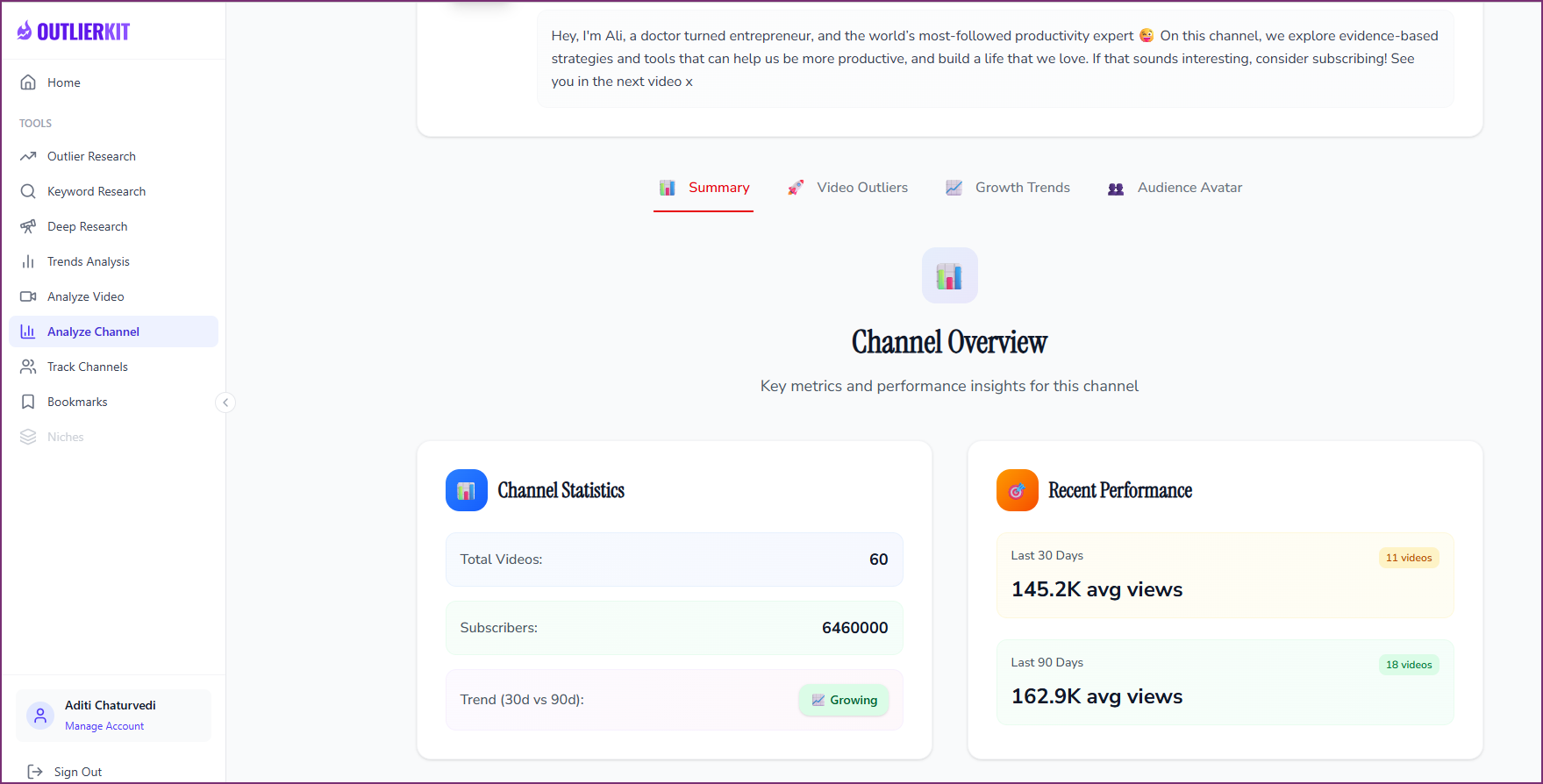
Daily Keyword Opportunity Alerts
1 credit per keyword query per day
Use case
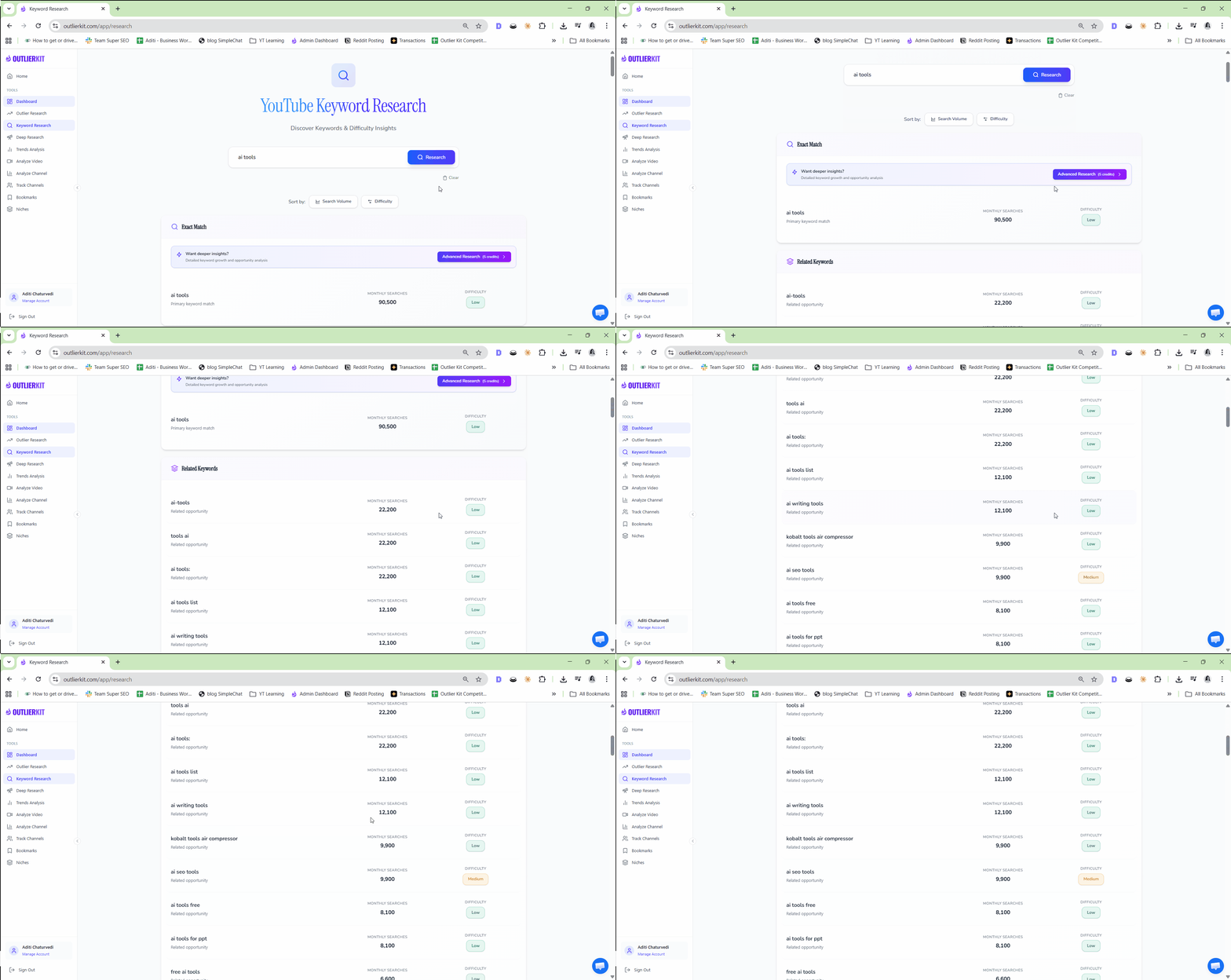
Every morning, your team gets notified when a new low-competition, high-demand keyword appears in your niche — before competitors find it.
HTTP Request Node Configuration
Method: POST
URL: https://api.outlierkit.com/v1/keyword-research

Headers:
  Authorization: Bearer {{ $credentials.outlierkit_api_key }}
  Content-Type: application/json

Body:
{
  "seed_keyword": "{{ $node['Set'].json.keyword }}",
  "filters": {
    "min_volume": 500,
    "max_competition": 30
  }
}
Filter Logic
Minimum monthly search volume
500+ (adjust based on niche size)
Maximum competition score
30 or below (low competition)
High-RPM flag
Prioritize keywords flagged as high-RPM
Deduplicate
Check against existing keywords to avoid alert fatigue
Slack Alert Template
New Keyword Opportunity Found

Keyword: {{ keyword }}
Volume: {{ volume }}/month
Competition: {{ competition }}/100
RPM indicator: {{ rpm_flag }}
Niche: {{ niche }}

This keyword appeared in today's scan and isn't
in your content calendar.

→ View in OutlierKit | Keyword TrackerNew Outlier Video Detection Pipeline
5 credits per niche scan per day
Use case
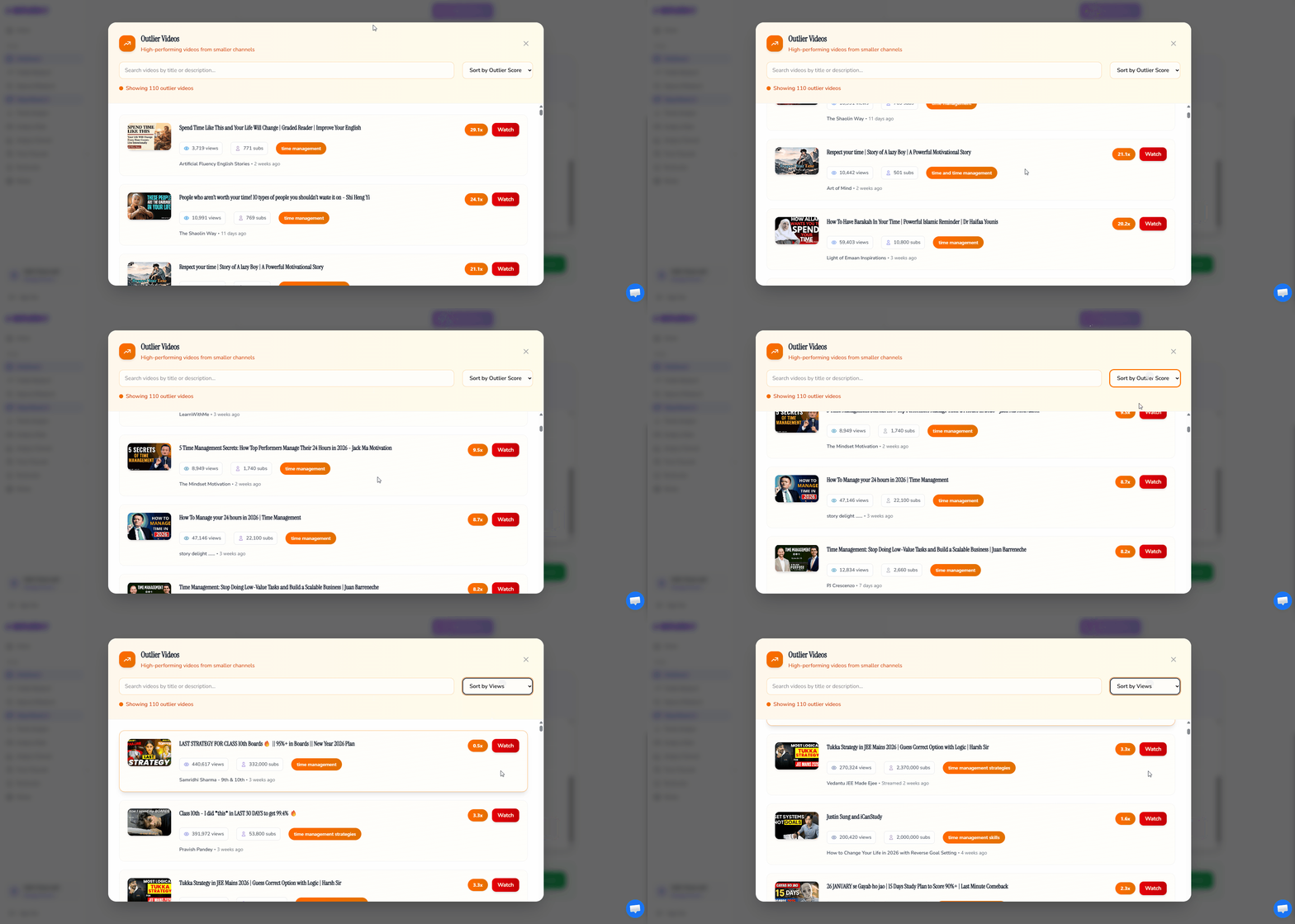
When a video in your niche suddenly outperforms by 10x or more, your team gets an immediate alert with a content brief — so you can create your version while the topic is still hot.
AI Content Brief Generation
After detecting a high-performing outlier, the workflow feeds the video data into an AI node (Claude or OpenAI) with this prompt structure:
A video in the [NICHE] YouTube niche just hit
{{ outlier_score }}x its channel average:

Title: {{ video_title }}
Channel: {{ channel_name }} ({{ subscriber_count }} subs)
Views: {{ view_count }} in {{ days_since_publish }} days
Typical channel average: {{ channel_avg_views }} views

Generate a content brief:
1. Why this topic resonated
2. A differentiated angle we could take
3. 3 title options targeting similar search intent
4. Thumbnail concept that differentiates
5. Hook approach for the first 15 seconds
6. Estimated video length
Output
The content brief lands in your team's Notion database or Slack channel within minutes of the outlier being detected — giving your content team a head start on trending topics.
Client Niche Onboarding (Agency-Specific)
50 credits per client onboarding
Use case
When a new client signs up, your agency runs a full competitive intelligence analysis automatically. The client receives a professional niche report within hours, not days.
Client-Facing Email Template
Subject: Your YouTube Competitive Intelligence Report

Hi {{ client_contact }},

Your niche analysis is complete. Here are the key findings:

Your Niche: {{ niche_name }}
Channels Analyzed: {{ num_channels }}+ across your landscape
Your Position: {{ niche_position }}

Key Opportunities:
{{ ai_generated_summary }}

The full competitive data — audience profiles, outlier
videos, sponsor landscape, and monetization strategies —
is available in your dashboard.

We'll discuss strategy recommendations in our kickoff
call on {{ meeting_date }}.

— {{ agency_name }} Team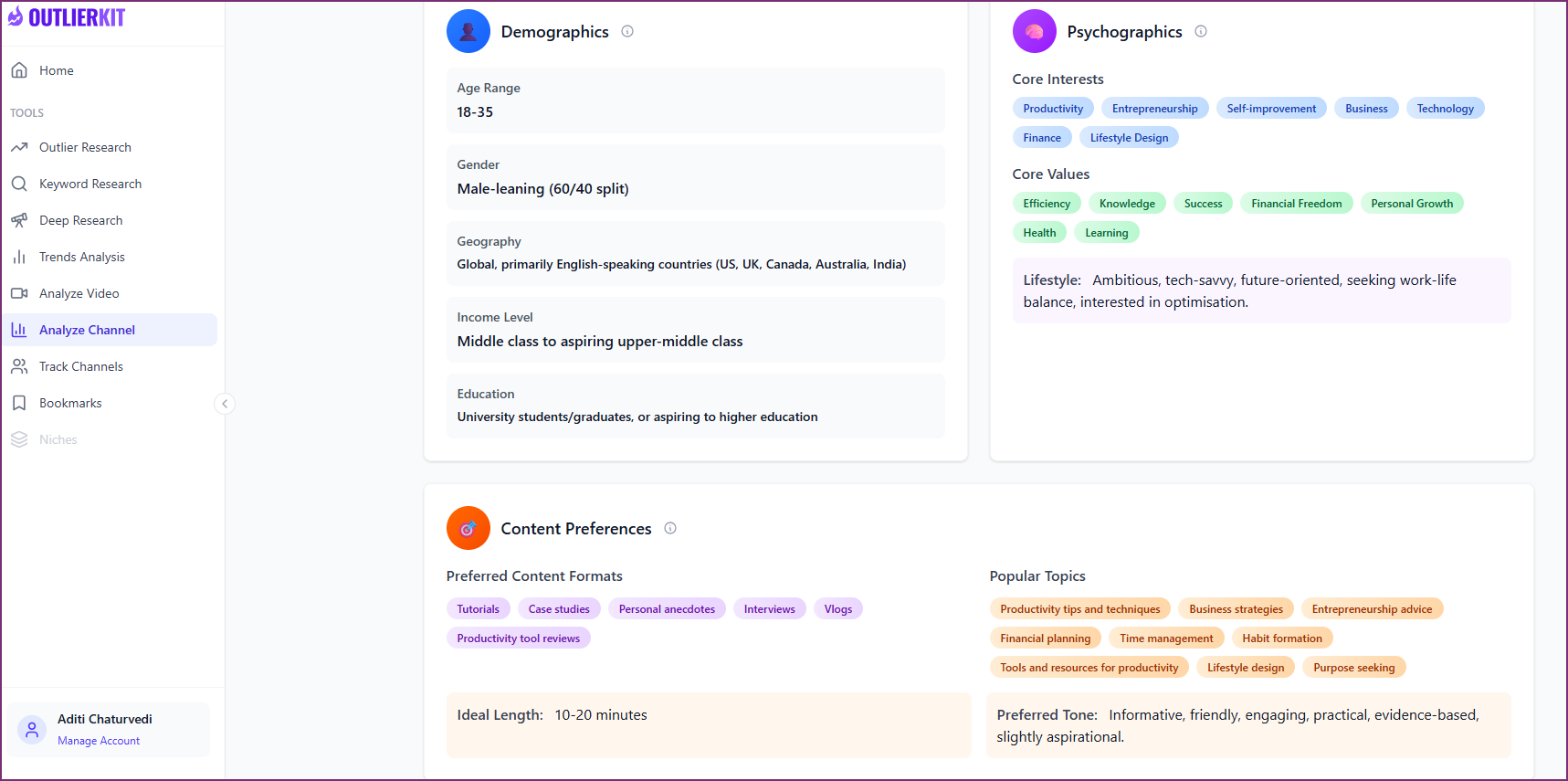
API Reference Quick Guide for n8n
Authentication
Authorization: Bearer your_api_key_here

Base URL: https://api.outlierkit.com/v1/
Endpoints Used in These Workflows
| Endpoint | Method | Purpose | Credits |
|---|---|---|---|
| /competitor-studio | POST | Full niche competitive intelligence scan | 50 |
| /outlier-research | POST | Detect outlier videos in a niche | 5 |
| /keyword-research | POST | Find low-competition keywords | 1 |
| /competitor-benchmark | POST | Benchmark channel against niche | 10-20 |
Rate Limits
60
req/min (Pro Plan)
120
req/min (Max Plan)
Retry-After
Header included in 429 responses
n8n Credential Setup
In n8n, create a new Header Auth credential:
- Name: OutlierKit API
- Header Name: Authorization
- Header Value: Bearer your_api_key_here
Assign this credential to all HTTP Request nodes that call OutlierKit endpoints.
For full API documentation, see OutlierKit API reference. Join the API waitlist for early access.
Troubleshooting Common Issues
Rate Limiting (HTTP 429)
If your workflow makes multiple OutlierKit API calls in sequence (e.g., looping through client channels), add a Wait node between iterations. A 5-second delay between calls prevents rate limiting on Pro plans. Max plans have higher limits and typically don't need delays for standard workflows.
Credit Exhaustion Mid-Month
Monitor credit consumption by checking the x-credits-remaining header in API responses. Add an IF node after each API call to check remaining credits — if below a threshold (e.g., 50 credits), send a Slack alert instead of continuing the workflow.
Empty or Partial Results
Some Competitor Studio scans take longer for large niches. If the initial response returns a processing status, use a Wait node (2-5 minutes) followed by a polling GET request to check completion. Implement a retry loop with a maximum of 3 attempts.
n8n Error Handling
Wrap each HTTP Request node in an Error Trigger workflow that captures failures and sends a notification. For production agency workflows, log errors to a dedicated Google Sheet or error tracking tool to identify patterns.
Credit Monitoring n8n Logic
IF: {{ $json.headers['x-credits-remaining'] }} < 50

  → Slack: "OutlierKit credits low:
     {{ remaining }} remaining.
     Pausing automated scans."

  → Stop workflow execution
Combining OutlierKit + n8n with Other Tools
The workflows above integrate with any n8n-compatible tool. Common additions for YouTube agencies:
YouTube Data API
Pull video metadata, comments, and transcripts to enrich OutlierKit data
Claude / OpenAI
Generate content briefs, strategy summaries, and client reports from competitive data
Notion / Airtable
Store competitive intelligence in structured databases for team access
Google Docs
Auto-generate client reports from templates
Slack / Discord
Real-time alerts for the content team
Calendar
Auto-schedule content planning meetings when significant outliers are detected
Frequently Asked Questions
Does OutlierKit have a dedicated n8n node?
Not yet. OutlierKit integrates with n8n through the HTTP Request node, which calls OutlierKit's REST API directly. This approach works with any n8n plan and gives you full control over request parameters and response parsing. A dedicated n8n community node may be developed in the future based on demand.
What OutlierKit plan do I need for API access?
API access is available on the Pro Plan ($49/month, 500 credits) and Max Plan ($199/month, 2,000 credits). The Hobby Plan does not include API access. Annual billing reduces costs to $24.9/month for Pro and $83/month for Max.
How many API credits do typical workflows consume per month?
A standard agency setup monitoring 5 client channels weekly with daily outlier alerts for 2 niches consumes approximately 1,350 credits per month: (5 channels x 50 credits x 4 weeks = 1,000) + (2 niches x 5 credits x 30 days = 300) + (daily keyword scans = 30-50). The Max Plan (2,000 credits) comfortably covers this with headroom for ad-hoc research.
Can I use OutlierKit with Make, Zapier, or other automation platforms instead of n8n?
Yes. OutlierKit's REST API works with any automation platform that supports HTTP requests — Make (Integromat), Zapier, Pipedream, Activepieces, and others. The workflow architectures in this guide translate directly; only the node/step names differ.
Is the OutlierKit API available now?
The API is currently in alpha with a waitlist. Pro and Max plan subscribers receive priority access.
Can I share n8n workflow templates with my team?
Yes. Each workflow in this guide can be exported as a JSON file from n8n and imported by any team member with n8n access. The workflows are self-contained — they only require OutlierKit API credentials and destination tool credentials (Sheets, Slack, etc.) to be configured.
Related Resources
OutlierKit API Reference
Full API documentation and endpoint details
Competitor Studio Tool
Deep niche analysis and competitive intelligence
Keyword Research Tool
Find low-competition YouTube keywords
Outlier Finder Tool
Detect viral outlier videos in any niche
Best YouTube Marketing Tools for Agencies
Tool comparison for agency operations
YouTube Competitor Analysis Guide
Manual and automated competitive research strategies
Automate Your YouTube Competitive Intelligence
OutlierKit's API turns manual research into automated workflows. Get started with a Pro or Max plan for API access, or join the waitlist for early access.
Get API Access