Get a Complete YouTube Channel Audit
Run a data-driven audit of any YouTube channel in under 5 minutes. Identify growth blockers, SEO gaps, content performance issues, and untapped opportunities — so you know exactly what to fix next.
- Audit any channel instantly
- Find SEO & content gaps
- Benchmark against competitors
- Get a prioritized action plan





Trusted by 5,000+ YouTubers
100K+
Channels Audited
Everything You Need for YouTube Channel Audit
Powerful features to help you grow your channel
Content Performance Audit
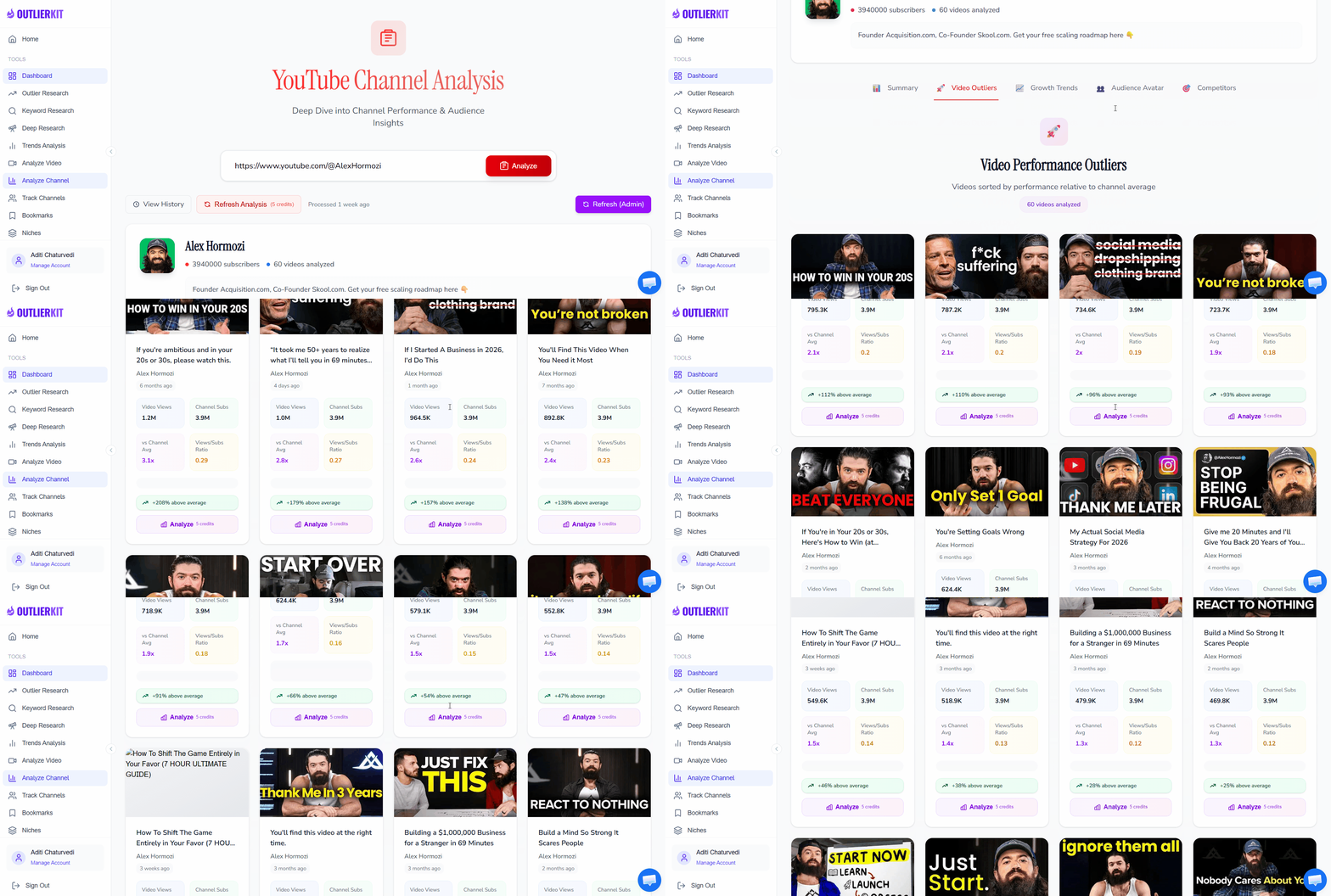
Instantly identify your top-performing and underperforming videos. Our audit analyzes view counts, engagement rates, click-through rates, and watch time to surface the content that resonates — and flag the videos dragging your channel down. Understand which topics, formats, and video lengths drive the best results so you can double down on what works.
YouTube SEO Health Check
Get a full SEO audit of your channel and videos. We analyze your titles, descriptions, tags, and keywords against search demand data to find optimization opportunities you are missing. See which keywords you rank for, which ones you should target, and where your metadata falls short compared to top-ranking competitors in your niche.
Growth Trajectory Analysis
Track your subscriber growth rate, monthly views trend, and revenue patterns over time. Our audit highlights inflection points — when growth accelerated or stalled — and correlates them with your content decisions. See whether your channel is on an upward trajectory or plateauing, and get data-backed recommendations to reignite momentum.
Competitor Benchmarking
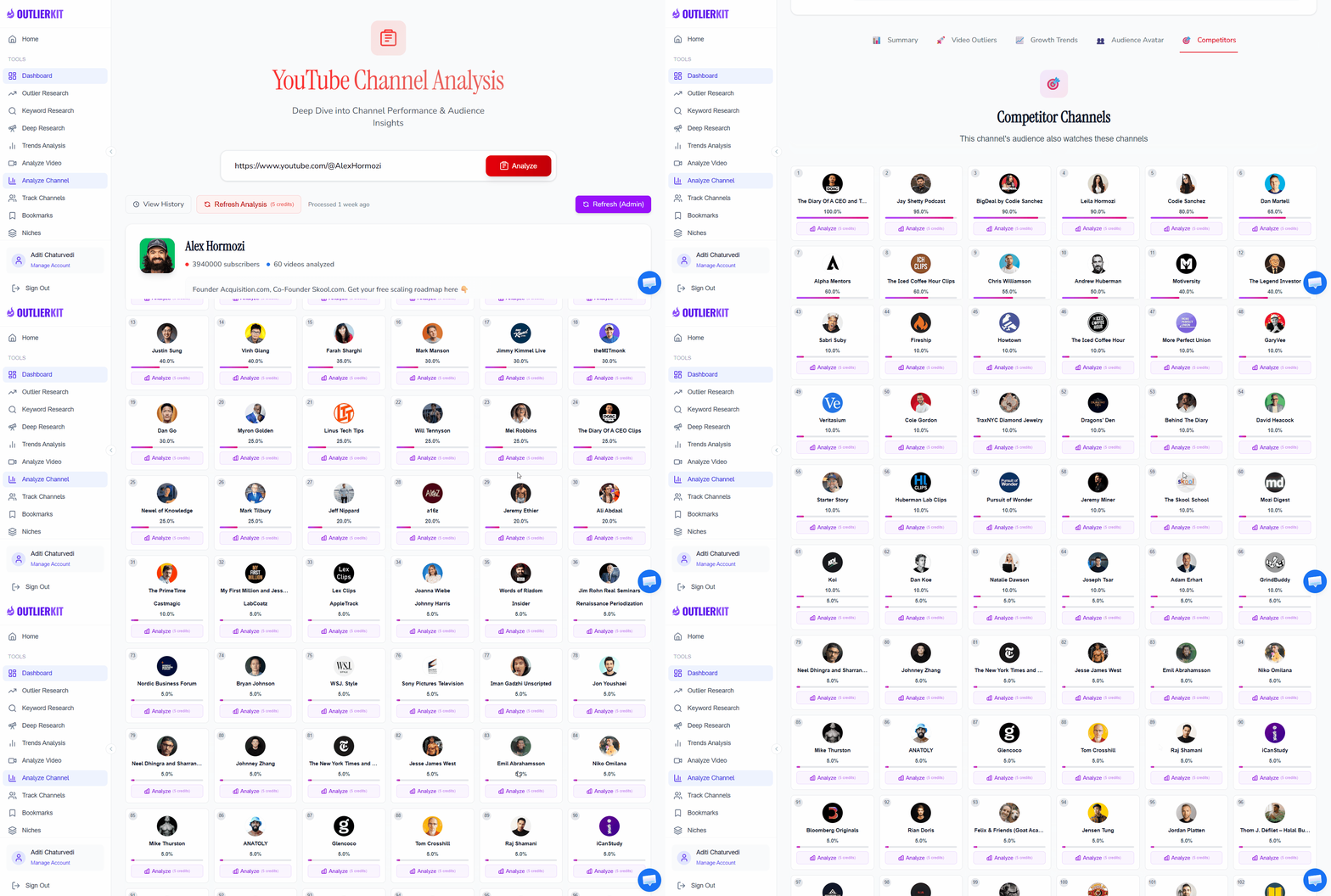
No audit is complete without context. Compare your channel metrics against 3-5 competitors in your niche to see where you stand. We benchmark subscriber growth, views per video, upload frequency, and engagement rates — then identify the specific content strategies that are working for your competitors but not for you.
Content Gap Discovery
Find the high-demand topics your channel is missing. Our content gap analysis compares your video library against search volume data and competitor coverage to surface topics with proven audience interest that nobody is serving well. These gaps are your fastest path to new views and subscribers.
Audience & Engagement Audit
Understand who is actually watching your content and how they engage. Our audit examines your audience demographics, returning vs. new viewer ratio, comment sentiment, and engagement patterns. See if you are posting at the right times, whether your community is growing, and where viewer drop-off happens in your content.
How a YouTube Channel Audit Works
A channel audit does not have to take hours. With OutlierKit, you can go from zero to a complete, actionable audit in three simple steps.
Enter any channel URL
Paste your YouTube channel URL (or a competitor's) and OutlierKit pulls all public data instantly — videos, metrics, keywords, and growth history.
Review the automated analysis
Get a full breakdown: top/bottom videos, SEO scores, engagement benchmarks, content gaps, and competitor comparisons — all in one dashboard.
Follow your action plan
Use the prioritized recommendations to fix critical issues first, then optimize for growth. Re-audit quarterly to track progress.
How OutlierKit Compares to Other YouTube Audit Tools
Most audit tools only scratch the surface with basic metrics. OutlierKit goes deeper — combining content performance analysis, SEO auditing, competitor benchmarking, and AI-powered content gap detection into one comprehensive audit. Compare our capabilities against other popular tools.
| Feature | OutlierKitBest Value | vidIQ | TubeBuddy | Social Blade |
|---|---|---|---|---|
| Content Performance Audit | ||||
| YouTube SEO Health Check | ||||
| Competitor Benchmarking | ||||
| Content Gap Analysis | ||||
| Growth Trajectory Tracking | ||||
| Audience & Engagement Analysis | ||||
| Outlier Video Detection | ||||
| Pricing | $29/mo Hobby plan | $19/mo Boost plan | $49/mo Legend plan | $3.99/mo Basic plan |
Simple, Transparent Pricing for Every Creator
Start with a free trial to experience the full power of OutlierKit's channel audit capabilities. No credit card required, no hidden fees. Our credit-based system ensures you only pay for what you use.
Hobby
or $16.6/mo ($199 billed annually)
For content creators
- 100 credits/month
- 5 credits per channel audit
- 1 credit per keyword research
- 1 credit per Outlier Research
- 5 credits for video script analysis
- 20 credits for Deep Research
Pro
or $24.9/mo ($299 billed annually)
For professionals
- 500 credits/month
- 5 credits per channel audit
- 1 credit per keyword research
- 1 credit per Outlier Research
- 5 credits for video script analysis
- 20 credits for Deep Research
- 50 credits per connected channel
Max
or $83/mo ($999 billed annually)
For serious creators & teams
- 2,000 monthly research credits
- Integrate up to 50+ YouTube channels
- Outlier video detection
- Full channel audit suite
- AI script & hook analysis
- Deep Research
- Advanced Competitor Identification
- Update Data on Demand
- API Access (coming)
What Creators Say About OutlierKit Channel Audits
Thousands of YouTubers use OutlierKit to audit their channels and find growth opportunities they were missing.
“I thought my channel was doing fine until I ran an OutlierKit audit. It showed me that my SEO was leaving views on the table — titles too long, descriptions too thin, and I was missing keywords with real search volume. After fixing just the top 20 videos based on the audit recommendations, my search traffic jumped 40% in two months.”
“The competitor benchmarking feature changed everything for me. I could see exactly how my engagement rates compared to similar channels in my niche, and the content gap analysis revealed three topic clusters I had completely overlooked. Those topics are now my highest-performing series. Running a quarterly audit has become non-negotiable for my content planning.”
“As a YouTube agency, we audit client channels before every strategy session. OutlierKit cut our audit time from a full day to under an hour per channel. The outlier detection is especially valuable — it identifies which of their videos broke through and why, so we can replicate that success pattern across their content calendar.”
Verified Ratings Across Platforms
Frequently Asked Questions About YouTube Channel Audits
Everything you need to know about auditing your YouTube channel — what it involves, how often to do it, and how to turn findings into growth.
What is a YouTube channel audit?
How often should I audit my YouTube channel?
Can I audit my YouTube channel for free?
What metrics matter most in a channel audit?
What is the difference between a channel audit and YouTube analytics?
How long does a YouTube channel audit take?
Should I audit competitor channels too?
What should I do after completing an audit?
Can I audit someone else's YouTube channel?
What are the most common mistakes in a YouTube channel audit?
Complete Your Audit with These Tools
A channel audit works best when combined with keyword research, competitor analysis, and content optimization tools. Explore the full OutlierKit suite.
Competitor Analysis
Deep-dive into any competitor channel. See their best videos, growth patterns, and content strategy — then use those insights to outperform them.
Keyword Research
Find high-volume, low-competition keywords to rank your videos higher in YouTube search and drive organic growth.
Outlier Finder
Discover videos that massively outperformed their channel average. Find proven content ideas and viral patterns in any niche.
Ready to audit your YouTube channel?
Join 5,000+ YouTubers who use OutlierKit to audit their channels and grow faster with data-driven decisions.
Start Your Free AuditYouTube Channel Audit Resources
Go deeper with our complete audit content library. Start with YouTube Studio and YouTube Analytics for your own data, then check the YouTube Help Center for official best practices. Learn the methodology, grab a ready-to-use checklist, or find the right tools for the job.
How to Audit a YouTube Channel
Complete 7-step guide covering content performance, SEO, audience analysis, competitor benchmarking, and growth planning.
YouTube Channel Audit Checklist 2026
50+ actionable checkpoint items across 7 categories. Copy this checklist and run a thorough audit every quarter.
Best YouTube Channel Audit Tools
Compare 7 audit tools — free and paid. See which ones handle SEO scoring, competitor benchmarking, and content gap analysis.