Best YouTube Marketing Tools for Agency Owners (2026)
OutlierKit leads for client research and content strategy, VidIQ and TubeBuddy handle SEO optimization, and the right editing + design stack keeps your team shipping consistently across every client channel.
Running a YouTube agency means managing research, strategy, SEO, editing, design, and reporting across multiple client channels simultaneously. The wrong tool stack wastes hours per week. The right one turns your agency into a content machine. Here is the complete toolkit we recommend in 2026, organized by workflow stage.
TL;DR: The Agency Core Stack
If you only set up four tools, make it these:
Research & Content Strategy
OutlierKit
SEO & Keyword Research
VidIQ
A/B Testing & Optimization
TubeBuddy
Thumbnails & Design
Canva Teams
Why Agency Owners Need a Different Toolkit Than Solo Creators
Most “best YouTube tools” lists are written for individual creators managing a single channel. Agency owners face a fundamentally different set of problems: you are researching multiple niches simultaneously, maintaining brand consistency across different client identities, coordinating between strategists, editors, and designers, and reporting results to clients who expect measurable ROI.
The tools below were selected specifically for how well they support multi-channel, multi-team workflows. We have prioritized tools with collaboration features, bulk operations, and data export capabilities that agency owners actually need. For a broader overview of YouTube marketing strategy, see our complete YouTube marketing guide.
Need data-driven content strategy for your clients?
OutlierKit's outlier detection and competitor analysis help agencies find proven content patterns across any YouTube niche.
Research & Content Strategy
Before your team creates a single video, you need data on what content actually works in each client's niche. This is where most agencies waste time guessing instead of using tools that surface proven content patterns.
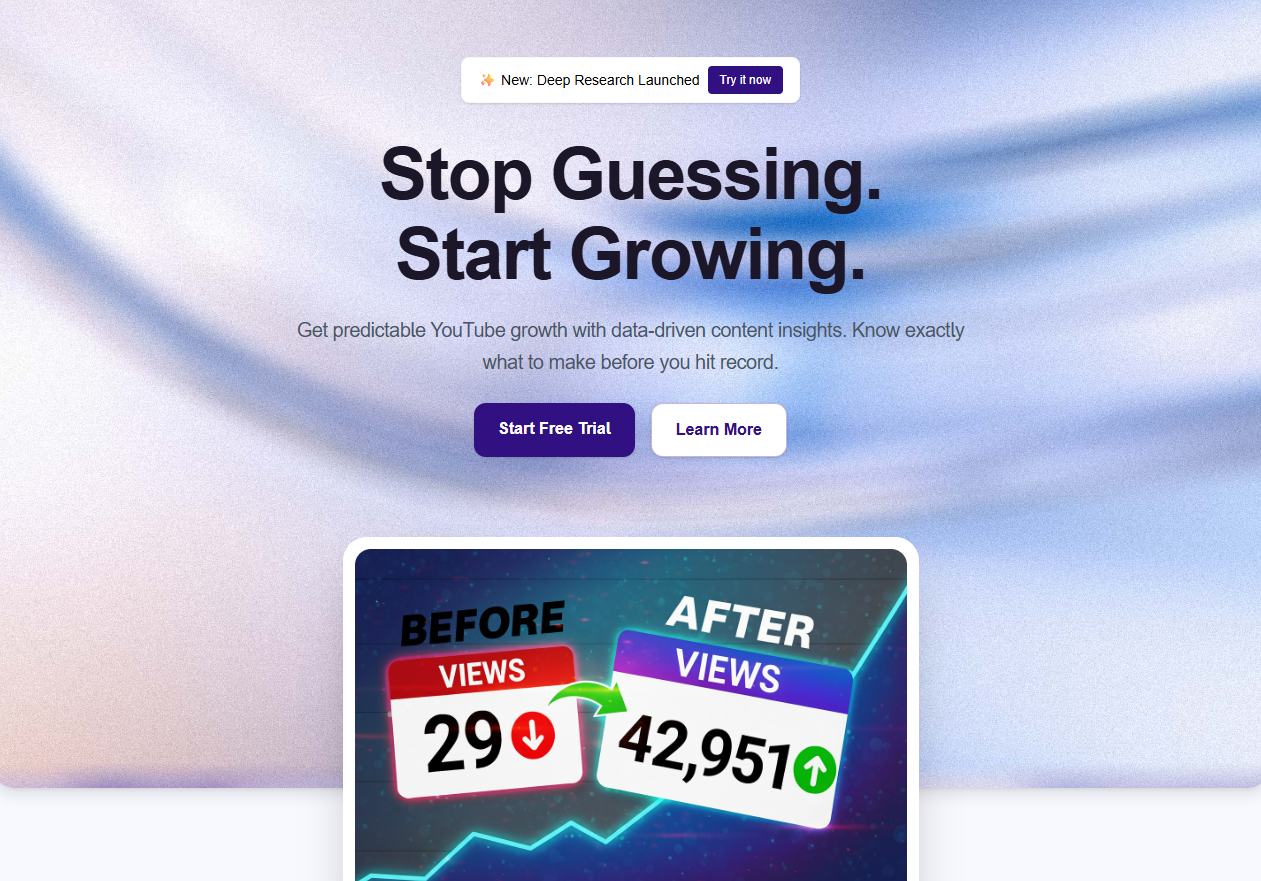
OutlierKit
Finding proven content angles across client channels and competitors
Why Agencies Use It
- Outlier detection finds videos performing 3-10x above a channel's average
- Competitor deep-dives show exactly what content patterns drive growth
- Psychographic audience analysis reveals why viewers watch, not just what they watch
- Keyword research with performance correlation shows which topics actually convert
- Bulk channel analysis lets you audit multiple client niches in one session
- Free Chrome extension overlays outlier scores directly on YouTube for quick scanning
Limitations for Agencies
- No built-in client reporting dashboard (export data to your own reports)
- No free tier on the web platform
Agency Verdict
The single most valuable tool for agency research. Outlier detection removes the guesswork from content strategy and lets you pitch clients with data, not hunches. If you only add one tool to your stack, make it this one.
SEO & Keyword Research
Every client video needs to be discoverable. YouTube SEO tools help your team optimize titles, descriptions, tags, and thumbnails so that content ranks for the right searches and gets recommended.
OutlierKit
Keyword research with outlier performance correlation
Why Agencies Use It
- Keyword research that shows which keywords actually drive outlier performance
- Topic clustering helps you build content calendars around proven keyword groups
- Competitor keyword analysis reveals gaps in client niches
- Performance correlation links keywords to real view counts, not just search volume
Limitations for Agencies
- Focused on strategic keyword research rather than tag-level optimization
Agency Verdict
Best for strategic keyword research that informs content calendars. Use OutlierKit to decide which topics to pursue, then use VidIQ or TubeBuddy for tag-level optimization.
VidIQ
Keyword database and trend discovery
Why Agencies Use It
- 500M+ keyword database with search volume and competition scores
- Predictive trending keywords catch opportunities early
- AI Daily Ideas generates content suggestions per channel
- Browser extension shows keyword scores directly on YouTube
- Bulk keyword research across multiple topics
Limitations for Agencies
- Best features require $39/mo Boost plan per seat
- No outlier detection to validate keyword potential
- No psychographic analysis
Agency Verdict
Industry-leading keyword database. Pair it with OutlierKit for a complete research-to-optimization workflow: OutlierKit for strategy, VidIQ for SEO execution.
TubeBuddy
On-page optimization and A/B testing
Why Agencies Use It
- A/B testing for thumbnails and titles (best-in-class)
- SEO Studio scores your titles, descriptions, and tags
- Bulk processing tools update metadata across multiple videos
- Tag suggestions with competition analysis
- Canned responses speed up comment management across channels
Limitations for Agencies
- Best features locked behind Legend plan ($26.50/mo)
- Limited strategic insights compared to OutlierKit
- Per-channel licensing can add up for agencies
Agency Verdict
Essential for the optimization side of SEO. Use TubeBuddy's A/B testing to refine what you publish and its bulk tools to manage metadata across client channels.
Video Editing
Agency teams need editing tools that balance quality with speed. Your editors are often working across multiple client projects simultaneously, so workflow efficiency matters as much as output quality.
Adobe Premiere Pro
Professional long-form video editing
Why Agencies Use It
- Industry-standard editing timeline with multi-cam support
- Team Projects enables real-time collaboration across editors
- Auto-transcription and caption generation built in
- Seamless integration with After Effects, Audition, and Photoshop
- Shared project templates standardize output across client channels
Limitations for Agencies
- Steep learning curve for junior editors
- Per-seat licensing adds up quickly for larger teams
- Heavy system requirements
Agency Verdict
The professional standard for a reason. Team Projects alone makes it worth it for agencies with multiple editors collaborating on client work.
CapCut
Fast turnaround Shorts and social clips
Why Agencies Use It
- Auto-captions with customizable styles for brand consistency
- Template system lets you build client-specific presets
- Desktop, web, and mobile apps for flexible workflows
- AI background removal and object tracking
- Export directly in YouTube Shorts / Reels / TikTok formats
Limitations for Agencies
- Limited for long-form editing complexity
- Some AI features require Pro subscription
- Less precise audio controls than Premiere
Agency Verdict
The go-to for Shorts and social repurposing. Many agencies use Premiere for long-form and CapCut for Shorts, covering both formats efficiently.
Descript
Script-based editing and podcast-to-video workflows
Why Agencies Use It
- Edit video by editing the transcript (removes filler words automatically)
- AI voice cloning for quick voiceover fixes (with consent)
- Multi-track editing with collaboration features
- Auto-generates clips from long-form content
- Screen recording built in for tutorials and walkthroughs
Limitations for Agencies
- Less precise than Premiere for complex edits
- AI features limited on lower tiers
- Transcription quality varies by accent and audio quality
Agency Verdict
A time-saver for agencies handling talking-head and podcast content. The transcript-based editing workflow can cut editing time by 30-50% for dialogue-heavy videos.
Thumbnail Design
Thumbnails drive click-through rate, which drives everything else. Your design team needs tools that produce scroll-stopping visuals consistently across all client brands.
Adobe Photoshop
Professional thumbnail design with full creative control
Why Agencies Use It
- Unlimited creative control for custom thumbnail styles per client brand
- Smart Objects and templates enable consistent thumbnail systems
- AI-powered background removal and generative fill
- Batch actions automate repetitive edits across thumbnail sets
- Libraries sync brand assets (colors, fonts, logos) across team members
Limitations for Agencies
- Steeper learning curve than Canva
- Overkill if your team doesn't need pixel-level control
- Per-seat licensing for agencies
Agency Verdict
The gold standard for agencies that prioritize thumbnail quality. Use it alongside TubeBuddy's A/B testing to iterate on what performs best.

Canva
Rapid thumbnail creation with team collaboration
Why Agencies Use It
- YouTube thumbnail templates with drag-and-drop editing
- Brand Kit stores each client's colors, fonts, and logos
- Real-time collaboration lets designers and account managers work together
- Magic Resize adapts thumbnails to other social platform sizes
- Built-in stock photos, elements, and background remover
Limitations for Agencies
- Less precise than Photoshop for advanced compositing
- Templates can feel generic without customization
- Brand Kit requires Teams plan
Agency Verdict
Perfect for agencies that need speed and consistency. The Brand Kit feature alone is worth it when managing multiple client identities.
Analytics & Reporting
Clients need to see results. Your analytics stack should make it easy to pull performance data, spot trends, and build reports that justify your retainer.
OutlierKit
Competitor benchmarking and content performance patterns
Why Agencies Use It
- Track competitor channels and spot emerging content trends for each client
- Identify which content types are gaining or losing traction in each niche
- Outlier scores quantify content performance in a way clients instantly understand
- Deep Research feature generates comprehensive channel analysis reports
- Export data to build client-facing performance decks
Limitations for Agencies
- No white-label reporting (you'll build reports in your own templates)
- Focused on YouTube only (not cross-platform analytics)
Agency Verdict
Use OutlierKit's competitor tracking and outlier scores to build the narrative in client reports. Showing a client that their latest video hit 5x the channel average is far more compelling than raw view counts.

YouTube Studio
First-party channel performance data
Why Agencies Use It
- Official analytics: real-time views, watch time, subscriber changes
- Revenue reporting for monetized client channels
- Audience demographics and traffic source breakdowns
- Impression and click-through rate data per video
- Content tab shows performance across all uploads at a glance
Limitations for Agencies
- No competitor data (own-channel only)
- No content strategy insights
- Exporting data is clunky for multi-channel agencies
- Requires channel-level access for each client
Agency Verdict
Non-negotiable as the source of truth for client channel data. Pair it with OutlierKit for competitor context that YouTube Studio can't provide.
Social Blade
Quick public channel stats and growth tracking
Why Agencies Use It
- Historical subscriber and view count data for any public channel
- Growth projections and estimated earnings
- Channel grade comparisons for benchmarking
- Multi-platform tracking (YouTube, Twitch, Instagram, Twitter)
- Free tier covers most agency research needs
Limitations for Agencies
- Earnings estimates are often inaccurate
- No strategic insights or content analysis
- Ad-heavy free interface
Agency Verdict
Useful for quick competitive benchmarking and initial client pitches. The historical growth data helps you tell the story of where a channel has been and where it could go.
AI Scripting & Ideation
AI tools can dramatically speed up script drafts and ideation across your client roster. The key is using them as accelerators, not replacements, for your creative team.

ChatGPT
Script drafts, brainstorming, and client briefs
Why Agencies Use It
- Custom GPTs let you build client-specific writing assistants with brand voice guidelines
- Team plan includes shared workspace and admin controls
- Can draft scripts, outlines, descriptions, and social captions in one session
- Analyze competitor scripts and suggest improvements
- Code Interpreter can process YouTube data exports for custom analysis
Limitations for Agencies
- Outputs need human editing for authentic brand voice
- No native YouTube data integration
- Team plan pricing adds up per seat
Agency Verdict
The workhorse AI tool for agency content teams. Build Custom GPTs for each client's brand voice and use them to speed up script drafts and ideation.

Claude
Long-form script writing and detailed analysis
Why Agencies Use It
- 200K context window handles entire scripts and research docs in one conversation
- Projects feature organizes context by client for consistent outputs
- Strong at maintaining brand voice across long-form scripts
- Excellent at analyzing and summarizing competitor content
- Team plan with shared Projects and admin controls
Limitations for Agencies
- Smaller plugin ecosystem than ChatGPT
- No native image generation
- Outputs still require human review and editing
Agency Verdict
Best for agencies doing long-form content. The large context window and Projects feature make it ideal for maintaining client-specific writing guidelines across your team.
Build your agency's content strategy on data
OutlierKit helps agencies find winning content patterns across any niche. Research competitors, discover outlier topics, and pitch clients with confidence.
Start Free TrialRecommended Tool Stacks by Agency Size
The right stack depends on how many clients you manage and how specialized your team is. Here are three configurations we recommend based on agency size.
Solo Agency / Freelancer
~$55/moYou're managing 1-3 client channels and wearing multiple hats. You need the most impact per dollar.
- OutlierKit (research + SEO strategy)
- CapCut Pro (editing + Shorts)
- Canva Teams (thumbnails)
- YouTube Studio (analytics)
- ChatGPT Plus (scripting)
Growing Agency (5-10 Clients)
~$170/mo base + per-seat costsYou have a small team with dedicated roles. Efficiency and consistency across clients is the priority.
- OutlierKit (research + competitor tracking)
- VidIQ Boost (keyword research)
- Adobe Premiere Pro (long-form editing)
- CapCut Pro (Shorts)
- Canva Teams (thumbnails)
- TubeBuddy Legend (A/B testing + optimization)
- ChatGPT Team or Claude Team (scripting)
Established Agency (10+ Clients)
~$350/mo base + per-seat costsFull team with specialists. You need enterprise-grade tools and workflows that scale.
- OutlierKit (research + strategy across all clients)
- VidIQ Boost (SEO across all channels)
- TubeBuddy Legend (bulk optimization + A/B testing)
- Adobe Creative Cloud (Premiere + Photoshop + After Effects)
- Descript (podcast + talking-head content)
- Claude Team (long-form scripting with Projects)
- Social Blade Premium (competitive benchmarking)
The Complete Agency Workflow
Here is how these tools fit together in a typical agency content production cycle, from client brief to published video.
Client Onboarding & Niche Research
OutlierKit + Social Blade
Audit the client's channel and competitors. Use OutlierKit to identify outlier content in their niche and Social Blade for historical benchmarking.
See our complete channel audit guide →Content Calendar & Keyword Strategy
OutlierKit + VidIQ
Build the monthly content calendar using OutlierKit's keyword research and VidIQ's trending data. Map topics to client goals.
Learn more about YouTube keyword research →Script Drafting & Review
ChatGPT or Claude
Generate first drafts using AI assistants configured with client brand voice. Your writers refine and add authentic personality.
See our AI script writing workflow →Video Production & Editing
Premiere Pro + CapCut
Edit long-form in Premiere, cut Shorts in CapCut. Use shared templates and presets for brand consistency across the team.
Thumbnail Design & A/B Testing
Canva or Photoshop + TubeBuddy
Design thumbnails in Canva or Photoshop using the client's Brand Kit. Set up A/B tests in TubeBuddy to optimize CTR over time.
SEO Optimization & Publishing
TubeBuddy + VidIQ
Optimize titles, descriptions, and tags before publishing. Use TubeBuddy's SEO Studio to score each video's discoverability.
Read our complete YouTube SEO guide →Performance Tracking & Client Reporting
YouTube Studio + OutlierKit
Pull first-party data from YouTube Studio and overlay OutlierKit's outlier scores for context. Build monthly reports that show ROI.
See our YouTube analytics guide →Quick Comparison: Top Agency Tools at a Glance
| Tool | Best For | Pricing | Agency Key Feature |
|---|---|---|---|
| OutlierKit | Research & strategy | From $16.6/mo | Outlier detection across client niches |
| VidIQ | Keyword research | Free - $39/mo | 500M+ keyword database with trend scores |
| TubeBuddy | Optimization & A/B testing | Free - $26.50/mo | Thumbnail & title A/B testing |
| Canva Teams | Thumbnail design | From $10/mo/person | Brand Kit per client |
| Premiere Pro | Long-form editing | From $22.99/mo/seat | Team Projects collaboration |
| CapCut | Shorts & social clips | Free - $7.99/mo | Auto-captions + template system |
| ChatGPT / Claude | Script drafting | Free - $25/mo/seat | Custom GPTs / Projects per client |
Dive Deeper Into Each Workflow Stage
We have written detailed guides for each part of the agency YouTube workflow. Here are the most relevant:
YouTube Marketing Strategy Guide
Complete marketing playbook for 2026 with tools, tips, and examples.
YouTube SEO: Complete Strategy Guide
Checklist, tools, and tips for ranking videos in YouTube search.
YouTube Keyword Research Guide
How to find and validate keywords that drive views and subscribers.
Best YouTube Analytics Tools
We tested 12 analytics tools for competitor analysis and channel growth.
How to Audit a YouTube Channel
Complete 7-step channel audit guide for onboarding new clients.
YouTube Channel Audit Checklist
50+ item checklist and free template for thorough channel audits.
Content Calendar Workflow
Build a data-driven content calendar using OutlierKit and AI tools.
OutlierKit vs VidIQ
Detailed comparison of research vs SEO tools for YouTube growth.
Frequently Asked Questions
What is the best YouTube marketing tool for agency owners in 2026?
OutlierKit is the best starting point for agencies because its outlier detection and competitor analysis directly inform content strategy across all client channels. Pair it with VidIQ for keyword research and TubeBuddy for on-page optimization to cover the full workflow.
How much should a YouTube agency spend on tools?
A solo agency can run a strong toolkit for around $55/month. Growing agencies with 5-10 clients should budget $150-200/month for base tool costs, plus per-seat fees for team tools like editing software and AI assistants. The right tools pay for themselves by reducing research time and improving content performance.
Do I need separate tools for each client channel?
Not necessarily. Most YouTube tools like OutlierKit, VidIQ, and Social Blade let you research any public channel from a single account. You'll need per-channel access for YouTube Studio and TubeBuddy's A/B testing, but research and strategy tools work across all clients from one seat.
What's the difference between OutlierKit and VidIQ for agencies?
OutlierKit focuses on content strategy: finding proven content patterns through outlier detection and understanding audiences through psychographic analysis. VidIQ focuses on SEO execution: keyword research, tag optimization, and trend discovery. Most agencies use both because they solve different parts of the workflow.
Can AI tools replace human scriptwriters at an agency?
No, but they can make your writers 2-3x faster. AI tools like ChatGPT and Claude are best used for generating first drafts, brainstorming angles, and adapting content across formats. Your team still needs to inject authentic brand voice, verify facts, and ensure the script matches the video's creative direction.
How do I report YouTube results to clients?
Combine YouTube Studio's first-party data with OutlierKit's outlier scores and competitor benchmarks. Showing clients that their video hit 4x the channel average is more compelling than raw view counts. Use tools like Google Slides or Notion to build branded report templates your team can fill in monthly.
