OutlierKit vs TubeBuddy: Complete Comparison (2026)
OutlierKit is the better choice for content strategy and competitor analysis, while TubeBuddy wins for A/B testing and video SEO optimization.
OutlierKit and TubeBuddy are both YouTube tools, but they solve different problems. OutlierKit helps you decide what content to create. TubeBuddy helps you optimize content you've made. Here's a detailed comparison to help you choose.
Transparency & accuracy notice
This comparison is published on OutlierKit's resource site. Feature descriptions are based on publicly available information from each product's website as of March 6, 2026. Features, pricing, and capabilities may change. We encourage readers to verify current information directly with each product.
Last verified: March 6, 2026. If you notice any inaccuracies, please visit the official product websites to verify.
Different tools for different jobs
OutlierKit is a content strategy tool—it helps you find what videos to make through outlier detection and competitor analysis. TubeBuddy is an optimization tool—it helps you get more from videos you've already created through A/B testing and SEO tools. Many creators use both.

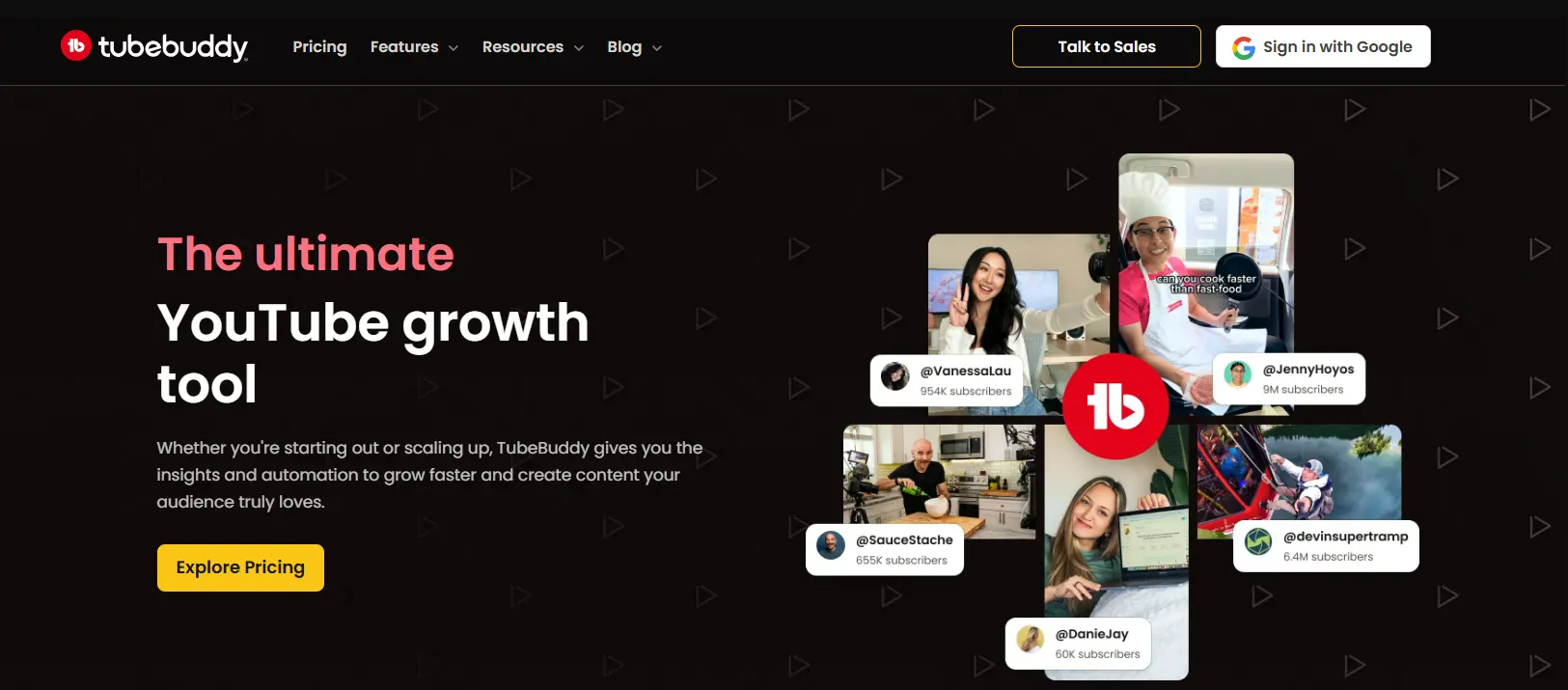
Quick Comparison
| Feature | OutlierKit | TubeBuddy |
|---|---|---|
| Best For | Competitor analysis & content strategy | Video SEO optimization & workflow |
| Starting Price | From $16.6/mo (annual) | From $4.50/mo ($3.60 annual, as listed on their website) |
| Unique Feature | Outlier detection + psychographic analysis | A/B testing & browser extension |
| Learning Curve | Easy | Moderate |
| User Rating (via Product Hunt & Uneed) | 4.9/5 | 4.3/5 |
Key Takeaways
| Tool | Best For | Key Strength |
|---|---|---|
| OutlierKit | Content strategy & competitor research | Outlier video detection + psychographic analysis — unique to OutlierKit |
| TubeBuddy | A/B testing & video SEO optimization | Best-in-class thumbnail/title A/B testing on live videos |
| Both | Full-stack YouTube growth | Complementary tools — many serious creators use both |
Feature Comparison Overview
OutlierKit excels at strategy and research. TubeBuddy excels at optimization and workflow. The tools have different strengths for different needs.
Core Strengths at a Glance
Detailed Feature Comparison
Outlier Video Detection
OutlierKit winsOutlierKit's core strength. Automatically identifies videos performing 3-10x above channel averages. The algorithm reveals patterns you'd never find manually—showing which topics, formats, and styles consistently outperform.
TubeBuddy's Content Standouts feature now offers basic outlier metrics, identifying videos that over-perform relative to channel averages. However, it lacks the contextual depth—psychographic analysis, sponsor intelligence, and monetization data—that makes outlier detection strategically actionable.
Verdict: OutlierKit wins on depth. TubeBuddy's Content Standouts identifies outliers, but OutlierKit adds the strategic context—psychographics, monetization data, and pattern analysis—that turns outlier data into actionable content decisions.
Competitor Analysis
OutlierKit winsDeep competitor analysis reveals what makes content succeed. Analyze any channel to find their outliers, understand content patterns, and discover gaps. Track up to 50+ channels with real-time insights.
TubeBuddy's Competitor Scorecard compares basic metrics between channels. Useful for high-level comparison but lacks the depth to understand why competitors succeed.
Verdict: OutlierKit wins for strategic competitor analysis. TubeBuddy tracks competitors; OutlierKit reveals patterns behind their success.
Keyword Research
TieComprehensive keyword research with search volume, competition scores, and keyword-to-outlier correlation. See which keywords are associated with over-performing content in your niche.
TubeBuddy's Keyword Explorer shows search volume, competition, and related keywords. Solid SEO research tool with helpful optimization suggestions.
Verdict: Tie—both offer capable keyword research. TubeBuddy is more SEO-focused; OutlierKit connects keywords to content performance patterns.
Audience Insights
OutlierKit winsUnique psychographic audience analysis reveals viewer motivations, interests, and pain points. Understand why viewers watch certain content to create more resonant videos.
TubeBuddy provides basic analytics through YouTube integration. You see demographics but no psychographic depth or motivation analysis.
Verdict: OutlierKit wins with exclusive psychographic analysis. No other tool offers this level of audience understanding.
A/B Testing
TubeBuddy winsOutlierKit doesn't offer built-in A/B testing. The focus is on content research and strategy rather than optimization of existing videos.
TubeBuddy's A/B testing lets you test different thumbnails, titles, and descriptions on live videos. Data-driven optimization for maximizing CTR on existing content.
Verdict: TubeBuddy wins for A/B testing. If optimizing existing videos is your priority, TubeBuddy's testing tools are valuable.
Browser Extension
TieOutlierKit now offers a free Chrome extension that overlays color-coded outlier scores (e.g., 2.5x, 0.7x) directly on YouTube video thumbnails. See which videos are outperforming at a glance while browsing any channel—no separate dashboard needed. Lightweight with no browser slowdown.
TubeBuddy's browser extension adds data overlays directly on YouTube. See metrics, suggestions, and tools without leaving the platform. Deeply integrated workflow.
Verdict: Both tools now have Chrome extensions. TubeBuddy's is more deeply integrated with YouTube Studio workflows. OutlierKit's extension is focused specifically on outlier scoring—showing performance multipliers on every thumbnail so you can spot viral content instantly.
Content Strategy
OutlierKit winsOutlierKit is built for content strategy. Outlier detection, trend discovery, and psychographic analysis help you decide what to create before you create it. Strategy-first approach.
TubeBuddy helps with video topic suggestions and keyword research but lacks the strategic depth of outlier analysis. Better for optimization than ideation.
Verdict: OutlierKit wins for content planning. TubeBuddy optimizes what you create; OutlierKit helps you decide what's worth creating.
Value for Money
OutlierKit winsOutlierKit's Hobby plan at $16.6/month (annual) includes outlier detection, keyword research, trend discovery, and psychographic analysis. All core features at every tier—no artificial limitations.
TubeBuddy is affordable starting at $4.50/month ($3.60 annual). The Pro plan now includes A/B testing. Legend at $9/mo ($7.20 annual) adds bulk processing and brand tracking. The free tier is limited, and essential tools are gated.
Verdict: OutlierKit wins on value for serious creators. TubeBuddy is cheaper but feature-gated. OutlierKit includes everything you need.
Pricing Comparison
OutlierKit Pricing
- ✓100 credits/month
- ✓Outlier video detection
- ✓Keyword research
- ✓Video script analysis
- ✓Deep Research
- ✓Trend discovery
- ✓Psychographic analysis
- ✓500 credits/month
- ✓Everything in Hobby
- ✓50 credits per connected channel
- ✓Advanced competitor analysis
- ✓Priority support
- ✓2,000 credits/month
- ✓50+ YouTube channels
- ✓AI script & hook analysis
- ✓API Access (coming)
- ✓Update Data on Demand
TubeBuddy Pricing
- ✓Basic video analytics
- ✓Limited keyword research
- ✓Browser extension (limited)
- ✓Video SEO tools
- ✓Keyword research
- ✓A/B testing
- ✓Best time to publish
- ✓All Pro features
- ✓Bulk processing
- ✓Priority support
- ✓Brand tracking
Pricing accurate as of March 2026. For the latest pricing, visit tubebuddy.com/pricing and outlierkit.com/app/pricing.
Value insight: TubeBuddy is cheaper at entry level, but OutlierKit's Hobby plan ($16.6/mo annual) includes outlier detection and psychographic analysis—features TubeBuddy doesn't offer at any price.
Savings breakdown: Comparing OutlierKit Hobby ($16.60/mo annual, $199.20/yr) vs TubeBuddy Legend ($7.20/mo annual, $86.40/yr): TubeBuddy Legend is cheaper at $86.40/yr, but OutlierKit includes outlier detection, psychographic analysis, and deep competitor insights not available in TubeBuddy at any tier.
What Users Say on Review Platforms
OutlierKit
⭐ 4.9/5 on Product Hunt — praised for its outlier detection accuracy and actionable competitor insights.
Also rated: 5.0/5 on Uneed · 5.0/5 on Chrome Web Store
TubeBuddy
⭐ 4.5/5 on Chrome Web Store — users love the A/B testing; some note the learning curve for bulk features.
Also rated: 4.6/5 on Capterra (113 reviews) · Listed on G2
Comparing TubeBuddy to other tools? See our detailed VidIQ vs TubeBuddy comparison.
Which Tool Should You Choose?
The best tool depends on whether you need help with content strategy (what to create) or content optimization (how to improve what you've created).
Finding viral content patterns
OutlierKitOutlierKit's outlier detection reveals which content patterns work in your niche with deep contextual analysis. TubeBuddy's Content Standouts identifies outliers too, but OutlierKit adds psychographic and monetization context that makes the data strategically actionable.
Understanding why competitors succeed
OutlierKitOutlierKit's deep competitor analysis explains the patterns behind success. TubeBuddy shows you competitor metrics but doesn't reveal strategic insights.
Optimizing existing video performance
TubeBuddyTubeBuddy's A/B testing and SEO tools help maximize performance of published videos. If optimization is your focus, TubeBuddy excels here.
Workflow and bulk operations
TubeBuddyTubeBuddy's bulk processing tools save time on repetitive tasks like updating cards, end screens, or descriptions across multiple videos.
Content planning and ideation
OutlierKitOutlierKit helps you decide what to create through outlier analysis and trend discovery. TubeBuddy helps optimize after you've decided what to make.
Understanding your audience
OutlierKitOutlierKit's psychographic analysis reveals viewer motivations. TubeBuddy only shows basic demographics without deeper insights.
Frequently Asked Questions
Basics
Does OutlierKit have A/B testing?
No, OutlierKit doesn't include A/B testing. It's focused on pre-creation strategy — helping you decide what content will perform before you make it. TubeBuddy's A/B testing is better for post-creation optimization.
Does TubeBuddy have outlier detection?
Yes, TubeBuddy's Content Standouts feature now offers basic outlier metrics. However, OutlierKit's outlier detection goes significantly deeper — adding psychographic analysis, sponsor intelligence, and monetization context that explain why videos outperform and how to replicate their success.
Comparisons
Which is better for SEO — OutlierKit or TubeBuddy?
TubeBuddy has more dedicated SEO features like tag suggestions and SEO scorecards. OutlierKit's keyword research connects keywords to content performance patterns. For pure SEO, TubeBuddy has more tools; for strategic keyword selection, OutlierKit adds unique insights.
Can I use both OutlierKit and TubeBuddy together?
Yes, and many serious creators do. OutlierKit handles content strategy — finding what to create through outlier analysis. TubeBuddy handles optimization — maximizing performance of videos you've made. They're complementary rather than competitive.
Is TubeBuddy better for beginners?
TubeBuddy's free tier makes it accessible for beginners on a tight budget. However, its many features can overwhelm new users. OutlierKit's focused interface is easier to learn, though it requires a paid plan.
Pricing & Value
Is OutlierKit worth the higher price?
OutlierKit's Hobby plan ($16.60/mo annual) costs more than TubeBuddy's Pro ($3.60/mo annual) or Legend ($7.20/mo annual), but includes features TubeBuddy doesn't offer at any price — outlier detection, psychographic analysis, and deep competitor insights. The tools complement each other well: TubeBuddy for optimization, OutlierKit for research and strategy.
Final Verdict
Choose OutlierKit if:
- ✓You want to know what content to create before making it
- ✓Competitor analysis and understanding success patterns matters
- ✓You want psychographic audience insights
- ✓You need outlier detection to find viral content patterns
Choose TubeBuddy if:
- ✓You want to A/B test thumbnails and titles on existing videos
- ✓You need bulk processing tools for channel management
- ✓You want a deeply integrated YouTube Studio workflow with A/B testing and tag overlays
- ✓You're on a tight budget and need a free tier
Best strategy: Use both tools
Many successful creators use OutlierKit for content strategy—finding what videos to make through outlier analysis—and TubeBuddy for optimization—A/B testing and SEO on published videos. The tools solve different problems and work well together.
See OutlierKit in Action
Watch how OutlierKit helps you discover winning video ideas and grow your YouTube channel faster.
Disclaimer: This comparison reflects our assessment based on publicly available information as of March 6, 2026. Features, pricing, and capabilities may change at any time. We encourage readers to verify current information directly with each product. This page is published by OutlierKit and reflects our perspective. If you believe any information is inaccurate, please visit the official product websites to verify current details.

Ready to find viral content patterns?
OutlierKit shows you what content succeeds and why. Stop guessing what to create—start with data-driven content strategy.
Start Free Trial