Double Your Click-Through Rate with Data
Stop guessing which titles and thumbnails will work. Combine OutlierKit's outlier research and video analysis with UTubeKit's title scoring, Canva or Photoshop for design, and YouTube Studio A/B testing to systematically optimize every click.
TL;DR
Boost your click-through rate with data-backed title and thumbnail strategies. OutlierKit analyzes what works in your niche, so you can optimize before you publish.
2x CTR
Average click-through rate improvement
40% More Views
From title & thumbnail changes alone
Data-Driven
Every decision backed by outlier data
Free Tools
UTubeKit & Canva cost nothing to use
The Problem
Your video content might be excellent, but none of that matters if nobody clicks. Most creators treat titles and thumbnails as an afterthought — slapping on whatever "feels right" five minutes before publishing. The result?
- CTR stuck at 2-4% while top creators hit 8-12%
- Great videos buried because the packaging doesn't compete
- Hours spent guessing which titles "sound good"
- Thumbnails designed based on personal taste, not data
- No systematic way to test and improve over time
The difference between a 3% CTR and a 6% CTR is the difference between YouTube showing your video to 100,000 people versus 200,000 people. Titles and thumbnails are the single highest leverage point on your entire channel.
The Solution
OutlierKit reveals the exact title patterns and thumbnail styles that drive outsized performance in your niche. UTubeKit scores your title options objectively. Canva or Photoshop brings data-backed designs to life. And YouTube Studio's A/B testing lets the audience pick the winner — no guesswork required.
Data-driven packaging beats creative guessing every time.
Before vs. After: The Impact
Gut-Feeling Approach
- Titles chosen based on what "sounds good"
- Thumbnails designed by personal taste
- CTR stuck at 2-4% with no improvement
- No testing — publish and hope for the best
- Great content buried by weak packaging
Algorithm ignores videos with low CTR
Data-Driven Optimization
- Titles modeled on proven outlier patterns
- Thumbnails built from data-backed visual patterns
- CTR doubles to 6-10% with systematic approach
- A/B testing removes all guesswork
- Every video compounds your optimization learnings
Algorithm rewards high-CTR videos with more reach
2x
CTR improvement
40%
More views
6 Steps
Repeatable workflow
$0
Core tools are free
The 6-Step Workflow at a Glance
Step-by-Step: The Full Optimization Workflow
Follow these 6 steps to systematically optimize your titles and thumbnails for maximum click-through rate. Each step builds on the previous one.
Study Top Titles in Your Niche
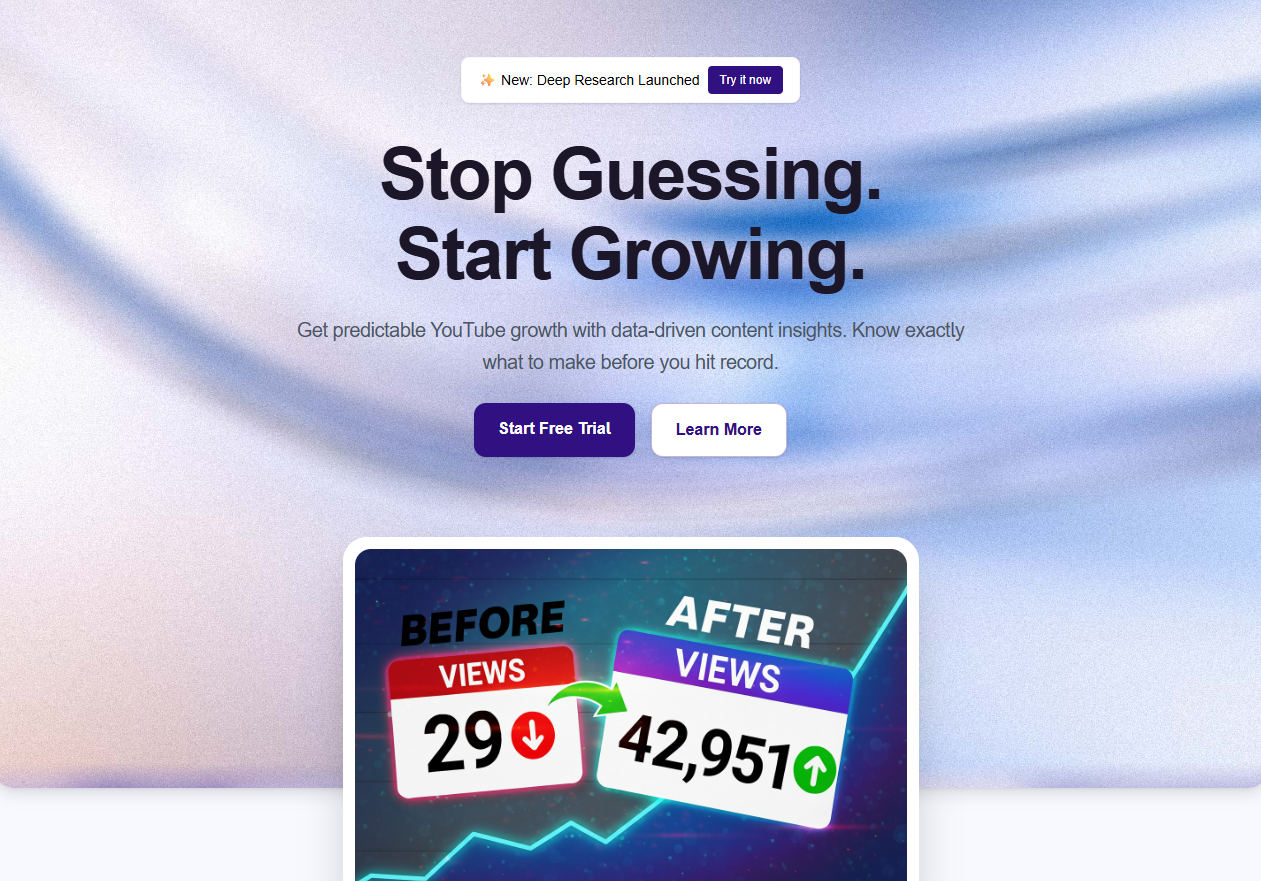 OutlierKit Outlier Finder
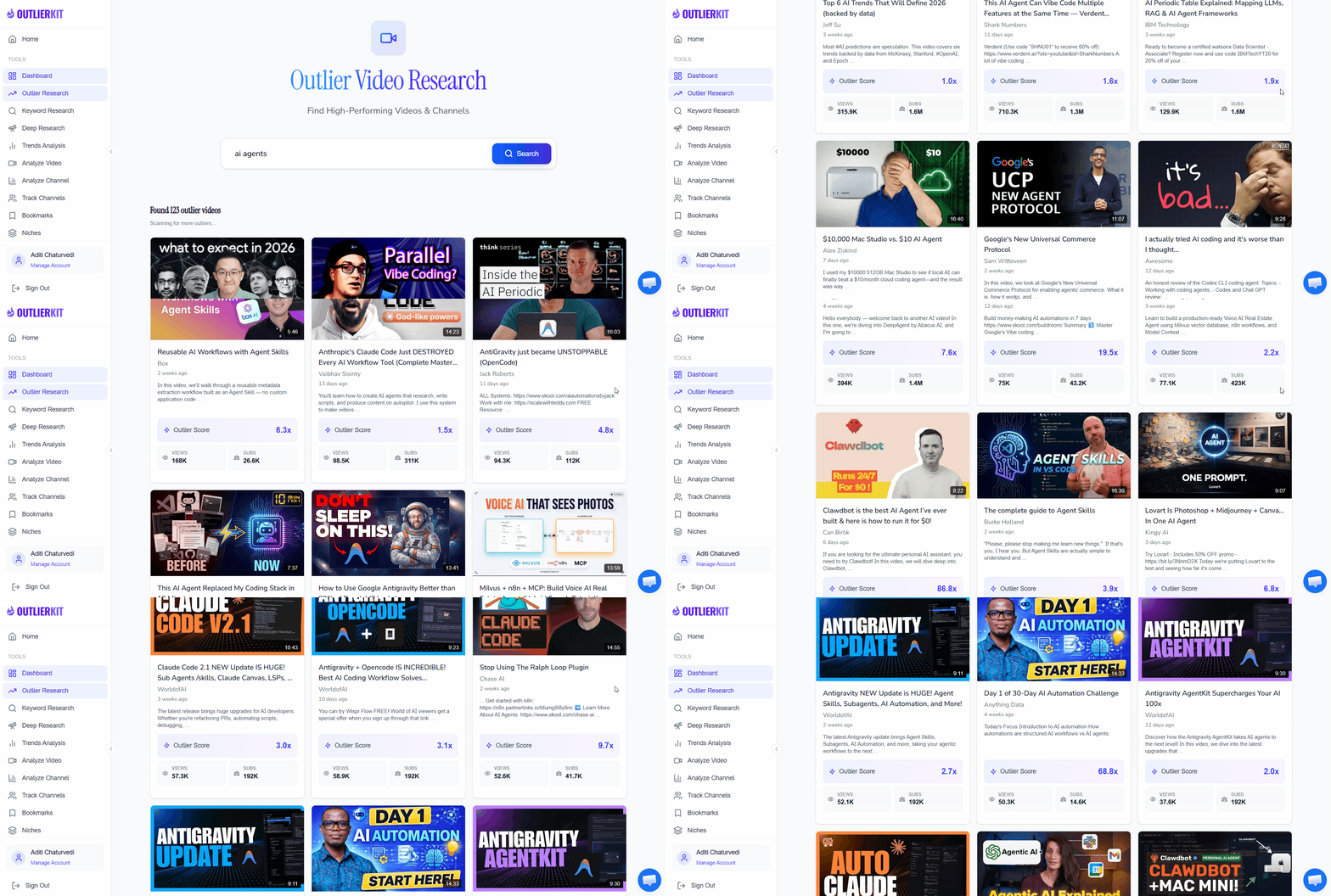
Use OutlierKit's Outlier Finder to discover videos with titles that drove massive overperformance. These outlier videos didn't go viral by accident — their titles triggered curiosity, promised clear value, or hit an emotional nerve. By studying titles on videos that got 10x-50x their expected views, you reverse-engineer what makes audiences click in your specific niche.
- Enter your niche or topic into Outlier Finder
- Sort results by outlier score to surface the biggest overperformers
- Copy the exact titles of the top 15-20 outlier videos
- Note recurring title patterns: numbers, questions, power words, brackets
- Save the list — you'll use these patterns across every future title
Pro Tip: Pay attention to titles from smaller channels (under 100K subs) that still went viral. These prove the title itself drove clicks, not brand recognition. A 2M-view video on a 5K-subscriber channel means the title and thumbnail did all the heavy lifting.
Analyze Thumbnail Patterns
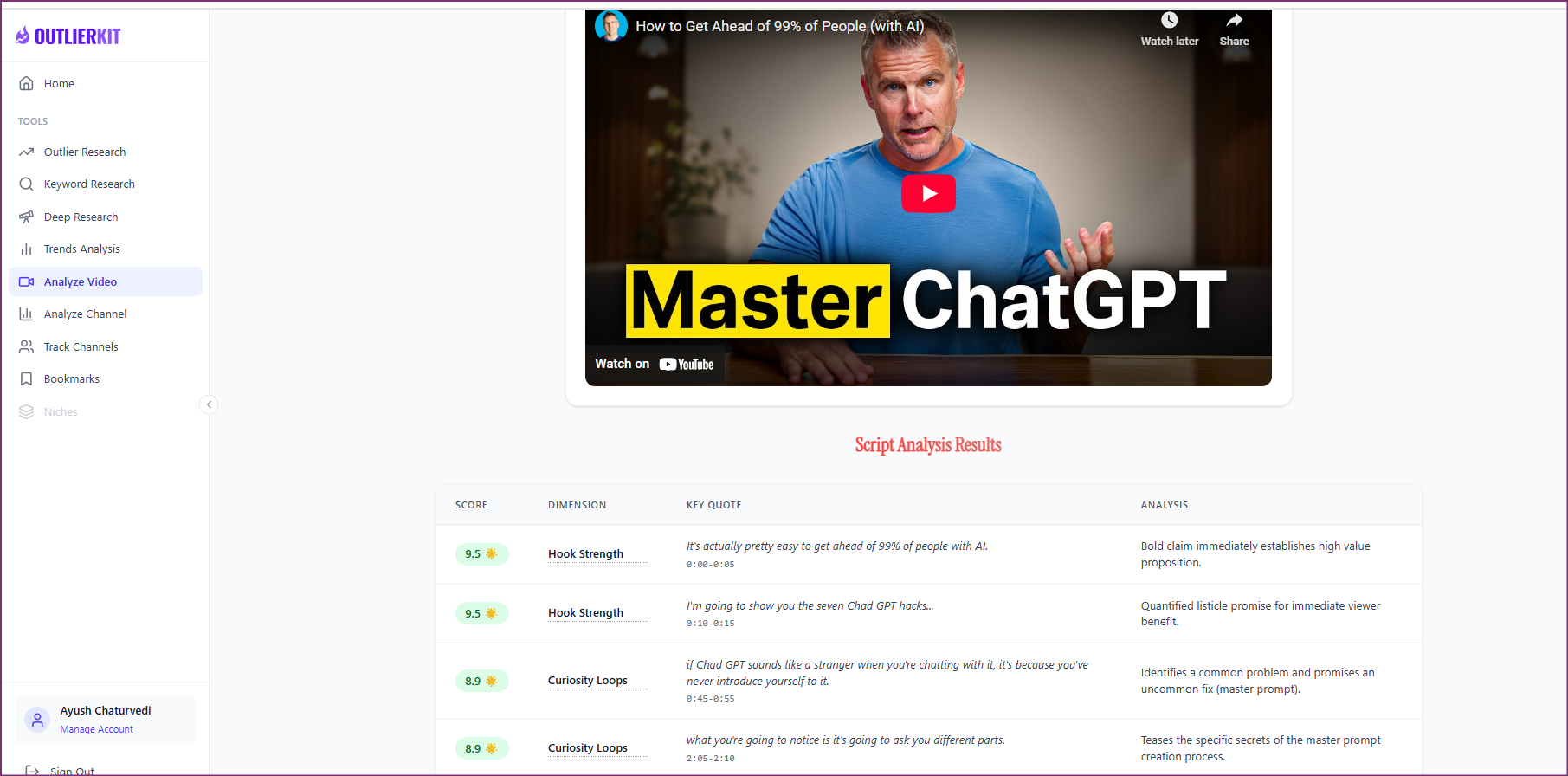
OutlierKit Video AnalyzerFeed your outlier discoveries into OutlierKit's Video Analyzer to break down the visual patterns behind top-performing thumbnails. The Video Analyzer examines what successful thumbnails in your niche have in common — face expressions, text overlays, color schemes, composition layouts, and contrast levels. This gives you a data-backed blueprint instead of guessing what looks good.
- Analyze your top outlier videos in Video Analyzer
- Note dominant colors and contrast patterns in winning thumbnails
- Identify face expression patterns (shock, curiosity, excitement)
- Document text overlay styles: font size, word count, placement
- Create a thumbnail checklist based on recurring patterns
Pro Tip: The most common pattern in high-CTR thumbnails is simplicity — usually 3 or fewer visual elements. Cluttered thumbnails with too much text or too many objects underperform because they're unreadable at mobile size (where 70%+ of YouTube views happen).
Generate Title Options with AI
 ChatGPT
 Gemini
 Claude
Take the title patterns you identified in Step 1 and feed them into your preferred AI tool. Rather than writing titles from scratch, you're giving the AI proven formulas from your niche and asking it to generate variations for your specific video topic. This produces dozens of high-quality title options in minutes instead of hours.
Choose your AI tool — exact prompt for each:
ChatGPT— Best for creative variations and emotional hooksI've researched outlier YouTube videos in [your niche] using OutlierKit. Here are the top-performing title patterns I found: [Paste your list of outlier titles from Step 1] My next video is about: [your topic] Generate 20 title options using the patterns above. For each title: - Use a proven structure from the outlier data - Include a curiosity gap or emotional trigger - Keep it under 60 characters when possible - Avoid clickbait — the title must deliver on its promise Group titles by style: curiosity-driven, number-based, question-based, comparison-based, and power-word titles.
Gemini— Best for data-aligned titles with search potentialAnalyze these top-performing YouTube titles from my niche [your niche]: [Paste your OutlierKit outlier titles] My upcoming video topic: [your topic] Generate 20 title variations optimized for both CTR and search: CATEGORY 1 — Search-Optimized (5 titles): Include target keywords naturally while maintaining click appeal. CATEGORY 2 — Curiosity-Driven (5 titles): Use information gaps, unexpected contrasts, or surprising claims. CATEGORY 3 — Number/List-Based (5 titles): Leverage specific numbers for concrete value signaling. CATEGORY 4 — Emotional/Power-Word (5 titles): Use proven trigger words (secret, mistake, actually, finally). For each title, note the character count and the outlier pattern it's based on.
Claude— Best for analytical depth and structured comparisonI've used OutlierKit to find outlier videos in [your niche]. Here are the titles from videos that got 10-50x their expected views: [Paste outlier titles from Step 1] My video topic: [your topic] Generate 20 title options with structured analysis: 1. For each title, identify which outlier pattern it leverages 2. Rate each title's curiosity gap strength (1-5) 3. Rate each title's search keyword relevance (1-5) 4. Flag any titles that risk being clickbait 5. Recommend your top 5 picks and explain why Prioritize titles that combine high curiosity with honest value delivery — I want clicks that convert to watch time, not bounces.
Pro Tip: Don't settle for the first batch. Pick your top 3 AI-generated titles and ask for 5 more variations of each. The best title is usually a hybrid — take the structure from one AI suggestion and the hook from another to create something stronger than either alone.
Score Titles with UTubeKit
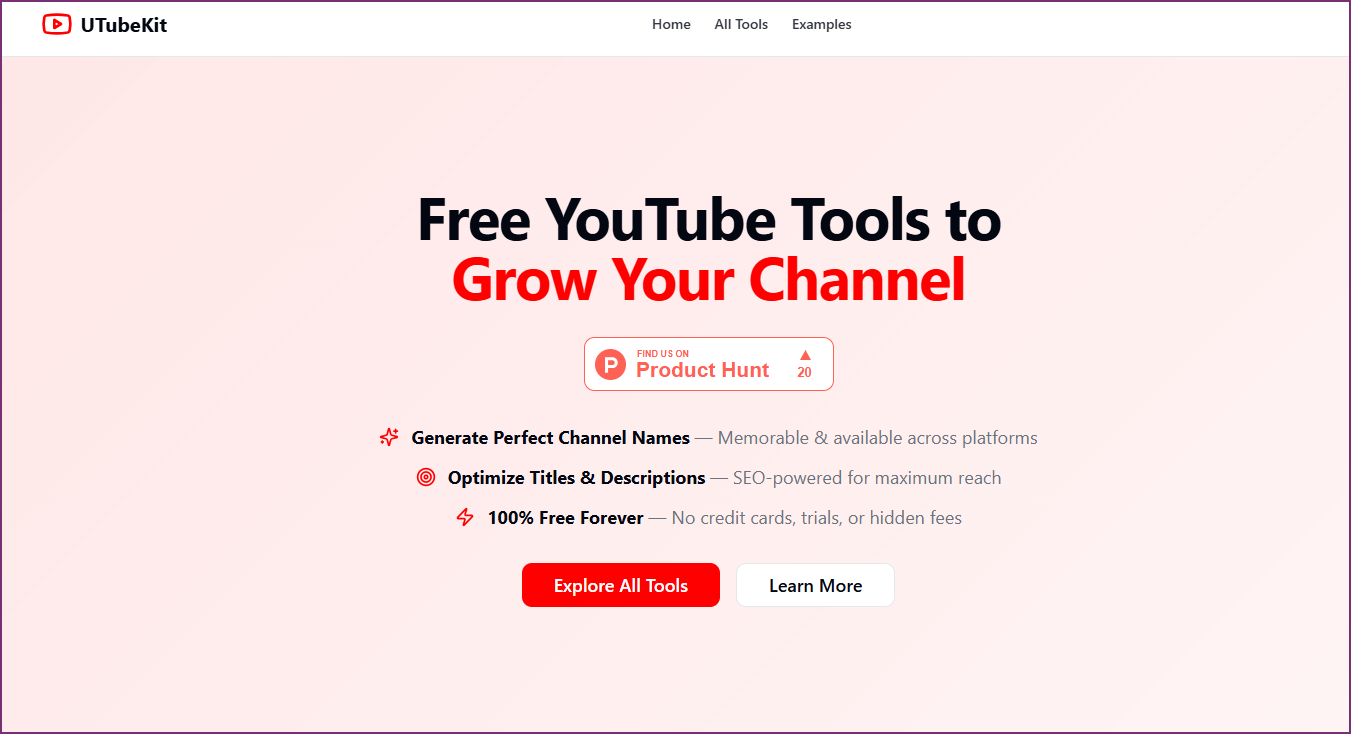 UTubeKit
Take your shortlisted title options and run them through UTubeKit's free title scoring tool. UTubeKit analyzes each title for SEO strength, emotional impact, readability, and click potential — giving you an objective score instead of relying on your gut feeling. This step eliminates guesswork and ensures you pick the highest-performing title from your options.
- Go to UTubeKit's free title analyzer tool
- Paste each of your top 10 title candidates one at a time
- Compare scores across all candidates
- Note which titles score highest on emotional impact and clarity
- Select the top 2-3 titles for A/B testing in Step 6
Pro Tip: UTubeKit is completely free — no account required. Run all your title candidates through it and keep a spreadsheet of scores. Over time, you'll develop an intuition for what scores well, making your first-draft titles stronger without needing to generate as many options.
Design Thumbnails with Canva or Photoshop
 CanvaPsPhotoshop
Using the visual patterns from Step 2, design 2-3 thumbnail variants for your video. Apply the data-backed patterns you identified — dominant colors, face expressions, text placement, and composition layouts that consistently drove high CTR in your niche. Whether you use Canva (faster, template-based) or Photoshop (more control), the key is following proven patterns, not reinventing the wheel.
- Open Canva or Photoshop with a 1280x720 canvas (YouTube standard)
- Apply the dominant color scheme from your niche's top performers
- Use a high-contrast face shot with an expressive emotion (if applicable)
- Add text overlay: max 4-5 words, large readable font, contrasting color
- Create 2-3 variants: different face expressions, colors, or text placement
- Preview at mobile size (small thumbnail) to verify readability
Pro Tip: Always design thumbnails at actual mobile viewing size first — that's where most viewers will see them. If your text isn't readable in a 160x90 pixel preview, it's too small or there's too much of it. The 'squint test' works: squint at your thumbnail from arm's length. If you can't tell what it's about, simplify.
A/B Test & Iterate with YouTube Studio
 YouTube Studio
Upload your video with your top-scoring title and thumbnail, then use YouTube Studio's built-in A/B testing (Test & Compare) to pit your thumbnail variants against each other. Let data decide the winner — not your personal preference. After 48-72 hours of data collection, the winning combination becomes clear. Apply learnings to your next video and compound your CTR improvements over time.
- Upload your video with the highest-scoring title from UTubeKit
- Set up thumbnail A/B test in YouTube Studio (Test & Compare feature)
- Upload your 2-3 thumbnail variants as test options
- Let the test run for at least 48-72 hours for statistically reliable data
- Lock in the winner and document what worked for future reference
- Apply the winning patterns to your next video's thumbnail design
Pro Tip: Build a 'swipe file' of your own A/B test results. After 10-15 tests, you'll have a personal playbook of what works specifically for YOUR audience — which is far more valuable than generic advice. Track: winning colors, text styles, face expressions, and title structures.
Who This Workflow Is For
Low-CTR Creators
Your videos get impressions but few clicks. This workflow identifies exactly why and gives you a data-backed system to fix your packaging permanently.
Growth-Plateau Channels
You're making good content but growth has stalled. Title and thumbnail optimization is often the missing piece — it's the highest-leverage change you can make.
Data-Driven Creators
You want to remove guesswork from your process. This workflow replaces subjective opinions with outlier data, scoring tools, and A/B tests.
Content Teams & Agencies
You manage multiple channels and need a repeatable, scalable process for title and thumbnail optimization that any team member can follow.
Frequently Asked Questions
Basics
How much can title and thumbnail changes really impact views?
Dramatically. YouTube's own Creator Academy states that 90% of top-performing videos have custom thumbnails. A title and thumbnail improvement that doubles your CTR from 3% to 6% means YouTube shows your video to twice as many people — because higher CTR signals to the algorithm that your content is worth recommending. Many creators see 40-100% view increases from title/thumbnail changes alone, without changing anything about the video content itself.
Do I need design skills to create effective thumbnails?
No. Canva provides YouTube thumbnail templates that you can customize in minutes with zero design experience. The most important factor isn't design skill — it's following proven patterns. Simple thumbnails with a clear face, contrasting text, and 3 or fewer visual elements consistently outperform 'professionally designed' but cluttered thumbnails. The data from OutlierKit's Video Analyzer shows you exactly what works in your niche.
Tools & Setup
Is UTubeKit really free for title scoring?
Yes. UTubeKit's title analyzer is completely free with no account required. You can score unlimited titles at zero cost. It evaluates your titles for emotional impact, readability, SEO strength, and click potential — giving you an objective score to compare options against each other instead of guessing which title 'feels' best.
How long should I run an A/B test before picking a winner?
At minimum 48-72 hours, but ideally until YouTube Studio shows a statistically significant winner. The required time depends on your video's impression volume — channels with more traffic get reliable results faster. For channels under 10K subscribers, you may need 5-7 days of data. Never pick a winner after just a few hours, as early data is often misleading due to different audience segments seeing your video at different times of day.
Results & Expectations
Should I change titles and thumbnails on old videos too?
Absolutely — this is one of the highest-ROI activities on YouTube. Old videos with decent content but weak titles/thumbnails are leaving views on the table. Use OutlierKit to research what's working now in your niche, regenerate titles and thumbnails using this workflow, and update them. Many creators report 50-200% view increases on older videos after a title/thumbnail refresh. Start with your videos that have high impressions but low CTR — those have the most upside.
Related Workflows
Free YouTube SEO Workflow
Complete SEO optimization using only free tools — no VidIQ or TubeBuddy needed.
Research & IdeationAI Video Ideation Pipeline
Generate 30 data-backed video ideas in 10 minutes using OutlierKit + AI tools.
Research & PlanningData-Backed Content Calendar
Plan a full month of YouTube content backed by real search data in 2 hours.

Ready to double your click-through rate?
Start with OutlierKit's free plan to discover what titles and thumbnails work in your niche. Combine with UTubeKit's free title scorer and Canva to build a data-driven optimization workflow.
Try OutlierKit Free