Turn 1 YouTube Video into 10 Pieces of Content
Stop creating from scratch for every platform. Combine OutlierKit's video analytics and outlier research with clipping tools like Opus Clip, CapCut, and Descript to repurpose a single long-form video into 10+ pieces of content across YouTube Shorts, TikTok, Instagram Reels, and LinkedIn.
TL;DR
Turn one video into 10+ pieces of content across YouTube, Shorts, blogs, and social media. OutlierKit identifies what to repurpose, AI tools handle the conversion.
10x Content
From every video you publish
1 → 10
Clips per long-form video
Cross-Platform
Shorts, TikTok, Reels, LinkedIn
5x Reach
Without creating new content
The Problem
Most YouTube creators spend hours producing a single long-form video, hit publish, and move on. That video lives on YouTube and nowhere else. Meanwhile, their audience is spread across TikTok, Instagram, LinkedIn, and YouTube Shorts — platforms they never reach. The result?
- Hours of effort producing content that lives on one platform
- Missing audiences on Shorts, TikTok, Reels, and LinkedIn
- No system for identifying which videos are worth repurposing
- Random clip selection instead of data-backed segment extraction
- Posting identical content everywhere instead of platform-optimized clips
The creators who grow fastest don't create more — they repurpose smarter. They use data to identify their best content, extract the highest-impact segments, and optimize each clip for its target platform.
The Solution
OutlierKit identifies which videos and segments are worth repurposing using real performance data. Then AI extracts the highest-retention moments and maps them to each platform. Finally, clipping tools (Opus Clip, CapCut, or Descript) turn those segments into polished, platform-optimized clips — multiplying every video you publish into 10+ pieces of content.
Repurpose proven winners, not random content.
Before vs. After: The Impact
Manual Repurposing
- Random clip selection with no data
- Same content copy-pasted to every platform
- 1-2 clips per video at best
- No tracking of which clips drive results
- Repurposing underperforming videos wastes time
Most content dies on one platform
OutlierKit + Clipping Tools
- Data-backed segment selection from retention analytics
- Platform-optimized clips for each audience
- 10+ clips from every long-form video
- Performance tracking closes the feedback loop
- Only repurpose proven winners, not flops
Every video works across every platform
10+
Clips per video
4
Platforms covered
5x
Total reach increase
90 min
Per repurposing cycle
The 6-Step Repurposing Pipeline at a Glance
Step-by-Step: The Full Repurposing Pipeline
Follow these 6 steps to turn every long-form YouTube video into 10+ pieces of platform-optimized content.
Identify Your Best-Performing Content
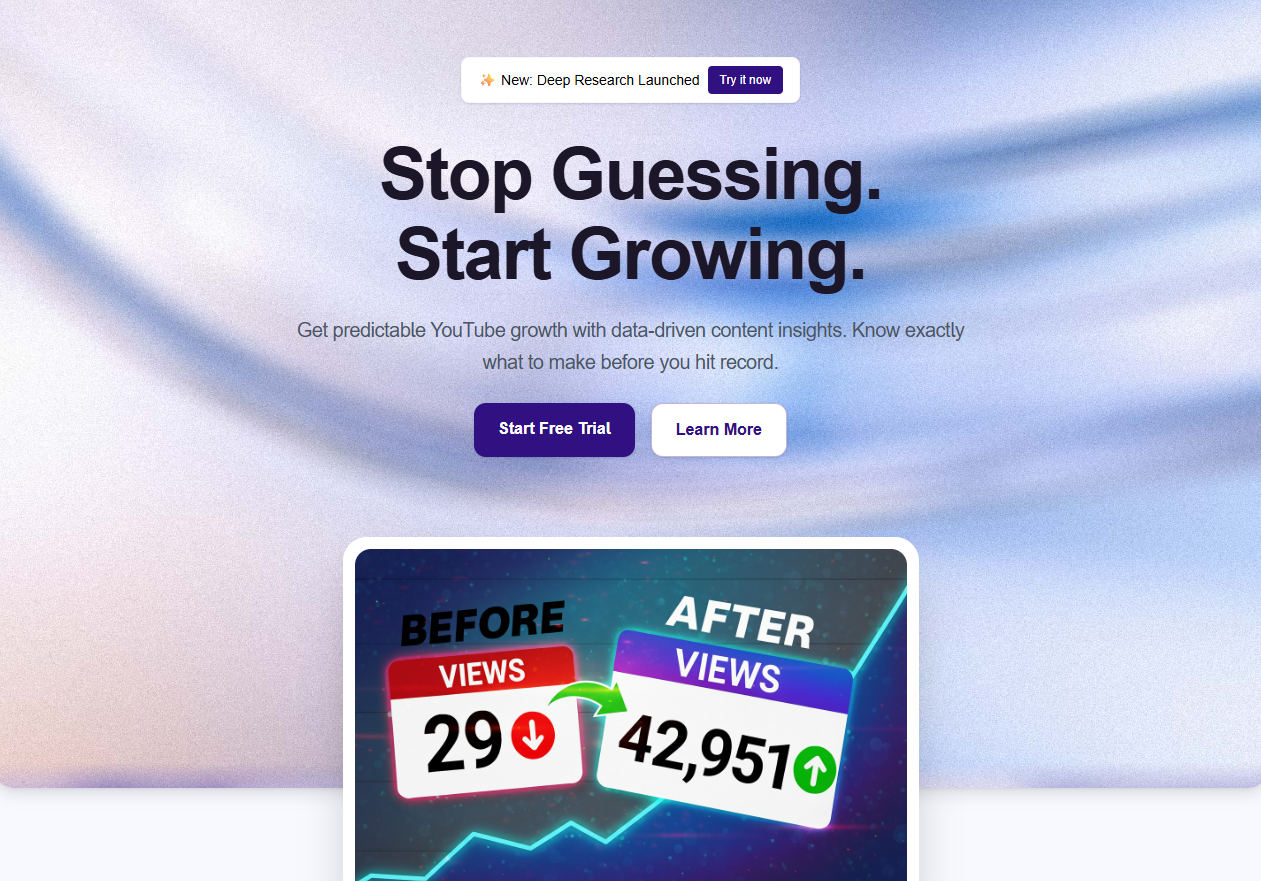 OutlierKit Video Analyzer
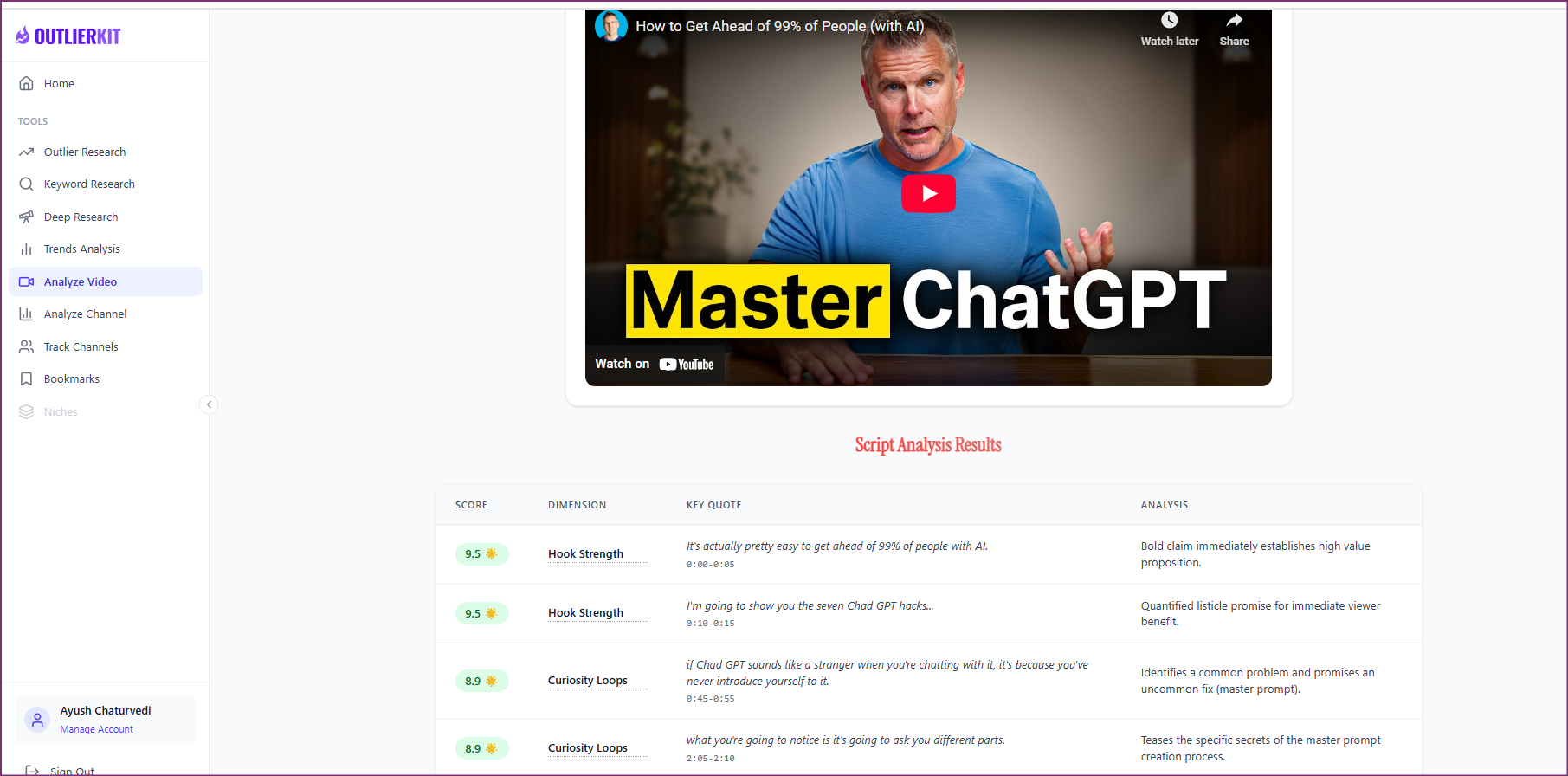
Before you repurpose anything, you need to know which videos are actually worth repurposing. Use OutlierKit's Video Analyzer to audit your channel and identify the videos with the highest retention, engagement, and view velocity. These are the videos that already proved they resonate — repurposing them multiplies proven winners instead of gambling on unproven content.
- Open Video Analyzer and connect your YouTube channel
- Sort videos by engagement rate and average view duration
- Identify your top 5-10 videos with above-average retention
- Flag videos with strong first-60-second hooks — these make the best clips
- Note timestamps where audience retention peaks — these are your clip goldmines
Pro Tip: Focus on videos with high retention in the first 60 seconds. A video with 70% retention at the 30-second mark will produce clips that hook viewers on short-form platforms where the first 3 seconds decide everything.
Find Viral Clip Patterns in Your Niche
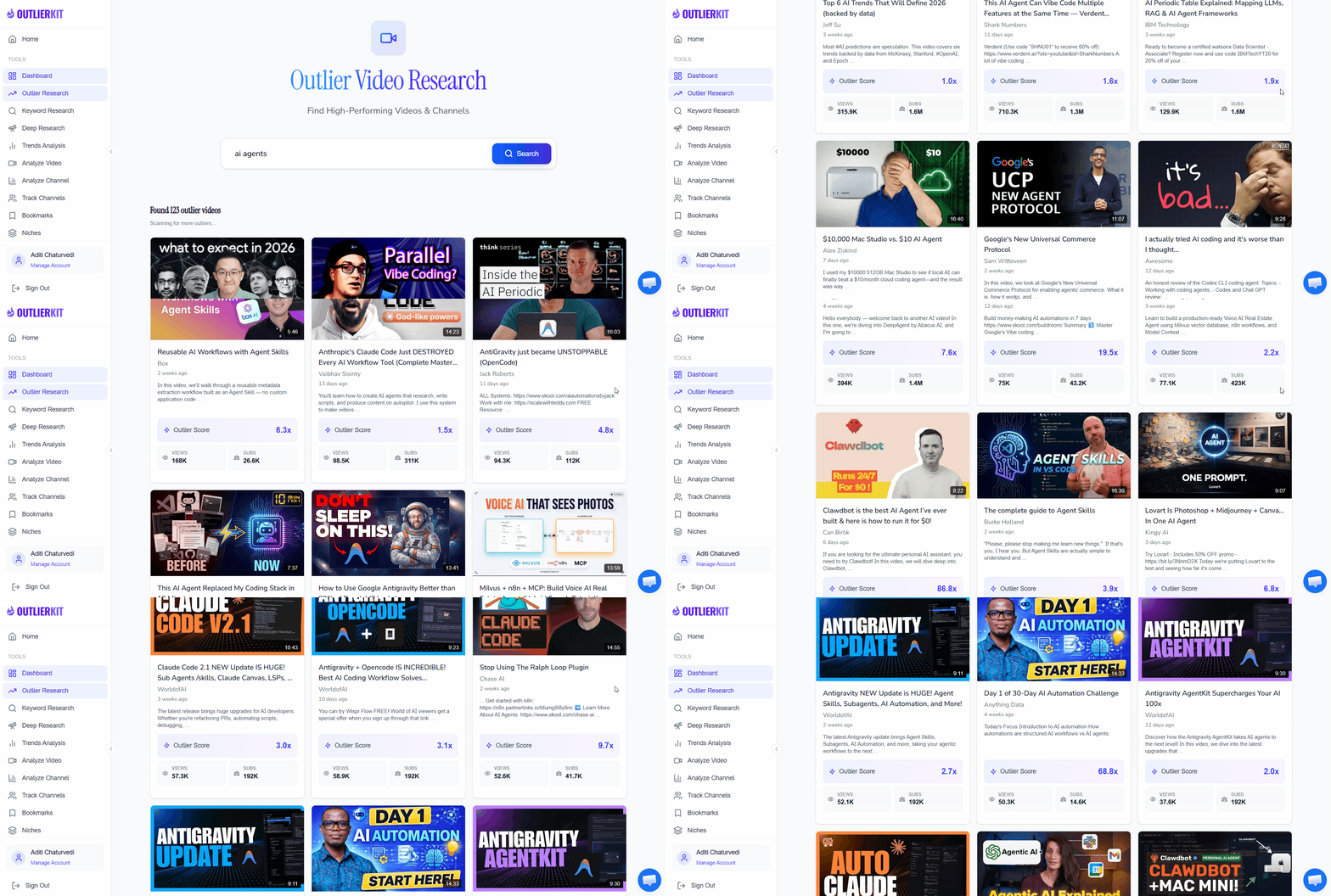
OutlierKit Outlier FinderNow discover what types of short-form clips are already going viral in your niche. Use OutlierKit's Outlier Finder to find Shorts, Reels, and clips that massively outperformed their channel's average. These outlier clips reveal the formats, hooks, and topics that audiences engage with most — giving you a proven blueprint for your own repurposed content.
- Search your niche in Outlier Finder and filter for short-form content
- Sort by outlier score to find clips that got 10x+ expected views
- Analyze the hooks, pacing, and formats of top-performing clips
- Note which topics consistently produce viral clips in your space
- Save 10-15 examples as reference templates for your own clips
Pro Tip: Pay attention to the first 3 seconds of outlier clips. Most viral short-form content follows a pattern: a bold statement, a surprising visual, or a direct question. Model your clip openings after what already works in your niche.
Extract High-Retention Segments with AI
 ChatGPT
 Gemini
 Claude
Feed your video transcript and retention data into AI to identify the most clip-worthy segments. AI can analyze your full transcript and pinpoint the moments with the highest emotional impact, clearest value delivery, and strongest standalone potential — saving you hours of manual scrubbing through footage.
Choose your AI tool — exact prompt for each:
ChatGPT— Best for identifying emotional hooks and storytelling momentsI have a YouTube video transcript that I want to repurpose into 10 pieces of short-form content. Here's the transcript with timestamps: [Paste your full transcript with timestamps] Video performance data: - Total views: [X] - Average view duration: [X] - Top retention moments (from OutlierKit Video Analyzer): [timestamps] Analyze this transcript and identify: 1. The 10 best segments for short-form clips (30-60 seconds each) 2. For each segment, provide: start/end timestamps, a suggested hook (first 3 seconds), and which platform it's best suited for (Shorts, TikTok, Reels, or LinkedIn) 3. Rate each clip's viral potential (high/medium/low) based on emotional impact and standalone value 4. Suggest a compelling caption/text overlay for each clip Prioritize segments that work as standalone content — viewers should get full value without watching the original video.
Gemini— Best for data-driven segment analysis and platform matchingAnalyze this YouTube video transcript for repurposing into multi-platform short-form content: [Paste transcript with timestamps] Retention data from OutlierKit Video Analyzer: - High-retention moments: [timestamps] - Drop-off points: [timestamps] - Most replayed sections: [timestamps] Provide a structured repurposing plan: 1. CLIP EXTRACTION: Identify 10 segments (30-60 seconds) ranked by standalone value 2. PLATFORM MAPPING: For each clip, specify the ideal platform and format: - YouTube Shorts (vertical, 60s max, hook-driven) - TikTok (vertical, trending audio potential, fast-paced) - Instagram Reels (vertical, aesthetic, shareable) - LinkedIn (horizontal or vertical, professional insight, text-heavy) 3. HOOK ENGINEERING: Write the first 3-second hook for each clip 4. CONTENT DERIVATIVES: Beyond clips, identify segments suited for: - Quote graphics (key one-liners) - Thread/carousel content (step-by-step sections) - Audio snippets (podcast clips)
Claude— Best for strategic content mapping and gap analysisI want to turn one YouTube video into 10+ pieces of content across multiple platforms. Here's my video data: Transcript: [Paste full transcript with timestamps] OutlierKit Video Analyzer insights: - Top retention segments: [timestamps and retention %] - Audience engagement peaks: [timestamps] - Key topics covered: [list] OutlierKit Outlier Finder data (viral clip patterns in my niche): - Common hooks: [list from Step 2] - Top-performing formats: [list from Step 2] Create a comprehensive repurposing strategy: 1. CLIP MAP: 10 clip segments with timestamps, hooks, and platform assignments 2. CONTENT MULTIPLICATION: For each clip, suggest 1-2 additional derivative formats: - Text post version (Twitter/X, LinkedIn) - Carousel/infographic version (Instagram, LinkedIn) - Quote card version (all platforms) 3. PLATFORM OPTIMIZATION: Specific adjustments needed for each platform's algorithm 4. POSTING SEQUENCE: Recommended order and timing to maximize cross-platform reach 5. PERFORMANCE PREDICTION: Which clips are most likely to drive traffic back to the full video
Pro Tip: Include your OutlierKit retention data in the AI prompt — timestamps where retention peaks tell the AI exactly which parts of your video resonated most. The AI can then prioritize those high-retention segments for clipping, dramatically increasing your clip hit rate.
Create Short-Form Clips
Now turn your identified segments into polished short-form clips. Use dedicated clipping tools to extract, edit, and format your content for each platform. Each tool has different strengths — Opus Clip for AI-powered auto-clipping, CapCut for visual effects and trending templates, and Descript for transcript-based editing.
Opus Clip
AI auto-clipping
Paste your YouTube URL and Opus Clip's AI automatically finds the best clips. Great for speed — it can generate 10+ clips in minutes. Best for creators who want quick, automated repurposing.
CapCut
Visual effects & templates
Use CapCut for clips that need trending effects, transitions, and platform-native styling. Its template library lets you match the visual style of what's performing on TikTok and Reels right now.
Descript
Transcript-based editing
Edit your video by editing text — Descript transcribes your video and lets you cut, rearrange, and trim by manipulating the transcript. Perfect for creators who think in words, not timelines.
- Import your video into your chosen clipping tool
- Use the AI-identified timestamps from Step 3 to extract each segment
- Add captions/subtitles — 85% of short-form video is watched on mute
- Apply platform-specific aspect ratios (9:16 for Shorts/TikTok/Reels, 1:1 or 16:9 for LinkedIn)
- Add hooks as text overlays in the first 3 seconds of each clip
- Export each clip in the correct format and resolution for its target platform
Pro Tip: Always add captions. Videos with captions get 40% more views on average across all short-form platforms. Use your clipping tool's auto-caption feature, but review them for accuracy — AI captions still make mistakes on technical terms and proper nouns.
Optimize for Each Platform
A clip that works on YouTube Shorts won't necessarily work on TikTok or LinkedIn without adjustments. Each platform has different algorithms, audience expectations, and content norms. Optimize each clip for its target platform to maximize performance everywhere — not just on YouTube.
YouTube Shorts
- Keep clips under 60 seconds (ideally 30-45 seconds)
- Front-load the hook in the first 2 seconds
- Use hashtags: #Shorts plus 2-3 niche-relevant tags
- Add an end screen prompting viewers to watch the full video
- Post during your channel's peak audience hours
TikTok
- Match trending audio when relevant to your content
- Use native TikTok text overlays for algorithmic boost
- Hook viewers with a bold claim or question in the first second
- Keep captions short and punchy — TikTok rewards fast pacing
- Engage with comments in the first hour after posting
Instagram Reels
- Use cover images that look good in the grid layout
- Add location tags for discoverability
- Keep clips visually polished — Instagram audiences expect higher production quality
- Write detailed captions with a CTA to check your YouTube for the full version
- Share Reels to Stories for extra reach in the first 24 hours
- Lead with a professional insight or data point
- Use horizontal (16:9) or square (1:1) format — vertical underperforms on LinkedIn
- Add a text-based hook in the first frame
- Write a 3-5 sentence post accompanying the video with a clear takeaway
- Post Tuesday through Thursday for maximum professional audience reach
Pro Tip: Don't post all 10 clips at once. Space them out over 2-3 weeks. This gives each clip room to perform, prevents audience fatigue, and keeps your content calendar full between long-form uploads. A single great video can fuel your short-form content for weeks.
Track Performance & Double Down
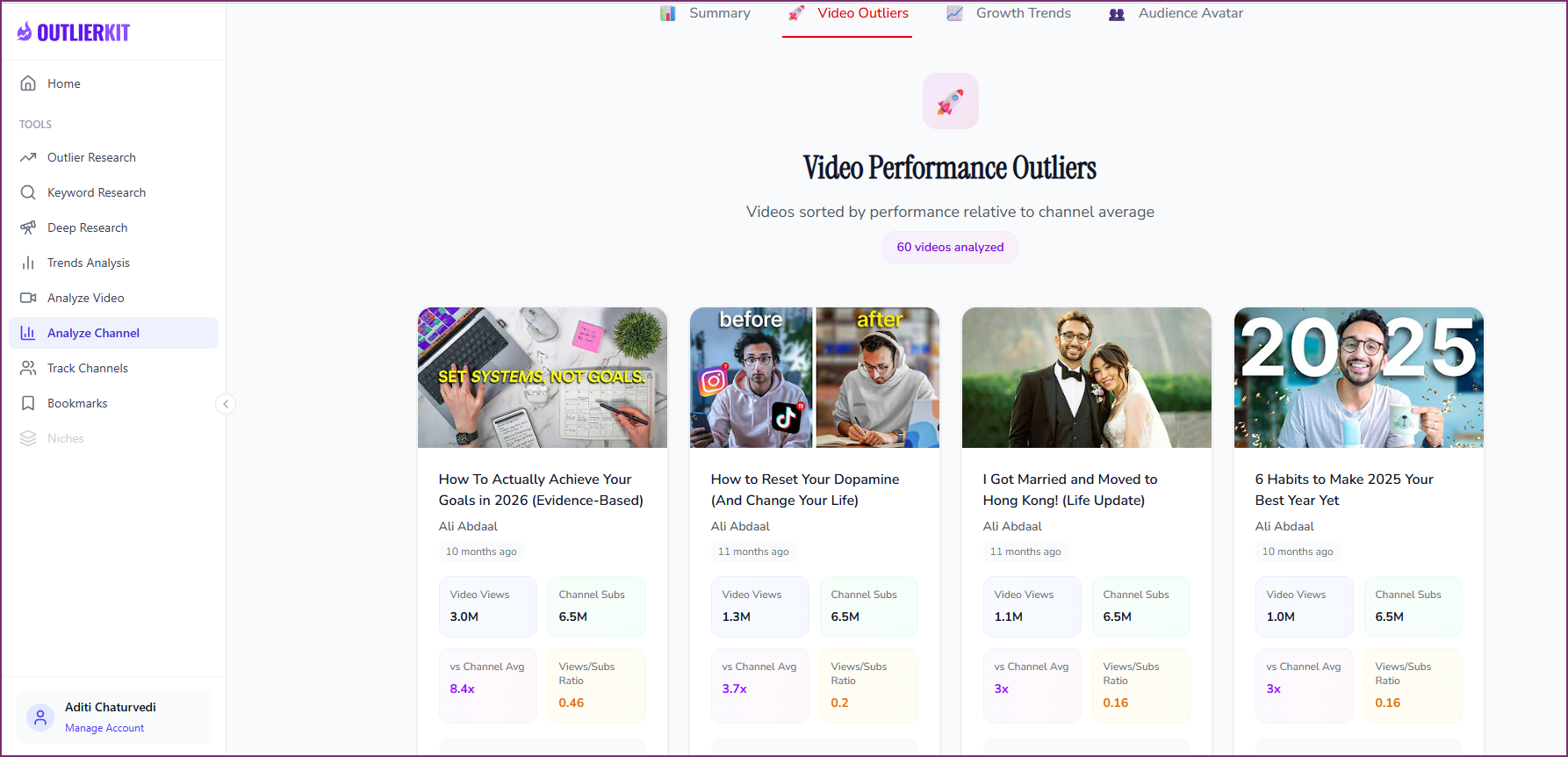
OutlierKit Video AnalyzerClose the loop by tracking which repurposed clips perform best. Use OutlierKit's Video Analyzer to monitor your Shorts and clips, then identify which formats, hooks, and topics consistently outperform. This data feeds back into your next repurposing cycle — each round gets more effective as you learn what your audience responds to across platforms.
- Review clip performance in Video Analyzer after 7-14 days
- Identify which clips got the highest retention and engagement
- Note which platforms drove the most views for each clip type
- Track how many viewers clicked through to your full-length video
- Create a "winning formats" template based on your top-performing clips
- Feed insights back into Step 1 for your next repurposing cycle
Pro Tip: Build a simple spreadsheet tracking each clip's platform, hook type, topic, and performance. After 20-30 clips, clear patterns emerge — you'll know exactly which hook styles, topics, and formats win on each platform. This turns repurposing from guesswork into a repeatable system.
Who This Workflow Is For
Solo Creators
You can't create unique content for every platform. This workflow lets you film once and publish everywhere — multiplying your output without multiplying your workload.
Multi-Platform Brands
You need presence on YouTube, TikTok, Instagram, and LinkedIn but can't produce original content for each. This pipeline maximizes ROI from every video you create.
Content Teams
Your team produces long-form videos but struggles to keep short-form channels active. This system turns your existing library into a short-form content engine.
Growth Hackers
You want maximum reach from minimum effort. This data-driven approach ensures every clip you produce is based on proven content — not guesswork.
Frequently Asked Questions
How long does it take to repurpose one video into 10 clips?
Do I need all three clipping tools (Opus Clip, CapCut, Descript)?
Won't posting the same content on multiple platforms hurt my reach?
Which platform should I prioritize for repurposed clips?
Should I repurpose every video I publish?
Related Workflows
AI Video Ideation Pipeline
Generate 30 data-backed YouTube video ideas in 10 minutes using OutlierKit + AI tools.
OptimizationTitle & Thumbnail Optimization
Data-driven title and thumbnail testing to maximize click-through rates on every video.
SEO & OptimizationFree YouTube SEO Workflow
Complete SEO optimization using only free tools — no VidIQ or TubeBuddy needed.
Official Resources

Ready to turn 1 video into 10 pieces of content?
Start with OutlierKit's free plan to identify your best-performing videos and discover viral clip patterns in your niche. Combine with clipping tools to build a repurposing machine.
Try OutlierKit Free