Plan 30 Days of YouTube Content in 2 Hours
Stop publishing random videos and hoping for the best. Combine OutlierKit's Keyword Research and Deep Research with Notion, Google Sheets, or Trello to build a full month of content — every topic backed by real search data and validated audience demand.
TL;DR
Build a data-driven content calendar using OutlierKit research, AI-generated scripts, and UTubeKit SEO — so every upload is backed by proven demand, not guesswork.
30-Day Plan
A full month of content mapped out
2 Hours
From blank page to complete calendar
Data-Backed
Every topic validated by search data
Consistency Boost
Never run out of ideas mid-month
The Problem
Most YouTube creators plan content one video at a time. They wake up, scramble for an idea, film it, and repeat — with no long-term strategy. The result is an inconsistent channel that confuses the algorithm and frustrates viewers.
- No publishing schedule — videos go up whenever inspiration strikes
- Topics chosen by gut feeling, not audience demand data
- Constant "what should I post next?" anxiety
- No cohesion between videos — each one feels disconnected
- Burnout from decision fatigue instead of focusing on creation
The creators who grow consistently don't wing it — they plan ahead with data. A content calendar backed by real search demand eliminates guesswork and lets you focus entirely on producing great content.
The Solution
OutlierKit provides the research foundation — Keyword Research reveals what audiences are searching for, and Deep Research uncovers content gaps your competitors are missing. AI tools organize your findings into strategic topic clusters. Then you map everything onto a visual calendar in Notion, Google Sheets, or Trello for a complete, actionable 30-day publishing plan.
Data-driven planning beats ad-hoc publishing every time.
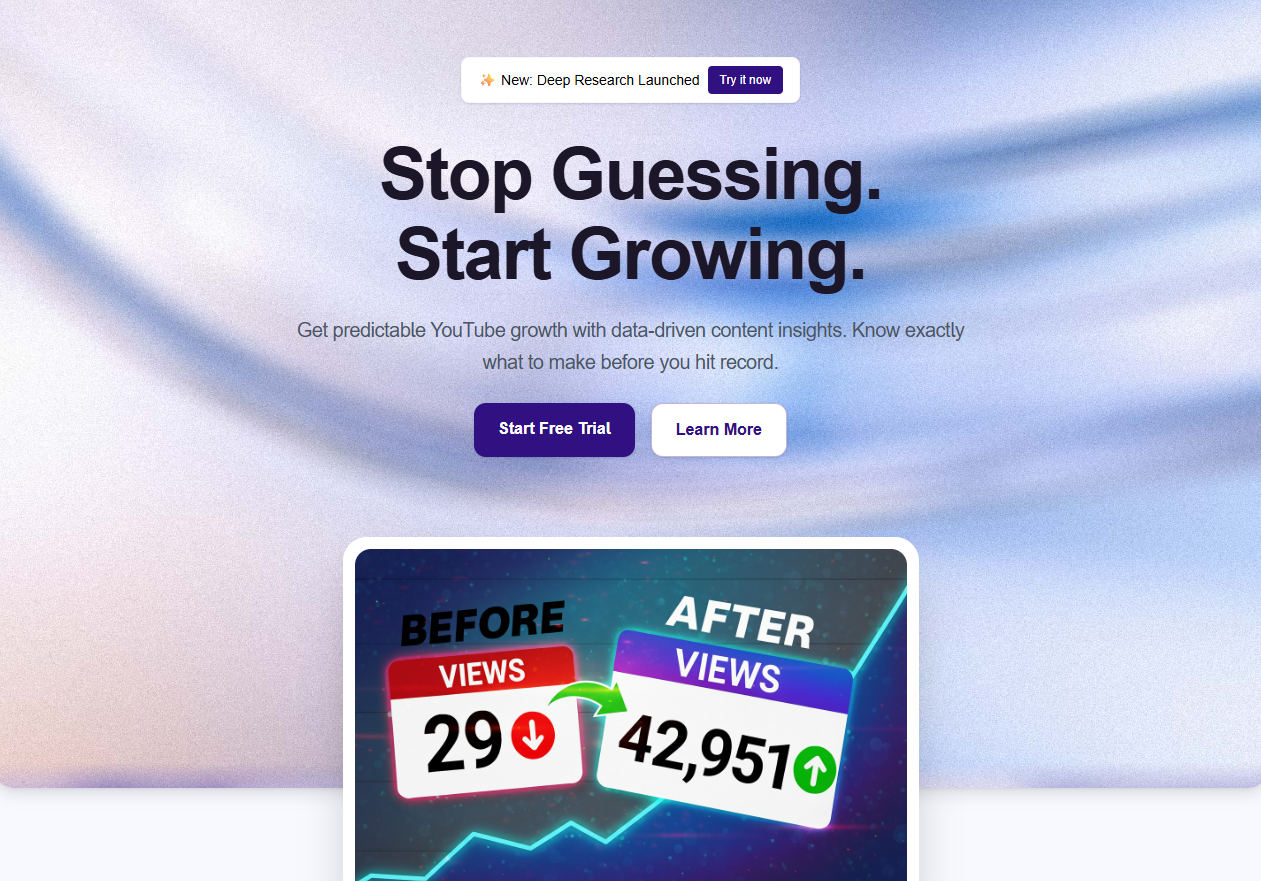
Before vs. After: The Impact
Ad-Hoc Content Planning
- Deciding what to post the day you film
- No data behind topic selection
- Inconsistent upload schedule
- Disconnected videos with no series or themes
- Burnout from constant decision fatigue
Inconsistency kills channel growth
OutlierKit Content Calendar
- 30 days planned in a single 2-hour session
- Every topic backed by search demand data
- Consistent publishing with zero scrambling
- Cohesive topic clusters that build audience loyalty
- Weekly optimization keeps the calendar dynamic
Every video starts with proven demand
30
Days planned ahead
2 hrs
Total planning time
100%
Data-validated
0
Days without a plan
The 6-Step Calendar Workflow at a Glance
Step-by-Step: The Full Calendar Workflow
Follow these 6 steps to build a complete, data-backed 30-day content calendar in about 2 hours. Each step builds on the previous one.
Research Niche Search Landscape
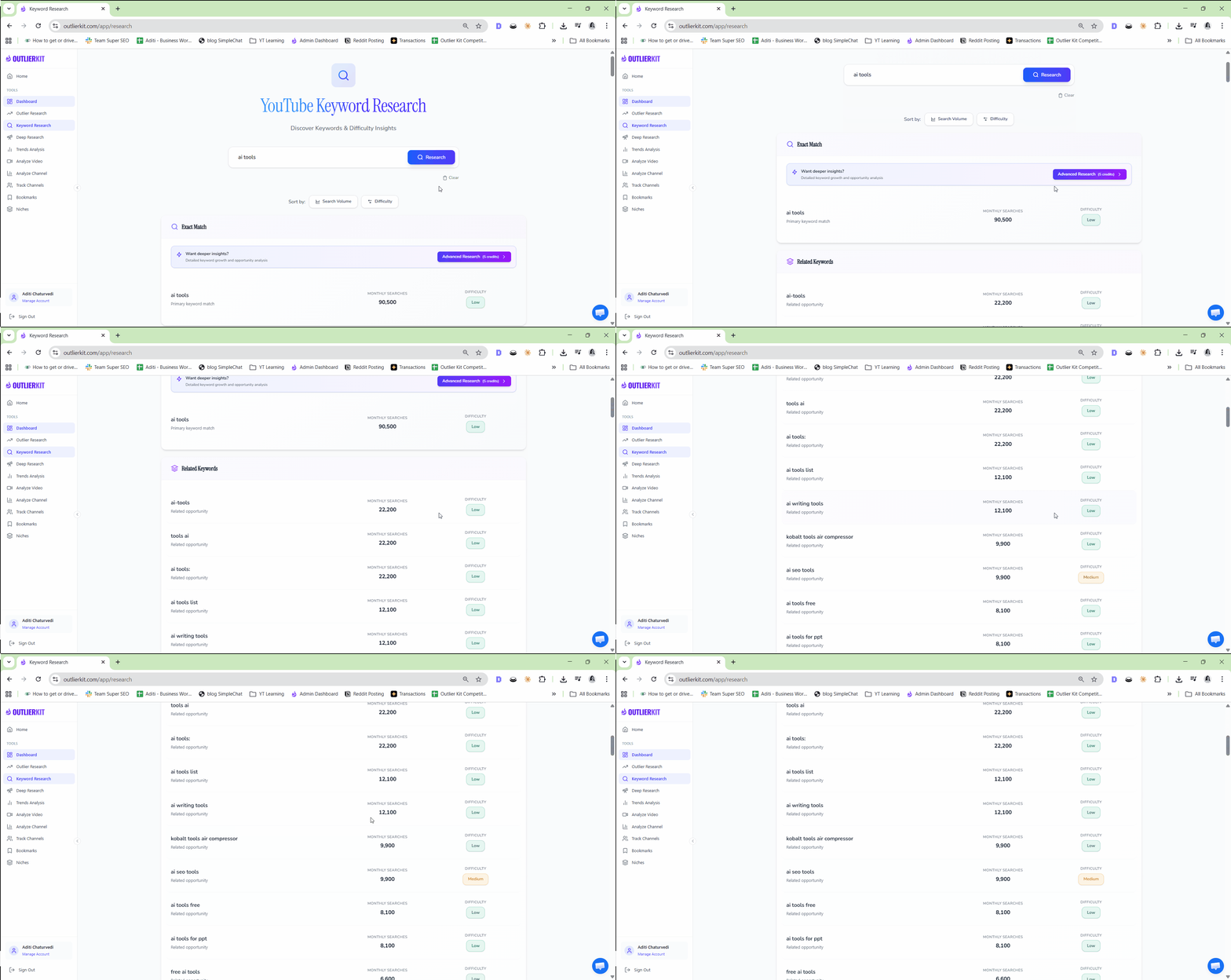
 OutlierKit Keyword Research
Start by mapping the entire search landscape for your niche using OutlierKit's Keyword Research tool. This gives you a bird's-eye view of what your target audience is actively searching for on YouTube — search volumes, trending queries, and seasonal patterns. Instead of guessing what to create, you'll see the exact topics people are looking for right now.
- Enter your niche or main topic into Keyword Research
- Review the top 50 keywords by monthly search volume
- Identify seasonal keywords that spike in the upcoming month
- Export the keyword list for reference in later steps
- Note any surprising high-volume queries you hadn't considered
Pro Tip: Start broad, then go narrow. Search your main niche keyword first, then drill into 3-4 sub-topics. This layered approach reveals long-tail keywords that bigger creators overlook — and those are often the easiest to rank for.
Analyze Competitor Content Gaps
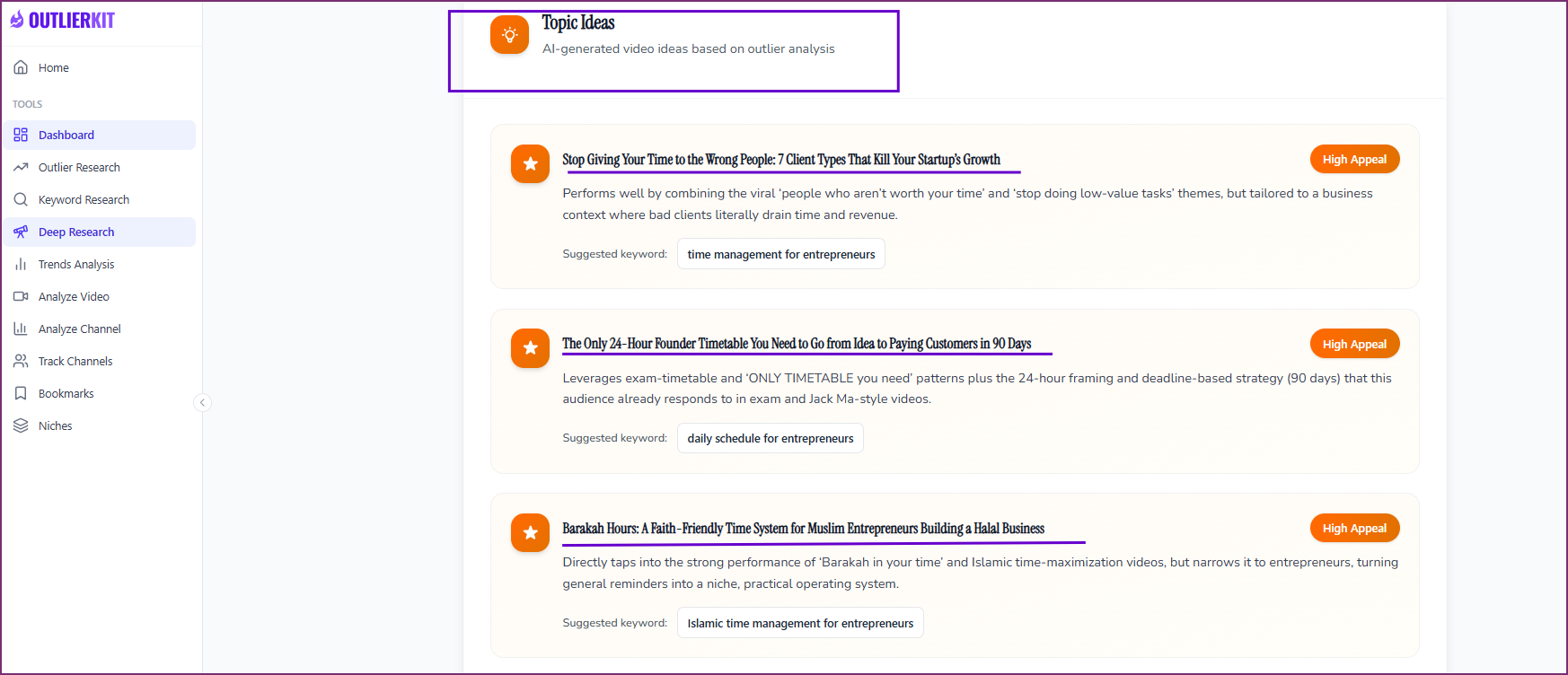
OutlierKit Deep ResearchFeed your top keywords into OutlierKit's Deep Research tool to uncover what your competitors are missing. Deep Research analyzes existing content on each topic, identifies gaps in coverage, and highlights angles that haven't been explored. These gaps are your highest-opportunity topics — real demand with limited supply.
- Enter your top 10-15 keywords into Deep Research
- Review the content gap analysis for each topic
- Identify topics where demand outpaces available content
- Note competitor weaknesses — outdated info, shallow coverage, poor production
- Flag high-demand topics with few quality videos as priority slots
Pro Tip: Pay special attention to topics where existing videos are outdated (6+ months old) but still getting views. These are prime calendar slots — the audience wants this content, and you can provide a fresh, updated version that outranks the old ones.
Generate Topic Clusters with AI
 ChatGPT
 Gemini
 Claude
Take your keyword data and content gap insights from Steps 1-2 and feed them into your preferred AI tool. The AI will organize your findings into logical topic clusters — groups of related videos that build on each other and keep viewers coming back. This is how you turn a scattered list of keywords into a cohesive content strategy.
Choose your AI tool — exact prompt for each:
ChatGPT— Best for creative clustering and narrative arcsI'm planning a 30-day YouTube content calendar for my channel in [your niche]. Here's my research data from OutlierKit: KEYWORD DATA (search volumes): [Paste your top keywords and volumes from Step 1] CONTENT GAPS (underserved topics): [Paste content gap findings from Step 2] Organize these into 4-5 topic clusters (groups of related videos). For each cluster: 1. Cluster theme and why it works as a series 2. 6-8 specific video ideas within the cluster 3. Suggested publishing order (which video first to hook viewers) 4. How each video links to the next (internal momentum) Prioritize clusters where search demand is highest and competition is lowest.
Gemini— Best for data-driven clustering and trend alignmentI need to build a 30-day YouTube content calendar for [your niche]. Here's my research: SEARCH DATA: [Paste keyword research from OutlierKit — keywords, volumes, trends] CONTENT GAPS: [Paste Deep Research findings — gaps, competitor weaknesses] Create a data-optimized content plan: 1. Group topics into 4-5 clusters based on search intent similarity 2. For each cluster, suggest 6-8 video topics ranked by search volume 3. Identify which topics are trending upward vs. stable demand 4. Recommend a publishing cadence — which clusters to front-load for momentum 5. Flag any topics that could be combined into longer-form content Format as a structured calendar outline with weeks 1-4.
Claude— Best for strategic planning and audience journey mappingI'm building a data-backed 30-day YouTube content calendar for [your niche]. Here's my OutlierKit research: KEYWORD RESEARCH: [Paste top keywords, search volumes, and seasonal trends] CONTENT GAP ANALYSIS: [Paste underserved topics and competitor gaps] Create a strategic content calendar: 1. TOPIC CLUSTERS: Group into 4-5 thematic clusters. Explain the strategic logic behind each grouping. 2. VIEWER JOURNEY: Map how a new viewer would progress through your content — entry point videos, deep-dive content, and conversion videos. 3. WEEKLY THEMES: Assign clusters to weeks 1-4 with reasoning for the sequence. 4. CONTENT MIX: Balance tutorials, listicles, comparisons, and opinion pieces within each week. 5. GAP EXPLOITS: Highlight which specific content gaps each video fills. For each video, include: working title, target keyword, content type, and estimated difficulty (easy/medium/hard).
Pro Tip: Don't just accept the AI's first output. Take the best clusters and ask a follow-up: "Expand cluster #2 with 5 more video ideas that target long-tail keywords." Iterating once or twice produces significantly better results.
Score & Prioritize Topics
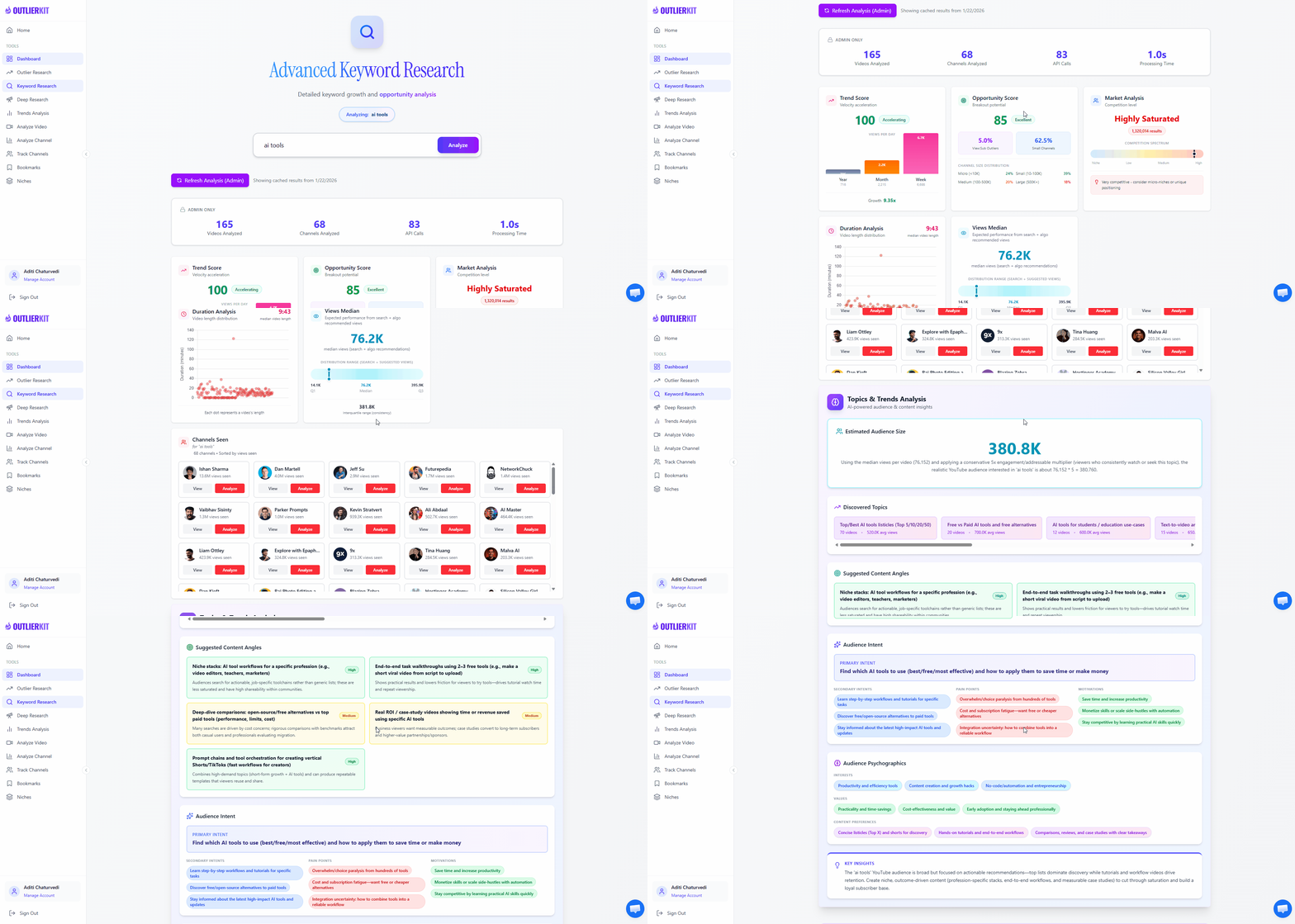
OutlierKit Keyword ResearchNow validate every AI-generated topic against real search data. Use OutlierKit's Keyword Research tool to score each idea by search volume and competition. This step ensures you're not just filling calendar slots — you're filling them with topics that have proven demand and realistic ranking potential.
- Enter each video topic as a keyword query in Keyword Research
- Record the monthly search volume for each topic
- Check competition levels — fewer high-quality results means easier ranking
- Score each topic: (Search Volume x Low Competition) = priority score
- Rank your full list from highest to lowest priority
- Select your top 12-16 topics for the 30-day calendar (3-4 per week)
Pro Tip: Create a simple 1-5 scoring system for both volume and competition. A topic scoring 4 on volume and 5 on low competition (total: 9/10) should be your first video. This removes emotion from the decision — let the data pick your publishing order.
Build Calendar Layout
Take your prioritized topic list and map it onto a visual calendar in your preferred project management tool. This is where your research becomes an actionable publishing schedule — with dates, deadlines, and all the metadata you need to stay on track for the full month.
- Create a calendar view with 4-5 weeks of publishing slots
- Place highest-priority topics in week 1 for early momentum
- Space topic clusters across weeks to maintain variety
- Add metadata to each entry: target keyword, content type, search volume
- Set production deadlines — script, film, edit, publish dates
- Include a buffer slot each week for trending topics or catch-up
Pro Tip: Front-load your calendar with your highest-scoring topics. Weeks 1-2 should contain your best opportunities — this builds early momentum and gives you data to adjust weeks 3-4 if needed. Always leave one flexible slot per week for timely or trending content.
Weekly Review & Optimization
OutlierKit Deep ResearchYour content calendar isn't a set-and-forget document. At the end of each week, use OutlierKit's Deep Research to check for emerging trends, new content gaps, and shifts in audience demand. This lets you swap low-priority topics for higher-opportunity ones — keeping your calendar dynamic and responsive to real-time data.
- Review published video performance against expectations each week
- Run Deep Research on your upcoming topics to check for new competitors
- Identify any trending topics that should replace lower-priority slots
- Adjust the remaining calendar based on what's working
- Note patterns in your own performance to refine future calendars
Pro Tip: Keep a running "idea bank" of topics that didn't make this month's calendar but scored well. When you need to swap a topic or plan next month, you already have a validated backlog ready to go — no research restart required.
Who This Workflow Is For
Consistency Seekers
You know consistency matters but struggle to keep up. This workflow gives you a full month of topics in advance so you never miss a publishing day.
Growing Channels
You're past 1K subscribers and need a strategic approach to content. Random posting won't cut it — you need data-driven topic selection to accelerate growth.
Content Teams
You manage a team of creators or editors and need a shared, visual calendar everyone can follow. This workflow outputs a ready-to-share plan in Notion, Sheets, or Trello.
Burnout-Prone Creators
Decision fatigue is real. This workflow front-loads all your planning into one 2-hour session so the rest of the month is pure creation — no more scrambling.
Frequently Asked Questions
Basics
How is this different from just using a content calendar template?
Templates give you a blank structure — you still have to figure out what to put in each slot. This workflow fills those slots with data-validated topics. Every video on your calendar has proven search demand and identified content gaps behind it. You're not guessing what to post; you're scheduling topics that real audiences are actively searching for.
How many videos per week does this calendar assume?
The workflow is flexible. It generates enough validated topics for 3-4 videos per week (12-16 per month), but you can adjust to your publishing cadence. If you post once a week, pick only your top 4-5 topics. If you post daily, run the AI clustering step again with a request for more ideas. The data foundation stays the same.
Tools & Strategy
Do I need paid tools to follow this workflow?
No. OutlierKit has a free plan that includes Keyword Research and Deep Research. The AI tools (ChatGPT, Gemini, Claude) all have free tiers that work for the prompts in this workflow. Notion and Trello both have free plans, and Google Sheets is completely free. You can run the entire workflow at zero cost.
What if my niche is too small for keyword data?
Even small niches have search data — you just need to look at broader topic areas and adjacent niches. Use OutlierKit Keyword Research to search the wider category your niche falls under, then filter for relevant topics. Deep Research also helps by identifying content gaps in small niches where even a few hundred monthly searches can mean easy ranking and loyal viewership.
Results & Expectations
How often should I rebuild my content calendar from scratch?
Run the full 6-step workflow once per month. The weekly review step (Step 6) handles mid-month adjustments so you don't need to start over. After 2-3 months, you'll have enough performance data from your own videos to make the process even faster — you'll know which topic clusters work best for your audience and can double down on those.
Related Workflows
AI Video Ideation Pipeline
Generate 30 data-backed YouTube video ideas in 10 minutes using OutlierKit + AI tools.
SEO & OptimizationFree YouTube SEO Workflow
Complete SEO optimization using only free tools — no VidIQ or TubeBuddy needed.
OptimizationTitle & Thumbnail Optimization
Data-driven title and thumbnail testing to maximize click-through rates on every video.
Official Resources

Ready to plan 30 days of content in 2 hours?
Start with OutlierKit's free plan to research your niche with Keyword Research and Deep Research. Combine with AI tools and your favorite calendar app to build a data-backed content plan that keeps you consistent all month.
Try OutlierKit Free