Search-Intent Matched Scripts in 30 Minutes
Stop writing scripts based on guesswork. Combine OutlierKit's keyword research and deep research with AI tools like ChatGPT, Gemini, and Claude — then optimize with UTubeKit — to produce scripts that match real search intent and keep viewers watching.
TL;DR
Turn OutlierKit research into polished YouTube scripts using ChatGPT, Gemini, or Claude. Each step — from topic research to final draft — is covered with copy-paste AI prompts.
30 Min
From research to finished script
Search-Matched
Every script targets real search intent
Better Retention
Built-in hooks and pacing structure
Data-Driven
Backed by keyword and audience research
The Problem
Most YouTube creators either wing their scripts or spend hours writing them from scratch with no data. They open a blank document, guess what viewers want to hear, and produce scripts that sound good to them but miss what their audience is actually searching for. The result?
- Scripts that take 3-5 hours to write from blank page to final draft
- Content that doesn't match what viewers are actually searching for
- Low retention because the script lacks strategic pacing and hooks
- Generic AI scripts that sound robotic and have no unique research
- Videos that never rank in YouTube search because they weren't built around keywords
The creators who get the most views per video don't just write well — they research first, write scripts that match search intent, and structure every section for maximum retention.
The Solution
OutlierKit gives you the keyword data and deep research insights that reveal exactly what viewers search for and what existing content misses. AI tools (ChatGPT, Gemini, or Claude) transform that research into structured, retention-optimized scripts. Then UTubeKit ensures your video's metadata is fully optimized for discovery. The result: scripts that rank, retain, and convert — in 30 minutes.
Research-driven scripts outperform gut-feeling scripts every time.
Before vs. After: The Impact
Traditional Script Writing
- Staring at a blank page for hours
- Guessing what viewers want to hear
- No keyword strategy in the script
- Generic AI output with no research backing
- Flat retention with no strategic hooks
Hours spent on scripts that don't rank or retain
OutlierKit + AI + UTubeKit Pipeline
- Scripts built on real keyword search data
- Deep research insights woven into every section
- 30-minute turnaround from research to final script
- Retention hooks and pacing built into the structure
- SEO-optimized metadata aligned with script content
Every script matches search intent and retains viewers
30 min
Research to final script
6x
Faster than blank-page writing
100%
Search-intent aligned
SEO-Ready
Optimized metadata included
The 6-Step Script Workflow at a Glance
Step-by-Step: The Full Script Writing Workflow
Follow these 6 steps to write a search-intent matched, retention- optimized YouTube script in about 30 minutes. Each step builds on the previous one.
Research What Viewers Search For
 OutlierKit Keyword Research
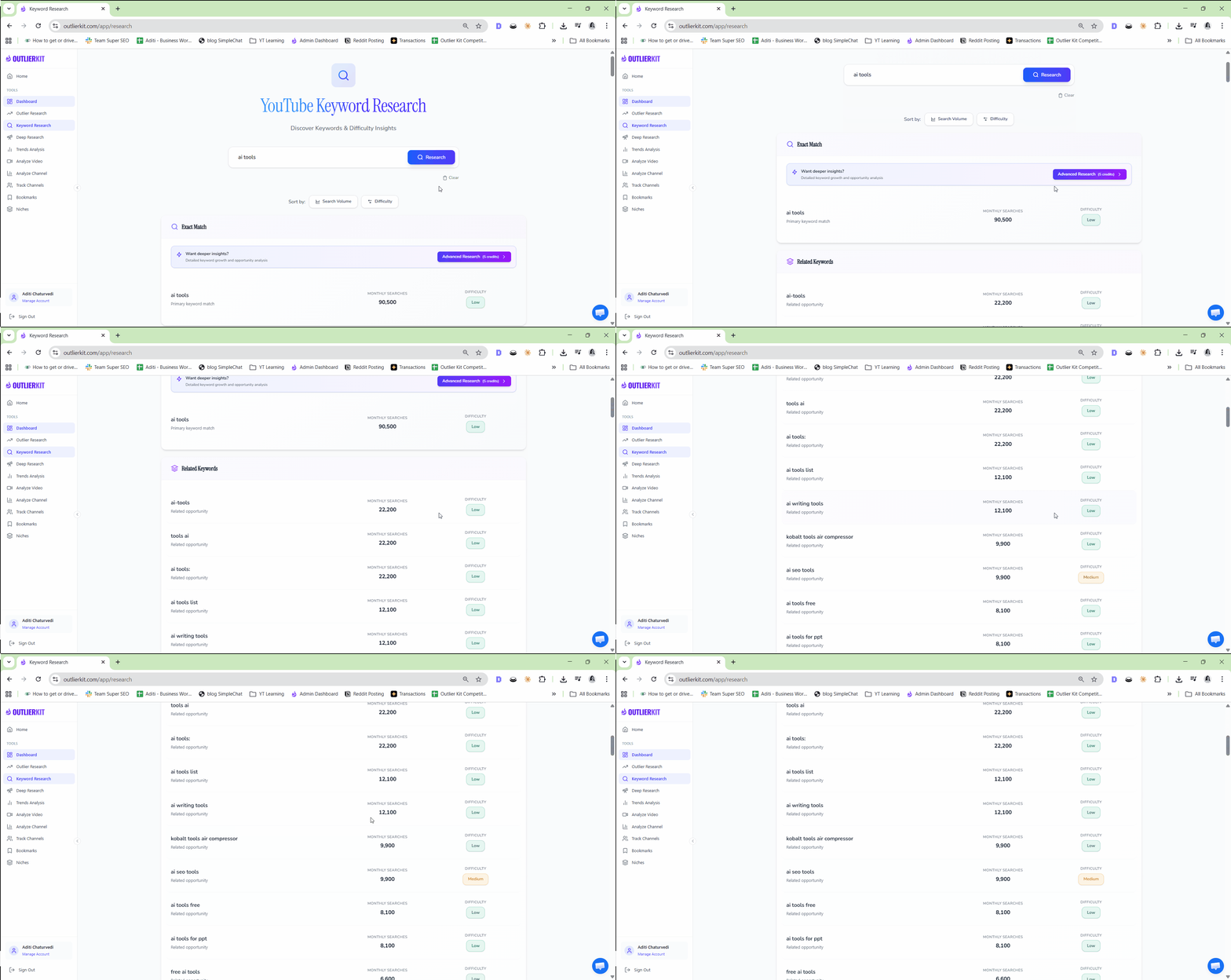
Before writing a single word, you need to know exactly what your audience is searching for. OutlierKit's Keyword Research tool reveals the exact phrases, questions, and long-tail keywords viewers type into YouTube search. This ensures your script targets real demand — not topics you assume people care about. Every high-performing script starts with search intent data.
- Enter your broad topic into OutlierKit Keyword Research
- Identify high-volume, low-competition keywords related to your video idea
- Note the exact phrasing viewers use — these become your script's language
- Save 3-5 primary keywords and 5-10 secondary keywords for script integration
- Check related searches to discover subtopics your script should address
Pro Tip: Pay attention to question-based keywords ("how to", "why does", "what is"). These reveal the exact problem viewers want solved — and your script's opening hook should directly address that problem. Question keywords also map perfectly to video sections.
Deep-Dive into Topic Context
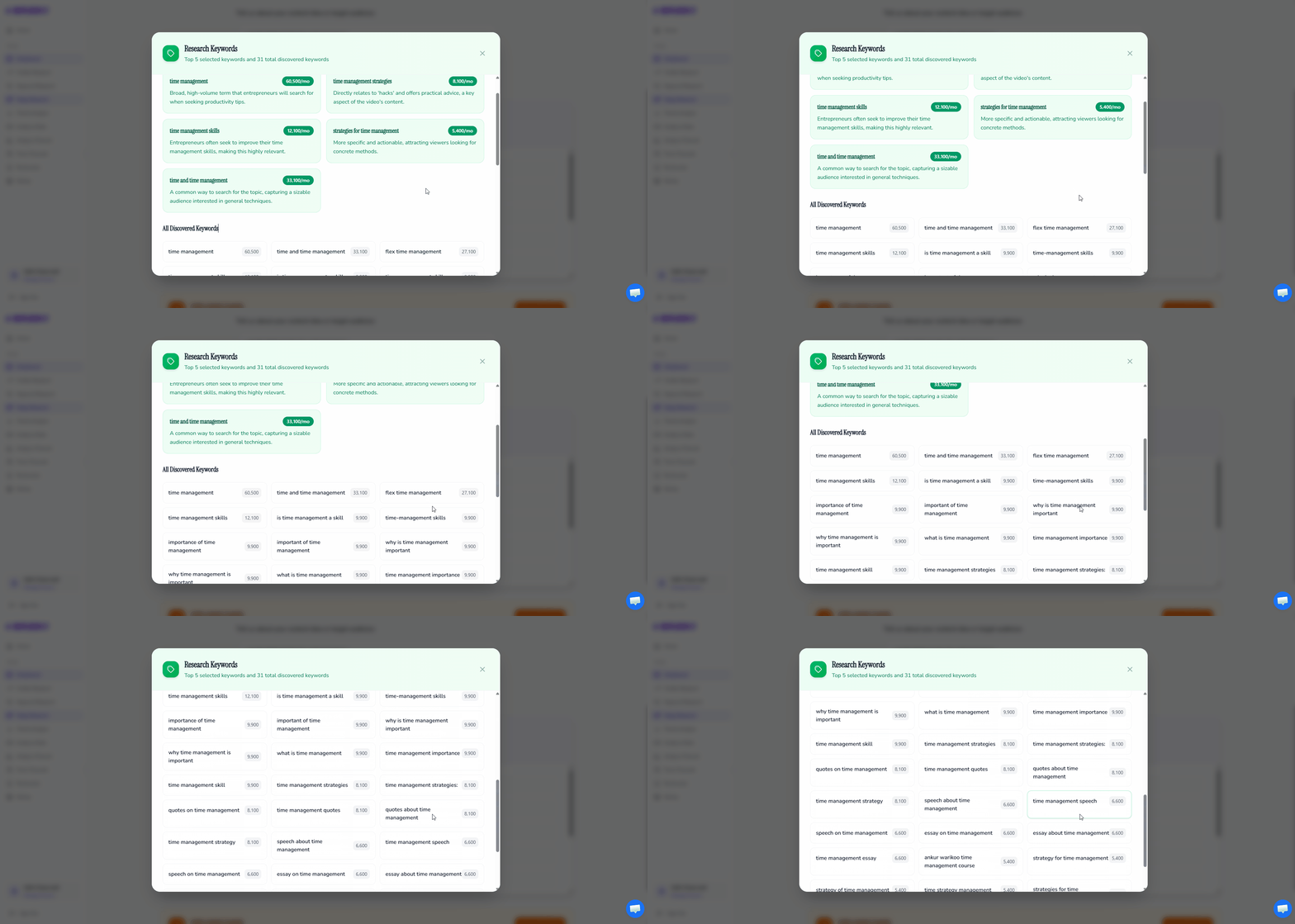
OutlierKit Deep ResearchNow that you know what viewers search for, use Deep Research to understand the full context around your topic. Deep Research analyzes top-performing content, audience sentiment, content gaps, and trending angles — giving you the intelligence to write a script that's more comprehensive and insightful than anything currently ranking. This is what separates generic AI scripts from genuinely valuable ones.
- Enter your primary keyword into OutlierKit Deep Research
- Review what top-performing videos cover — and what they miss
- Identify content gaps you can fill with unique insights
- Note audience pain points and frequently asked questions
- Gather data points, statistics, and examples to strengthen your script
Pro Tip: The most powerful scripts address what existing videos leave out. Deep Research highlights content gaps — topics viewers want covered but no one addresses well. Build your script's unique angle around these gaps, and you'll immediately stand out from every other video on the topic.
Create Script Outline with AI
 ChatGPT
 Gemini
 Claude
With keyword data and deep research insights in hand, use AI to generate a structured script outline. The outline is the backbone of your video — it determines pacing, information flow, and retention. By feeding AI real research data instead of vague prompts, you get outlines that are strategically structured around what viewers actually want to learn.
Choose your AI tool — exact prompt for each:
ChatGPT— Best for conversational outlines with natural flowI'm writing a YouTube script about [your topic]. Here's my research data: PRIMARY KEYWORDS (from OutlierKit Keyword Research): [Paste your top 3-5 keywords with search volumes] SECONDARY KEYWORDS: [Paste 5-10 related keywords] DEEP RESEARCH INSIGHTS (from OutlierKit Deep Research): [Paste key findings: content gaps, audience pain points, top-performing angles] Create a detailed script outline with: 1. A hook (first 30 seconds) that directly addresses the viewer's search intent 2. A brief credibility/context section (why they should keep watching) 3. 4-6 main sections, each addressing a specific viewer question or pain point 4. Transition sentences between sections to maintain flow 5. A conclusion with a clear takeaway and CTA For each section, include: - The key point to cover - Which keyword(s) to naturally integrate - An estimated time duration - A retention hook to keep viewers watching into the next section
Gemini— Best for data-structured outlines with clear hierarchyCreate a YouTube script outline for the topic: [your topic] Here's my research data from OutlierKit: KEYWORD DATA: [Paste primary and secondary keywords with volumes] TOPIC RESEARCH: [Paste Deep Research insights: gaps, pain points, trending angles] Generate a structured outline that: 1. HOOK (0:00-0:30): Opens with the #1 viewer pain point from my keyword research 2. SETUP (0:30-1:30): Establishes context and what the viewer will learn 3. MAIN BODY (4-6 sections): Each section targets a specific search intent keyword cluster 4. CLIMAX: The most valuable insight or revelation 5. CTA & CLOSE: Clear next step for the viewer Requirements: - Map each section to specific keywords from my research - Include retention hooks at the 30%, 50%, and 70% marks - Note where to add examples, data points, or visual aids - Estimate word count per section (target: 1,500-2,500 words total script)
Claude— Best for analytical outlines with strategic depthI need a YouTube script outline for [your topic]. I've done research using OutlierKit and here's what I found: SEARCH INTENT DATA (Keyword Research): [Paste keywords, volumes, and competition levels] CONTENT LANDSCAPE (Deep Research): [Paste content gaps, competitor weaknesses, audience questions] Build a strategic script outline: 1. HOOK STRATEGY: Write 3 alternative hooks based on the strongest search intent signals. Each should create a curiosity gap or address a pain point directly. 2. CONTENT ARCHITECTURE: Organize the script into sections that follow a logical viewer journey: - What they need to know first (context) - The core insight or method (main value) - How to apply it (actionable steps) - What most people get wrong (differentiation) 3. KEYWORD INTEGRATION MAP: Show exactly where each target keyword fits naturally in the outline 4. RETENTION ARCHITECTURE: Place pattern interrupts, open loops, and payoff moments throughout 5. SECTION BREAKDOWN: For each section provide the purpose, key points, target keywords, and estimated duration
Pro Tip: Don't accept the first outline the AI generates. Ask it to critique its own outline: "What's the weakest section? Where might viewers drop off? How can we make the hook stronger?" AI is excellent at self-critique when explicitly asked — use this to refine your outline before writing the full script.
Write Full Script with AI
ChatGPTGeminiClaudeWith a research-backed outline locked in, expand it into a full script. The key to AI-written scripts that don't sound robotic is feeding the AI your voice, your research data, and explicit instructions about tone. A script built on real keyword and audience research will naturally feel more authentic because it's addressing real questions in language viewers actually use.
Choose your AI tool — exact prompt for each:
ChatGPT— Best for conversational, personality-driven scriptsUsing this outline, write a full YouTube script: [Paste your refined outline from Step 3] Additional context from my research: [Paste relevant Deep Research data points, statistics, examples] Script requirements: - TONE: Conversational, like explaining to a smart friend. No filler phrases like "In this video" or "Without further ado." - HOOK: First 2 sentences must stop the scroll. Reference the viewer's specific problem. - KEYWORDS: Naturally weave in these keywords: [list your primary keywords]. Don't force them — if they sound unnatural, rephrase. - RETENTION: Add a pattern interrupt or open loop every 2-3 minutes. Examples: "But here's where it gets interesting..." or "Most people stop here, but there's a step everyone misses." - LENGTH: Target [X] minutes of spoken content (~150 words per minute) - SECTIONS: Use clear verbal transitions. The viewer should always know what's coming next. - CTA: End with a specific, single call-to-action. Write the complete script with [VISUAL CUE] notes where B-roll or graphics should appear.
Gemini— Best for information-dense, well-researched scriptsWrite a complete YouTube script based on this outline: [Paste refined outline from Step 3] Research data to incorporate: [Paste Deep Research insights, statistics, keyword data] Formatting instructions: - Write in spoken language (contractions, short sentences, direct address) - Mark each section with a TIMESTAMP MARKER for editing reference - Include [B-ROLL] and [GRAPHIC] cues for the editor - Bold any lines that are retention hooks or key moments Content instructions: - Open with a hook that references the viewer's #1 pain point - Back up every major claim with data from my research - Include 2-3 specific examples or mini case studies - Address the top objection or misconception at the 60% mark - Use these keywords naturally throughout: [list keywords] - Target word count: [X] words (approximately [X] minutes at 150 wpm) Retention instructions: - Pattern interrupt every 90-120 seconds - Open an information loop in the first 60 seconds, pay it off at the 70% mark - Use "you" more than "I" — make the viewer the main character
Claude— Best for structured, analytically rigorous scriptsTransform this outline into a complete YouTube script: [Paste refined outline from Step 3] Reference data: [Paste keyword research + Deep Research findings] SCRIPT PARAMETERS: - Target length: [X] words ([X] minutes at 150 wpm) - Tone: Authoritative but approachable. Explain complex ideas simply. - Audience: [Describe your target viewer] STRUCTURAL REQUIREMENTS: 1. COLD OPEN (first 15 seconds): A bold statement or surprising fact that stops the scroll 2. HOOK EXPANSION (15-45 seconds): Expand on the cold open, create curiosity gap 3. ROADMAP (45-60 seconds): Brief preview of what the viewer will learn (creates commitment) 4. BODY SECTIONS: Follow the outline structure. Each section should: - Open with a transition from the previous section - Deliver one clear main point - Include a specific example or proof point - End with a hook into the next section 5. PAYOFF: Deliver on the promise made in the hook 6. CTA: Single, clear action KEYWORD INTEGRATION: Naturally include these keywords: [list keywords] Mark each keyword's first appearance with [KW] for SEO review. Add [VISUAL] cues throughout for the editing team.
Pro Tip: After AI generates the full script, read it out loud. Your ear will catch awkward phrasing, run-on sentences, and unnatural transitions that your eyes skip over. If you stumble while reading, rewrite that section. A YouTube script must sound natural when spoken — not just read well on screen.
Optimize for SEO
 UTubeKit
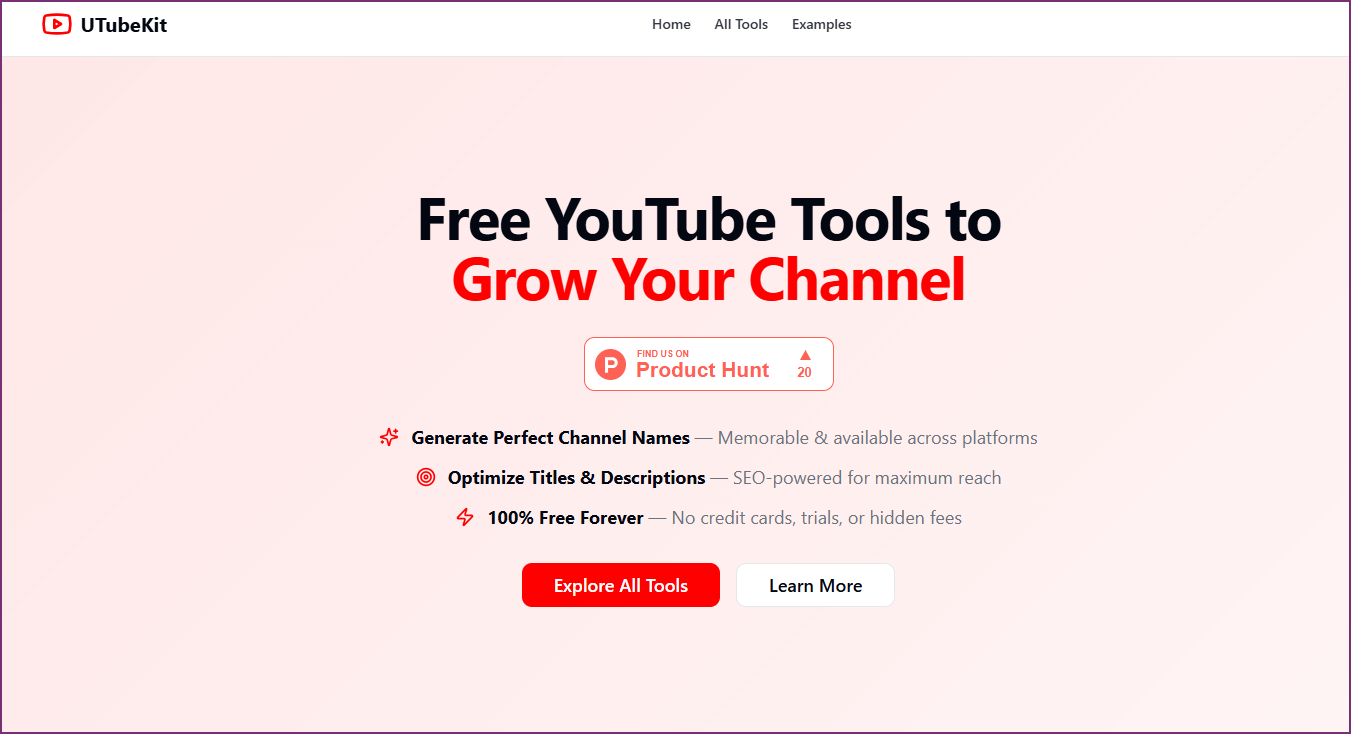
Your script is written — now make sure the video gets found. Use UTubeKit to optimize your title, description, tags, and metadata based on the same keyword research that drove your script. Since your script is already built around search intent, your SEO optimization will be naturally aligned with your content — not bolted on as an afterthought.
- Enter your primary keyword into UTubeKit's SEO optimizer
- Generate an SEO-optimized title that includes your main keyword naturally
- Create a description that front-loads primary keywords in the first 2 lines
- Generate relevant tags from your primary and secondary keyword lists
- Review UTubeKit's optimization score and adjust until it's 90%+
Pro Tip: Your title and first 2 lines of the description are the most important SEO real estate on YouTube. UTubeKit helps you nail both. Make sure your title matches the exact search intent from Step 1 — if viewers search "how to start investing with $100," your title should mirror that language, not use jargon like "micro-cap portfolio allocation strategies."
Review Hook & Retention Points
The final step is a targeted review of the moments that make or break your video's performance: the hook (first 30 seconds) and retention points throughout the script. YouTube's algorithm heavily rewards audience retention, and your first 30 seconds determine whether 50% or 80% of viewers stay. This review ensures your data-driven script also keeps viewers watching until the end.
- Re-read your first 3 sentences — do they create immediate curiosity or address a pain point?
- Check that you have a retention hook (open loop, teaser, or pattern interrupt) every 90-120 seconds
- Verify your script delivers on the hook's promise — unfulfilled promises tank retention
- Review section transitions — each should give viewers a reason to keep watching
- Test the cold open on someone unfamiliar with the topic — would they keep watching?
- Confirm your CTA is specific and appears at the moment of highest viewer engagement
Pro Tip: The single biggest retention killer is a slow hook. Your first sentence should either state a surprising fact, ask a provocative question, or describe a specific problem the viewer has. Never start with "Hey guys, welcome back to my channel" — you'll lose 30-40% of viewers before you even start your content. Lead with value, introduce yourself after.
Who This Workflow Is For
Scripted Creators
You write scripts for every video but spend too long doing it. This workflow cuts your writing time from hours to 30 minutes while improving quality with research data.
SEO-Focused Channels
You want every video to rank in YouTube search. This workflow builds keyword intent into the script itself — not just the metadata — so your content and SEO are perfectly aligned.
AI-Assisted Creators
You already use AI for scripts but get generic output. This workflow shows you how to feed AI real data so your scripts are unique, specific, and audience-aligned instead of generic filler.
Production Teams
You need a repeatable, documented process your team can follow. This 6-step workflow is a standard operating procedure anyone on your team can execute consistently.
Frequently Asked Questions
Basics
How is this different from just asking ChatGPT to write a script?
When you ask ChatGPT to "write a YouTube script about X" with no data, you get generic content based on the AI's training data — not what viewers are actually searching for. This workflow feeds AI real keyword data and deep research from OutlierKit, so every script is built around proven search intent. The result is a script that ranks in YouTube search and answers the exact questions your audience is asking, instead of generic content that sounds like every other AI-generated video.
How long does the full workflow take?
About 30 minutes end-to-end once you're familiar with the process. Steps 1-2 (keyword research and deep research) take about 5-7 minutes. Step 3 (outline) takes 5-8 minutes including one round of refinement. Step 4 (full script) takes 8-10 minutes. Steps 5-6 (SEO optimization and retention review) take about 5-8 minutes. Your first time through may take 45-60 minutes as you learn the process, but it becomes significantly faster with practice.
Quality & Tools
Will the script sound robotic or AI-generated?
Not if you follow the workflow correctly. The key is two-fold: first, feeding AI real research data gives it specific, unique content to work with instead of generating generic filler. Second, the prompts in Steps 3-4 explicitly instruct the AI to write in a conversational, spoken-word style. The final step — reading the script out loud — catches any remaining robotic phrasing. Most viewers can't tell the difference between a well-prompted AI script and a human-written one when both are based on solid research.
Do I need paid AI tools for this workflow?
No. ChatGPT (free tier), Gemini (free), and Claude (free tier) all work for the script writing steps. The prompts are designed to work within free-tier limits. OutlierKit's free plan includes Keyword Research and Deep Research access. UTubeKit also offers a free plan for SEO optimization. You can run the entire 6-step workflow without paying for any tool.
Versatility
Can I use this workflow for any type of YouTube video?
Yes — tutorials, listicles, reviews, commentary, educational content, vlogs with structured narratives, and more. The workflow adapts because it starts with search intent data specific to your topic and niche. The script structure and AI prompts include placeholders for your specific content type, audience, and tone. The only videos where this doesn't apply are purely spontaneous or unscripted formats like live streams or reaction videos.
Related Workflows
AI Video Ideation Pipeline
Generate 30 data-backed YouTube video ideas in 10 minutes using OutlierKit + AI.
SEO & OptimizationFree YouTube SEO Workflow
Complete SEO optimization using only free tools — no VidIQ or TubeBuddy needed.
Click-Through RateTitle & Thumbnail Optimization
Optimize your titles and thumbnails using data-backed frameworks for higher CTR.
Official Resources

Ready to write search-intent matched scripts in 30 minutes?
Start with OutlierKit's free plan for keyword research and deep research. Combine with your favorite AI tool and UTubeKit to produce scripts that rank, retain, and convert.
Try OutlierKit Free