Build the Next 3Blue1Brown Without Showing Your Face
Education is one of YouTube's highest-paying niches — and you don't need a camera, a studio, or a teaching degree to dominate it. Combine OutlierKit's research tools with AI-powered scriptwriting, visual creation, and UTubeKit SEO to build a professional education channel from scratch.
TL;DR
Build an educational YouTube channel using OutlierKit to find high-demand topics, AI to generate lesson scripts, and video tools to produce polished explainer content without a studio.
Evergreen
Content that generates views for years
$8-20 CPM
Among YouTube's highest-paying niches
AI Avatar
Professional presenter without showing your face
Search-Driven
Topics validated by real audience demand
The Problem
Education is one of YouTube's most valuable niches — high CPMs, evergreen content, and a massive global audience hungry to learn. But breaking in feels impossible for most people:
- Top education channels have enormous production budgets for custom animations and graphics
- You feel you need to be on camera with polished presentation skills
- Picking the right topics requires understanding both search demand and educational depth
- Writing scripts that explain complex topics clearly is incredibly time-consuming
- Creating professional-quality visuals seems to require a design team
The result? Talented people with genuine knowledge never start because the production barrier feels too high. Meanwhile, channels that do start often fail because they choose topics nobody is searching for or explain them in ways that don't engage viewers.
The Solution
AI has completely leveled the playing field for educational content. OutlierKit finds the exact educational topics with proven demand. ChatGPT, Gemini, and Claude write clear, engaging scripts. Canva creates professional visuals. Synthesia generates AI presenters. And UTubeKit ensures every video is SEO-optimized for maximum search visibility. One person can now produce education content that rivals full production studios.
Research-driven topics + AI production = professional education content at scale.
Before vs. After: The Impact
Traditional Education Channel
- Need professional camera, lighting, and studio setup
- Hours writing scripts from scratch
- Expensive custom animations and motion graphics
- Topic selection based on guesswork
- Weeks per video with a full production team
High barrier to entry, slow output
AI-Powered Education Channel
- AI avatar presenter — no camera needed
- AI-written scripts in minutes, not hours
- Professional visuals with Canva templates
- Data-validated topics from OutlierKit research
- One person, one video per week, full production quality
Anyone can build a professional education channel
$8-20
CPM range
0
Camera required
Years
Content stays relevant
9 Steps
Complete workflow
The 9-Step Education Channel Pipeline
Step-by-Step: Build Your AI Education Channel
Follow these 9 steps to go from zero to a professional educational YouTube channel. Each step uses a specific tool to handle one part of the production pipeline.
Research Educational Keywords
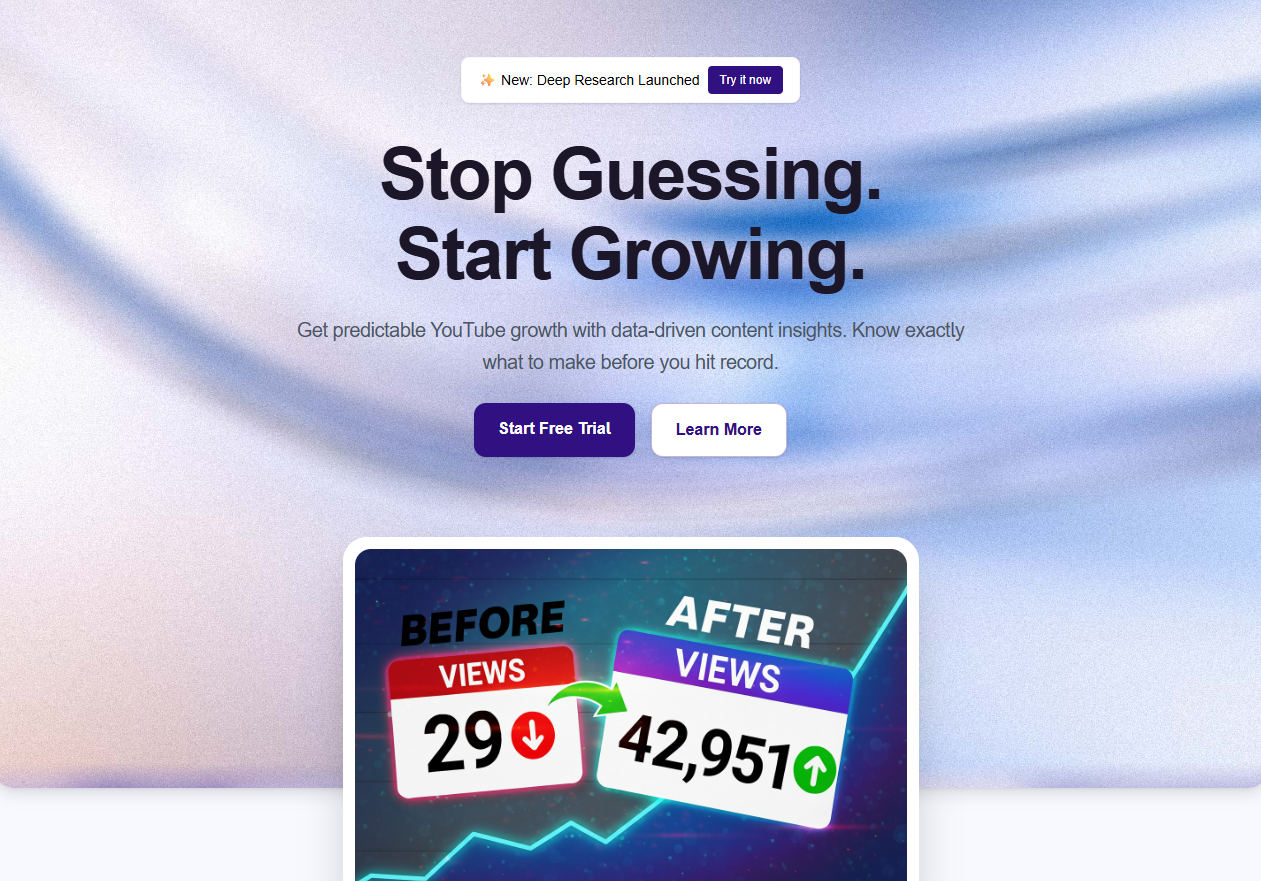 OutlierKit Keyword Research
Start by discovering what educational topics people are actively searching for on YouTube. OutlierKit's Keyword Research tool reveals high-volume, low-competition educational keywords that viewers are hungry for but few creators are covering well. Education is a search-heavy niche — viewers type specific questions into YouTube like a search engine, so keyword research is your foundation.
- Enter broad educational topics like 'physics explained', 'learn calculus', or 'history documentary'
- Filter for keywords with 1K+ monthly searches and moderate competition
- Identify long-tail educational queries like 'how does quantum entanglement work' or 'why did the Roman Empire fall'
- Group related keywords into potential video series or playlists
- Save your top 20 keyword opportunities for the next steps
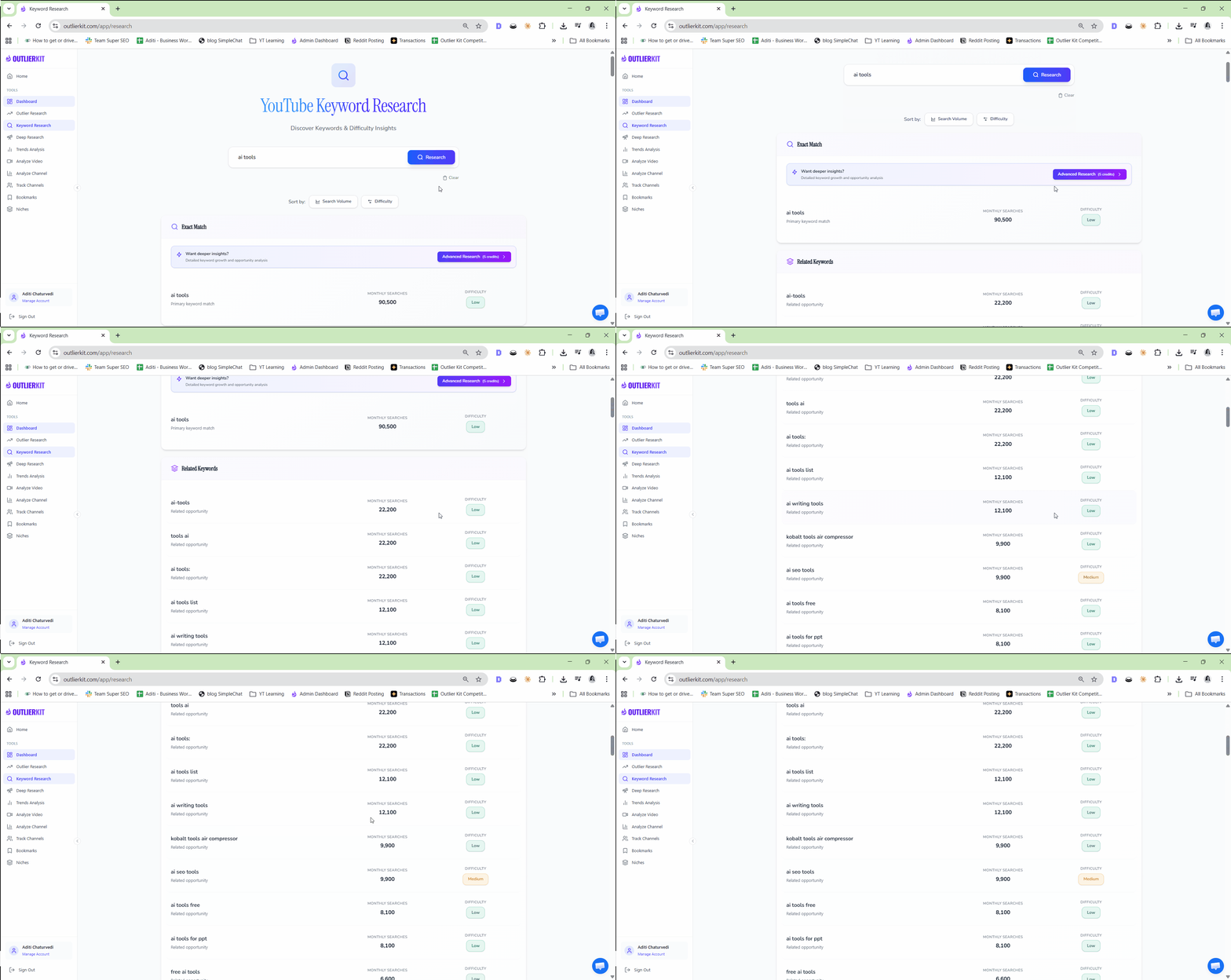
Pro Tip: Educational keywords often have extremely long shelf lives. A video answering 'how does photosynthesis work' will get search traffic for years. Prioritize evergreen educational queries over trending topics — they compound over time and build a library of perpetual traffic.
Analyze Top Education Channels
OutlierKit Competitor AnalysisStudy the channels already winning in your educational niche. OutlierKit's Competitor Analysis shows you exactly what's working for channels like 3Blue1Brown, Kurzgesagt, CrashCourse, and others — their upload frequency, best-performing content types, audience engagement patterns, and growth trajectories. Understanding the competition helps you find gaps to fill.
- Add 5-10 education channels in your subject area to Competitor Analysis
- Compare their best-performing videos by views, engagement, and growth rate
- Identify content formats that consistently outperform (explainers, deep dives, comparisons)
- Note the production styles — animation, whiteboard, slides, stock footage
- Find topics your competitors haven't covered yet or covered poorly
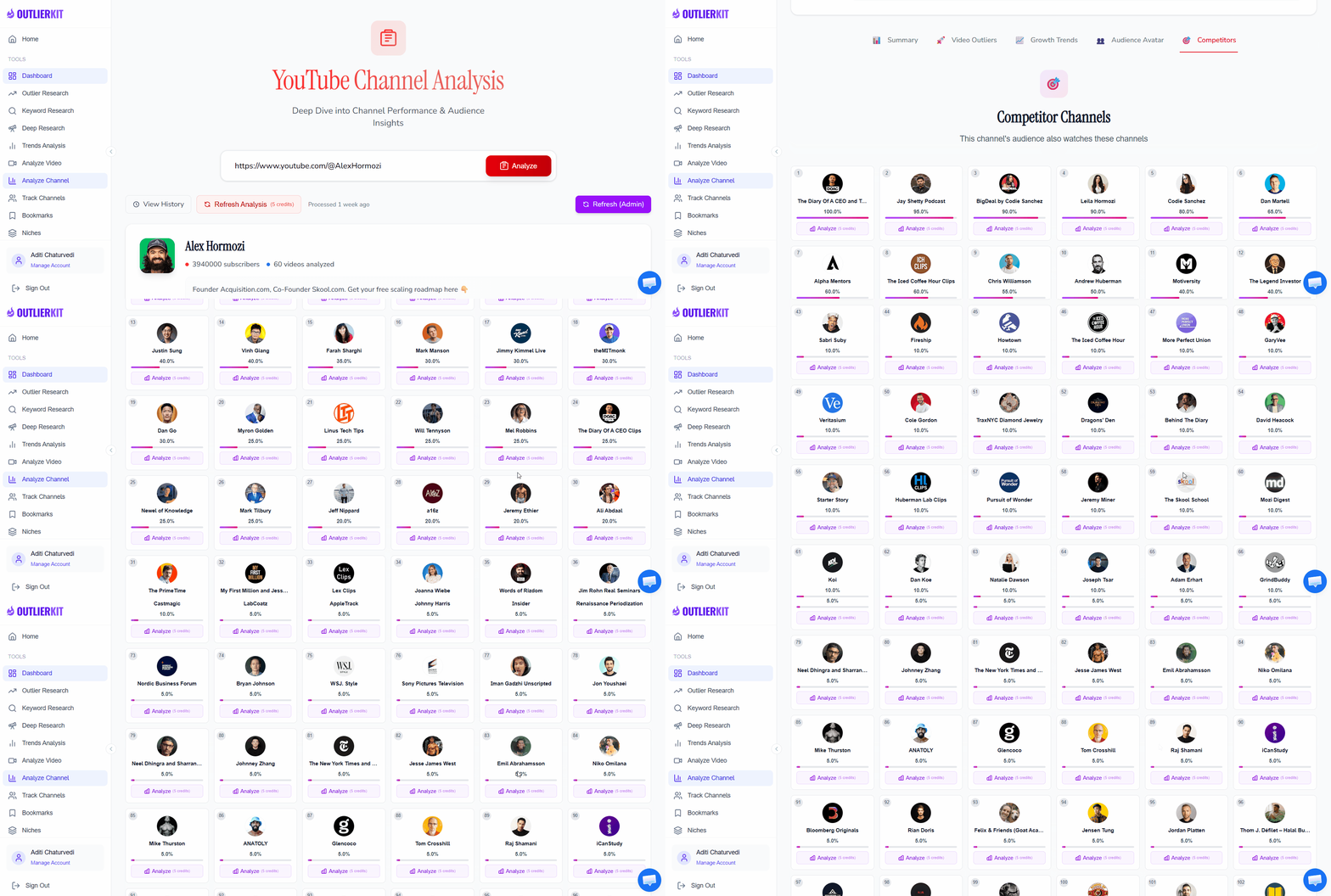
Pro Tip: Pay close attention to smaller education channels (10K-100K subscribers) growing fast. Their recent hits reveal current audience demand better than mega-channels whose views are driven by existing subscriber bases. A 50K-sub channel getting 500K views on a topic is a stronger signal than a 10M-sub channel getting the same.
Find Outlier Educational Videos
OutlierKit Outlier FinderDiscover educational videos that massively outperformed their channel's average. These outliers reveal exactly which educational topics have explosive demand. A video about 'the paradox of tolerance' getting 20x more views than the channel average tells you that philosophy + current events is an underserved angle. Outlier data removes guesswork from topic selection.
- Search for outlier videos in your educational niche using Outlier Finder
- Sort by outlier score to find the biggest overperformers
- Analyze the titles and angles of top educational outliers
- Look for patterns — are explainers outperforming tutorials? Are 'myth-busting' angles winning?
- Save 15-20 outlier videos to inform your content strategy
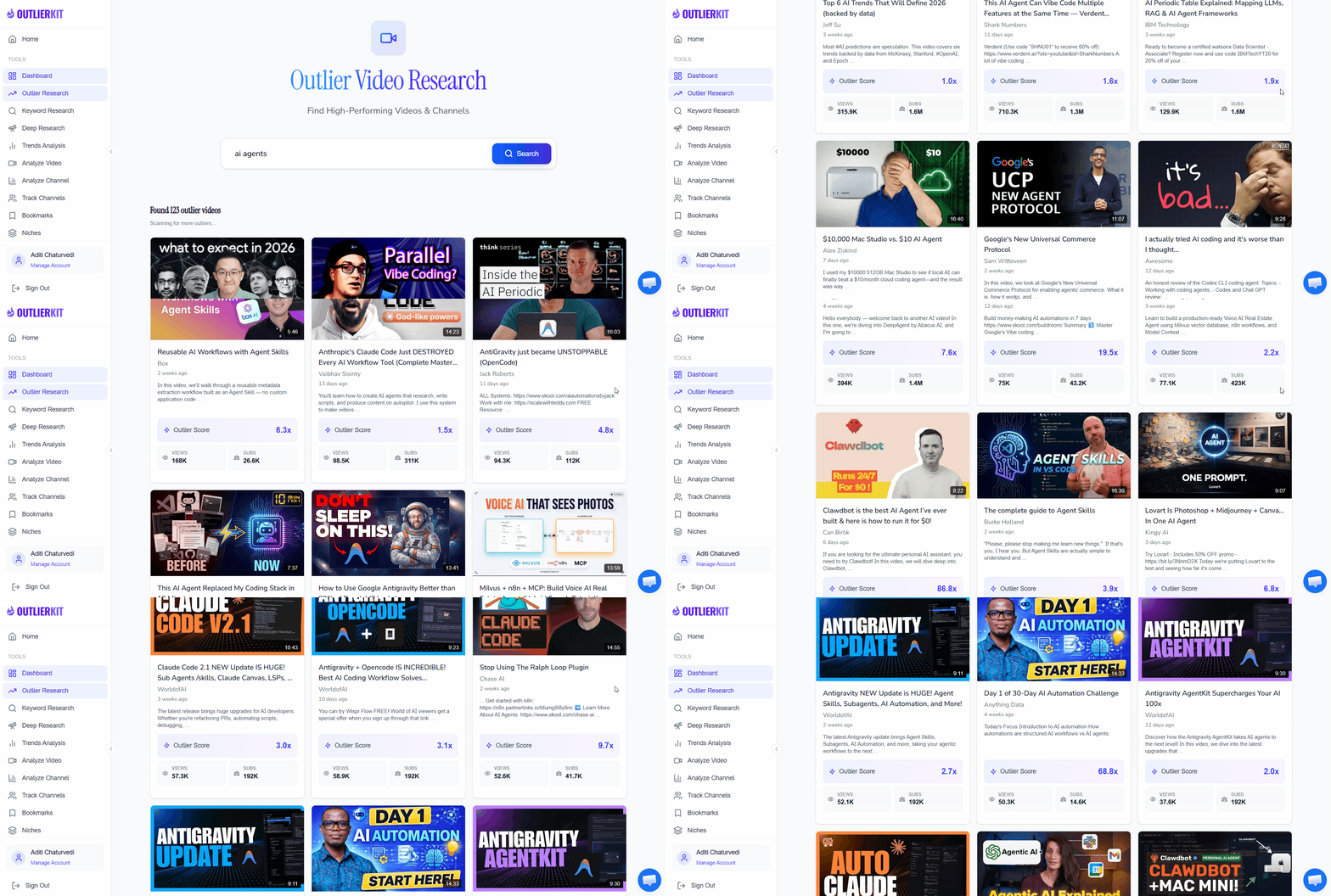
Pro Tip: Educational outliers often cluster around 'aha moment' topics — subjects where the explanation itself is surprising or counterintuitive. Videos titled 'Why you're wrong about...' or 'The real reason...' frequently become outliers in education because they promise a perspective shift viewers can't resist.
Deep Research Topic Demand
OutlierKit Deep ResearchDive deeper into your most promising educational topics using OutlierKit's Deep Research. This tool analyzes audience demand patterns, search trends, content gaps, and competitive density for each topic. Deep Research tells you not just what's popular, but why it's popular and whether there's room for your channel to compete.
- Feed your top outlier topics into Deep Research for comprehensive analysis
- Review audience demand signals — search volume, trend direction, seasonal patterns
- Identify content gaps where demand exceeds supply of quality educational content
- Check competitive density — how many quality videos already exist on each topic
- Prioritize topics with high demand, rising trends, and few quality competitors
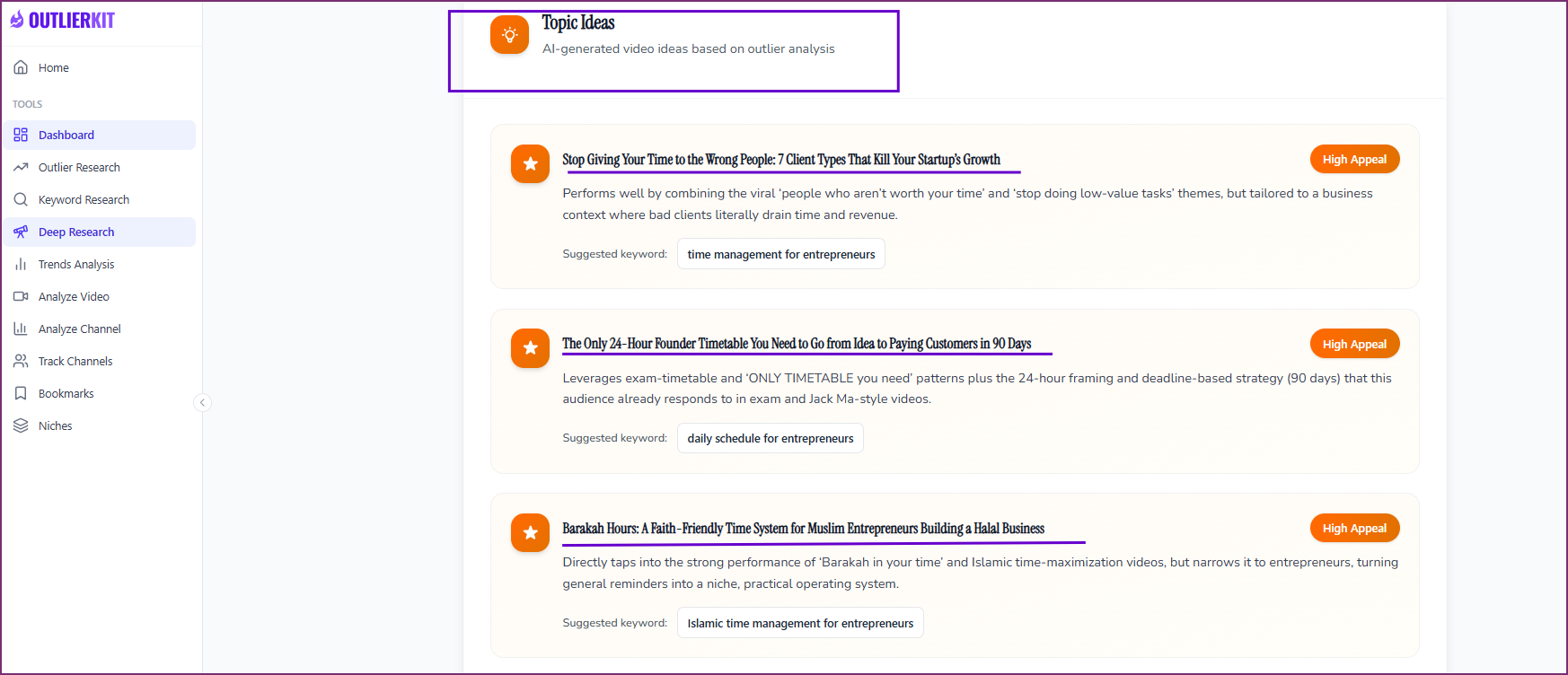
Pro Tip: Education topics with rising search trends are gold. If 'machine learning explained' has been growing 30% year-over-year in search volume, that trend is likely to continue. Deep Research helps you spot these rising tides early so you can create content before the niche gets crowded.
Write Educational Scripts with AI
 ChatGPT
 Gemini
 Claude
Transform your validated topics into polished educational scripts using AI. The key to great educational content is clear structure: hook the viewer with a compelling question, build understanding step by step, and deliver a satisfying 'aha moment.' AI tools excel at organizing complex information into digestible, engaging scripts.
Choose your AI tool — exact prompt for each:
ChatGPT— Best for conversational, engaging explanationsI'm creating a faceless educational YouTube video about [your topic]. My target audience is [beginner/intermediate] learners. Based on my research, this topic gets high search volume and viewers want clear, visual explanations. Write a complete YouTube script (8-12 minutes) following this structure: 1. HOOK (0:00-0:30): Start with a surprising fact, paradox, or question that makes the viewer need to keep watching 2. CONTEXT (0:30-2:00): Why this topic matters and what the viewer will understand by the end 3. CORE EXPLANATION (2:00-8:00): Break the topic into 3-4 key concepts, explained in order of complexity. Use analogies, real-world examples, and 'imagine if...' scenarios 4. MIND-BLOW MOMENT (8:00-10:00): Connect the concepts to reveal something surprising or counterintuitive 5. PRACTICAL TAKEAWAY (10:00-11:00): What the viewer can do with this knowledge 6. CTA (11:00-11:30): Suggest related videos and ask viewers to subscribe Include [VISUAL CUE] markers throughout for what should appear on screen — diagrams, animations, text overlays, or stock footage.
Gemini— Best for research-backed, accurate educational contentI'm scripting a faceless educational YouTube video about [your topic] for a channel similar to 3Blue1Brown or Kurzgesagt in style. Create a detailed educational script (8-12 minutes) that: 1. Opens with a thought-provoking question or scenario that creates curiosity 2. Presents the topic using the 'progressive disclosure' method — start simple, add layers of complexity 3. Includes specific data points, dates, or statistics that add credibility 4. Uses at least 3 concrete analogies to explain abstract concepts 5. Builds to a satisfying 'aha moment' where concepts click together 6. Ends with a broader implication or connection to the viewer's life For each section, include: - Exact narration text - [VISUAL] descriptions of what should appear on screen - [ANIMATION] cues for any diagrams or motion graphics needed - Estimated timestamps Tone: Intelligent but accessible. Never condescending. Assume the viewer is smart but unfamiliar with this specific topic.
Claude— Best for structured, analytically rigorous explanationsI need a script for a faceless educational YouTube video about [your topic]. My OutlierKit research shows this topic has high search demand and few quality explainer videos. Write a comprehensive script following the 'Feynman Technique' approach — explain complex ideas so simply that anyone can understand: STRUCTURE: 1. THE QUESTION (30 sec): Pose the central question in a way that creates genuine curiosity 2. THE INTUITIVE ANSWER (1 min): What most people assume — and why it seems reasonable 3. THE PROBLEM (2 min): Why the intuitive answer is incomplete or wrong 4. THE REAL EXPLANATION (5 min): Build the correct understanding step by step, using: - Simple analogies (everyday objects, common experiences) - Visual descriptions [mark with VISUAL:] - 'What if' thought experiments - Brief historical context where relevant 5. THE IMPLICATIONS (2 min): Why this matters beyond just knowing the answer 6. WRAP-UP (1 min): Summarize the key insight in one memorable sentence Requirements: - No jargon without immediate explanation - Every abstract concept gets a concrete analogy - Include [SLIDE], [DIAGRAM], and [ANIMATION] markers for visual production - Write for narration — short sentences, natural rhythm, conversational tone
Pro Tip: The best educational scripts follow a 'question-tension-resolution' arc. Start with a question the viewer wants answered, build tension by showing why the answer isn't obvious, then resolve it with a clear explanation. This keeps viewers watching even through complex material. Ask the AI to emphasize this arc.
Create Visual Explanations
 Canva
CanvaEducation content lives and dies by its visuals. Viewers can't stay engaged with a talking head explaining quantum mechanics — they need diagrams, animations, and visual metaphors. Canva lets you create professional slides, infographics, and animated diagrams without any design experience. Build a visual template library you can reuse across videos.
- Create a branded slide template in Canva with consistent colors, fonts, and layout
- Design diagram templates for common educational formats: timelines, flowcharts, comparison charts
- Build animated text slides for key definitions, formulas, or vocabulary
- Create visual metaphors — use Canva's illustration library to represent abstract concepts
- Export slides as high-resolution images or short animated sequences for video editing
- Build a reusable asset library so each new video takes less time to produce
Pro Tip: Study how 3Blue1Brown and Kurzgesagt use color to encode information. In your Canva designs, assign consistent colors to recurring concepts — for example, always use blue for 'energy' and red for 'force' in physics videos. This visual consistency helps viewers build mental models faster and makes your channel feel professionally produced.
Generate AI Presenter
 Synthesia
Add a professional presenter to your educational videos without showing your face or hiring talent. Synthesia creates realistic AI avatars that can deliver your script naturally — perfect for educational content that benefits from a human presence but doesn't require you on camera. Choose from diverse avatars that match your channel's tone, from casual explainer to formal lecturer.
- Select an AI avatar that fits your educational brand — professional, friendly, or academic
- Paste your script sections into Synthesia for avatar-narrated segments
- Use the avatar for introductions, transitions, and summary sections
- Combine avatar segments with your Canva visuals for a hybrid format
- Add custom backgrounds that match your brand — classroom, studio, or abstract
- Export presenter clips in high resolution for seamless video editing
Pro Tip: Don't use the AI avatar for the entire video. The most effective educational format uses the avatar for intro/outro and transitions, then switches to full-screen diagrams and animations for the core explanations. This hybrid approach keeps viewers engaged and lets your visuals do the heavy lifting during complex explanations.
Analyze & Improve Content
OutlierKit Video AnalyzerBefore publishing, run your video concept through OutlierKit's Video Analyzer to identify optimization opportunities. The analyzer evaluates your title, thumbnail approach, and content structure against what's already performing in the education niche. It spots weaknesses before they cost you views and suggests improvements based on data from top-performing educational content.
- Input your video title and description into Video Analyzer
- Review the title score — does it generate curiosity and include your target keyword?
- Check content structure recommendations against educational best practices
- Compare your approach to top-performing videos on the same topic
- Refine your title, description, and thumbnail strategy based on the analysis
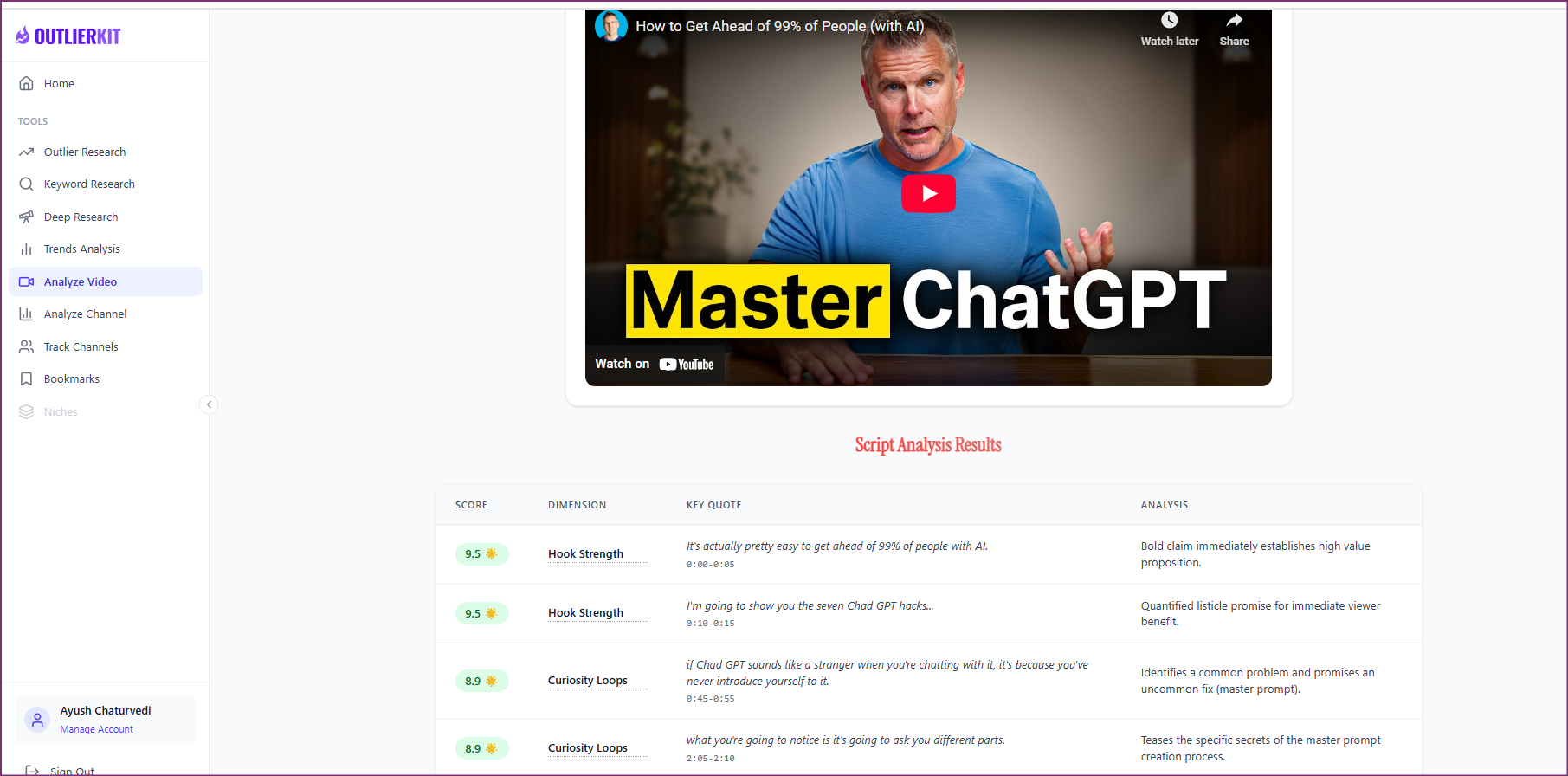
Pro Tip: Educational videos with numbers in the title consistently outperform those without. '7 Unsolved Math Problems' beats 'Unsolved Math Problems.' '3 Reasons Quantum Physics Makes No Sense' beats 'Why Quantum Physics Is Weird.' Use Video Analyzer to test multiple title variations and pick the one with the strongest data signal.
Optimize & Upload with UTubeKit
 UTubeKit
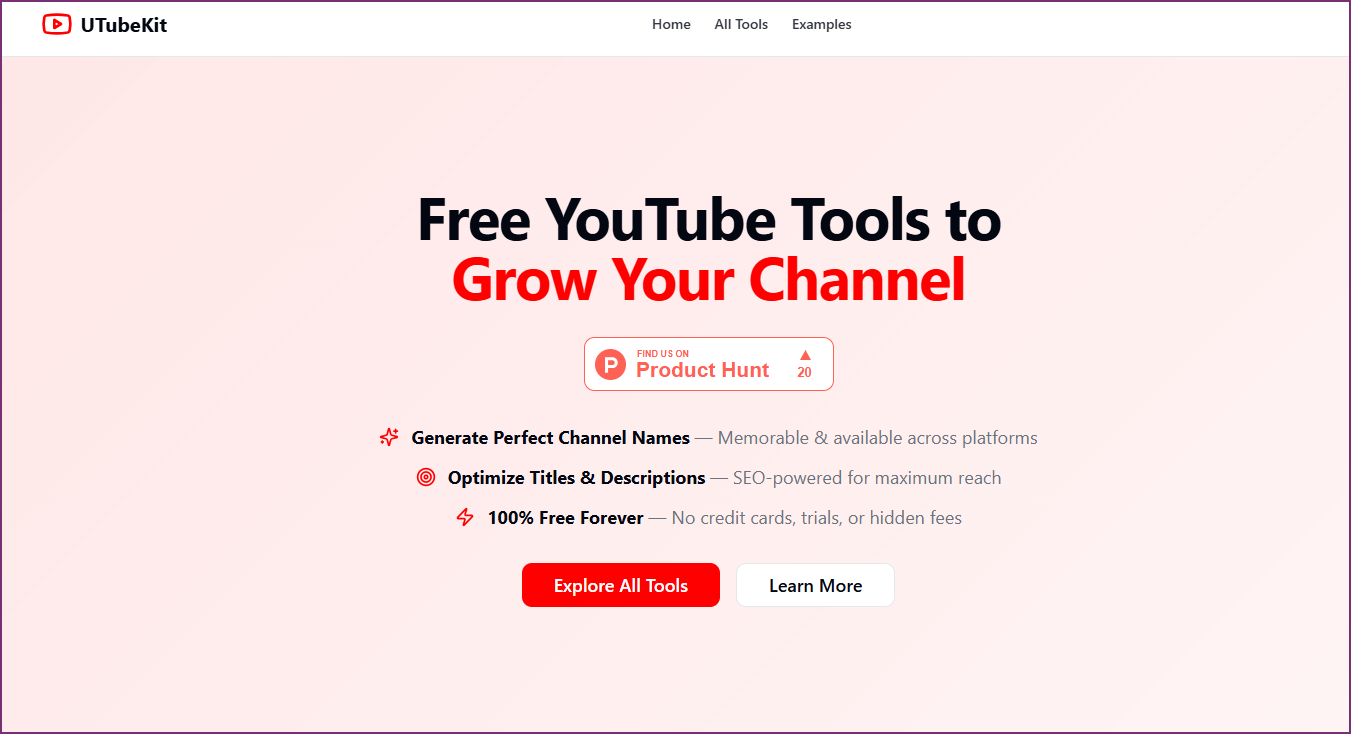
Maximize your video's discoverability with UTubeKit's SEO optimization tools. Education content is heavily search-driven — viewers find educational videos through YouTube search more than any other niche. UTubeKit helps you optimize titles, descriptions, tags, and metadata so your video ranks for the exact keywords your audience is searching for.
- Use UTubeKit to generate SEO-optimized titles based on your target keywords
- Create a detailed description with natural keyword placement and timestamps
- Generate relevant tags that cover your topic, subtopics, and related searches
- Set up end screens pointing to related educational videos in your library
- Add cards at key moments linking to deeper-dive videos on subtopics
- Schedule the upload for optimal audience availability in your niche
Pro Tip: Educational videos get a disproportionate amount of traffic from YouTube search compared to other niches. This means SEO matters more for education than almost any other content type. Use UTubeKit to identify every keyword variation your audience might search — 'how photosynthesis works', 'photosynthesis explained', 'photosynthesis for beginners' — and naturally include them in your description.
Who This Playbook Is For
Subject Experts
You have deep knowledge in a field but no video production experience. This playbook turns your expertise into professional educational content without needing to be on camera or learn complex software.
Teachers & Educators
You already know how to explain concepts clearly but want to reach millions instead of one classroom. Scale your teaching impact with AI-powered production that matches your pedagogical skills.
Explainer Creators
You're fascinated by how things work and want to build a channel that makes complex topics accessible. This workflow gives you the research and production tools to create content that rivals the best explainer channels.
Course Creators
You sell online courses and want a YouTube channel to drive organic leads. Use this playbook to create free educational content that showcases your expertise and funnels viewers to your paid offerings.
Frequently Asked Questions
Basics
Can I really build a successful education channel without showing my face?
Absolutely. Some of YouTube's biggest education channels are faceless — 3Blue1Brown uses pure animation, Kurzgesagt uses illustrated characters, and CrashCourse uses a mix of graphics and presenters. In education, viewers care about clarity of explanation and quality of visuals far more than seeing a face. With AI tools like Synthesia for optional presenter segments and Canva for professional visuals, you can produce content that rivals channels with full production teams.
What educational niches have the highest CPM on YouTube?
Education CPMs typically range from $8-20, with the highest-paying niches being finance education ($15-25 CPM), technology tutorials ($12-20 CPM), medical/health education ($10-18 CPM), and business education ($10-18 CPM). Even general education topics like science and history command $8-15 CPM — significantly above YouTube's average. The key factor is advertiser demand: brands pay more to reach audiences actively seeking to learn, because these viewers are more likely to convert.
Content Strategy
How long should educational YouTube videos be?
The sweet spot for educational content is 8-15 minutes. This is long enough to thoroughly explain a topic and qualify for mid-roll ads, but short enough to maintain viewer attention. Videos under 5 minutes often can't cover topics with enough depth to satisfy viewers, while videos over 20 minutes see significant drop-off unless the topic is genuinely complex. Use your OutlierKit outlier data to check what video lengths perform best in your specific educational niche — the optimal length varies by subject.
Do I need to be an expert in the subject I'm teaching?
You don't need a PhD, but you do need to deeply understand each topic you cover. The AI workflow helps tremendously — use Deep Research to identify topics, then use ChatGPT, Gemini, or Claude to help you understand and structure the explanation. The key is thorough research for each video, fact-checking AI-generated scripts, and being honest with your audience about your perspective. Many successful education creators are passionate learners, not credentialed experts.
Results & Expectations
How often should I upload educational content?
Quality over quantity is the rule for education content. One well-researched, professionally produced video per week is the ideal target. Educational viewers value depth and accuracy over upload frequency. Unlike entertainment niches where daily uploads drive growth, education channels grow through search traffic and library value — each video continues generating views for years. Focus on building a library of 50-100 evergreen videos rather than chasing upload frequency.
Related Workflows
AI Video Ideation Pipeline
Generate 30 data-backed video ideas in 10 minutes using OutlierKit + AI tools.
Niche PlaybookAI Finance YouTube Channel
Build a faceless finance channel from scratch using AI tools and data-driven research.
Content CreationAI Script Writing Workflow
Write engaging YouTube scripts using AI tools with data-backed structures and hooks.
Official Resources

Ready to build your AI-powered education channel?
Start with OutlierKit's free plan to discover the educational topics your audience is searching for. Combine with AI tools to create professional content without showing your face.
Try OutlierKit Free