OutlierKit vs Viewstats: Complete Comparison (2026)
OutlierKit is better for content strategy and competitor research, while Viewstats excels as a free channel statistics tracker — they serve different needs and price points.
OutlierKit and Viewstats are both YouTube analytics tools, but they serve different purposes. OutlierKit helps you strategize what content to create. Viewstats helps you track channel statistics. Here's which one fits your needs.
Transparency & accuracy notice
This comparison is published on OutlierKit's resource site. Feature descriptions are based on publicly available information from each product's website as of March 6, 2026. Features, pricing, and capabilities may change. We encourage readers to verify current information directly with each product.
Last verified: March 6, 2026. If you notice any inaccuracies, please visit the official product websites to verify.
Different tools, different purposes
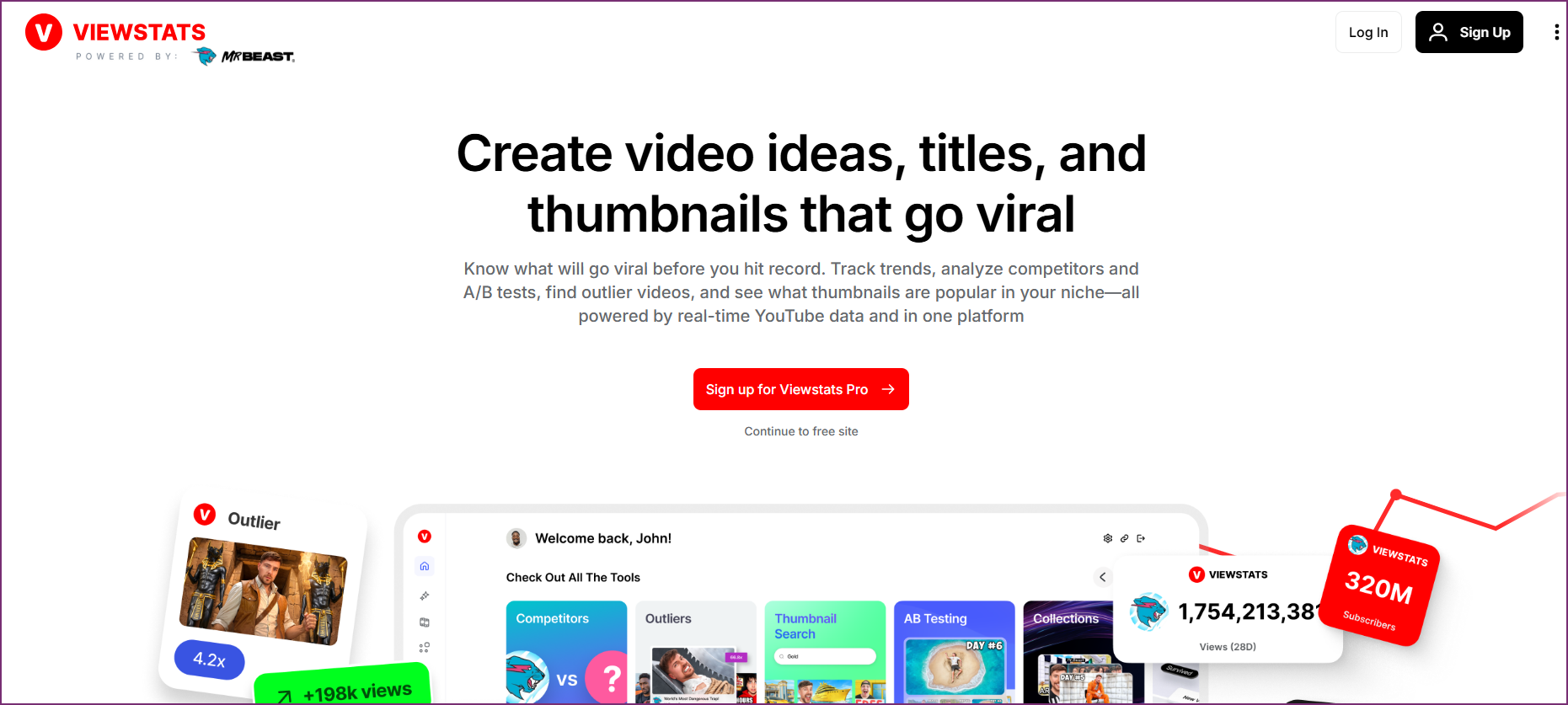
OutlierKit is a content strategy tool—it analyzes competitor videos to find proven content patterns and helps you decide what to create next. Viewstats is a statistics tracker—it shows real-time subscriber counts, view data, and channel metrics. Many creators use both.
OutlierKit

Viewstats
Quick Comparison
| Feature | OutlierKit | Viewstats |
|---|---|---|
| Best For | Competitor analysis & outlier detection | Channel statistics & real-time tracking |
| Starting Price | From $16.6/mo (annual) | Free (with premium options, as listed on their website) |
| Unique Feature | Outlier detection + psychographic analysis | Real-time sub counts & public analytics |
| Learning Curve | Easy | Very Easy |
| User Rating (via Product Hunt & Uneed) | 4.9/5 | 4.2/5 |
Key Takeaways
| Tool | Best For | Key Strength |
|---|---|---|
| OutlierKit | Content strategy & competitor analysis | Outlier detection + psychographic analysis for strategic decisions |
| Viewstats | Channel statistics & real-time tracking | Free real-time subscriber counts and historical data |
| Both | Creators who want a complete toolkit | Use together for research + real-time stats tracking |
Feature Comparison Overview
OutlierKit excels at strategy and competitor analysis. Viewstats excels at real-time tracking and historical data. The tools have different strengths for different needs.
Core Strengths at a Glance
Detailed Feature Comparison
Outlier Video Detection
OutlierKit winsOutlierKit's core feature automatically identifies videos performing 3-10x above channel averages. This reveals proven content patterns and helps you understand what actually works in any niche.
Viewstats shows an outlier score on individual video watch pages, comparing performance against the creator's last 9 uploads. Useful for spotting standout videos, but limited to a narrow comparison window without deeper pattern analysis across niches.
Verdict: OutlierKit wins for depth. Both tools detect outliers, but OutlierKit normalizes across channel sizes, analyzes patterns across entire niches, and surfaces why videos over-perform — not just that they did.
Real-Time Statistics
Viewstats winsOutlierKit focuses on strategic analysis rather than real-time tracking. You get comprehensive data, but it's not updated in real-time like dedicated stats trackers.
Viewstats excels at real-time subscriber counts and live statistics tracking. Watch sub milestones, compare channels live, and see real-time view velocity. Great for stats enthusiasts.
Verdict: Viewstats wins for real-time tracking. If watching live stats matters, Viewstats is purpose-built for this use case.
Competitor Analysis
OutlierKit winsDeep competitor analysis reveals content patterns, audience insights, and strategic gaps. Understand not just what competitors do, but why their content succeeds.
Viewstats shows basic competitor metrics—subscriber counts, view trends, and growth rates. Useful for surface-level comparison but lacks strategic depth.
Verdict: OutlierKit wins for strategic analysis. Viewstats compares numbers; OutlierKit reveals patterns and strategies.
Audience Insights
OutlierKit winsUnique psychographic audience analysis reveals viewer motivations, interests, and pain points. Understand why people watch content, not just demographics.
Viewstats provides limited audience data. You see growth trends and geographic estimates but no psychographic depth or motivation analysis.
Verdict: OutlierKit wins with exclusive psychographic analysis. This feature is unique to OutlierKit.
Content Strategy
OutlierKit winsBuilt for content strategy. Outlier detection, trend discovery, and competitor analysis help you plan what to create next based on proven performance data.
Viewstats is primarily an analytics viewer, not a strategy tool. You see what's happening but get limited guidance on what content to create.
Verdict: OutlierKit wins for content planning. Viewstats shows data; OutlierKit helps you act on it.
Ease of Use
Viewstats winsOutlierKit has a clean, focused interface. The learning curve is gentle, but there are more features to explore compared to simple stats trackers.
Viewstats is extremely simple—search a channel, see stats. No account required for basic use. Perfect for quick lookups and casual stats checking.
Verdict: Viewstats wins for simplicity. It's the easiest tool to use for basic stats, though it offers less depth.
Pricing & Value
TieOutlierKit starts at $16.6/month (annual). Premium pricing reflects premium features—outlier detection and psychographic analysis aren't available elsewhere.
Viewstats offers substantial free features. Premium plans add more historical data and advanced features. Great value for stats-focused users.
Verdict: Tie—different value propositions. Viewstats is better for budget users who just want stats. OutlierKit is better for serious creators who need strategic insights.
Historical Data
Viewstats winsOutlierKit provides relevant historical context for analysis but isn't primarily a historical data tool. Focus is on current patterns and opportunities.
Viewstats maintains extensive historical data—subscriber milestones, view history, and long-term growth charts. Great for tracking channel evolution over time.
Verdict: Viewstats wins for historical tracking. If you need years of historical data, Viewstats has more depth here.
Pricing Comparison
OutlierKit Pricing
- ✓100 credits/month
- ✓Outlier video detection
- ✓Keyword research
- ✓Video script analysis
- ✓Deep Research
- ✓Trend discovery
- ✓Psychographic analysis
- ✓500 credits/month
- ✓Everything in Hobby
- ✓50 credits per connected channel
- ✓Advanced competitor analysis
- ✓Priority support
- ✓2,000 credits/month
- ✓50+ YouTube channels
- ✓AI script & hook analysis
- ✓API Access (coming)
- ✓Update Data on Demand
Viewstats Pricing
- ✓Real-time subscriber counts
- ✓Basic channel statistics
- ✓Channel comparisons
- ✓Limited historical data
- ✓All free features
- ✓Extended historical data
- ✓Advanced analytics
- ✓No ads
- ✓Priority data updates
Value insight: Viewstats's free tier is great for watching stats and basic outlier scores. OutlierKit goes deeper with niche-wide outlier pattern analysis and psychographic audience insights—strategic features that can directly improve your content strategy.
Savings breakdown: Viewstats Free is cheaper upfront with basic outlier scores included. OutlierKit Hobby ($199.20/yr) provides deeper strategic value — niche-wide outlier pattern analysis, psychographic audience insights, and competitor strategy breakdowns that go beyond per-video outlier scores.
What Users Say on Review Platforms
Which Tool Should You Choose?
The best tool depends on whether you need content strategy (what to create) or statistics tracking (monitoring channel growth).
Finding viral content patterns
OutlierKitOutlierKit's outlier detection analyzes patterns across entire niches and normalizes across channel sizes. Viewstats shows outlier scores per video but only compares against the creator's last 9 uploads — less useful for niche-wide pattern discovery.
Watching real-time subscriber counts
ViewstatsViewstats is purpose-built for real-time stats tracking. If you want to watch subscriber milestones or compare live growth, Viewstats excels here.
Understanding why competitors succeed
OutlierKitOutlierKit's deep analysis explains the patterns behind success. Viewstats shows competitor numbers but doesn't reveal strategic insights.
Quick channel lookups
ViewstatsFor fast stats checks without signing up, Viewstats is perfect. Search any channel and instantly see key metrics.
Content planning and ideation
OutlierKitOutlierKit helps you decide what content to create through data-driven analysis. Viewstats doesn't offer content strategy features.
Tracking long-term channel growth
ViewstatsViewstats maintains extensive historical data for tracking channel evolution over months and years.
Frequently Asked Questions
Basics
Can I use both OutlierKit and Viewstats together?
Yes, and they complement each other well. Use Viewstats for quick stats checks and real-time tracking, then use OutlierKit for strategic content planning and competitor analysis. The tools serve different purposes.
What's the main difference between these tools?
OutlierKit is a content strategy tool that helps you decide what videos to make through outlier detection and competitor analysis. Viewstats is a statistics tracker that shows channel metrics and real-time data. Different tools for different needs.
Comparisons
Which is better for small creators?
Viewstats is more accessible for beginners with its free tier and simple interface. However, OutlierKit's strategic insights can be more valuable for growth—knowing what content to create is worth the investment if you're serious about YouTube.
Does OutlierKit have real-time stats?
No, OutlierKit focuses on strategic analysis rather than real-time tracking. If live subscriber counts and real-time views matter to you, Viewstats is the better choice for that specific use case.
Pricing & Value
Is Viewstats really free?
Viewstats offers substantial free features including real-time subscriber counts and basic analytics. Premium plans add extended historical data and advanced features, but the free tier is genuinely useful.
Is OutlierKit worth the price compared to free Viewstats?
It depends on your goals. Viewstats is great for watching stats and basic outlier scores, but OutlierKit goes deeper with niche-wide pattern analysis and psychographic audience insights that can directly improve your content strategy—worth the investment for serious creators.
Final Verdict
Choose OutlierKit if:
- ✓You want to know what content to create before making it
- ✓Understanding competitor success patterns matters
- ✓You want psychographic audience insights
- ✓You need outlier detection to find viral content patterns
Choose Viewstats if:
- ✓You want to track real-time subscriber counts and milestones
- ✓Quick channel lookups without signup matter to you
- ✓You need extensive historical data and growth charts
- ✓You're on a tight budget and need free analytics
Many creators use both
OutlierKit and Viewstats serve different purposes. Use Viewstats for quick stats checks and real-time tracking. Use OutlierKit for strategic content planning—deciding what videos to make based on proven outlier patterns. The tools complement each other well.
See the YouTube Competitor Analysis Tool Nobody Talks About
Disclaimer: This comparison reflects our assessment based on publicly available information as of March 6, 2026. Features, pricing, and capabilities may change at any time. We encourage readers to verify current information directly with each product. This page is published by OutlierKit and reflects our perspective. If you believe any information is inaccurate, please visit the official product websites to verify current details.

Ready to find viral content patterns?
OutlierKit reveals what content works and why. Stop guessing what to create—start with data-driven content strategy.
Start Free Trial