
TL;DR: To get your first 1,000 YouTube subscribers, research what already works in your niche before you film, build each video around a proven topic, hook and thumbnail, then publish four videos in 30 days and fix what your analytics show. Commit to at least 10 videos before you judge the plan. OutlierKit, a research and planning tool built for experts, consultants and coaches who use YouTube to share what they know, finds the outlier videos and keywords to start from. It has a free trial of 30 credits and no card.
Last updated: October 13, 2026
Most new videos get very few views. The median YouTube video has 39 views, according to a random sample of YouTube by Ethan Zuckerman's team at UMass Amherst. The channels that beat those odds pick topics from data. They study the videos that already outperform in their niche and build on those patterns. To see how many subscribers a typical channel in your niche has, check our YouTube subscriber benchmarks by niche: the median active channel has between 7,000 and 33,000 subscribers, depending on the niche.
This guide is a 30-day roadmap for a brand new channel. For the longer weekly system that comes after your first 1,000, read our data-driven YouTube growth strategy playbook.
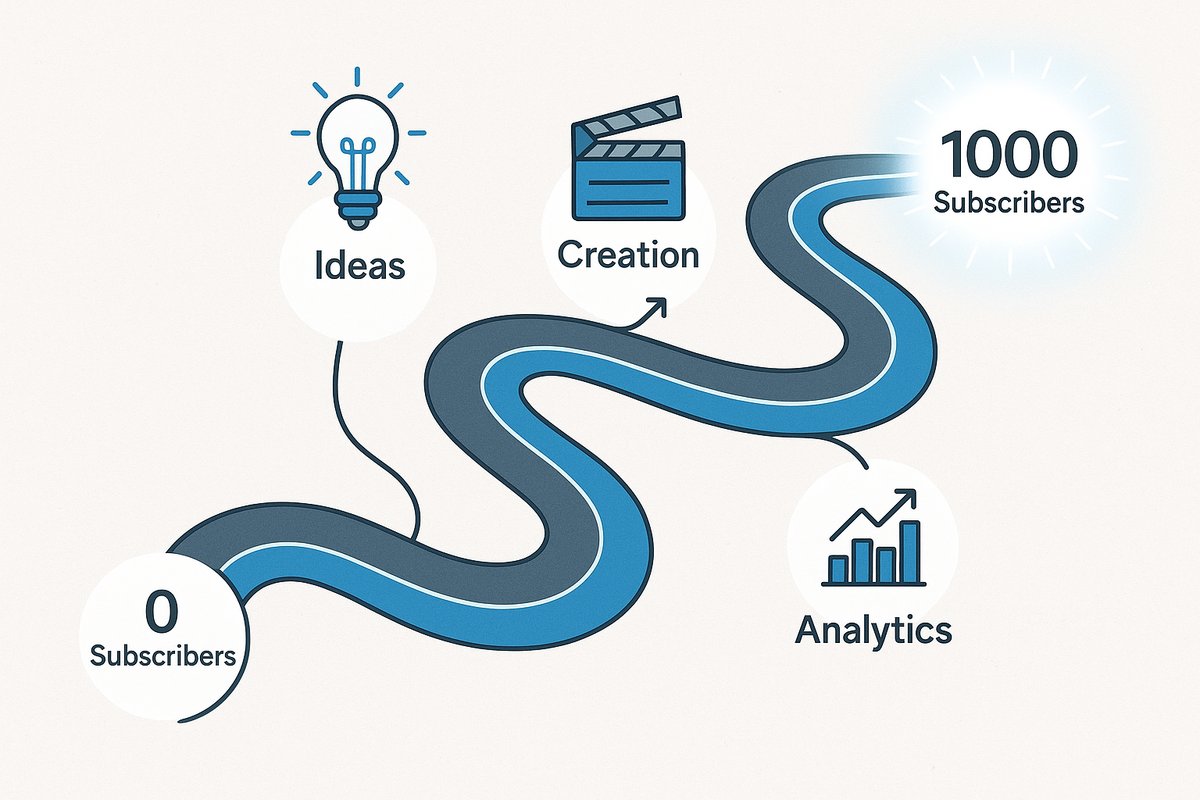
The 30-day roadmap to your first 1,000 YouTube subscribers
Lever | Key number | Why it matters |
Click-through rate | Half of all channels and videos sit between 2% and 10% (YouTube Help) | Compare each video with your own channel average, not a fixed target |
Audience retention | Your own average in YouTube Studio | Where viewers leave tells you which part of the script to fix |
Publishing cadence | 4 videos in 30 days | Enough videos to see which topic and format work |
Commitment before judging | 10 videos | One or two videos are too few to judge a format |
Watch: how to get your first 1,000 subscribers.
Related: YouTube Growth · How to Get YouTube Monetization Fast · YouTube Algorithm Updates
Why do your first 1,000 subscribers matter?
1,000 subscribers is the subscriber bar for the YouTube Partner Program. The YouTube Partner Program overview on YouTube Help lists two ways in:
"Get 1,000 subscribers with 4,000 qualified watch hours in the last 12 months"
"Get 1,000 subscribers with 10 million qualified Shorts views in the last 90 days"
Watch hours count only from public long-form videos. Shorts Feed views do not count toward the 4,000 hours. For the full path to your first payout, see how to get YouTube monetization fast.
What is the fastest way to get your first 1,000 subscribers?
Research first, then create. The plan in this guide comes down to seven moves:
Study the outlier videos in your niche (videos that beat their channel's average) before you make anything.
Target low-competition keywords that a small channel can rank for.
Break down the scripts of videos that worked to learn their hooks and pacing.
Find the topics that successful channels in your niche have not covered.
Build titles, thumbnails and scripts on the patterns you found.
Watch total watch time, not view counts alone.
Check each video's numbers and change the next one. Do not repeat a format that failed.
What do you need to start a YouTube channel?
You need a topic you can talk about for months, a phone, free editing software and a few hours a week. Expensive gear matters far less than picking the right topics.
A topic you know or enjoy, because you will make videos about it for months.
A basic recording setup. Your smartphone records good enough video.
Free editing software such as DaVinci Resolve or CapCut.
A research tool such as OutlierKit to see what already works before you film.
5 to 10 hours a week, including 2 to 3 hours of research.
A free Google account for YouTube Studio analytics.
How do you research video ideas before you film? (Week 1)
Spend the first week finding what already performs in your space. The most common beginner mistake is pressing record before checking demand.
How do you pick a niche with proven demand?
Pick a niche where your interests overlap with topics viewers already watch. Three checks help.
1. Look for outlier videos. OutlierKit's Outlier Research finds videos that get far more views than their channel's average. These outliers show:
which topics have more demand than expected
which formats are breaking through
how crowded a niche is
2. Check for low-competition keywords. Before you commit, run the niche through OutlierKit's Keyword Research to find topics you can rank for. Look for:
searches with demand and few well-optimized videos
topics where small channels already get views
keywords that larger channels ignore
Our YouTube SEO strategy guide shows how to put those keywords into titles and descriptions.
3. Check what the niche pays. Ad revenue per view differs a lot between niches. If income matters to you, compare niches in our YouTube RPM benchmarks by niche before you pick one.
How do you turn outlier videos into your first 5 video ideas?
Take videos that already worked and make a better version for your audience. Do it in four steps:
Find outlier videos. Use OutlierKit's Outlier Research to list videos in your niche with at least 3x their channel's average views.
Learn why they worked. Run the best ones through Video Script Analysis to see the hook, structure and pacing.
Find the gaps. Use Channel analysis on the top channels in your niche to spot topics they have not covered lately.
Check the keywords. Make sure each idea targets a keyword with demand and low competition.
Example (hypothetical): In the productivity niche, "My Morning Routine" is crowded. Your research might show that "How I Actually Stick to My Morning Routine (The Psychology Behind Habit Formation)" is a proven format with less competition.
By the end of week one, you should have one niche and five video ideas backed by research instead of guesses. For ready-made examples, browse our viral video ideas reports by niche.
How do you make a video that new viewers click and watch?
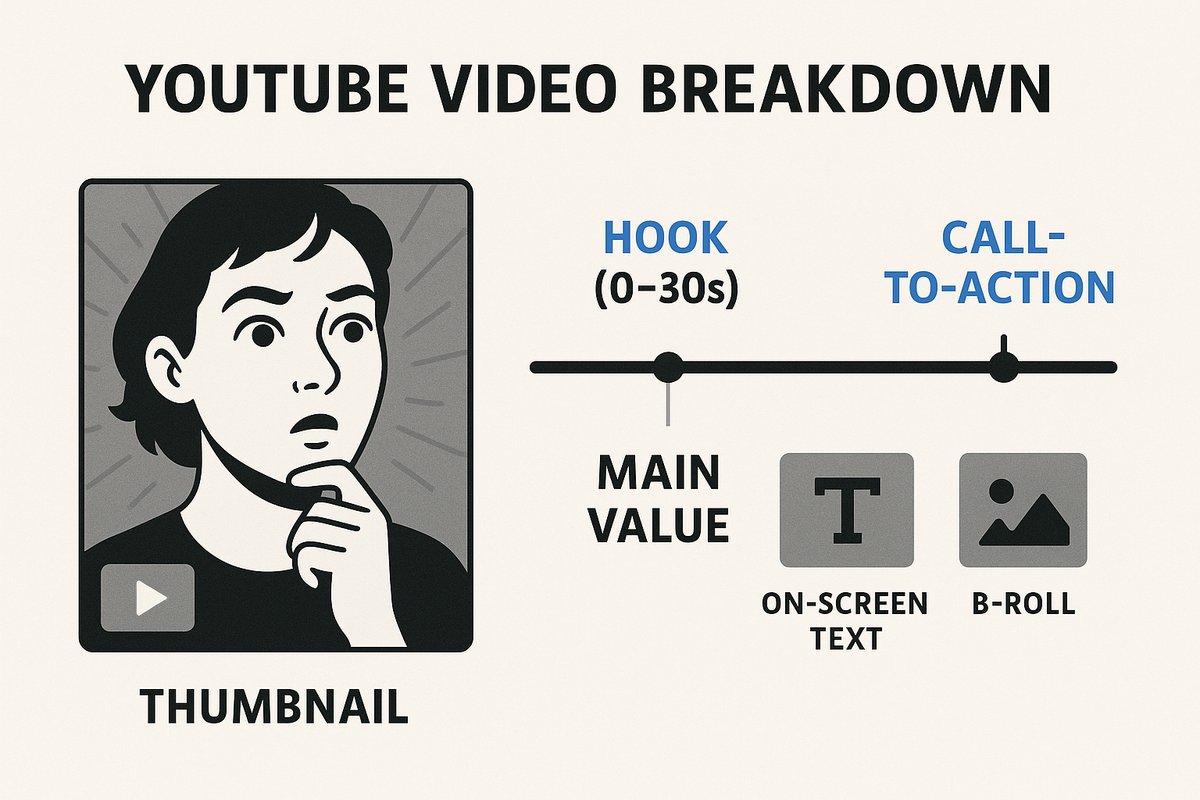
The anatomy of a high-performing YouTube video
Copy the structure of videos that worked, not their content, and say it in your own voice. The hook, the thumbnail and the title decide whether a new viewer clicks and stays.
How should you structure your script?
Open with a hook that names the viewer's problem, then deliver the answer in clear steps. Video Script Analysis breaks down top videos in your niche so you can see how they do it. Common hook patterns:
Problem and promise: "If you're struggling with [specific problem], I'm going to show you [specific solution] in the next [timeframe]."
Curiosity loop: "The one mistake that's keeping you from [desired outcome] isn't what you think."
Immediate value: "The three things I wish I knew before [relevant situation]."
Techniques that keep people watching:
Regular pattern interrupts, such as on-screen text, B-roll or a zoom change.
Open questions that you answer later in the video.
A timestamp promise in the hook ("At minute 4:30, I'll show you...").
A clear value statement every few minutes.
A simple structure for a 10-minute tutorial:
0 to 15 seconds: the problem, stated with a specific pain point
15 to 45 seconds: a preview of the three-step solution
45 seconds to 2 minutes: a short personal story that shows why viewers should trust you
2 to 8 minutes: the solution, step by step
8 to 10 minutes: a recap and one specific call to action
Once your script is written, OutlierKit's Script review scores it before you record.
How do you design a thumbnail and title that get clicks?
Base them on what gets clicks in your niche, not on what looks good to you. Open the outlier videos from your research and note what their thumbnails share:
faces and the emotions they show
text overlays, such as before and after comparisons
colors that stand out next to other videos in your niche
layouts that small channels use
A simple thumbnail formula:
A face with an expression that matches the winning thumbnails in your niche.
A few words of text that open a question.
Colors that contrast with the suggested videos sidebar.
Proof, such as a number, a before and after shot or a demonstration.
For the title, OutlierKit's Title tool writes 16 candidates and ranks them against real breakout videos in your niche.
How does the YouTube algorithm treat new channels?
The algorithm matches videos to viewers who are likely to click and keep watching, and subscriber count matters less than those signals. Our guide to the YouTube algorithm for small channels covers it in detail. Four things help a new channel:
Niche consistency. YouTube can recommend a channel more easily when it knows who the channel is for.
Click-through rate. Titles and thumbnails that earn clicks get more impressions.
Retention. Videos that keep people watching get shown to more people.
Session time. Videos that lead viewers to keep watching YouTube get recommended more.
How do you promote your first videos over 30 days?
Publish four researched videos, share each one where your viewers already gather, and use each video's data to shape the next. Skip shortcuts such as paid views. Our look at buying YouTube views and better alternatives explains why.
Week 1: launch your first researched video
Upload the first video you built from your research. Then:
Share it in 2 or 3 communities where similar videos did well.
Reply to comments with a question that keeps the conversation going.
Pin a comment that asks for a specific answer.
Example pinned comment: "I studied the top videos on this topic to build this method. What's the biggest productivity problem you're facing right now?"
Weeks 2 and 3: adjust from your first video's data
Publish videos 2 and 3 and change them based on video 1:
If CTR is below your channel average, test a thumbnail built on the patterns from your outlier research.
If retention drops at one point, rework that part of the script. Compare it with how the outlier videos handle the same moment.
If comments are low, look at how the top creators in your niche ask viewers to respond.
Promote without spamming:
Leave useful comments on similar videos. Add a real point, not generic praise.
Talk with creators whose viewers would like your videos.
Share insights in communities, and add a link only when it answers the question.
Week 4: repeat what worked
Upload video 4 with the best elements of your first three, plus new ideas from fresh OutlierKit research. Then:
Put more time into the places that sent engaged viewers.
Collaborate with creators at your level whose audiences overlap with yours.
Use your best video as the example when you post in communities.
Which YouTube analytics should a new channel watch?
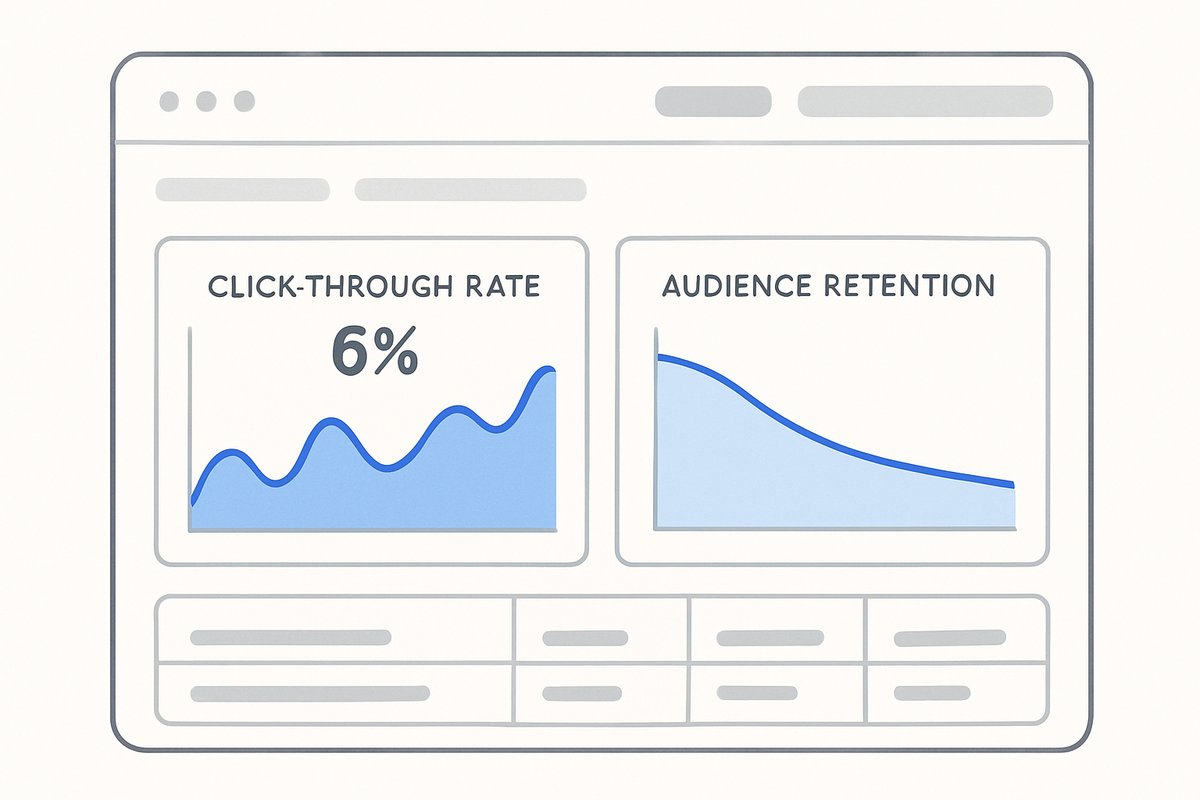
Key YouTube analytics for channel growth
Watch click-through rate, audience retention and session time. They predict growth better than views or subscriber count.
Which metrics predict growth?
Click-through rate. It shows how often people who see your thumbnail click it. YouTube Help says half of all channels and videos have an impressions CTR between 2% and 10%, and new videos swing more.
Audience retention. It shows how much of the video people watch and where they leave.
Session time. It shows whether viewers keep watching YouTube after your video.
What to do with the numbers:
CTR below your channel average? Rework the thumbnail or title using the patterns in your niche.
Retention falls in the first 30 seconds? Your hook is weaker than the proven ones.
Short sessions? Fix your end screens and calls to action.
How do you compare your videos with the winners in your niche?
Compare what you can see publicly. Your CTR and retention live only in your own YouTube Studio. Other channels keep theirs private. Use OutlierKit to line up your videos against the outliers in your niche:
Views against each channel's average: which of your topics underperform while the same topic wins elsewhere?
Structure: where does an outlier video keep attention at the point where your retention graph drops?
Length: how long are the outlier videos on your topic?
If a topic keeps winning for other channels in your niche but not for you, the topic works and your execution needs a fix.
How do you raise watch time?
Find the moment viewers leave and change it. Open your retention graph, then run a matching outlier video through OutlierKit's Video Script Analysis to see how it paces the same section. Then:
Add pattern interrupts at the points where you lose viewers.
Reorder the video to follow the structure of the outlier.
Test lengths close to what works in your niche.
For more tactics on small channels, read our YouTube channel growth strategy framework.
What mistakes slow down new YouTube channels?
Five mistakes that research prevents:
Making videos without checking demand. Many creators pick topics they find interesting without checking search demand. Run the idea through OutlierKit's Keyword Research first.
Ignoring what already works. Beginners often try to be fully original instead of learning from successful channels. Study the thumbnails, titles and structures of the outliers in your space.
Chasing trends outside your niche. Off-topic trends confuse the algorithm about who your channel is for. Use OutlierKit's Trends to find trending topics inside your niche.
Ignoring your analytics. Many creators keep making the same kind of video after the numbers show it does not work. Let each video's data shape the next one.
Quitting too early. Commit to at least 10 videos before you judge the strategy, and adjust your tactics along the way.
What should you do first?
Pick your niche and find five outlier videos in it this week. Research first, create second, and make every video a test you learn from.
Want your next video to start from proven demand? OutlierKit shows the outlier videos, keywords and competitor gaps in your niche. Start your free trial and find what already works before you film.
Frequently Asked Questions
Yes. Study the outlier videos in your niche, find low-competition keywords and learn which formats already work before you film. It saves you from guessing on your first videos.
Use OutlierKit's Keyword Research to find topics that people search for but few well-optimized videos cover. Those are the topics a small channel can rank for.
Look at the script structure, the hook, the thumbnail and how the creator asks viewers to engage. OutlierKit's Video Script Analysis breaks down why a video did better than its channel's average, so you can adapt the pattern in your own voice.
It shows you the content gaps a new channel can fill. Study what the top channels in your niche do well, then pick topics they have not covered or angles they missed. Our roundup of YouTube competitor analysis tools compares the options.
Check your data after your first video, but wait for 3 or 4 videos before you make big strategy changes. Focus on click-through rate and audience retention.
Compare each video's click-through rate and retention with your own channel average in YouTube Studio, and compare its views with the outlier videos on the same topic. If a topic keeps winning for other channels but not for you, fix your thumbnail, title or structure.
Follow proven patterns and add your own view. Use formats that data shows work, and let your insights and voice make the video yours.
OutlierKit has a free trial of 30 credits with no card, then Hobby at $49/month and Pro at $99/month. See OutlierKit pricing. For a beginner, it is worth it if it keeps your next videos from covering topics nobody watches.
Yes, on the right topics. Target low-competition keywords and the content gaps that bigger channels miss, and keep checking what works now instead of what worked last year.
Related reading
Sources
YouTube Help, YouTube Partner Program overview and eligibility: "Get 1,000 subscribers with 4,000 qualified watch hours in the last 12 months" or "10 million qualified Shorts views in the last 90 days".
YouTube Help, impressions and click-through rate: "Half of all channels and videos on YouTube have an impressions CTR that can range between 2% and 10%."
Ethan Zuckerman, How Big is YouTube? (Dec 2023): "the median YouTube video has 39 views".
OutlierKit pricing: Hobby $49/month, Pro $99/month and a free trial of 30 credits with no card.
Share this post